 kjean13/adft
Active Directory Forensic Toolkit : Windowsイベントログ(EVTX)からAD攻撃を検出&再構築

ADFTは、オフラインのActive Directory / Windows調査ツールキットであり、統合されたローカルWeb UIを備えています。
この公式v1.0リリースは、1つの一貫した製品サーフェスを提供します:
ADFTは、エクスポートされた証拠を取り込み、サポートされているすべてのソースを正規JSONLに変換し、決定論的な検出と相関を適用し、観測されたAD露出スコアを計算し、攻撃の進行を再構築し、調査と堅牢化のアーティファクトを生成します。
ADFTは、オフラインのWindows / AD / SIEM指向のデータセットを分析し、CLIと統合GUIを介して調査アーティファクトを生成します。
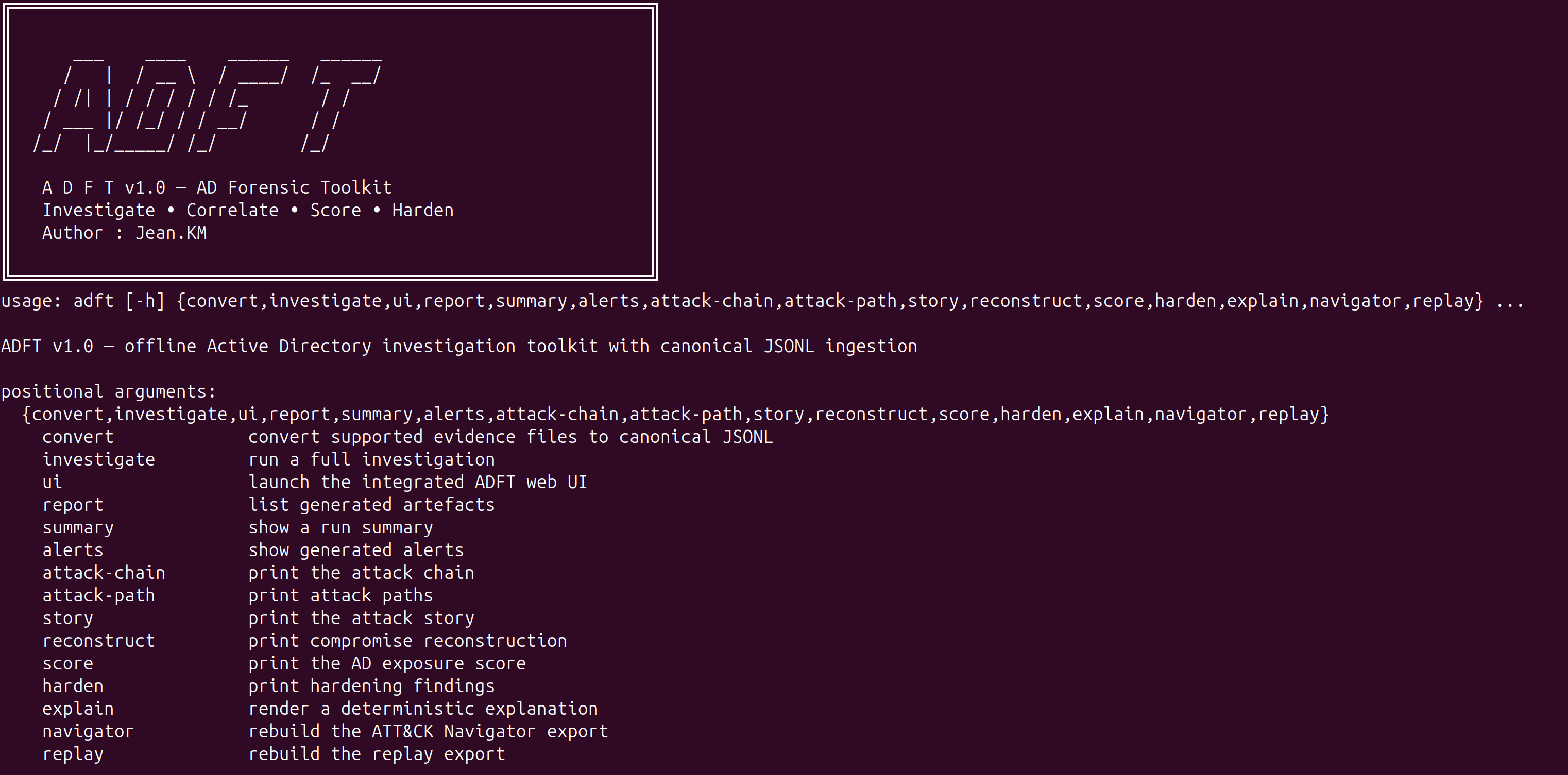
ADFT v1.0がサポートする機能:
ADFTは、複数の形式のソース証拠を受け入れ、分析前に正規JSONLに変換します:
推奨されるワンショットインストール:
./install_adft.sh
実際のEVTX検証に推奨:
./install_adft.sh --run-demo
手動インストール:
python3 -m venv .venv
source .venv/bin/activate
pip install --upgrade pip
pip install -e ".[full]"
開発インストール:
pip install -e ".[full,dev]"
依存関係の詳細な注記はdocs/DEPENDENCIES.mdに記載されています。
リポジトリ注記: pyproject.tomlがパッケージングの信頼できる情報源です。install_adft.shはv1.0の公式完全インストールパスであり、requirements-dev.txtはコントリビューターとCIのために引き続き利用可能です。
adft convert test_logs -o converted_inputs
adft investigate test_logs/attack.json -o reports_core --format html json csv --export-events-jsonl
adft summary -o reports_core
adft alerts -o reports_core --full
adft score -o reports_core
adft story -o reports_core --full
adft attack-chain -o reports_core
adft attack-path -o reports_core
adft reconstruct -o reports_core --full
adft harden -o reports_core --dry-run --export-scripts reports_core/remediation
adft report -o reports_core
統合GUIを起動するには:
adft ui -o reports_gui --host 127.0.0.1 --port 8765
その後、以下を開きます:
http://127.0.0.1:8765
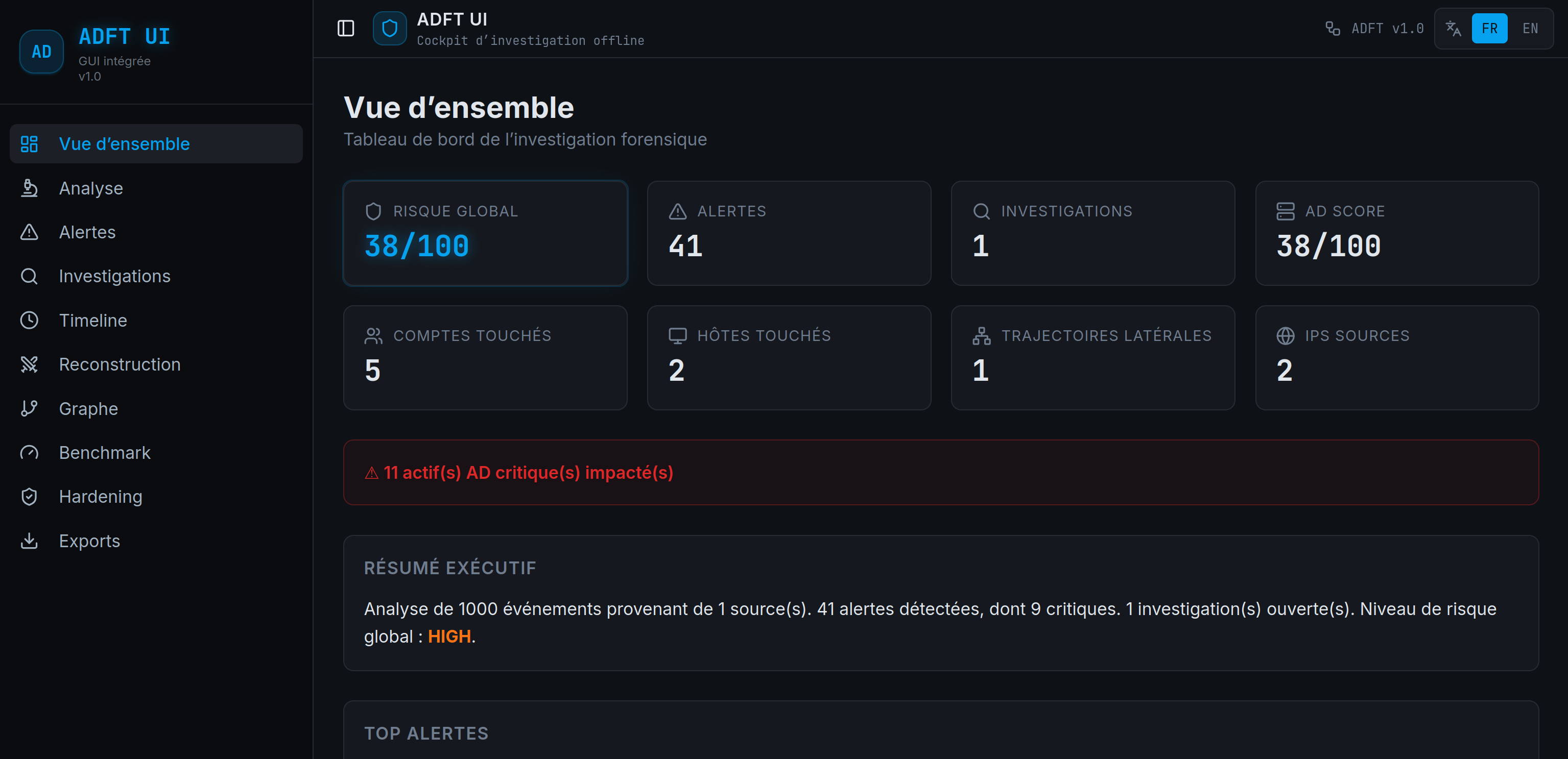
GUIはバックエンド駆動型です: アップロード、変換、調査、アラート、タイムライン、再構築、グラフ、ベンチマーク、堅牢化、エクスポートの各ビューは、ブラウザでビジネスロジックを再実行する代わりに、実際のADFT実行状態を読み取ります。
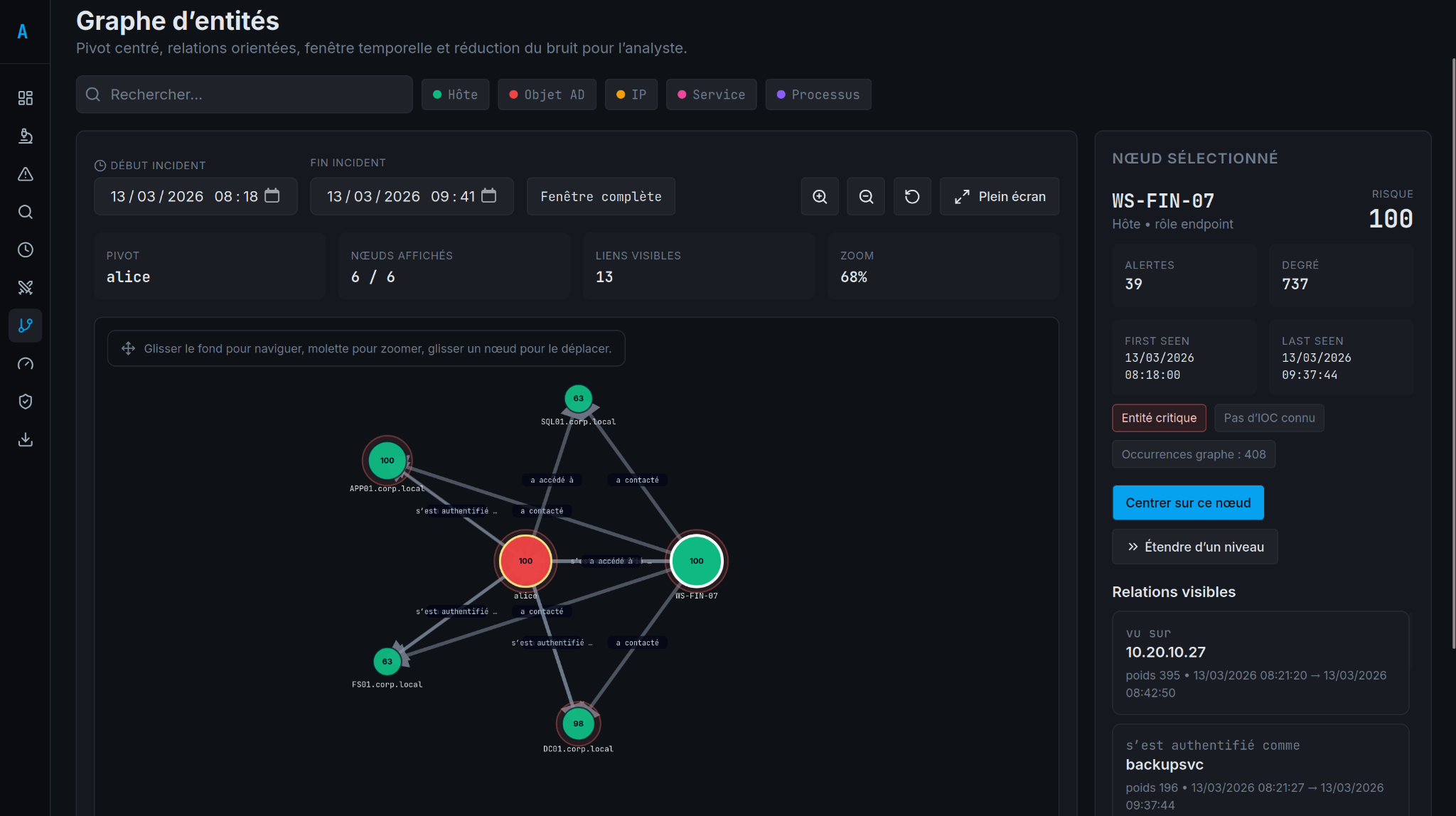
ADFTは、選択したピボットからグラフベースの調査をサポートし、可視化された関係、時間スコープ、アナリスト指向のナビゲーションを提供します。
adft_report.htmladft_report.jsonadft_report.csvattack_navigator_layer.jsonadft_replay.jsonattack_graph.mmdadft_integrity.json.adft_last_run.jsonconverted_inputs/conversion_manifest.jsonhardening_scripts.zip after GUI or CLI hardening exportEVTXはサポート対象範囲の一部です。
実行時、EVTX変換にはpython-evtxが必要です。
これがないと、EVTX入力を正常に解析できません。
そのため、公式v1.0リリースの推奨インストールパスは次のとおりです:
./install_adft.sh
このv1.0リリースには、決定論的で説明可能なパイプラインで34のルールが同梱されています。
adft/
  cli/             command-line entry points
  core/            ingestion, normalization and data models
  detection/       deterministic rulepack and detection pipeline
  correlation/     alert grouping and campaign logic
  timeline/        timeline reconstruction
  graph/           entity graph and attack path analysis
  investigation/   case narrative and reconstruction helpers
  analysis/        scoring and data-quality analysis
  harden/          remediation and hardening logic
  reporting/       JSON, CSV and standalone HTML reports
  exports/         Navigator and replay exports
  ui_server.py     integrated HTTP server and GUI backend bridge
  webui_dist/      packaged web UI assets served by the backend
  datasets/        demo datasets used for smoke tests
frontend_source/
  src/             React/Vite source for the integrated GUI
pytest -q
python3 main.py investigate adft/datasets/ransomware_pre_encryption_campaign.json -o /tmp/adft_release_reports --format html json csv --export-events-jsonl
python3 main.py ui -o /tmp/adft_release_reports --host 127.0.0.1 --port 8765
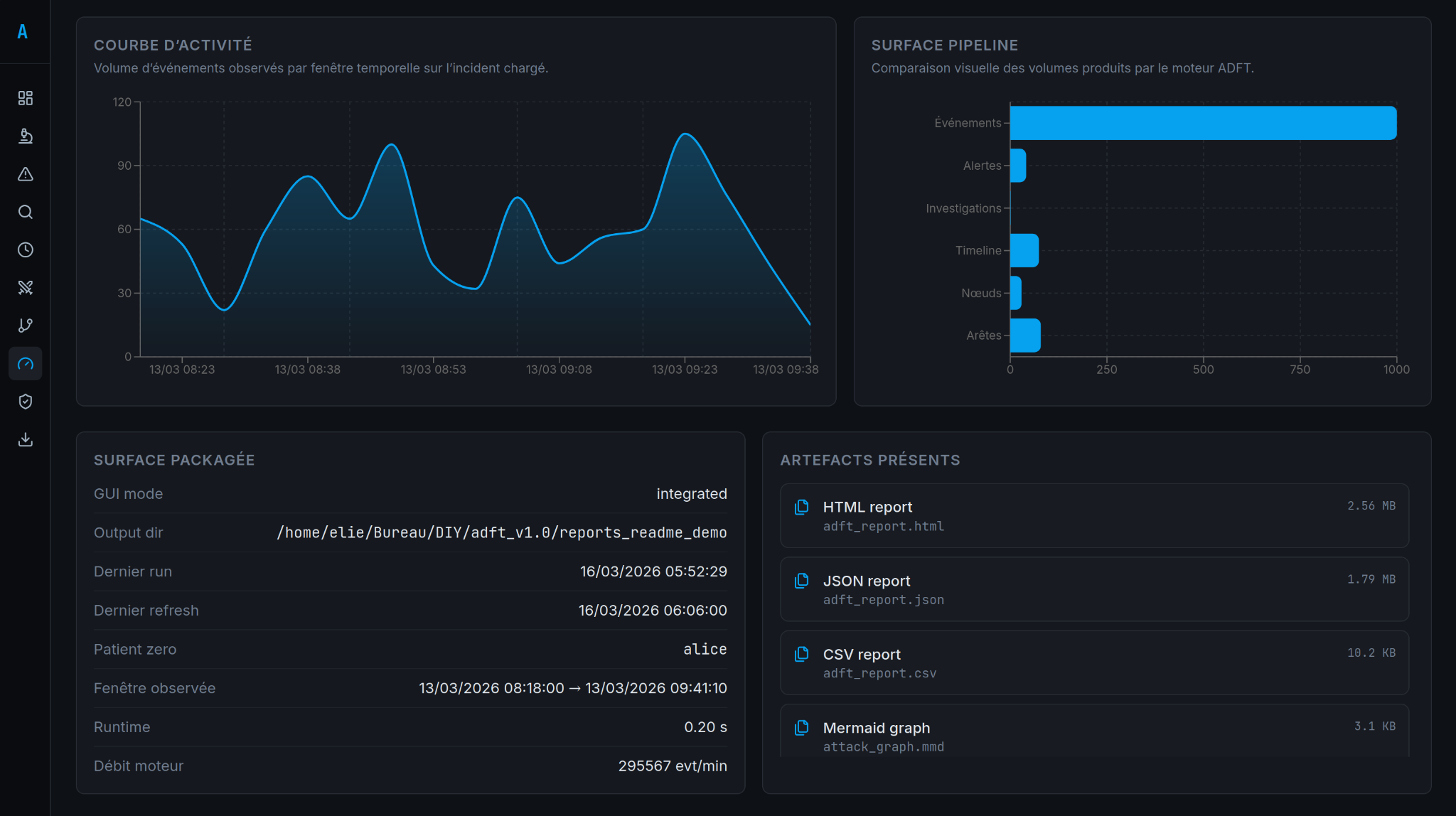
ベンチマークビューは、実行メトリクスとパッケージ化されたリリースチェックを含む、コンパクトな製品検証サーフェスを提供します。
関連項目:
docs/TESTING.mddocs/ARCHITECTURE.mddocs/DEPENDENCIES.mddocs/RELEASE_VALIDATION.md統合GUIには、上部バーに永続的なFR/EN言語切り替え機能が含まれています。選択はブラウザにローカルに保存され、メインナビゲーション、画面、アナリスト向けラベルに適用されます。
ADFT v1.0には、変換、タイムライン、グラフ、アラート、エクスポートを実行するエンドツーエンドのランサムウェアデモンストレーションのために、adft/datasets/ad_prod_investigation_post_siem_demo_1000_events.jsonが同梱されています。
