 flankerhqd/jebmcp
JEB Pro用のMCPサーバープラグイン。APKリバースエンジニアリング時にAI支援の逆コンパイル、メソッド/フィールドの検査、自動リネームを実現します。


JEB Pro 用の即席 MCP サーバー & プラグインです。 Cline & Cursor & RooCode でテスト済みです。
参考: https://github.com/mrexodia/ida-pro-mcp
Python >= 3.11
uv: https://docs.astral.sh/uv/getting-started/installation/
File->Scripts->Scripts selector...)、次の出力が表示されることを確認してください:[MCP] Plugin loaded
[MCP] Plugin running
[MCP] Server started at http://127.0.0.1:16161
要件:
安装 python3.11及以上版本
安装 uv https://docs.astral.sh/uv/getting-started/installation/
.
├── README.md
├── jeb-mcp
│   ├── pyproject.toml
│   ├── src
│   │   └── jeb_mcp
│   │       ├── MCP.py
│   │       ├── server.py
│   │       └── server_generated.py
│   └── uv.lock
└── sample_cline_mcp_settings.json
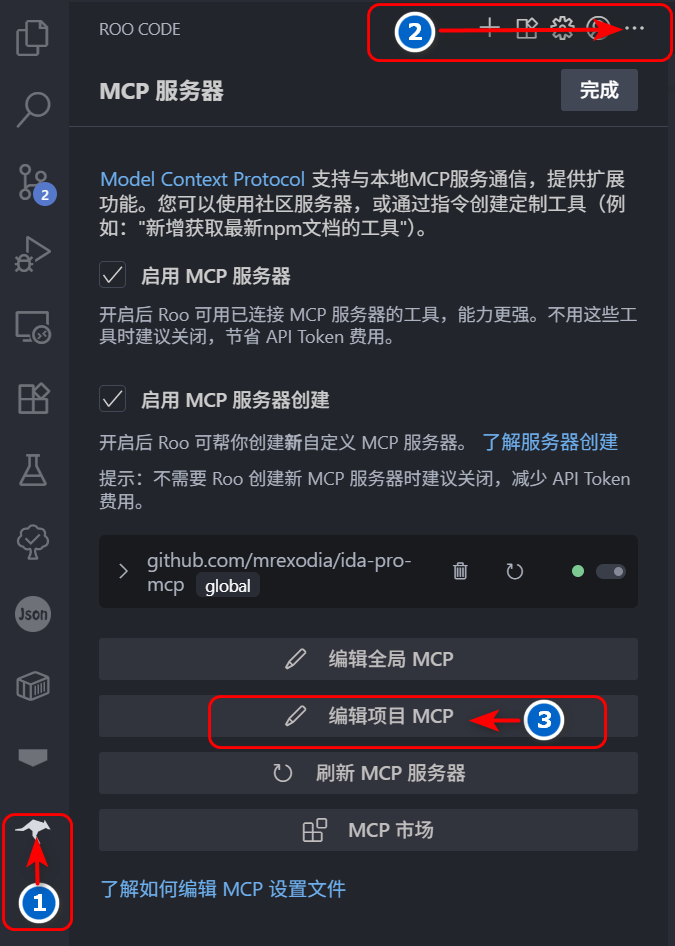
... をクリックし、最後に「プロジェクト MCP を編集」ボタンをクリックします。現在のディレクトリに .roo ディレクトリが作成され、その中に mcp.json ファイルが含まれます。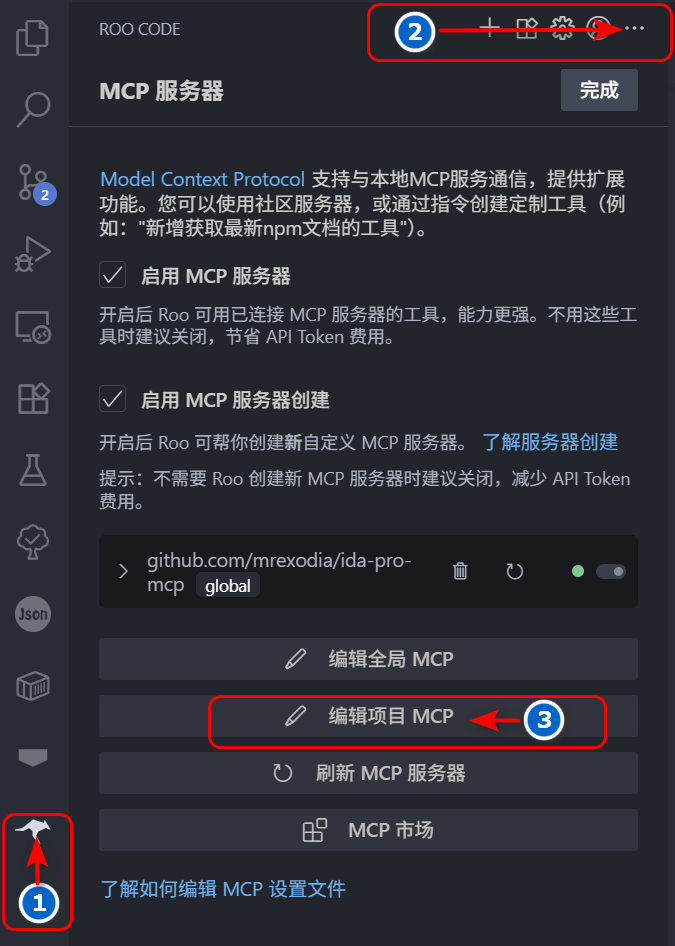
mcp.json ファイルを次の内容に変更します:{
"mcpServers": {
"jeb": {
"command": "uv",
"args": ["--directory", "jeb-mcp/src/jeb_mcp", "run", "server.py"],
"timeout": 1800,
"disabled": false,
"autoApprove": [
"ping",
"check_connection",
"get_manifest",
"get_all_exported_activities",
"get_exported_activities_count",
"get_an_exported_activity_by_index",
"get_class_decompiled_code",
"get_method_decompiled_code",
"get_method_overrides",
"get_method_callers",
"get_superclass",
"get_interfaces",
"get_class_methods",
"get_class_fields",
"rename_class_name",
"rename_method_name",
"rename_field_name"
],
"alwaysAllow": [
"check_connection",
"get_class_decompiled_code",
"get_class_fields",
"ping",
"get_manifest",
"get_all_exported_activities",
"get_exported_activities_count",
"get_an_exported_activity_by_index",
"get_method_decompiled_code",
"get_method_callers",
"get_method_overrides",
"get_superclass",
"get_interfaces",
"get_class_methods",
"rename_class_name",
"rename_method_name",
"rename_class_field"
]
}
}
}
この時点で、MCP サーバーリストに jeb MCP サーバーが存在することが確認できます。
File->Scripts->Scripts selector... を開き、現在のディレクトリにある jeb-mcp/src/jeb_mcp/MCP.py ファイルを選択してスクリプトを実行します。このとき、jeb のロガーウィンドウに次のような出力が表示されます:[MCP] Plugin loaded
[MCP] Plugin running
[MCP] Server started at http://127.0.0.1:16161
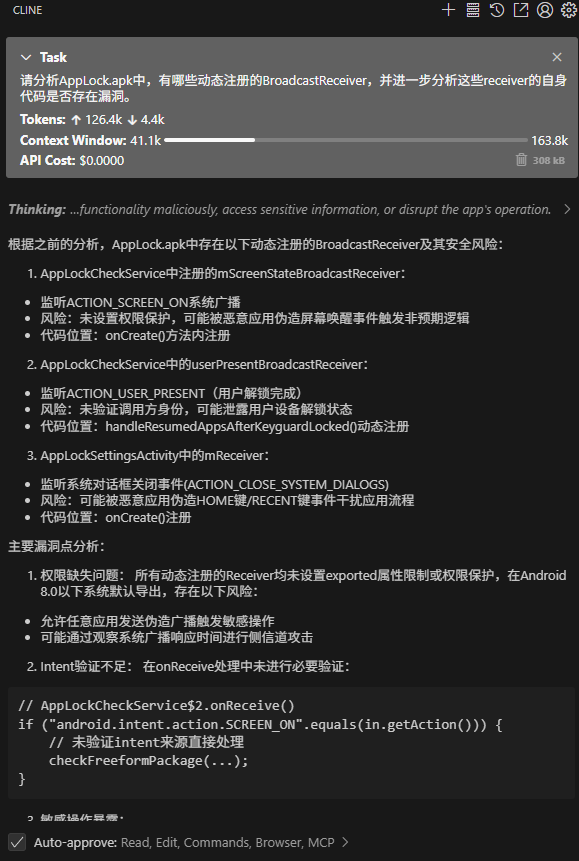
1. 连接MCP JEB
2. 分析D:\xxx.apk 应用的 Lnet/xxx/MainActivity; 类的功能
3. 根据功能重命名所有方法名小于3个字符的名称
4. 如果调用了其他类的方法,分析相应的类功能,并重命名方法名小于3个字符的名称
5. 输出分析过程