
 csalab-id/csaf
サイバーセキュリティ意識向上フレームワーク (CSAF)



サイバーセキュリティ意識向上フレームワーク(CSAF)は、個人、組織、コミュニティにおけるサイバーセキュリティの意識と理解を高めるための体系的なアプローチです。効果的なサイバーセキュリティ意識向上プログラムの開発に関するガイダンスを提供し、意識向上ニーズの評価、教育資料の作成、トレーニングとシミュレーションの実施、コミュニケーションキャンペーンの実行、意識レベルの測定といった主要な領域をカバーします。このフレームワークを採用することで、組織は強固なセキュリティ文化を育み、サイバー脅威を検出・対応する能力を高め、攻撃やセキュリティ侵害に伴うリスクを軽減することができます。
---
config:
  layout: elk
---
flowchart TD
    kali_attack["Kalilinux Attack"]
    kali_defense["Kalilinux Defense"]
    kali_monitor["Kalilinux Monitor"]


    subgraph Webserver["Webserver"]
        dvwa["DVWA"]
        dvwa_monitor["DVWA Monitor"]
        wackopicko["Wackopicko"]
        juiceshop["Juiceshop"]
    end

    subgraph Database["Database"]
        mariadb["MariaDB"]
        mongodb["MongoDB"]
    end

    subgraph Phishing["Phishing LAB"]
        gophish["Gophish"]
        phishing["Phishing WEB"]
        mail_server["Mail Server"]
        mitmproxy["Mitmproxy"]
    end

    subgraph Ransomware["Ransomware LAB"]
        ransomware["Ransomware WEB"]
    end

    subgraph Breach["Breach LAB"]
        caldera["Caldera"]
        infection_monkey["Infection Monkey"]
    end

    subgraph Versioning["Versioning"]
        gitea["Gitea"]
    end

    subgraph Monitor["SOC LAB"]
        subgraph WAF["WAF"]
            bunkerweb["BunkerWEB"]
            modsecurity["Modsecurity"]
        end

        subgraph SIEM["SIEM"]
            wazuh["Wazuh"]
            splunk["Splunk"]
        end

        subgraph DFIR["DFIR"]
            velociraptor["Velociraptor"]
        end
    end

    dvwa -->|Connect| mariadb
    dvwa -->|Sending Alert| wazuh
    dvwa -->|Sending Log| splunk

    dvwa_monitor -->|Connect| mariadb
    dvwa_monitor -->|Sending Alert| wazuh
    dvwa_monitor -->|Sending Log| splunk

    wackopicko -->|Lateral Movement| juiceshop
    wackopicko -->|Lateral Movement| dvwa
    wackopicko -->|Lateral Movement| dvwa_monitor

    gitea -->|Update Code| dvwa
    gitea -->|Update Code| dvwa_monitor

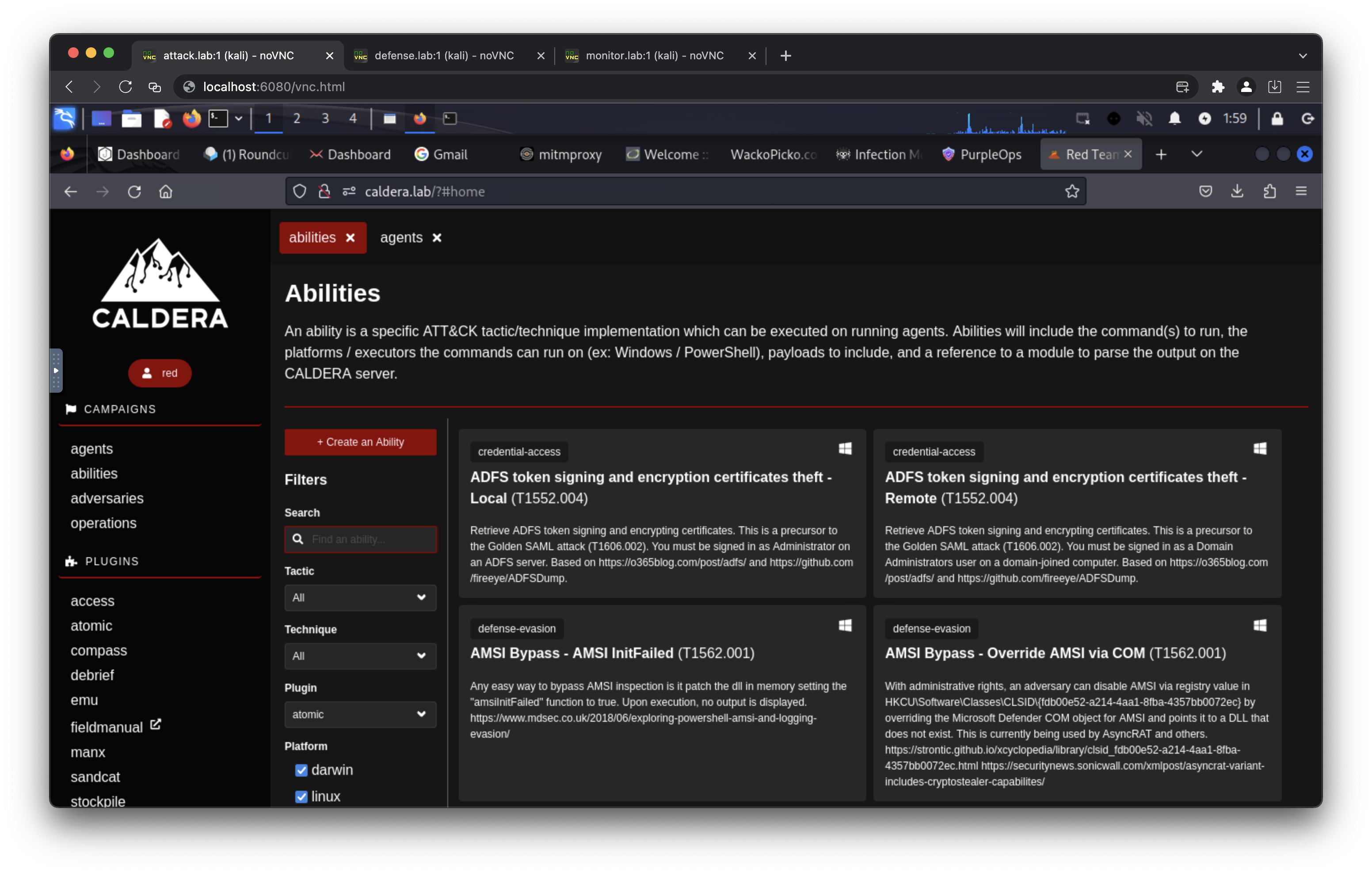
    caldera -->|Control| dvwa
    caldera -->|Control| dvwa_monitor

    infection_monkey -->|Connect| mongodb

    velociraptor -->|Control| dvwa
    velociraptor -->|Control| dvwa_monitor

    bunkerweb -->|Protect| dvwa_monitor
    bunkerweb -->|Protect| wackopicko
    bunkerweb -->|Protect| juiceshop

    modsecurity -->|Protect| dvwa_monitor

    gophish -->|Sending Phishing| mail_server

    phishing -->|Seding Data| mitmproxy

    mail_server -->|Access| phishing

    ransomware -->|Infection| kali_attack
    ransomware -->|Infection| kali_defense
    ransomware -->|Infection| kali_monitor

    kali_attack -->|Attack| bunkerweb
    kali_attack -->|Attack| modsecurity
    kali_attack -->|Attack| wackopicko
    kali_attack -->|Access| gophish
    kali_attack -->|Collect Data| mitmproxy
    kali_attack -->|Access| caldera
    kali_attack -->|Access| infection_monkey

    kali_defense -->|Patch Source Code| gitea
    kali_defense -->|Control Rule| bunkerweb
    kali_defense -->|Remote SSH| dvwa
    kali_defense -->|Remote SSH| dvwa_monitor
    kali_defense -->|Access| mail_server

    kali_monitor -->|Monitor| splunk
    kali_monitor -->|Monitor| wazuh
    kali_monitor -->|Monitor| velociraptor
    kali_monitor -->|Monitor| bunkerweb
    kali_monitor -->|Access| mail_server

    %% Styling
    classDef attackStyle fill:#ff6b6b,stroke:#c92a2a,stroke-width:3px,color:#fff
    classDef defenseStyle fill:#51cf66,stroke:#2f9e44,stroke-width:3px,color:#fff
    classDef monitorStyle fill:#748ffc,stroke:#4c6ef5,stroke-width:3px,color:#fff
    classDef webserverStyle fill:#ffa94d,stroke:#fd7e14,stroke-width:2px,color:#fff
    classDef databaseStyle fill:#868e96,stroke:#495057,stroke-width:2px,color:#fff
    classDef phishingStyle fill:#ffd43b,stroke:#fab005,stroke-width:2px,color:#333
    classDef ransomwareStyle fill:#fa5252,stroke:#e03131,stroke-width:3px,color:#fff
    classDef breachStyle fill:#e64980,stroke:#c2255c,stroke-width:2px,color:#fff
    classDef versioningStyle fill:#74c0fc,stroke:#339af0,stroke-width:2px,color:#fff
    classDef wafStyle fill:#20c997,stroke:#0ca678,stroke-width:2px,color:#fff
    classDef siemStyle fill:#845ef7,stroke:#7048e8,stroke-width:2px,color:#fff
    classDef dfirStyle fill:#5c7cfa,stroke:#4263eb,stroke-width:2px,color:#fff

    %% Apply styles
    class kali_attack attackStyle
    class kali_defense defenseStyle
    class kali_monitor monitorStyle
    class dvwa,dvwa_monitor,wackopicko,juiceshop webserverStyle
    class mariadb,mongodb databaseStyle
    class gophish,phishing,mail_server,mitmproxy phishingStyle
    class ransomware ransomwareStyle
    class caldera,infection_monkey breachStyle
    class gitea versioningStyle
    class bunkerweb,modsecurity wafStyle
    class wazuh,splunk siemStyle
    class velociraptor dfirStyle

    %% Link Styling (Arrows)
    linkStyle 0,1,2,3,4,5 stroke:#868e96,stroke-width:2px
    linkStyle 6,7,8 stroke:#e64980,stroke-width:2px
    linkStyle 9,10 stroke:#74c0fc,stroke-width:2px
    linkStyle 11,12 stroke:#e64980,stroke-width:2px
    linkStyle 13 stroke:#868e96,stroke-width:2px
    linkStyle 14,15 stroke:#5c7cfa,stroke-width:2px
    linkStyle 16,17,18 stroke:#20c997,stroke-width:2px
    linkStyle 19 stroke:#20c997,stroke-width:2px
    linkStyle 20 stroke:#fab005,stroke-width:2px
    linkStyle 21 stroke:#fab005,stroke-width:2px
    linkStyle 22 stroke:#fab005,stroke-width:2px
    linkStyle 23,24,25 stroke:#fa5252,stroke-width:3px
    linkStyle 26,27,28,29,30,31,32 stroke:#ff6b6b,stroke-width:2px
    linkStyle 33,34,35,36,37 stroke:#51cf66,stroke-width:2px
    linkStyle 38,39,40,41,42 stroke:#748ffc,stroke-width:2px

    %% Subgraph Styling
    style Webserver fill:#fff4e6,stroke:#fd7e14,stroke-width:3px,color:#000
    style Database fill:#e9ecef,stroke:#495057,stroke-width:3px,color:#000
    style Phishing fill:#fff9db,stroke:#fab005,stroke-width:3px,color:#000
    style Ransomware fill:#ffe3e3,stroke:#e03131,stroke-width:3px,color:#000
    style Breach fill:#ffdeeb,stroke:#c2255c,stroke-width:3px,color:#000
    style Versioning fill:#e7f5ff,stroke:#339af0,stroke-width:3px,color:#000
    style Monitor fill:#f3f0ff,stroke:#7048e8,stroke-width:4px,color:#000
    style WAF fill:#d3f9e8,stroke:#0ca678,stroke-width:2px,color:#000
    style SIEM fill:#e5dbff,stroke:#7048e8,stroke-width:2px,color:#000
    style DFIR fill:#dbe4ff,stroke:#4263eb,stroke-width:2px,color:#000
リポジトリをクローンします。
git clone https://github.com/csalab-id/csaf.git
プロジェクトディレクトリに移動します。
cd csaf
Docker イメージをプルします。
docker compose --profile=all pull
Wazuh SSL 証明書を生成します。
docker compose -f generate-certs.yml run --rm generator
Docker Compose 用のローカル環境ファイルを作成します。
cp .env.example .env
必要に応じて .env 内の値を更新するか、以下のシェルエクスポートを使用します。
