
ソフトウェアサプライチェーンセキュリティコンプライアンスをCISベンチマークに基づいて監査し、SCM設定、ブランチ保護、依存関係、CI/CDパイプラインのリスクをスキャンします。
Chain-benchは、新しい CIS Software Supply Chain benchmark に基づいて、ソフトウェアサプライチェーン全体のセキュリティコンプライアンスを監査するためのオープンソースツールです。 監査はSDLCプロセス全体に焦点を当て、コード作成時からデプロイ時までのリスクを明らかにします。ハッカーとの競争に勝ち、機密データと顧客の信頼を守るには、コードが組織のポリシーに準拠していることを確認する必要があります。
詳しくは Chain-bench ドキュメント をご覧ください。
Chain-benchは、新しい CIS Software Supply Chain benchmark に基づいて、ソフトウェアサプライチェーン全体のセキュリティコンプライアンスを監査するためのオープンソースツールです。 監査はSDLCプロセス全体に焦点を当て、コード作成時からデプロイ時までのリスクを明らかにします。
Chain-benchを実行する主な方法は、スタンドアロンのCLIとしてです。SCMにアクセスするには、アカウントのアクセストークンとリポジトリのURLが必要です。
お好みのインストール方法でChain-benchを入手してください。詳細については、ドキュメントの[インストール]のセクションを参照してください。例:
brew install chain-benchnix-env --install -A nixpkgs.chain-benchdocker run aquasec/chain-benchchain-bench scan --repository-url <REPOSITORY_URL> --access-token <TOKEN> -o <OUTPUT_PATH>
chain-bench scan --repository-url <REPOSITORY_URL> --scm-platform <SCM_PLATFORM> --access-token <TOKEN> -o <OUTPUT_PATH>
scm-platformでサポートされているオプションは、"github"と"gitlab"(ベータ版)です。
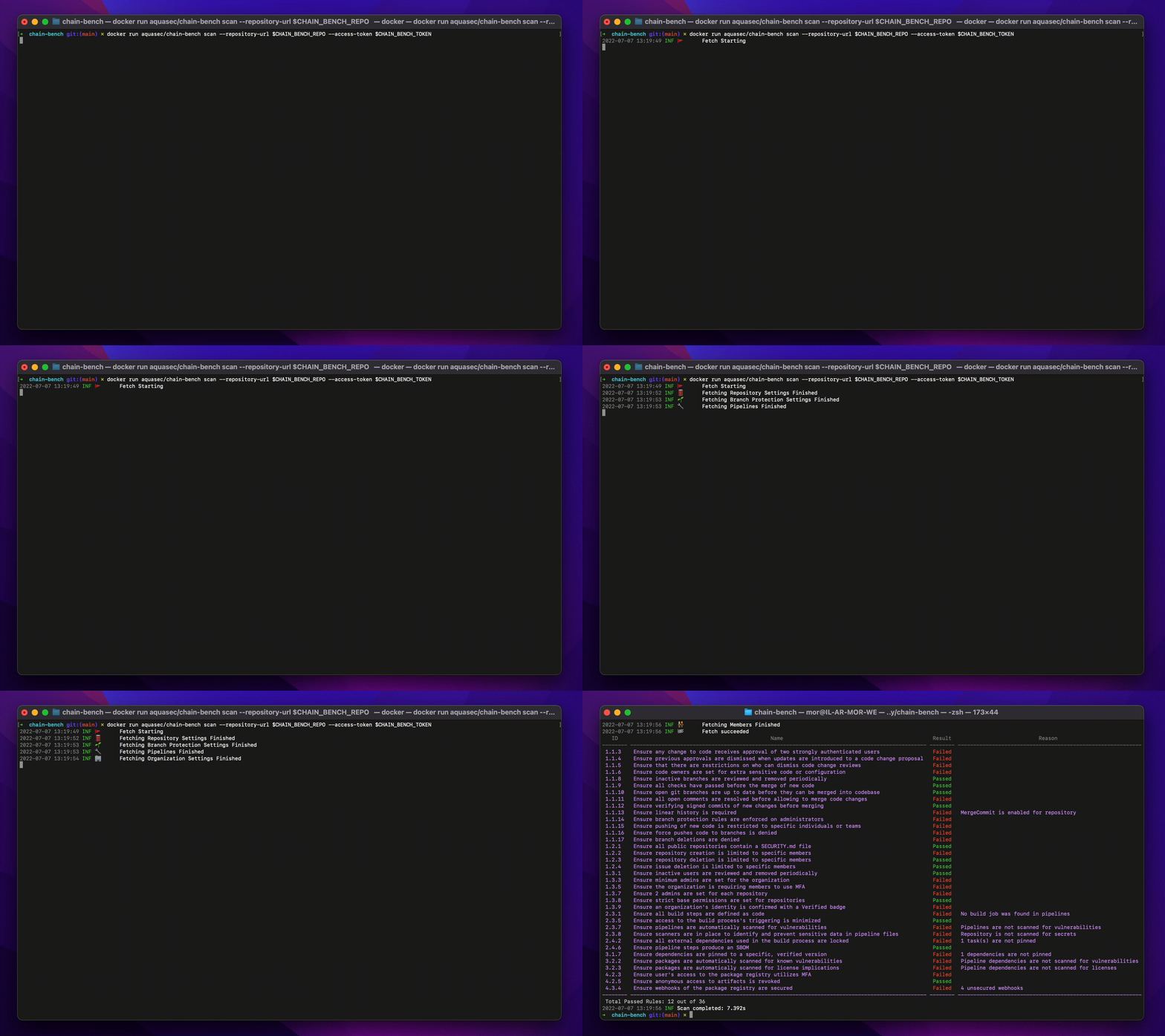
docker run aquasec/chain-bench scan --repository-url <REPOSITORY_URL> --access-token <TOKEN>
リポジトリ https://github.com/aquasecurity/chain-bench-action を参照してください。
2022-06-13 15:22:18 INF 🚩 Fetch Starting
2022-06-13 15:22:19 INF 🏢 Fetching Organization Settings Finished
2022-06-13 15:22:29 INF 🛢️ Fetching Repository Settings Finished
2022-06-13 15:22:29 INF 🌱 Fetching Branch Protection Settings Finished
2022-06-13 15:22:29 INF 👫 Fetching Members Finished
2022-06-13 15:22:31 INF 🔧 Fetching Pipelines Finished
2022-06-13 15:22:31 INF 🏁 Fetch succeeded
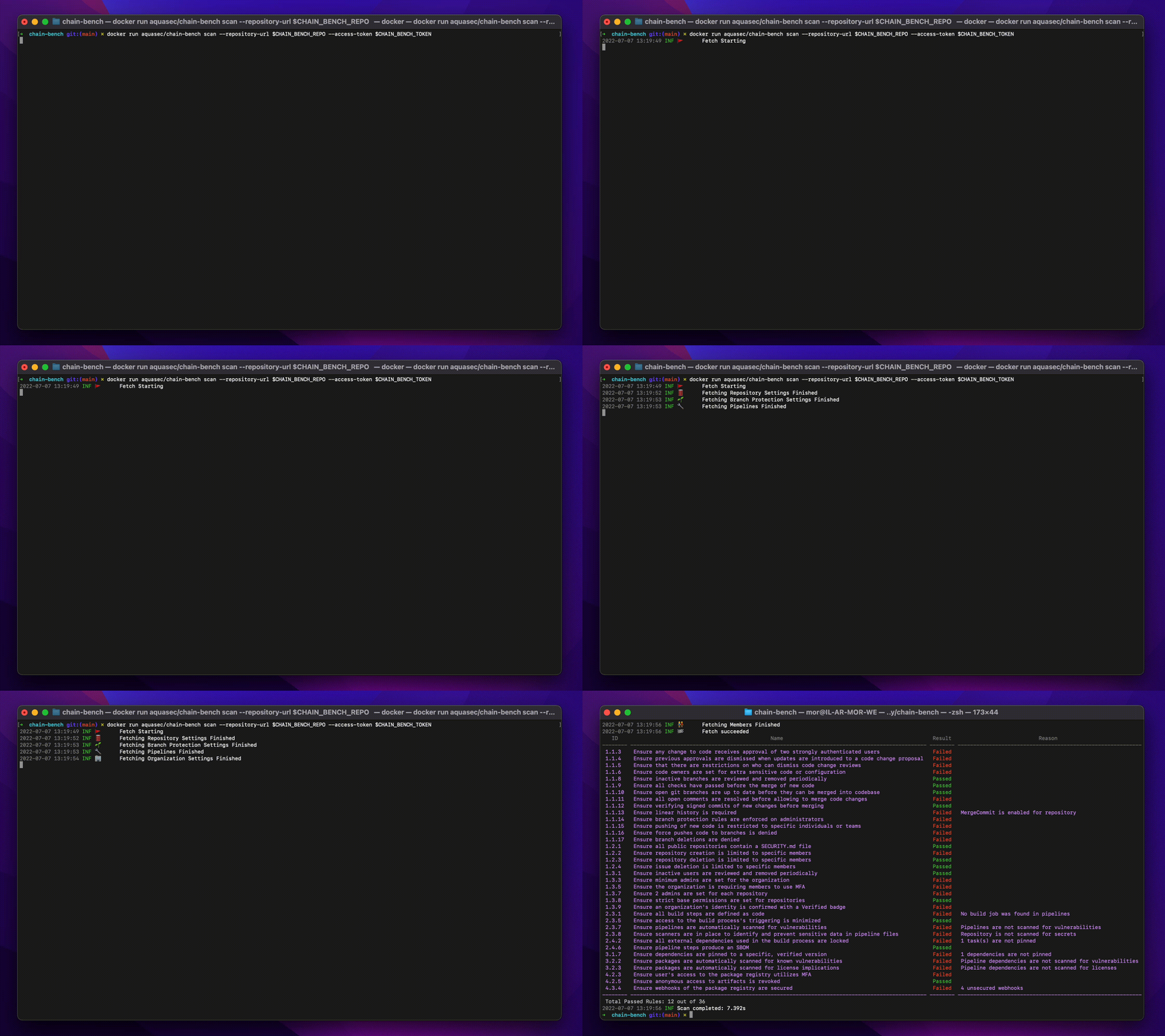
ID Name Result Reason
-------- ----------------------------------------------------------------------------------------------- -------- ---------------------------------------
1.1.3 Ensure any change to code receives approval of two strongly authenticated users Passed
1.1.4 Ensure previous approvals are dismissed when updates are introduced to a code change proposal Failed
1.1.5 Ensure that there are restrictions on who can dismiss code change reviews Failed
1.1.6 Ensure code owners are set for extra sensitive code or configuration Failed
1.1.8 Ensure inactive branches are reviewed and removed periodically Failed 20 inactive branches
1.1.9 Ensure all checks have passed before the merge of new code Passed
1.1.10 Ensure open git branches are up to date before they can be merged into codebase Passed
1.1.11 Ensure all open comments are resolved before allowing to merge code changes Passed
1.1.12 Ensure verifying signed commits of new changes before merging Failed
1.1.13 Ensure linear history is required Passed
1.1.14 Ensure branch protection rules are enforced on administrators Failed
1.1.15 Ensure pushing of new code is restricted to specific individuals or teams Passed
1.1.16 Ensure force pushes code to branches is denied Failed
1.1.17 Ensure branch deletions are denied Failed
1.2.1 Ensure all public repositories contain a SECURITY.md file Failed
1.2.2 Ensure repository creation is limited to specific members Failed
1.2.3 Ensure repository deletion is limited to specific members Passed
1.2.4 Ensure issue deletion is limited to specific members Passed
1.3.1 Ensure inactive users are reviewed and removed periodically Failed 22 inactive users
1.3.3 Ensure minimum admins are set for the organization Passed
1.3.5 Ensure the organization is requiring members to use MFA Passed
1.3.7 Ensure 2 admins are set for each repository Failed
1.3.8 Ensure strict base permissions are set for repositories Passed
1.3.9 Ensure an organization's identity is confirmed with a Verified badge Failed
2.3.1 Ensure all build steps are defined as code Failed No build job was found in pipelines
2.3.5 Ensure access to the build process's triggering is minimized Passed
2.3.7 Ensure pipelines are automatically scanned for vulnerabilities Passed
2.3.8 Ensure scanners are in place to identify and prevent sensitive data in pipeline files Failed Repository is not scanned for secrets
2.4.2 Ensure all external dependencies used in the build process are locked Failed 16 task(s) are not pinned
2.4.6 Ensure pipeline steps produce an SBOM Passed
3.1.7 Ensure dependencies are pinned to a specific, verified version Failed 16 dependencies are not pinned
3.2.2 Ensure packages are automatically scanned for known vulnerabilities Passed
3.2.3 Ensure packages are automatically scanned for license implications Passed
4.2.3 Ensure user's access to the package registry utilizes MFA Passed
4.2.5 Ensure anonymous access to artifacts is revoked Passed
4.3.4 Ensure webhooks of the package registry are secured Passed
-------- ----------------------------------------------------------------------------------------------- -------- ---------------------------------------
Total Passed Rules: 19 out of 36
2022-06-13 15:22:31 INF Scan completed: 13.108s
Chain-benchの結果を GitLab 脆弱性レポート に統合するには、CI定義に新しいステップを追加します:
chain-bench-scanning:
stage: test
image:
name: docker.io/aquasec/chain-bench
entrypoint: [""]
script:
- chain-bench scan --repository-url $CI_PROJECT_URL --access-token $CHAIN_BENCH_TOKEN --scm-platform gitlab -o results.json --template @/templates/gitlab_security_scanner.tpl
artifacts:
reports:
container_scanning: results.json
Maintainer ロールで read_api と read_repository の権限を持つ新しいトークンを作成し、環境変数(例:$CHAIN_BENCH_TOKEN)として使用する必要があります。以下のスコープに対する権限を持つアクセストークンを提供する必要があります:repo(すべて)、read:repo_hook、admin:org_hook、read:org
現在、GithubおよびGitLab SCMをPAT認証でサポートしています。
Chain-benchは、CIS Software Supply Chain Benchmarkを可能な限り忠実に実装しています。 現在実装されているチェックは、chain-benchのmetadata.jsonファイルに基づいて毎晩更新される AVD - Software Supply Chain CIS - 1.0 で確認できます。 Benchmarkに記載されているテストをchain-benchが正しく実装していない場合は、こちらに問題を報告してください。Benchmark自体に関する問題(例えば、不適切と思われるテスト)を報告する場合は、CISコミュニティに参加してください。
コントリビューションの前に、コントリビューションガイドをお読みください。 PRや問題の報告を歓迎します。
今後は、より多くのチェックとプラットフォームのサポートによりベンチマークのカバレッジを向上させるために、chain-benchのアップデートをリリースする予定です。 chain-benchは、Trivyファミリーの一部であるAqua Securityのオープンソースプロジェクトです。