
Skip to content
KitploitKITPLOIT
ツールエクスプロイトブログ
Log in
提出
ツールエクスプロイトブログ
提出

ハッキング、侵入テスト、サイバーセキュリティツールをあなたのセキュリティアーセナルに!

Kitploitはハッキング、サイバーセキュリティ、ペネトレーションテストのツールディレクトリです。最新のプロジェクトアップデートを見つけて、脆弱性の発見、システム分析、テストの自動化、セキュリティの強化を行いましょう。

フィードお問い合わせプライバシー© 2026 Kitploit

ツールディレクトリ

カテゴリ

すべてのカテゴリを見る
Loading categories
haruspex — Vulnerability research assistant that extracts pseudocode from the IDA Hex-Rays decompiler. | Kitploit
ツール/GitHubGitHub/0xdea/haruspex
Static Code Analysis (SAST)Vulnerability AnalysisReverse EngineeringBinary Analysis
GitHub0xdea/haruspex

haruspex

Vulnerability research assistant that extracts pseudocode from the IDA Hex-Rays decompiler.

リポジトリを見るウェブサイト
131106216時間42分前Kitploit レビュー済み

人気

すべて見る →

コミュニティで最も使われているツールを見つけましょう。

すべてのツールを探索

ツールコレクションを閲覧

すべてのツールを見る →
共有
要求された言語のコンテンツは利用できません。英語版を表示しています。

haruspex

build doc

"Hacking is the discipline of questioning all your assumptions all of the time."

-- Dave Aitel

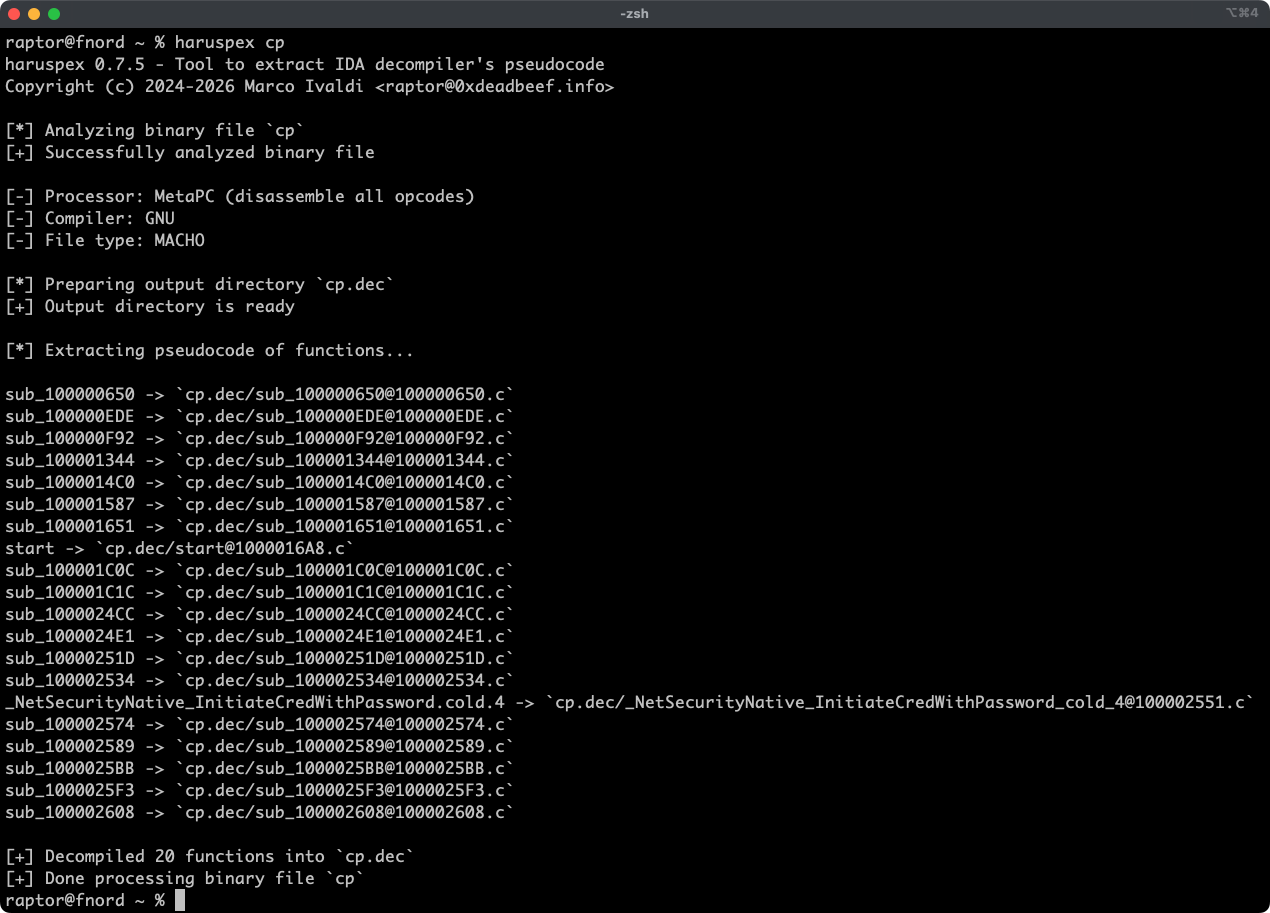
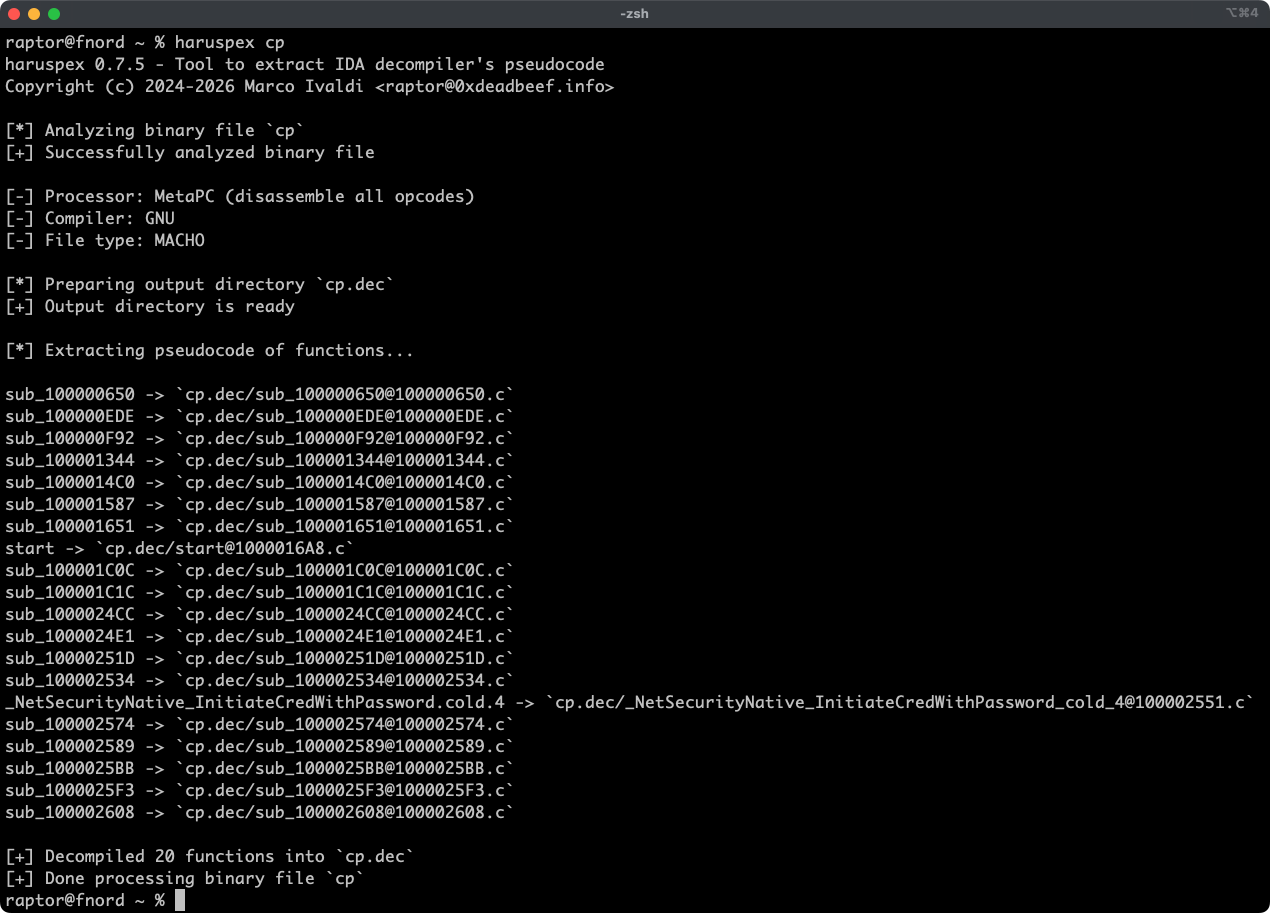
Haruspex is a blazing-fast IDA headless plugin that extracts pseudocode generated by IDA's decompiler in a format that should be suitable to be imported into an IDE, or parsed by static analysis tools such as Semgrep, weggli, or oneiromancer.
Features

  • Blazing-fast, headless user experience courtesy of IDA 9.x and idalib-rs Rust bindings.
  • Support for binary targets for any architecture implemented by IDA's Hex-Rays decompiler.
  • Pseudocode of each function is stored in a separated file in the output directory for easy inspection and parsing.
  • Global and per-function type definitions are extracted to header files alongside the pseudocode.
  • External crates can invoke [decompile_to_file] to decompile a function and save its pseudocode and type definitions to disk, telling apart functions that can't be decompiled from errors that affect all functions, such as an unavailable decompiler or license.

Articles

  • https://hex-rays.com/blog/streamlining-vulnerability-research-idalib-rust-bindings
  • https://hnsecurity.it/blog/streamlining-vulnerability-research-with-ida-pro-and-rust

See also

  • https://github.com/0xdea/ghidra-scripts/blob/main/Haruspex.java
  • https://github.com/0xdea/semgrep-rules
  • https://github.com/0xdea/weggli-patterns
  • https://docs.hex-rays.com/release-notes/9_0#headless-processing-with-idalib
  • https://github.com/idalib-rs/idalib
  • https://github.com/xorpse/parascope
  • https://hnsecurity.it/blog/automating-binary-vulnerability-discovery-with-ghidra-and-semgrep

Installing

The easiest way to get the latest release is via crates.io:

  1. Download, install, and configure IDA (see https://hex-rays.com/ida-pro).
  2. Install LLVM/Clang (see https://rust-lang.github.io/rust-bindgen/requirements.html).
  3. On Linux/macOS, install as follows:
    export IDADIR=/path/to/ida # if not set, the build script will check common locations
    cargo install haruspex --locked
    
    On Windows, instead, use the following commands:
    $env:LIBCLANG_PATH="\path\to\clang+llvm\bin"
    $env:PATH="\path\to\ida;$env:PATH"
    $env:IDADIR="\path\to\ida" # if not set, the build script will check common locations
    cargo install haruspex --locked
    

Compiling

Alternatively, you can build from source:

  1. Download, install, and configure IDA (see https://hex-rays.com/ida-pro).
  2. Install LLVM/Clang (see https://rust-lang.github.io/rust-bindgen/requirements.html).
  3. On Linux/macOS, compile as follows:
    git clone --depth 1 https://github.com/0xdea/haruspex
    cd haruspex
    export IDADIR=/path/to/ida # if not set, the build script will check common locations
    cargo build --release --locked
    
    On Windows, instead, use the following commands:
    git clone --depth 1 https://github.com/0xdea/haruspex
    cd haruspex
    $env:LIBCLANG_PATH="\path\to\clang+llvm\bin"
    $env:PATH="\path\to\ida;$env:PATH"
    $env:IDADIR="\path\to\ida" # if not set, the build script will check common locations
    cargo build --release --locked
    

Usage

  1. Make sure IDA is properly configured with a valid license.
  2. Make sure the IDADIR environment variable is set if your IDA installation is in a non-standard location.
  3. Run as follows:
    haruspex <binary_file>
    
  4. Find the extracted pseudocode and type definitions in the output directory next to <binary_file>, named after it with its extension, if any, replaced by .dec (e.g., foo.exe and foo both produce foo.dec, so binaries that differ only in their extension share the same output directory):
    vim foo.dec
    code foo.dec
    

Compatibility

Only the latest IDA release is officially supported, but older versions may work as well. The following table summarizes the latest compatible release for each IDA version:

IDA versionLatest compatible release
v9.0.240925v0.1.3
v9.0.241217v0.4.2
v9.1.250226v0.6.2
v9.2.250908v0.7.5
v9.3.260213v0.8.1
v9.3.260327v0.9.0
v9.3.260421v0.9.3
v9.4.260714v1.0.0
v9.4.260915v1.0.0
v9.5.261026current release

[!NOTE] Check the idalib-rs documentation for additional information.

Credits

This project's development has been supported by the following organizations:

  • HN Security
  • Hex-Rays via their Contributor Program

Changelog

  • CHANGELOG.md

TODO

  • Add a Semgrep CI regression test to make sure the percentage of parsed lines doesn't decrease.
  • Make pseudocode of Rust binaries parsable again with IDA 9.5, which wraps some demangled Rust names (e.g., trait implementations such as <char as core::fmt::Display>::fmt) and types (e.g., &str) in backticks.
  • Use the .cpp extension instead of .c to output pseudocode (see this issue)?
  • Allow choosing which architecture to analyze in universal (fat) Mach-O binaries, since IDA picks one in batch mode (e.g., IDA 9.5 picks arm64e where IDA 9.4 picked x86_64).
  • Implement serialized output to facilitate automated parsing and analysis.
  • Integrate with Semgrep scanning (see https://github.com/0xdea/semgrep-rules).
  • Integrate with weggli scanning (see https://github.com/0xdea/weggli-patterns).
  • Improve decompiler output in the style of HexRaysPyTools and abyss.
  • Implement parallel analysis (see https://github.com/fugue-re/fugue-mptp).
ツールをダウンロード