
mobileAudit v3.2.0
Android APK向けのSASTおよびマルウェア解析を実行するDjangoアプリケーション
Mobile Audit
Android APKのセキュリティ分析を、アップロードから実用的な検出事項まで提供します。
Mobile Auditは、静的アプリケーションセキュリティテストとマルウェア検査のためのDjangoアプリケーションです。APKメタデータを抽出し、リスクの高い実装パターンを検出し、検出事項を重大度別に整理し、レビューとレポート作成のための集中ワークスペースを提供します。
はじめに
Docker Composeは、Django、PostgreSQL、RabbitMQ、Celery、Nginxを含む完全なローカルスタックを実行します。
docker compose build
docker compose up
サービスが準備できたら、http://localhost:8888 を開きます。
バックグラウンドで実行する場合、またはスタックを停止する場合:
docker compose up -d
docker compose down
ローカル環境以外でMobile Auditを使用する前に、.env.example 内のサンプルシークレット、データベース認証情報、管理者認証情報を置き換えてください。
主な機能
| 領域 | Mobile Auditが提供するもの |
|---|---|
| APK検査 | アプリケーションメタデータ、コンポーネント、パーミッション、証明書、文字列、データベース、ファイル |
| 静的解析 | CWEおよびMobile Top 10マッピングを備えた設定可能なSASTルール |
| マルウェアチェック | MalwareDBおよびMaltrailソースに対するドメインチェック |
| 検出事項管理 | 重大度サマリー、詳細なエビデンス、編集、誤検知のトリアージ |
| 連携 | オプションのVirusTotal検査とDefectDojoエクスポート |
| レポート | PDFエクスポートとトークン認証されたREST API |
インターフェースツアー
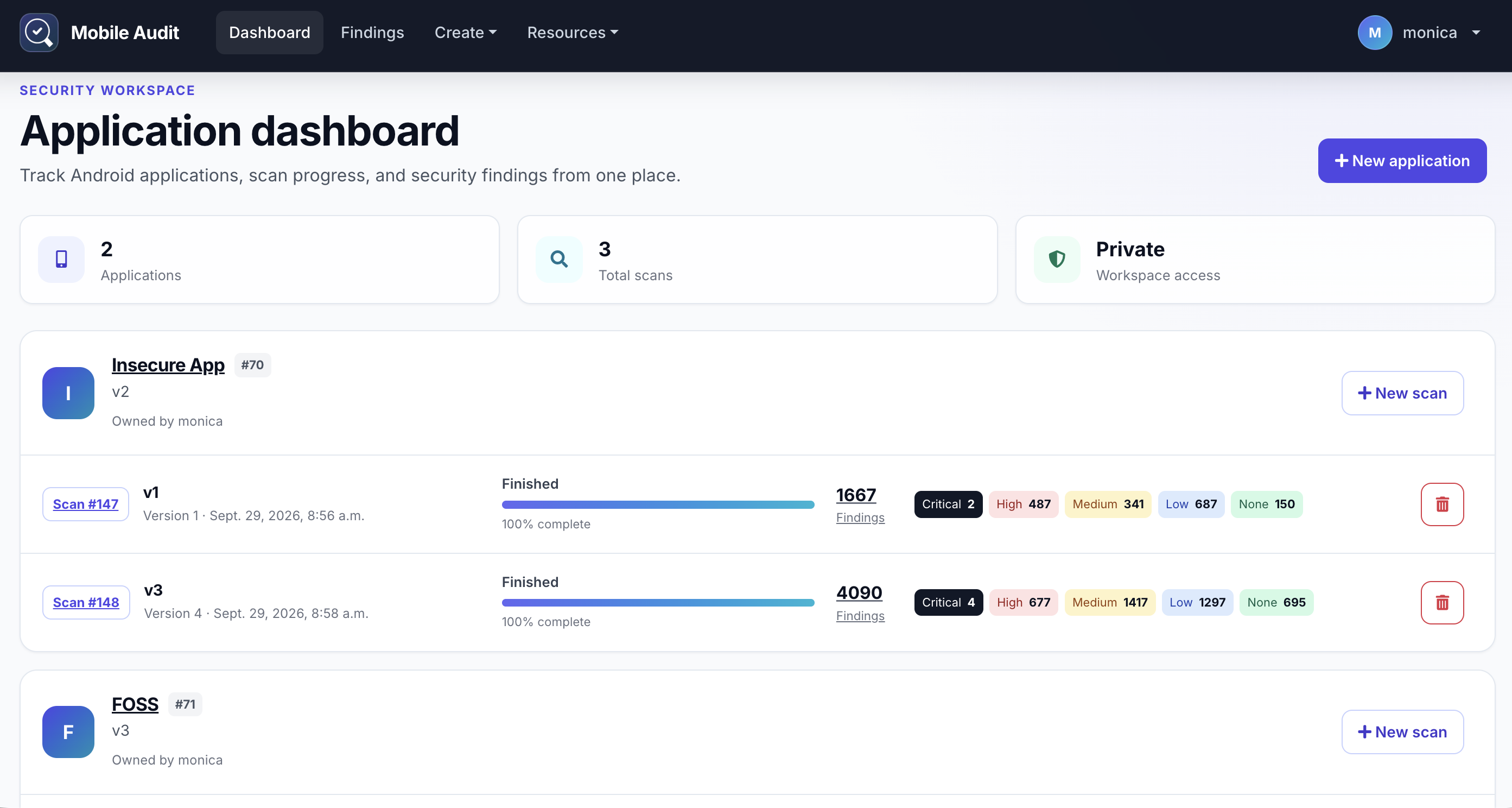
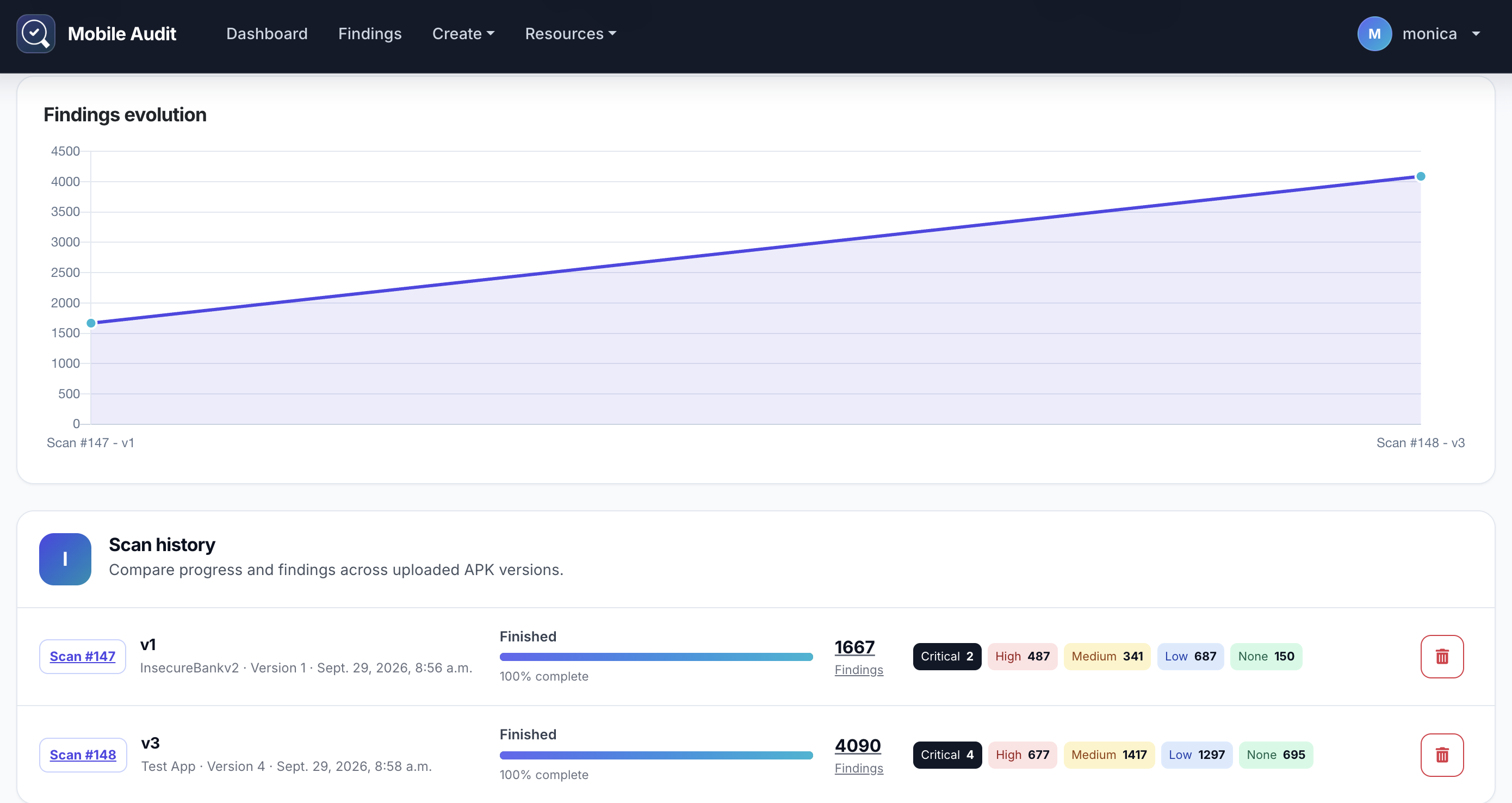
アプリケーションワークスペース
アプリケーションのスキャン履歴を確認し、APKバージョン間で検出事項数がどのように変化するかを比較します。
スキャン分析
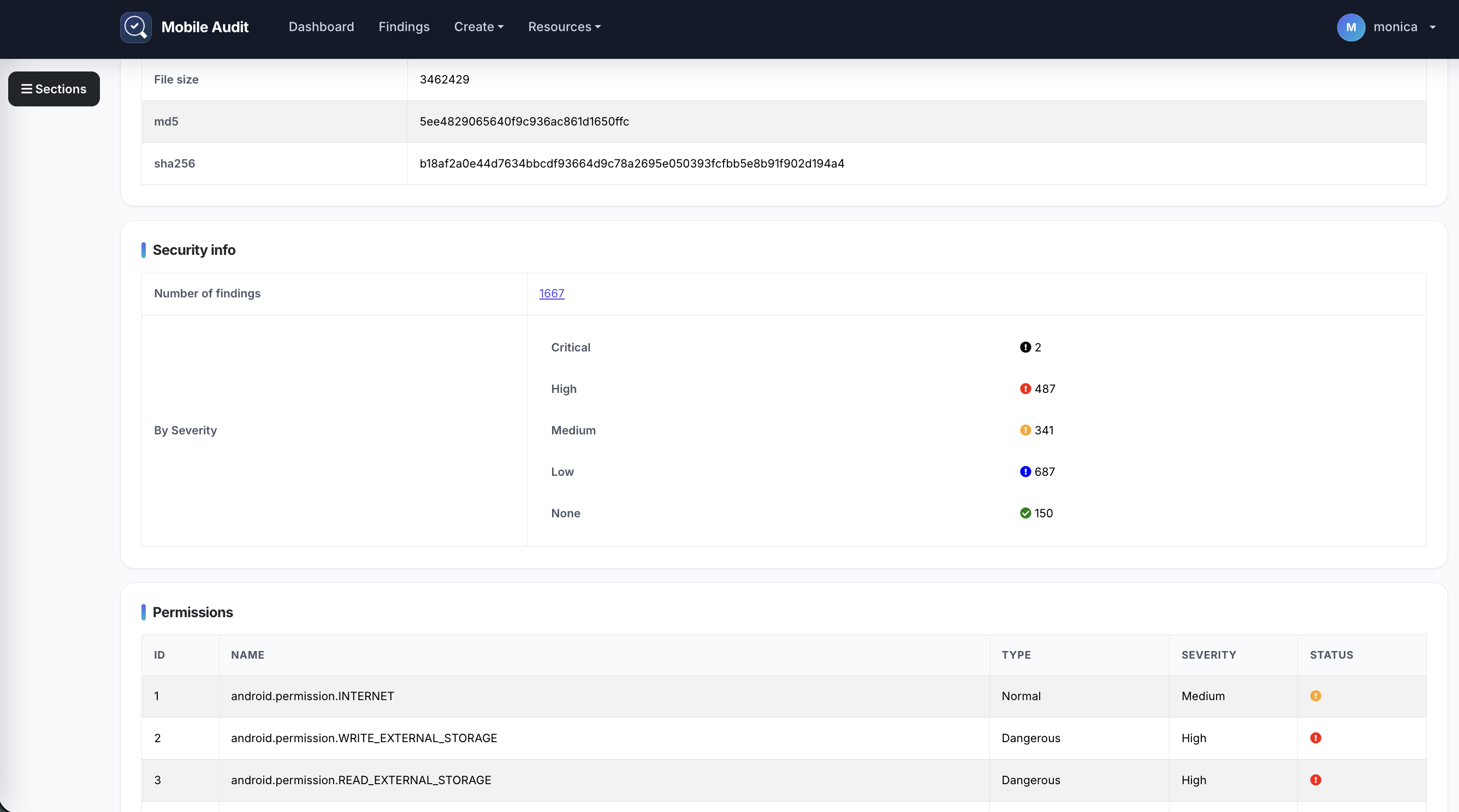
セキュリティサマリーから、アプリケーションメタデータ、パーミッション、コンポーネント、検出事項、証明書、文字列、ファイル、データベースへと進みます。
インターフェースはBootstrap 5とネイティブJavaScriptを使用しています。ナビゲーション、ライブテーブルフィルタリング、ソート、ページネーション、確認、スキャンステータス更新にjQueryは不要です。
分析ワークフロー
- アプリケーションワークスペースを作成します。
- APKをアップロードしてスキャンを開始します。
- 重大度の合計を確認し、裏付けとなるエビデンスを検査します。
- 検出事項をトリアージし、PDFレポートをエクスポートするか、連携機能を使用します。
分析ルールは Patterns 画面から有効化または無効化できます。一部のハードコードされたパターンは apkleaks から派生しています。
アーキテクチャ
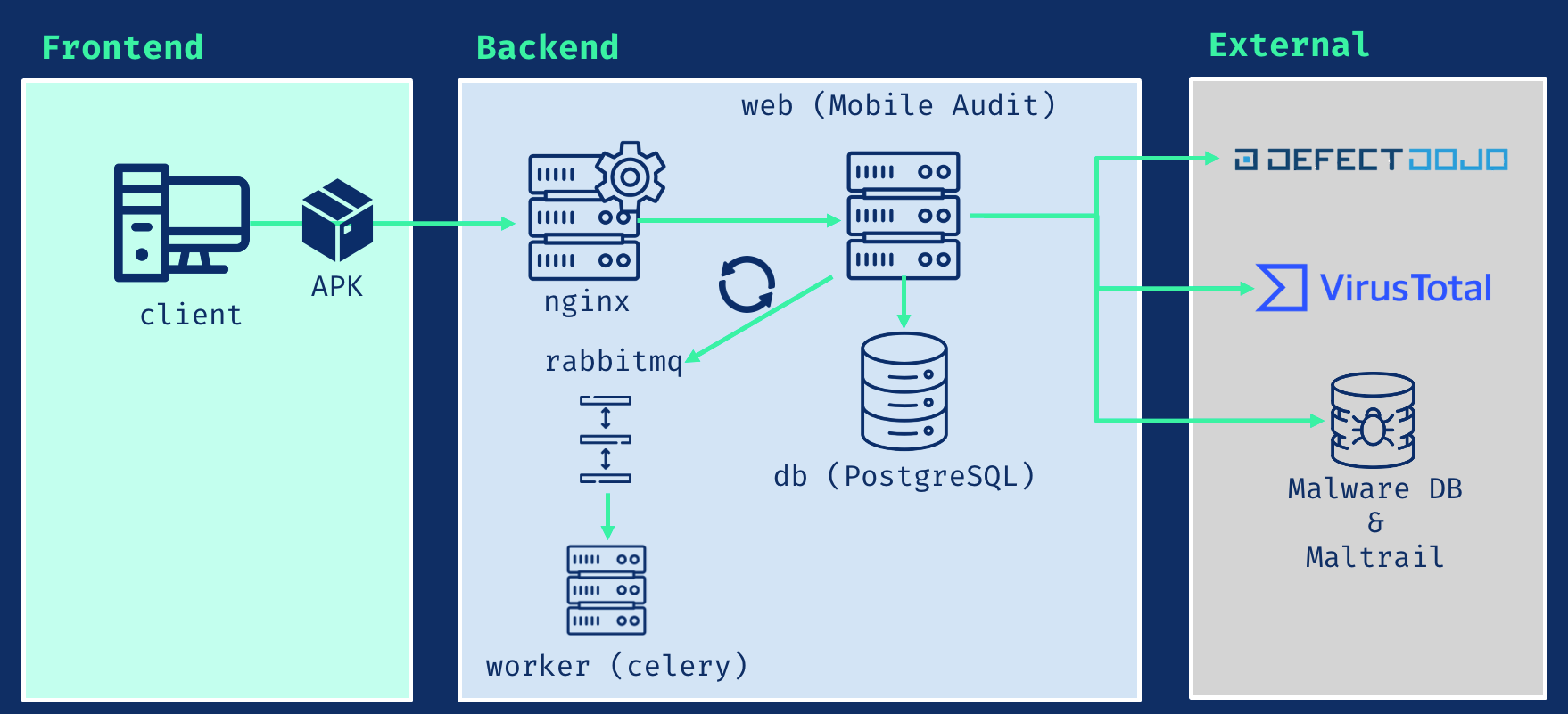
| サービス | 役割 |
|---|---|
| Django 5.2 LTS | WebアプリケーションとREST API |
| PostgreSQL 16 | 永続的なアプリケーションデータ |
| Celery | バックグラウンドでのAPK分析 |
| RabbitMQ 4.2 | タスクブローカー |
| Nginx | HTTPまたはTLSのエントリポイント |
アプリケーションランタイムはPython 3.12を使用しています。APKのデコンパイルはJADXによって提供されます。
API
トークンをリクエストします:
POST /api/v1/auth-token/
後続のリクエストを認証します:
Authorization: Token <api-key>
| ドキュメント | パス |
|---|---|
| Swagger UI | /swagger/ |
| ReDoc | /redoc/ |
| OpenAPI JSON | /swagger.json |
| OpenAPI YAML | /swagger.yaml |
オプションの連携
以下の機能はデフォルトで無効になっており、.env.example を通じて設定します:
- VirusTotal API v3ルックアップとオプションのアップロード
- DefectDojo API v2検出事項エクスポート
- MalwareDBおよびMaltrailドメインチェック
有効なエンドポイントと認証情報を持つサービスのみを有効化してください。
TLS
証明書と秘密鍵を nginx/ssl に配置し、TLS設定を開始します:
docker compose -f docker-compose.prod.yaml up -d
アプリケーションは https://localhost で利用可能になります。
ローカルテスト用に、1日間有効な自己署名証明書を生成します:
openssl req -x509 -nodes -days 1 -newkey rsa:4096 \
  -subj "/C=ES/ST=Madrid/L=Madrid/O=Example/OU=IT/CN=localhost" \
  -keyout nginx/ssl/nginx.key \
  -out nginx/ssl/nginx.crt