 hackinglz/gibson
Strumento di monitoraggio di rete che mappa le connessioni processo-rete, identifica i provider cloud e rileva attività di beaconing

Strumento di monitoraggio di rete che mappa le connessioni processo-rete, identifica i provider cloud e genera regole firewall. Agente leggero per la raccolta, server per l'aggregazione, parser per l'analisi.
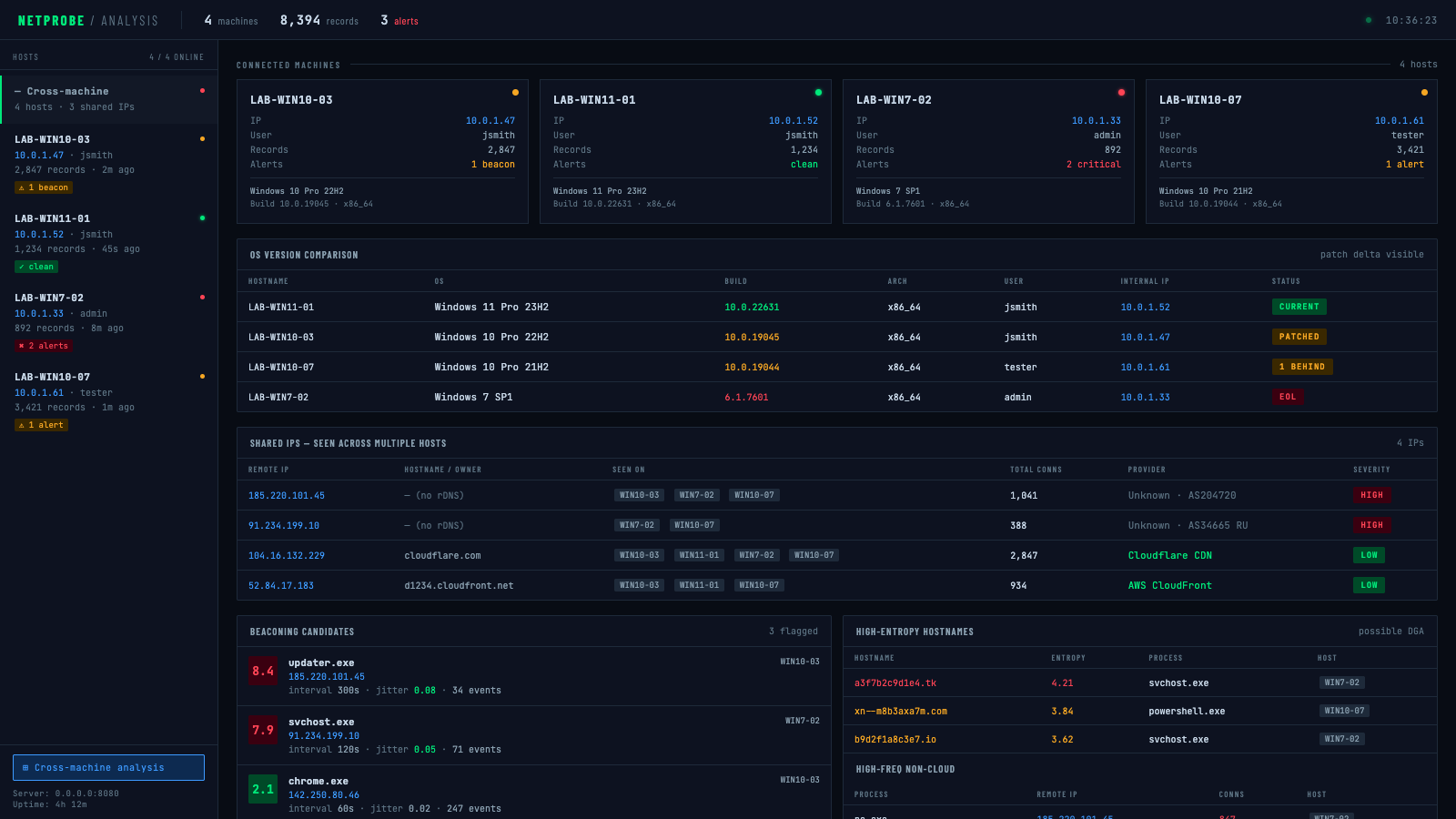
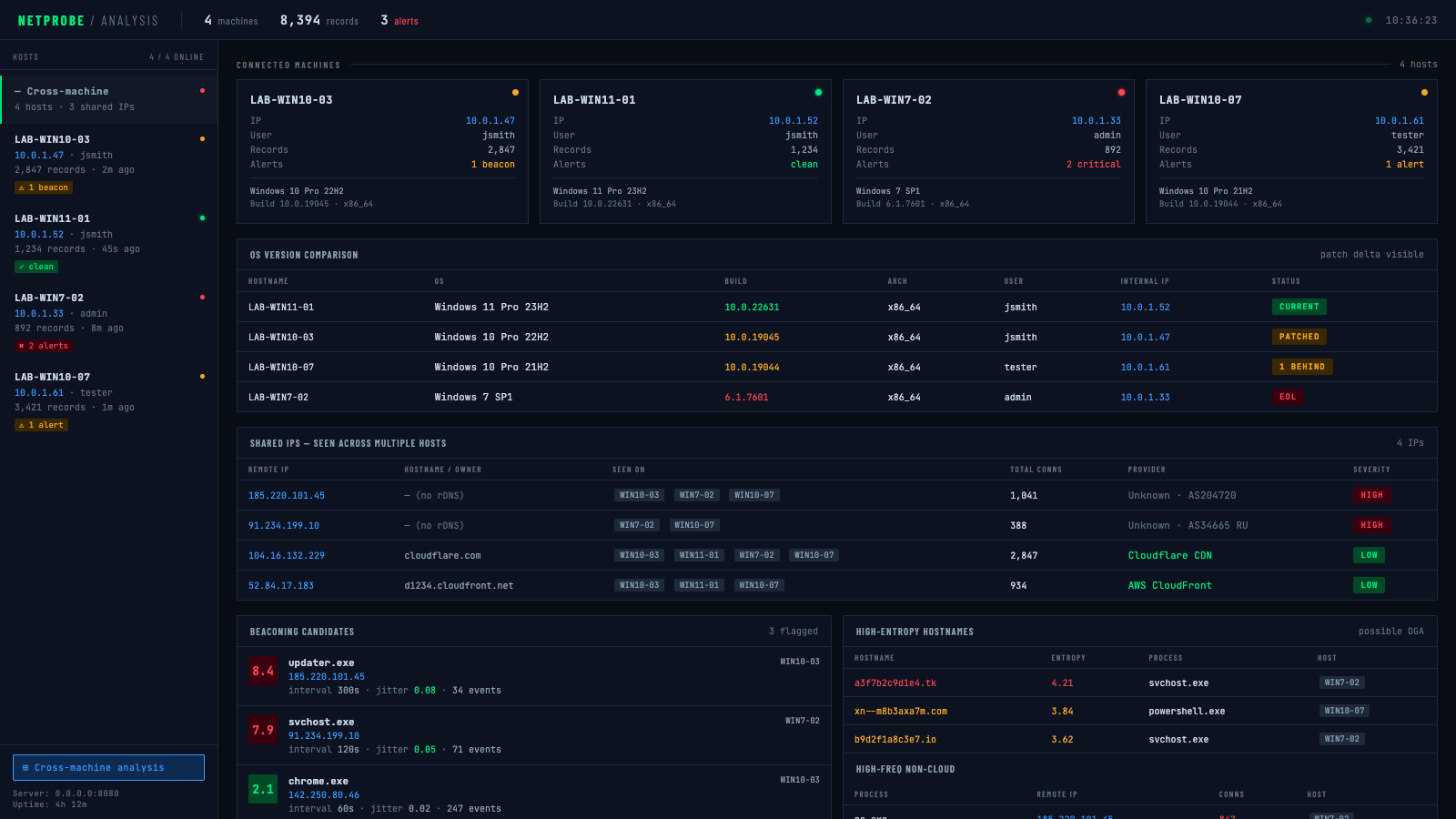
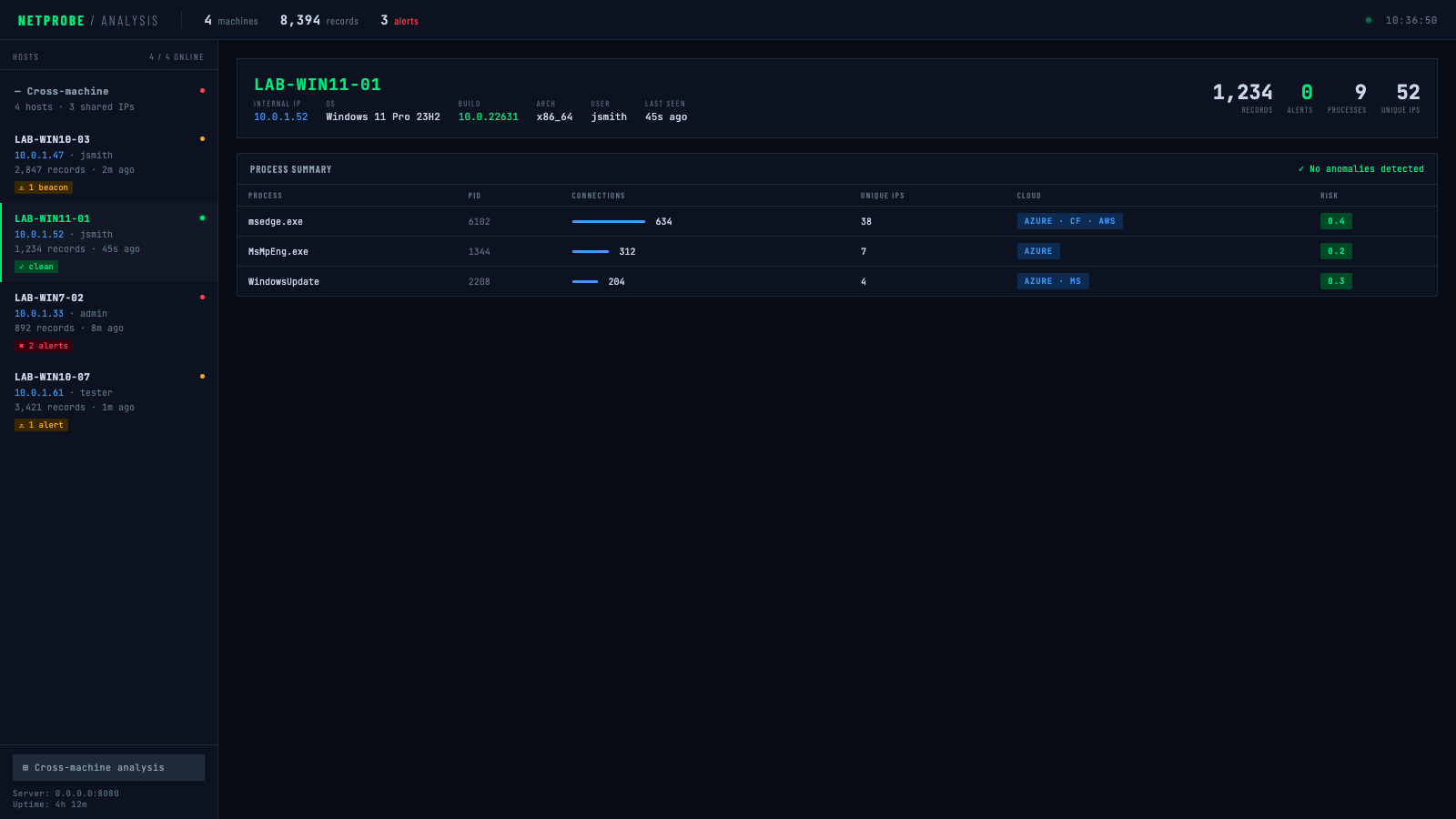
Panoramica tra macchine — confronto versioni OS, rilevamento IP condivisi, candidati beaconing tra tutti gli host:
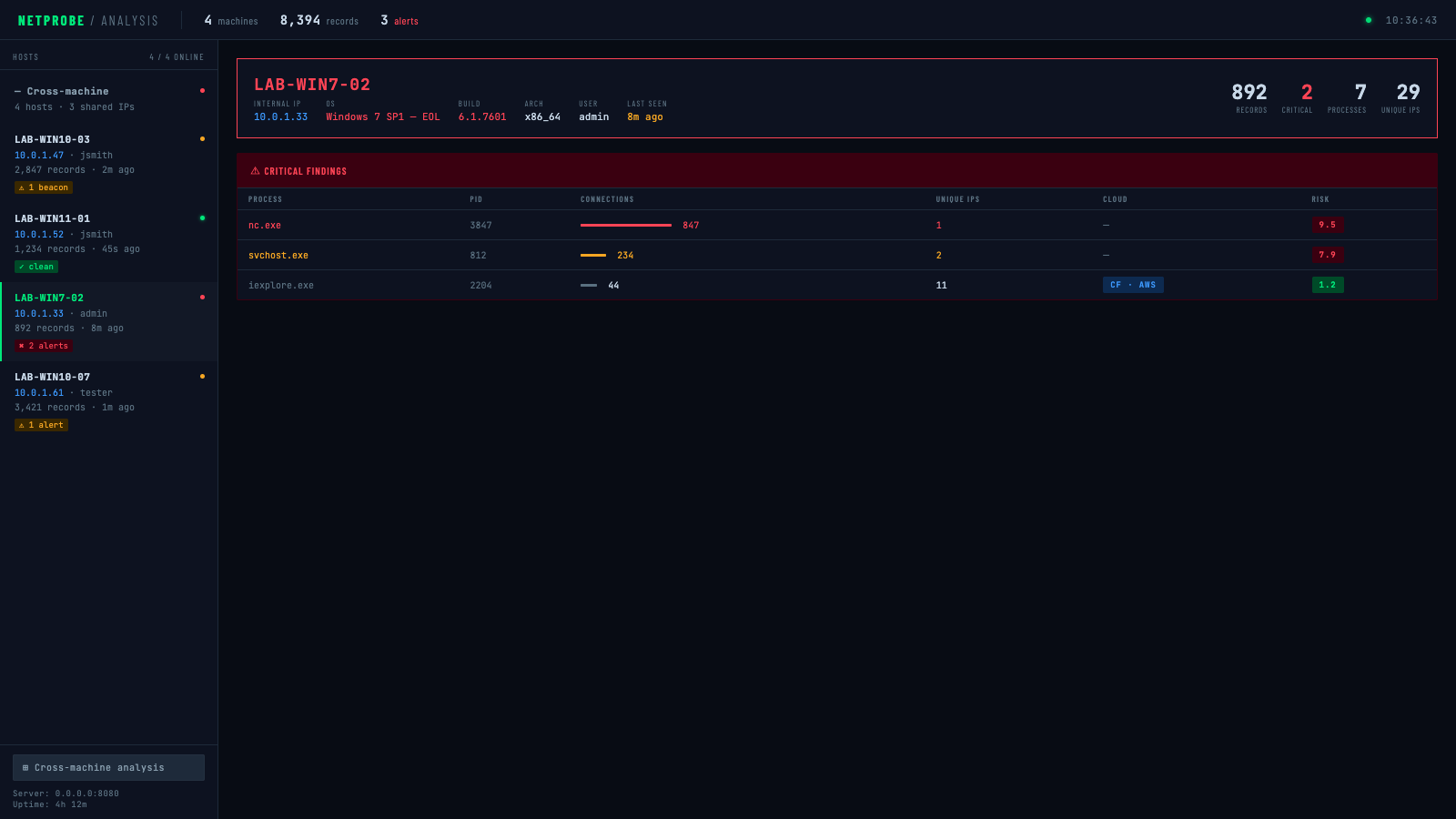
Dettaglio per host — avvisi critici (SO EOL, nc.exe in beaconing verso IP sconosciuto):
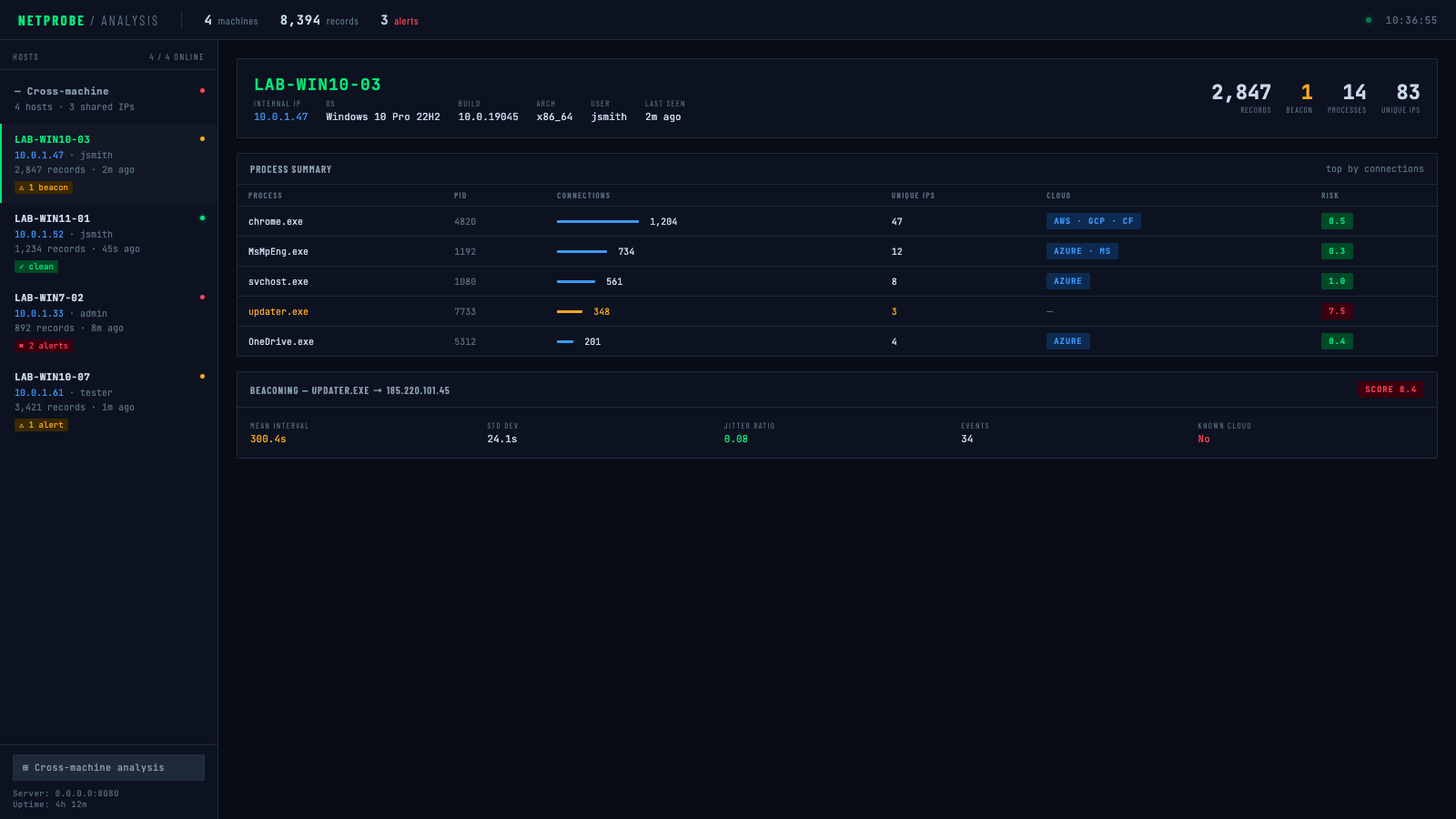
Dettaglio per host — avviso (candidato beacon segnalato):
Dettaglio per host — pulito (nessuna anomalia):
cargo build --release
# Raccolta semplice
cargo run --release -- collect --duration-seconds 300

# Con DNS lookups
cargo run --release -- collect --duration-seconds 300 --enable-dns

# Con compressione e crittografia
cargo run --release -- collect \
  --duration-seconds 300 \
  --compress \
  --encrypt-key "your-secret-password"
# Genera tutti i report
cargo run --release -- parse \
  --input connections.jsonl \
  --process-summary processes.json \
  --cloud-analysis cloud.json \
  --firewall-rules-iptables firewall.sh \
  --database-export network.sql

# Ricerca proprietà offline con database ASN locale (nessuna chiamata di rete)
cargo run --release -- parse \
  --input connections.jsonl \
  --cloud-analysis cloud.json \
  --asn-db ip2asn-v4.tsv

# Ricerca ARIN live con cache persistente (le riesecuzioni saltano gli IP già consultati)
cargo run --release -- parse \
  --input connections.jsonl \
  --cloud-analysis cloud.json \
  --arin-lookup \
  --arin-cache arin_cache.json
# Analisi rapida di 5 minuti
cargo run --release -- monitor \
  --duration-seconds 300 \
  --output-dir ./analysis \
  --full-analysis
Il binario agent è un obiettivo di distribuzione minimo, senza flag. Tutta la configurazione viene incorporata nel binario al momento della compilazione tramite variabili d'ambiente — posizionalo su un target ed eseguilo senza argomenti.
AGENT_SERVER="http://10.0.1.5:8080/upload" \
AGENT_KEY="labkey123" \
AGENT_INTERVAL="5" \
AGENT_BATCH="200" \
AGENT_DURATION="0" \
AGENT_DNS="false" \
AGENT_ENCRYPT_KEY="mysecretpassword" \
cargo build --release --bin agent
Il binario risultante in target/release/agent non ha dipendenze esterne e non richiede flag:
./agent
| Variabile | Default | Descrizione |
|---|---|---|
AGENT_SERVER | http://localhost:8080/upload | URL dell'endpoint di upload |
AGENT_KEY | (nessuno) | Valore dell'header X-API-Key |
AGENT_INTERVAL | 5 | Intervallo di polling dei socket in secondi |
AGENT_BATCH | 200 | Record per batch di upload |
AGENT_DURATION | 0 | Durata di esecuzione in secondi (0 = esegui per sempre) |
AGENT_DNS | false | Risolvi IP in hostname |
AGENT_ESTABLISHED | true | Solo connessioni ESTABLISHED |
AGENT_LOCAL_COPY | false | Mantieni una copia locale .jsonl insieme agli upload |
AGENT_COMPRESS | false | Comprimi con Gzip prima dell'upload |
AGENT_ENCRYPT_KEY | (nessuno) | Crittografia AES-256-GCM del payload (password o chiave hex di 64 caratteri) |
AGENT_UA | (default reqwest) | Header HTTP User-Agent |
AGENT_SERVER="https://collector.internal/upload" \
AGENT_KEY="prod-api-key" \
AGENT_DURATION="0" \
AGENT_INTERVAL="30" \
AGENT_COMPRESS="true" \
AGENT_ENCRYPT_KEY="$(cat /etc/gibson/key)" \
cargo build --release --bin agent
cargo run --release -- collect \
  --duration-seconds 3600 \
  --interval-seconds 10 \
  --compress \
  --encrypt-key "your-32-char-hex-key-or-password" \
  --upload-url "https://your-server.com/api/upload" \
  --api-key "your-api-key" \
  --batch-size 50 \
  --delete-after-upload
cargo run --release -- collect \
  --duration-seconds 86400 \
  --interval-seconds 30 \
  --output connections_daily.jsonl \
  --enable-dns \
  --compress
Il parser supporta due percorsi mutuamente esclusivi per identificare chi possiede IP non associati:
| Metodo | Flag | Velocità | Rete | Ideale per |
|---|---|---|---|---|
| Database ASN locale | --asn-db | Immediato | Nessuna | Analisi ripetute, ambienti air-gapped |
| ARIN RDAP live | --arin-lookup | Lento (per IP) | Sì | Ricerche occasionali, nessun database locale disponibile |
Scarica il database ip2asn (aggiorna settimanalmente):
curl -O https://iptoasn.com/data/ip2asn-v4.tsv.gz && gunzip ip2asn-v4.tsv.gz
Quando viene fornito --asn-db, --arin-lookup viene ignorato. Usa --arin-cache per persistere i risultati ARIN su disco così le riesecuzioni saltano gli IP già consultati.
# Analisi con focus sul rilevamento cloud
cargo run --release -- parse \
  --input connections.jsonl \
  --cloud-analysis cloud_report.json \
  --min-connections 5 \
  --whitelist-processes "chrome,firefox,safari,edge"
Crea collector_server.py:
from flask import Flask, request, jsonify
import os
import json
import base64
from datetime import datetime
from Crypto.Cipher import AES
import gzip

app = Flask(__name__)

# Configurazione
UPLOAD_DIR = "./collected_data"
API_KEY = "your-secure-api-key"
ENCRYPTION_KEY = bytes.fromhex("your-32-byte-hex-key")  # Opzionale

os.makedirs(UPLOAD_DIR, exist_ok=True)

def decrypt_data(encrypted_data, key):
    """Decifra dati criptati AES-256-GCM"""
    decoded = base64.b64decode(encrypted_data)
    nonce = decoded[:12]
    ciphertext = decoded[12:]

    cipher = AES.new(key, AES.MODE_GCM, nonce=nonce)
    plaintext = cipher.decrypt_and_verify(ciphertext[:-16], ciphertext[-16:])
    return plaintext
