
 vignesh07/babyshark
TUI PCAP basata sui flussi (file dei casi, UX meravigliosa). Do do do do.

Wireshark reso facile (nel tuo terminale).
Babyshark è una TUI PCAP che ti aiuta a rispondere:
Stato: v0.3.0 (alpha).
.pcap / .pcapng funziona senza Wiresharktshark (CLI di Wireshark)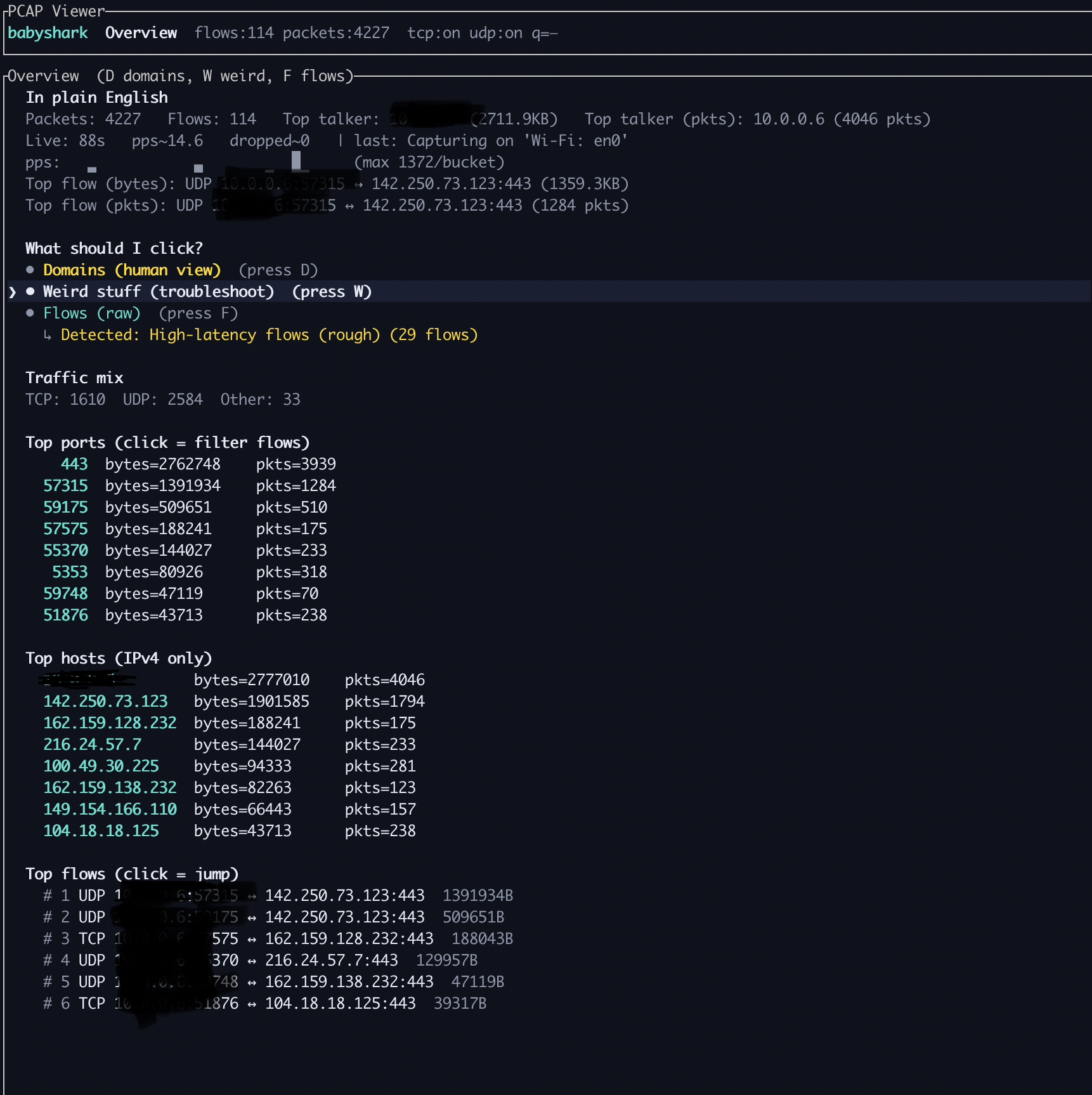
Overview è la dashboard 'inizia qui'. Riassume la cattura e suggerisce cosa fare dopo.
tshark).Come usarlo:
D per saltare a Domini (nomi host prima).W per saltare a Cosa c'è di strano? (rivelatori selezionati).F (o f) per saltare a Flussi (grezzi).
Domini raggruppa il traffico per nome host così puoi iniziare dai nomi invece che dalle 5‑tuple.
Come usarlo:
s per cambiare la modalità di ordinamento.c per cancellare un filtro sottoinsieme attivo.
Cosa c'è di strano? è un insieme selezionato di rivelatori pensato per rispondere 'cosa sembra rotto/lento?' senza bisogno di una profonda conoscenza di Wireshark.
Come usarlo:
1–9 per saltare alla selezione) e premi Invio.c per cancellare un filtro sottoinsieme attivo.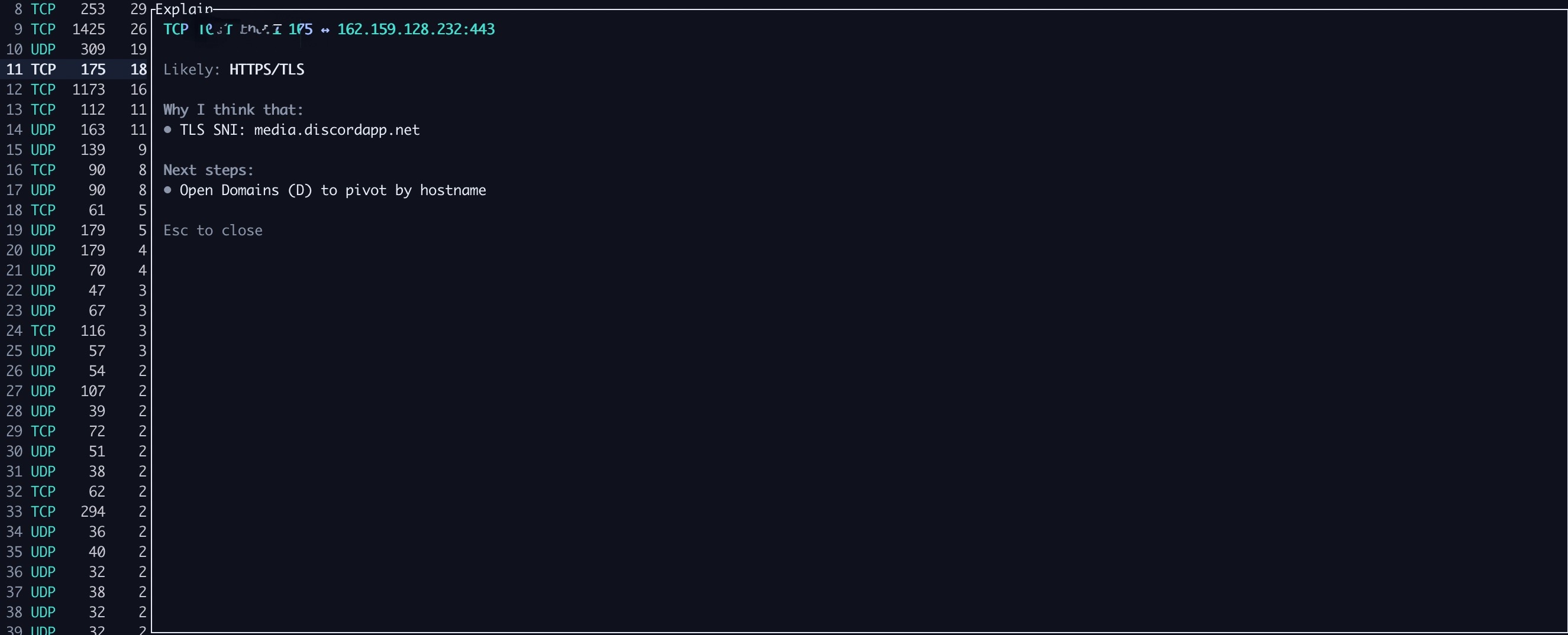
Espandi / Spiega (?) fornisce contesto in lingua chiara per ciò che stai guardando.
? per aprire Spiega.Suggerimento: premi h per aiuto e g per glossario.
Grab a binary from GitHub Releases:
git clone https://github.com/vignesh07/babyshark
cd babyshark/rust
cargo install --path . --force
babyshark --help
.pcap / .pcapng e naviga:
n / NDL/UL nella lista dei flussi + download-heavy/upload-heavy/balanced nei dettagli (ricade su A>B/B>A quando il lato locale è ambiguo)T):
Scarica un binario precompilato:
Prerequisiti:
tsharkgit clone https://github.com/vignesh07/babyshark
cd babyshark/rust
cargo install --path . --force
babyshark --help
cargo install --git https://github.com/vignesh07/babyshark --bin babyshark
tshark (required for --live)tshark è la CLI ufficiale di Wireshark.
# macOS (Homebrew)
brew install wireshark
Debian/Ubuntu:
sudo apt-get update
sudo apt-get install -y tshark
Fedora:
sudo dnf install -y wireshark-cli
Arch:
sudo pacman -S wireshark-cli
Verify:
tshark --version
tshark -D
Nota sui permessi: la cattura live potrebbe richiedere permessi elevati (sudo, dumpcap caps, o essere nel gruppo wireshark). Se babyshark stampa un errore di permesso, segui le indicazioni che mostra.
babyshark updated in git but my command still runs old behaviorSe hai installato con cargo install, devi reinstallare dopo il pull:
cd babyshark/rust
cargo install --path . --force
Prova a eseguire con sudo:
sudo babyshark --live en0
Se funziona, probabilmente devi configurare i permessi di cattura (dumpcap, gruppo wireshark, ecc.) sul tuo sistema operativo.
ips=0 for everythingQuesto accade spesso quando le risposte DNS non sono visibili (DoH/DoT o memorizzate nella cache). Babyshark mostrerà comunque IP osservati (dai flussi) usando suggerimenti TLS SNI / HTTP Host quando disponibili.
babyshark --pcap ./capture.pcap
babyshark --list-ifaces
babyshark --live en0
babyshark --live en0 --dfilter "tcp.port==443"
babyshark --live en0 --write-pcap /tmp/live.pcapng
Questi sono esempi solo testo di ciò che vedrai nella TUI. IP/domini sono anonimizzati.
PCAP Viewer
babyshark   Overview  flows:114 packets:4227  tcp:on udp:on q=—

Overview  (D domains, W weird, F flows)
In plain English
Packets: 4227   Flows: 114   Top talker: 10.0.0.6 (2711.9KB)   Top talker (pkts): 10.0.0.6 (4046 pkts)
Live: 88s   pps~14.6   dropped~0   | last: Capturing on 'Wi‑Fi: en0'

pps: ▁▁▂▂▃▄▅▆▆▇▆▅▄▃▂▂▁  (max 1372/bucket)
