
Skip to content
KitploitKITPLOIT
StrumentiBlog
Invia
StrumentiBlog
Invia

Strumenti di Hacking, PenTest e Cybersecurity per il tuo Arsenale di Sicurezza!

Kitploit è una directory di strumenti di hacking, cybersecurity e pentesting. Scopri gli ultimi aggiornamenti dei progetti per trovare vulnerabilità, analizzare sistemi, automatizzare i test e rafforzare la tua sicurezza.

··Feed·Contatto·Privacy·© 2026 Kitploit

Directory degli strumenti

Categorie

Vedi tutte le categorie
Loading categories
ttyd — Condividi il tuo terminale sul web | Kitploit
Strumenti/GitHubGitHub/tsl0922/ttyd
Utilità GenericheStrumento di Accesso Remoto
GitHubtsl0922/ttyd

ttyd

Condividi il tuo terminale sul web

Vedi RepositorySito web
12.2k1.2k19 giorni faRevisionato da Kitploit

Più Popolari

Vedi tutti →

Scopri gli strumenti più utilizzati dalla nostra community.

Esplora tutti gli strumenti

Sfoglia la nostra collezione di strumenti

Vedi tutti gli strumenti →
Condividi

backend frontend GitHub Releases Docker Pulls Packaging status GitHub

ttyd - Condividi il tuo terminale sul web

ttyd è un semplice strumento da riga di comando per condividere il terminale sul web.
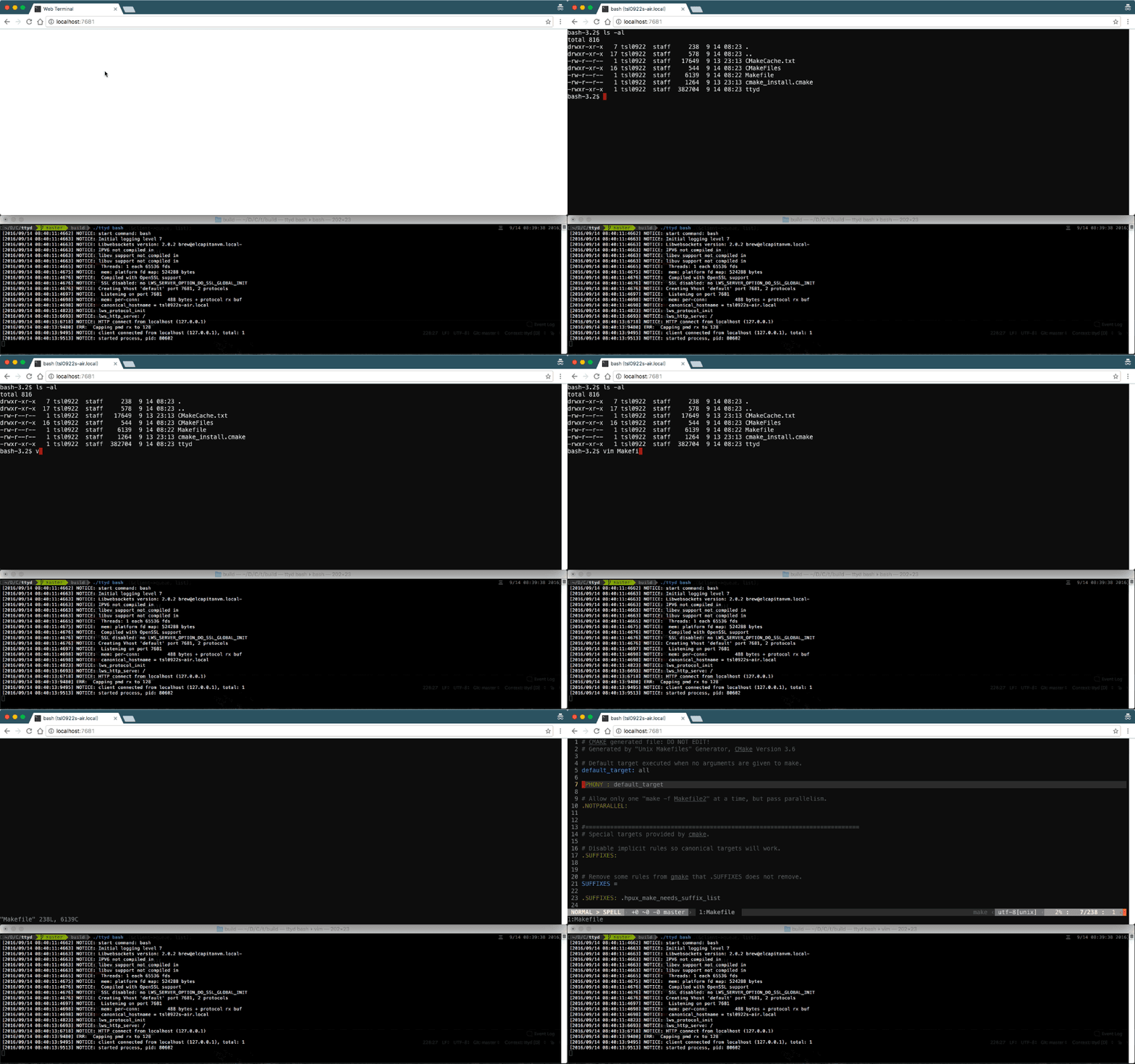
screenshot

Caratteristiche

  • Costruito su libuv e WebGL2 per la velocità
  • Terminale completo con supporto CJK e IME
  • Supporto per il trasferimento file ZMODEM (lrzsz) / trzsz
  • Supporto per output immagini Sixel (img2sixel / lsix)
  • Supporto SSL basato su OpenSSL / Mbed TLS
  • Esegui qualsiasi comando personalizzato con opzioni
  • Supporto per autenticazione di base e molte altre opzioni personalizzate
  • Multipiattaforma: macOS, Linux, FreeBSD/OpenBSD, OpenWrt, Windows

Installazione

Installazione su macOS

  • Installa con Homebrew: brew install ttyd
  • Installa con MacPorts: sudo port install ttyd

Installazione su Linux

  • Installa su Debian/Ubuntu: sudo apt install ttyd
  • Installa tramite snap: sudo snap install ttyd --classic
  • Installa su OpenWrt: opkg install ttyd
  • Installa su Gentoo: clona il repo e segui le indicazioni qui.
  • Installa con Homebrew: brew install ttyd
  • Binari statici precompilati: scarica dalla pagina releases

Installazione su Windows

  • Versione binaria (consigliata): scarica dalla pagina releases
  • Installa con WinGet: winget install tsl0922.ttyd
  • Installa con Scoop: scoop install ttyd
  • Compilare su Windows

Utilizzo

Opzioni da riga di comando

root@kitploit:~
USAGE:
    ttyd [options] <command> [<arguments...>]

OPTIONS:
    -p, --port              Port to listen (default: 7681, use `0` for random port)
    -i, --interface         Network interface to bind (eg: eth0), or UNIX domain socket path (eg: /var/run/ttyd.sock)
    -U, --socket-owner      User owner of the UNIX domain socket file, when enabled (eg: user:group)
    -c, --credential        Credential for basic authentication (format: username:password)
    -H, --auth-header       HTTP Header name for auth proxy, this will configure ttyd to let a HTTP reverse proxy handle authentication
    -u, --uid               User id to run with
    -g, --gid               Group id to run with
    -s, --signal            Signal to send to the command when exit it (default: 1, SIGHUP)
    -w, --cwd               Working directory to be set for the child program
    -a, --url-arg           Allow client to send command line arguments in URL (eg: http://localhost:7681?arg=foo&arg=bar)
    -W, --writable          Allow clients to write to the TTY (readonly by default)
    -t, --client-option     Send option to client (format: key=value), repeat to add more options
    -T, --terminal-type     Terminal type to report, default: xterm-256color
    -O, --check-origin      Do not allow websocket connection from different origin
    -m, --max-clients       Maximum clients to support (default: 0, no limit)
    -o, --once              Accept only one client and exit on disconnection
    -q, --exit-no-conn      Exit on all clients disconnection
    -B, --browser           Open terminal with the default system browser
    -I, --index             Custom index.html path
    -b, --base-path         Expected base path for requests coming from a reverse proxy (eg: /mounted/here, max length: 128)
    -P, --ping-interval     Websocket ping interval(sec) (default: 5)
    -6, --ipv6              Enable IPv6 support
    -S, --ssl               Enable SSL
    -C, --ssl-cert          SSL certificate file path
    -K, --ssl-key           SSL key file path
    -A, --ssl-ca            SSL CA file path for client certificate verification
    -d, --debug             Set log level (default: 7)
    -v, --version           Print the version and exit
    -h, --help              Print this text and exit

Leggi esempi di utilizzo sul wiki.

Supporto browser

Browser moderni, vedi Supporto browser.

Alternative

  • Wetty: terminale web basato su Node (SSH/login)
  • GoTTY: terminale web basato su Go
Scarica lo strumento



