 thewhiteh4t/seeker
Localizza con precisione gli smartphone utilizzando l'ingegneria sociale





Disponibile in




Il concetto alla base di Seeker è semplice: proprio come si ospitano pagine di phishing per ottenere credenziali, perché non ospitare una pagina falsa che richiede la tua posizione, come molti popolari siti web basati sulla posizione? Leggi di più sul blog di thewhiteh4t . Seeker ospita un sito web falso che chiede il permesso di posizione; se il bersaglio lo concede, possiamo ottenere:
Oltre alle informazioni sulla posizione, otteniamo anche Informazioni sul Dispositivo senza alcun permesso:
La ricognizione automatica dell'indirizzo IP viene eseguita dopo aver ricevuto le informazioni di cui sopra.
Questo strumento è un Proof of Concept e ha solo scopo educativo. Seeker mostra quali dati un sito web malevolo può raccogliere su di te e sui tuoi dispositivi, e perché non dovresti cliccare su link casuali e concedere permessi critici come la posizione, ecc.
Altri strumenti e servizi offrono la geolocalizzazione IP che NON è affatto accurata e non fornisce la posizione del bersaglio, ma piuttosto la posizione approssimativa del provider Internet.
Seeker utilizza l'API HTML e richiede il permesso di posizione, quindi acquisisce longitudine e latitudine tramite l'hardware GPS presente nel dispositivo. Pertanto Seeker funziona meglio con gli smartphone; se l'hardware GPS non è presente, come su un laptop, Seeker ricade sulla geolocalizzazione IP o cercherà coordinate nella cache.
Generalmente, se un utente accetta il permesso di posizione, la precisione delle informazioni ricevute è accurata fino a circa 30 metri
La precisione dipende da molteplici fattori che potresti o meno controllare, come:
Template disponibili:
Crea il tuo template! I passaggi per creare il tuo template sono descritti in questo how-to
Una volta che il tuo template è pronto, non dimenticare di proporlo alla comunità tramite una PR (pull request)
git clone https://github.com/thewhiteh4t/seeker.git
cd seeker/
chmod +x install.sh
./install.sh
sudo pacman -S seeker
docker pull thewhiteh4t/seeker
git clone https://github.com/thewhiteh4t/seeker.git
cd seeker/
python3 seeker.py
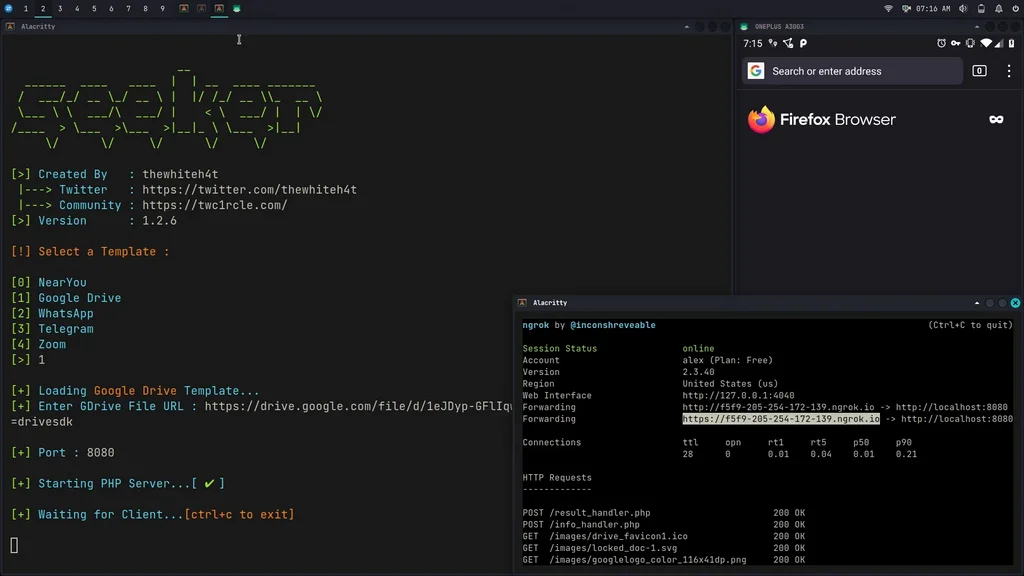
Per eseguire in modalità tunnel, installa ngrok eseguendo questo comando nel terminale:
brew install ngrok/ngrok/ngrok

ngrok http 8080
python3 seeker.py -h

usage: seeker.py [-h] [-k KML] [-p PORT] [-u] [-v] [-t TEMPLATE] [-d] [--telegram token:chatId] [--webhook WEBHOOK]

options:
  -h, --help                            show this help message and exit
  -k KML, --kml KML                     KML filename
  -p PORT, --port PORT                  Web server port [ Default : 8080 ]
  -u, --update                          Check for updates
  -v, --version                         Prints version
  -t TEMPLATE, --template TEMPLATE      Auto choose the template with the given index
  -d, --debugHTTP                       Disable auto http --> https redirection for testing purposes
                                        (only works for the templates having index_temp.html file)
  --telegram                            Send info to a telegram bot, provide telegram token and chat to use
                                        format = token:chatId separated by a colon
  --webhook                             Send events to a webhook endpoint to be processed
                                        Note : endpoint must be unauthenticated and accept POST request

#########################
# Environment Variables #
#########################

Some of the options above can also be enabled via environment variables, to ease deployment.
Other parameters can be provided via environment variables to avoid interactive mode.

Variables:
  DEBUG_HTTP            Same as -d, --debugHTTP
  PORT                  Same as -p, --port
  TEMPLATE              Same as -t, --template
  TITLE                 Provide the group title or the page title
  REDIRECT              Provide the URL to redirect the user to, after the job is done
  IMAGE                 Provide the image to use, can either be remote (http or https) or local
                        Note : Remote image will be downloaded locally during the startup
  DESC                  Provide the description of the item (group or webpage depending on the template)
  SITENAME              Provide the name of the website
  DISPLAY_URL           Provide the URL to display on the page
  MEM_NUM               Provide the number of group membres (Telegram so far)
  ONLINE_NUM            Provide the number of the group online members (Telegram so far)
  TELEGRAM              Provide telegram token and chat to use to send info to a telegram bot
                        format = token:chatId separated by a colon
  WEBHOOK               Provide the webhook url to forward the events to
                        Note : endpoint should be unauthenticated and accept POST method


##################
# Usage Examples #
##################
