

Server MCP per test di penetrazione basato sull'IA
"Nella mitologia giapponese, il Tengu è un feroce spirito della montagna — maestro stratega, guerriero e addestratore di samurai. In cybersecurity, ti guida attraverso ogni fase della caccia."
Dalla ricognizione al report — pentesting assistito da IA in un unico comando.






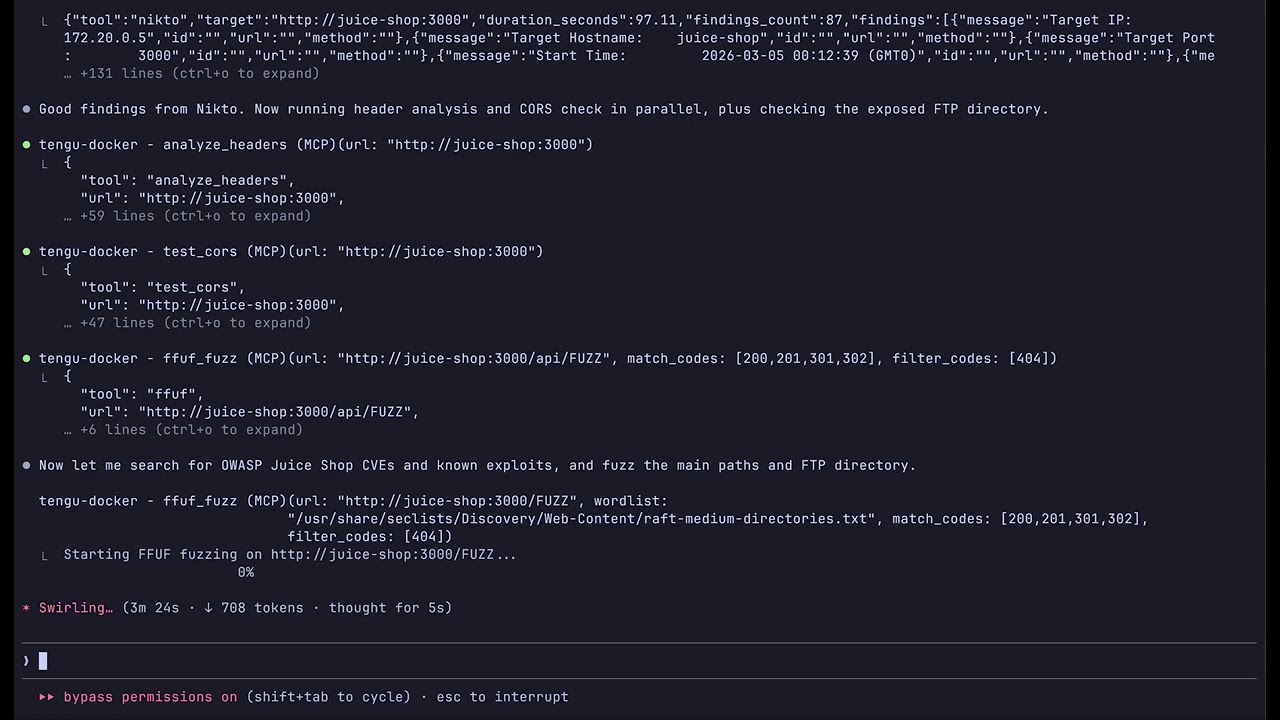
Tengu è un server MCP che trasforma Claude in un co-pilota per penetration testing. Orchestra 80 strumenti di sicurezza — da Nmap a Metasploit — con controlli di sicurezza integrati, logging di audit e report professionali.
Usa Claude come un co-pilota interattivo per pentest — tu dirigi l'engagement, Claude sceglie gli strumenti giusti e li collega automaticamente.
git clone https://github.com/rfunix/tengu.git && cd tengu make docker-build make docker-up
Collega Claude Code al server in esecuzione:```bash
claude mcp add --transport sse tengu http://localhost:8000/sse
Then ask Claude: Do a full pentest on http://192.168.1.100
Claude concatena gli strumenti automaticamente: validate_target → whatweb → nmap → nikto →
nuclei → sqlmap → correlate_findings → generate_report
| Comando | Cosa avvia |
|---|---|
make docker-up | Server Tengu MCP (:8000) |
make docker-lab | + Juice Shop, DVWA (target di pratica sicuri) |
make docker-pentest | + Metasploit, OWASP ZAP (target reali) |
make docker-full | + Metasploit, ZAP e target di laboratorio |
Scansiona target personalizzati senza modificare i file:```bash TENGU_ALLOWED_HOSTS="192.168.1.0/24,10.0.0.0/8" make docker-up
### Livelli delle Immagini

Scegli la dimensione giusta per il tuo caso d'uso:

| Tier | Dimensione | MCP Tools | Caso d'uso |
|------|------------|-----------|------------|
| `minimal` | ~480MB | 17 | Analisi leggera, ricerca CVE, reporting |
| `core` | ~7GB | 47 | Set completo di strumenti per pentest (predefinito) |
| `full` | ~8GB | 80 | Tutto + AD, wireless, stealth/OPSEC |```bash
TENGU_TIER=minimal make docker-build   # lightweight
TENGU_TIER=core    make docker-build   # default
TENGU_TIER=full    make docker-build   # everything
Tutti i livelli includono tutti i 35 prompt e 20 risorse — solo gli strumenti binari differiscono.
Prerequisiti: Python 3.12+, uv, Kali Linux (consigliato)```bash
git clone https://github.com/rfunix/tengu.git && cd tengu
uv sync
make install-tools
uv run tengu
Collega Claude Code:```bash
claude mcp add --scope user tengu -- uv run --directory /path/to/tengu tengu
Configura i target consentiti in tengu.toml:```toml
[targets]
allowed_hosts = ["192.168.1.0/24", "example.com"]
Per Claude Desktop, configurazione remota VM/SSE e configurazioni avanzate, consulta [docs/deployment-guide.md](https://github.com/rfunix/tengu/blob/main/docs/deployment-guide.md).

</details>

### Riferimento configurazione```toml
[targets]
# REQUIRED: Only these hosts will be scanned
allowed_hosts = ["192.168.1.0/24", "example.com"]
blocked_hosts = []  # Always blocked, even if in allowed_hosts

[stealth]
enabled = false  # Route traffic through Tor/proxy

[stealth.proxy]
enabled = false
type = "socks5h"
host = "127.0.0.1"
port = 9050

[osint]
shodan_api_key = ""  # Required for shodan_lookup

[tools.defaults]
scan_timeout = 300   # seconds
Vedi docs/configuration-reference.md per il riferimento completo.
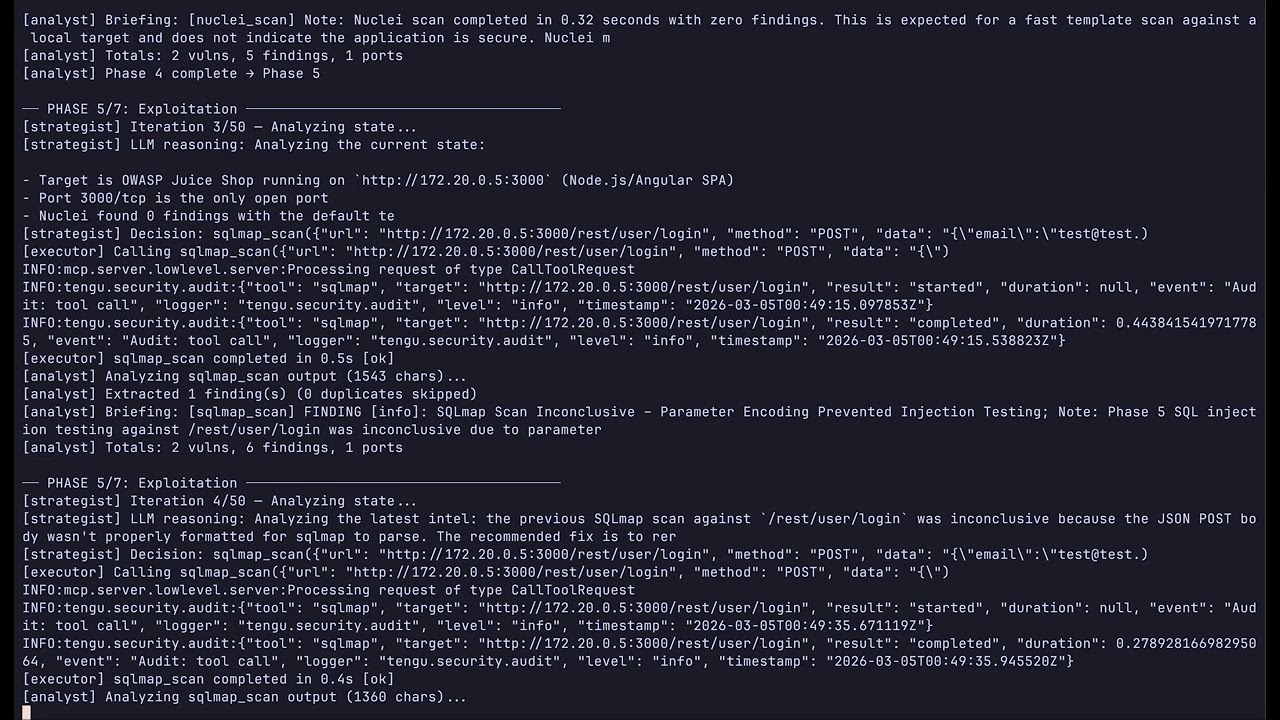
Esegui un pentest completamente autonomo senza invocazione manuale degli strumenti. L'agente utilizza Claude come cervello strategico e Tengu come set di strumenti di esecuzione, seguendo la metodologia PTES dalla ricognizione alla reportistica.
cp .env.example .env
**Target di laboratorio (Juice Shop, DVWA):**```bash
make docker-lab
make docker-agent          # default model (sonnet)
make docker-agent-haiku    # cheaper — claude-haiku-4-5, max_tokens=1024
make docker-agent-sonnet   # balanced — claude-sonnet-4-6, max_tokens=4096
Pentest reali (Tengu + MSF + ZAP, nessun contenitore di laboratorio):```bash make docker-pentest make docker-agent
**Visualizza i report nel browser:**```bash
make docker-report-view          # http://localhost:8888 — styled HTML, all reports
make docker-report-browse        # same, auto-opens browser
REPORT_PORT=9999 make docker-report-view   # custom port
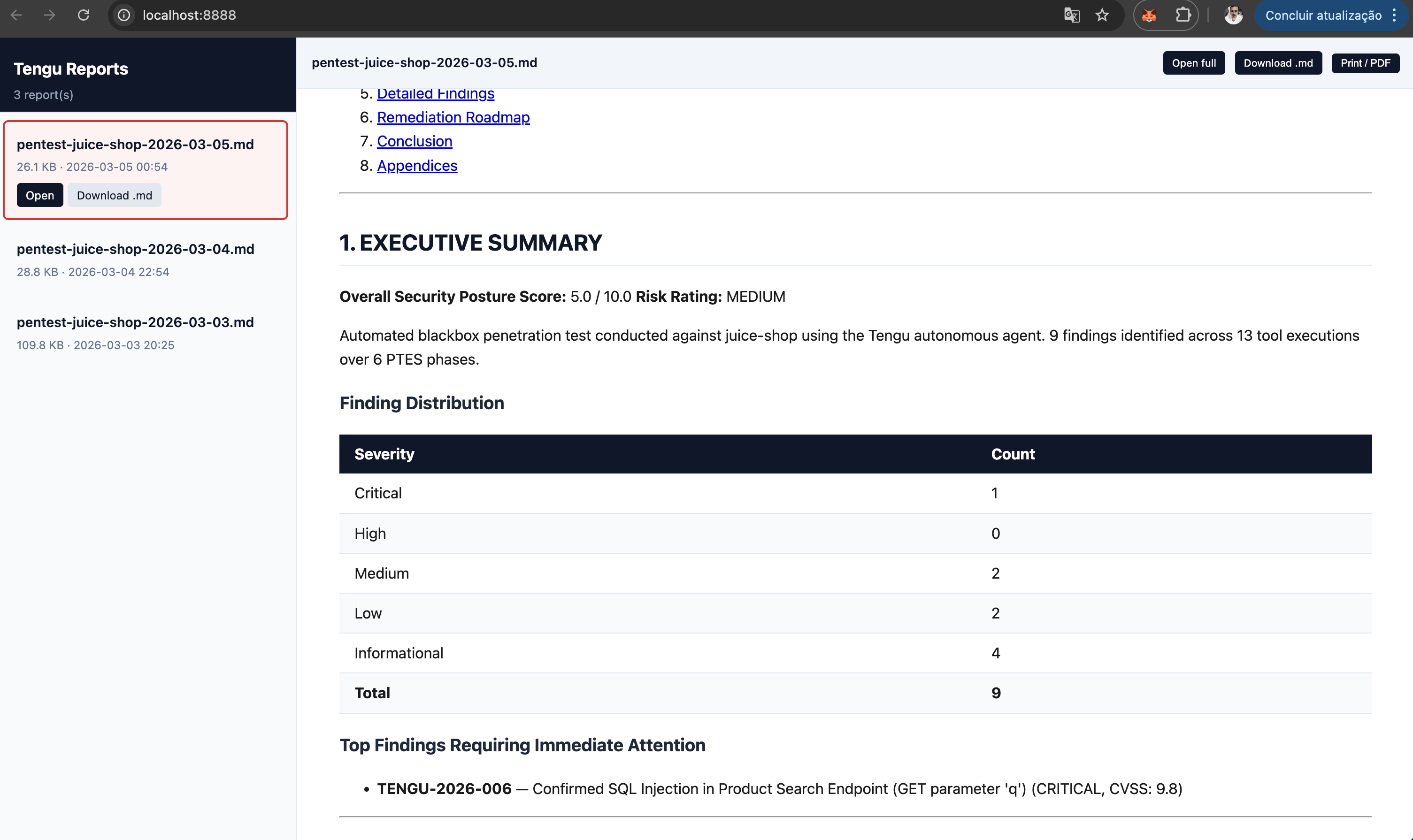
Senza Docker:```bash uv sync --extra agent python autonomous_tengu.py 192.168.1.100 --scope 192.168.1.0/24 --type blackbox
python autonomous_tengu.py 192.168.1.100 --model claude-haiku-4-5 --max-tokens 1024 --timeout 30
**Controllo dei costi** — tre variabili d'ambiente / flag CLI:
