 redhuntlabs/kubestalk
Strumento di discovery della superficie d'attacco Kubernetes a scatola nera che sonda cluster non sicuri, dashboard esposti e configurazioni errate tramite scansione basata su firme.

KubeStalk è uno strumento per scoprire la superficie di attacco basata su Kubernetes e infrastrutture correlate da una prospettiva black-box. Questo strumento è una versione comunitaria dello strumento utilizzato per sondare i cluster Kubernetes non sicuri su internet durante il Project Resonance - Wave 9.
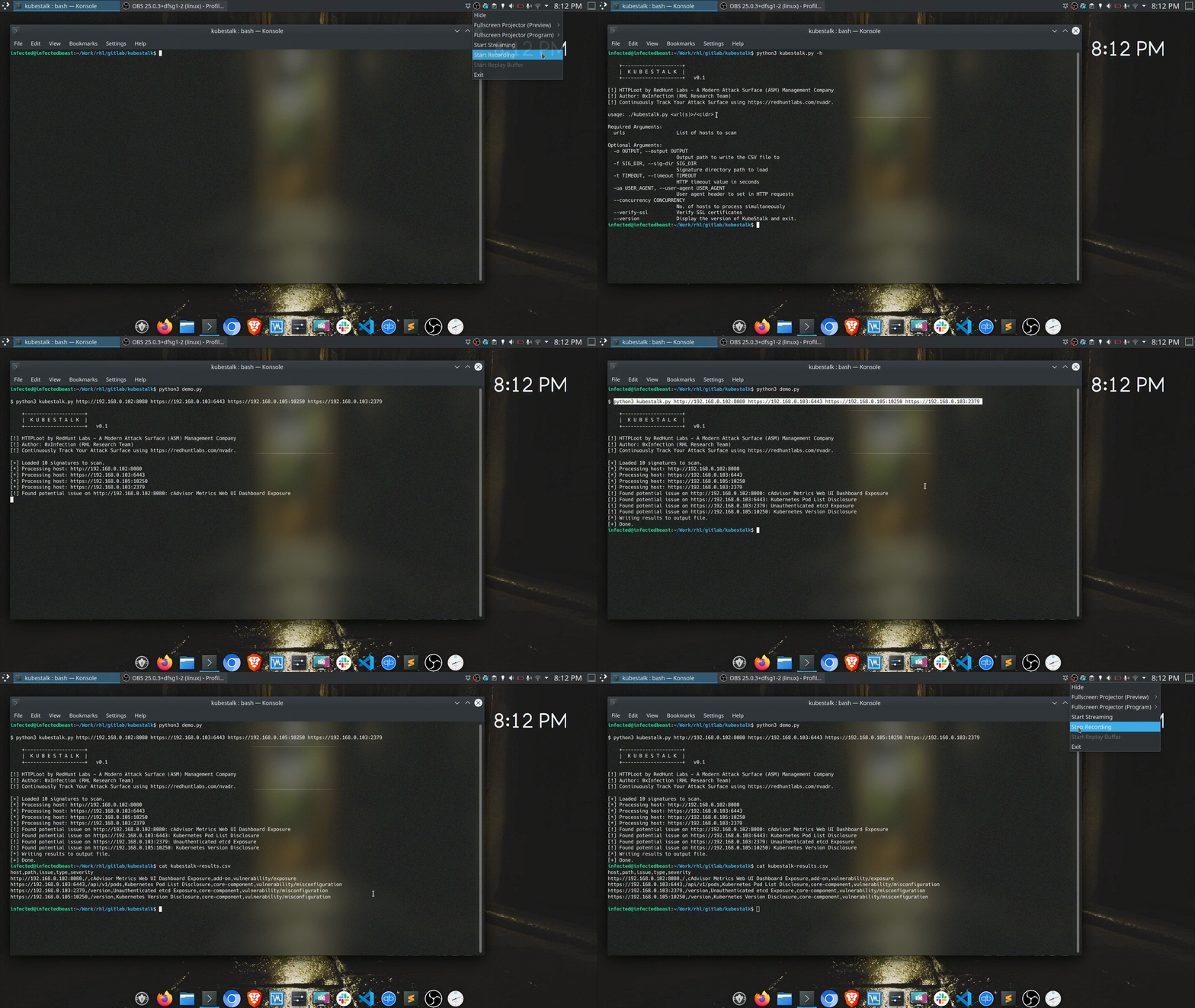
Il GIF qui sotto mostra l'utilizzo dello strumento:
KubeStalk è scritto in Python e richiede la libreria requests.
Per installare lo strumento, puoi clonare il repository in qualsiasi directory:
git clone https://github.com/redhuntlabs/kubestalk
Una volta clonato, è necessario installare la libreria requests usando python3 -m pip install requests oppure:
python3 -m pip install -r requirements.txt
Tutto è pronto e puoi usare lo strumento direttamente.
Un elenco degli argomenti della riga di comando supportati dallo strumento può essere visualizzato usando il flag -h.
$ python3 kubestalk.py  -h

    +---------------------+
    |  K U B E S T A L K  |
    +---------------------+   v0.1

[!] KubeStalk by RedHunt Labs - A Modern Attack Surface (ASM) Management Company
[!] Author: 0xInfection (RHL Research Team)
[!] Continuously Track Your Attack Surface using https://redhuntlabs.com/nvadr.

usage: ./kubestalk.py <url(s)>/<cidr>

Required Arguments:
  urls                  List of hosts to scan

Optional Arguments:
  -o OUTPUT, --output OUTPUT
                        Output path to write the CSV file to
  -f SIG_FILE, --sig-dir SIG_FILE
                        Signature directory path to load
  -t TIMEOUT, --timeout TIMEOUT
                        HTTP timeout value in seconds
  -ua USER_AGENT, --user-agent USER_AGENT
                        User agent header to set in HTTP requests
  --concurrency CONCURRENCY
                        No. of hosts to process simultaneously
  --verify-ssl          Verify SSL certificates
  --version             Display the version of KubeStalk and exit.
Per utilizzare lo strumento, puoi passare uno o più host allo script. Tutti i target passati allo strumento devono essere conformi alla RFC 3986, ovvero devono contenere uno schema e un hostname (e la porta se necessario).
Un utilizzo di base è il seguente:
$ python3 kubestalk.py https://███.██.██.███:10250

    +---------------------+
    |  K U B E S T A L K  |
    +---------------------+   v0.1

[!] KubeStalk by RedHunt Labs - A Modern Attack Surface (ASM) Management Company
[!] Author: 0xInfection (RHL Research Team)
[!] Continuously Track Your Attack Surface using https://redhuntlabs.com/nvadr.

[+] Loaded 10 signatures to scan.
[*] Processing host: https://███.██.██.██:10250
[!] Found potential issue on https://███.██.██.██:10250: Kubernetes Pod List Exposure
[*] Writing results to output file.
[+] Done.
Le richieste HTTP possono essere ottimizzate usando -t (per impostare i timeout HTTP), -ua (per specificare user agent personalizzati) e --verify-ssl (per validare i certificati SSL durante le richieste).
Puoi controllare il numero di host da scansionare simultaneamente usando il flag --concurrency. Il valore predefinito è 5.
L'output viene scritto in un file CSV e può essere controllato dal flag --output.
Un esempio dell'output CSV reso in markdown è il seguente:
| host | percorso | problema | tipo | gravità |
|---|---|---|---|---|
https://█.█.█.█:10250 | /pods | Kubernetes Pod List Exposure | core-component | vulnerability/misconfiguration |
https://█.█.█.█:443 | /api/v1/pods | Kubernetes Pod List Exposure | core-component | vulnerability/misconfiguration |
http://█.█.██.█:80 | / | etcd Viewer Dashboard Exposure | add-on | vulnerability/exposure |
http://██.██.█.█:80 | / | cAdvisor Metrics Web UI Dashboard Exposure | add-on | vulnerability/exposure |
Lo strumento è concesso in licenza secondo la BSD 3 Clause License ed è attualmente alla v0.1.
