 ragibson/steganography
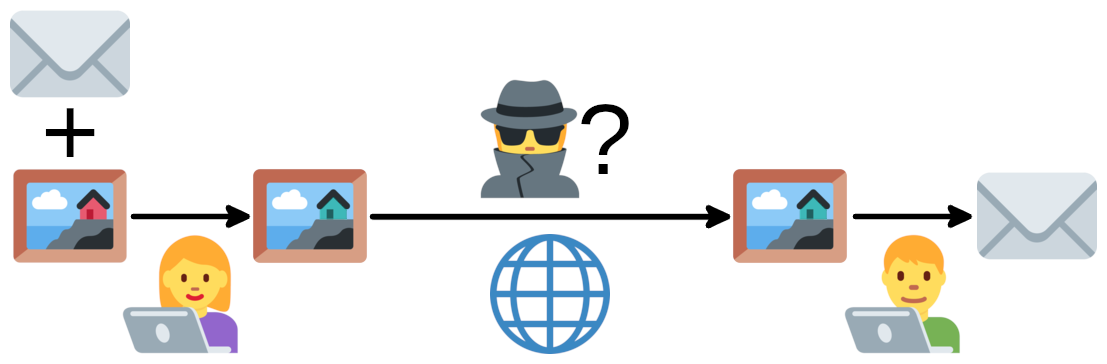
Steganografia del bit meno significativo per immagini bitmap (.bmp e .png), file audio WAV e sequenze di byte. Semplice steganalisi LSB (estrazione LSB) per immagini bitmap.

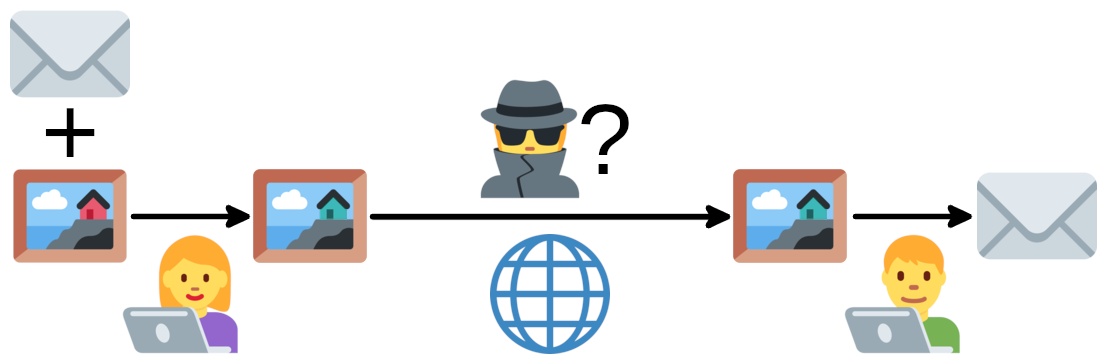
Se non hai familiarità con le tecniche di steganografia, ho anche scritto una panoramica di base del settore in Steganografia: Nascondere Dati nei Dati.
Questo progetto è su PyPI e può essere installato con
pip install stego-lsb
In alternativa, puoi installarlo direttamente da questo repository:
git clone https://github.com/ragibson/Steganography
cd Steganography
python3 setup.py install
Dopo l'installazione, usa il comando stegolsb nel terminale o importa le funzioni da stego_lsb nel tuo codice.
bit_manipulation fornisce la capacità di interfoliare (rapidamente) i byte di un payload direttamente nei bit meno significativi di una sequenza di byte portante.
Nello specifico, contiene quattro funzioni principali:
# Interleave the bytes of payload into the num_lsb LSBs of carrier.
lsb_interleave_bytes(carrier, payload, num_lsb, truncate=False)

# Deinterleave num_bits bits from the num_lsb LSBs of carrier.
lsb_deinterleave_bytes(carrier, num_bits, num_lsb)

# Runs lsb_interleave_bytes with a List[uint8] carrier.
lsb_interleave_list(carrier, payload, num_lsb)

# Runs lsb_deinterleave_bytes with a List[uint8] carrier.
lsb_deinterleave_list(carrier, num_bits, num_lsb)
Eseguendo bit_manipulation.py, chiamando direttamente la sua funzione test(), oppure eseguendo stegolsb test si dovrebbe ottenere un output simile a
Testing 1.0 MB payload -> 10.0 MB carrier...
Progress: [################################]
----------------------------------------
| # LSBs | Encode Rate  | Decode rate  |
| 1      | 60.6   MB/s  | 95.9   MB/s  |
| 2      | 56.6   MB/s  | 52.7   MB/s  |
| 3      | 82.5   MB/s  | 77.4   MB/s  |
| 4      | 112.4  MB/s  | 105.9  MB/s  |
| 5      | 135.9  MB/s  | 129.8  MB/s  |
| 6      | 159.9  MB/s  | 152.4  MB/s  |
| 7      | 181.7  MB/s  | 174.6  MB/s  |
| 8      | 372.8  MB/s  | 1121.8 MB/s  |
----------------------------------------
WavSteg utilizza la steganografia del bit meno significativo per nascondere un file nei campioni di un file .wav.
Per ogni campione nel file audio, sovrascriviamo i bit meno significativi con i dati del nostro file.
WavSteg richiede Python 3
Esegui WavSteg con i seguenti argomenti da riga di comando:
Command Line Arguments:
 -h, --hide               To hide data in a sound file
 -r, --recover            To recover data from a sound file
 -i, --input TEXT         Path to a .wav file
 -s, --secret TEXT        Path to a file to hide in the sound file
 -o, --output TEXT        Path to an output file
 -n, --lsb-count INTEGER  How many LSBs to use  [default: 2]
 -b, --bytes INTEGER      How many bytes to recover from the sound file
 --help                   Show this message and exit.
Esempio:
$ stegolsb wavsteg -h -i sound.wav -s file.txt -o sound_steg.wav -n 1
# OR
$ stegolsb wavsteg -r -i sound_steg.wav -o output.txt -n 1 -b 1000
Per nascondere dati si usano gli argomenti -h, -i, -s, -o e -n.
Il seguente comando nasconderebbe il contenuto di file.txt in sound.wav e salverebbe il risultato come sound_steg.wav. Il comando mostra anche quanti byte sono stati utilizzati rispetto a un massimo teorico.
Esempio:
$ stegolsb wavsteg -h -i sound.wav -s file.txt -o sound_steg.wav -n 2
Using 2 LSBs, we can hide 6551441 bytes
Files read                     in 0.01s
5589889 bytes hidden           in 0.24s
Output wav written             in 0.03s
Se tenti di nascondere troppi dati, WavSteg stamperà il numero minimo di LSB necessari per nascondere i tuoi dati.
Per recuperare dati si usano gli argomenti -r, -i, -o, -n e -b
Il seguente comando recupererebbe i dati nascosti da sound_steg.wav e li salverebbe come output.txt. È necessario che la dimensione in byte dei dati nascosti sia accurata, altrimenti il risultato potrebbe essere troppo corto o contenere dati estranei.
Esempio:
$ stegolsb wavsteg -r -i sound_steg.wav -o output.txt -n 2 -b 5589889
Files read                     in 0.02s
Recovered 5589889 bytes        in 0.18s
Written output file            in 0.00s
LSBSteg utilizza la steganografia del bit meno significativo per nascondere un file nelle informazioni dei colori di un'immagine RGB (.bmp o .png).
Per ogni canale di colore (ad esempio R, G e B) in ogni pixel dell'immagine, sovrascriviamo i bit meno significativi del valore di colore con i dati del nostro file. Per rendere più facile il recupero di questi dati, nascondiamo anche la dimensione del file di input nei primi canali di colore dell'immagine.
Hai bisogno di Python 3 e Pillow, un fork della Python Imaging Library (PIL).
Esegui LSBSteg con i seguenti argomenti da riga di comando:
Command Line Arguments:
 -h, --hide                      To hide data in an image file
 -r, --recover                   To recover data from an image file
 -a, --analyze                   Print how much data can be hidden within an image   [default: False]
 -i, --input TEXT                Path to an bitmap (.bmp or .png) image
 -s, --secret TEXT               Path to a file to hide in the image
 -o, --output TEXT               Path to an output file
 -n, --lsb-count INTEGER         How many LSBs to use  [default: 2]
 -c, --compression INTEGER RANGE
                                 1 (best speed) to 9 (smallest file size)  [default: 1]
 --help                          Show this message and exit.
Esempio:
$ stegolsb steglsb -a -i input_image.png -s input_file.zip -n 2
# OR
$ stegolsb steglsb -h -i input_image.png -s input_file.zip -o steg.png -n 2 -c 1
# OR
$ stegolsb steglsb -r -i steg.png -o output_file.zip -n 2
Prima di nascondere dati in un'immagine, può essere utile vedere quanti dati possono essere nascosti. Il seguente comando lo farà, producendo un output simile a
$ stegolsb steglsb -a -i input_image.png -s input_file.zip -n 2
Image resolution: (2000, 1100, 3)
Using 2 LSBs, we can hide:     1650000 B
Size of input file:            1566763 B
File size tag:                 3 B
Il seguente comando nasconderà dati nell'immagine di input e scriverà il risultato nell'immagine steganografata, producendo un output simile a
$ stegolsb steglsb -h -i input_image.png -s input_file.zip -o steg.png -n 2 -c 1
Files read                     in 0.26s
1566763 bytes hidden           in 0.31s
Image overwritten              in 0.27s
Il seguente comando recupererà dati dall'immagine steganografata e scriverà il risultato nel file di output, producendo un output simile a
$ stegolsb steglsb -r -i steg.png -o output_file.zip -n 2
Files read                     in 0.30s
1566763 bytes recovered        in 0.28s
Output file written            in 0.00s
StegDetect fornisce un metodo per rilevare la steganografia semplice nelle immagini.
Hai bisogno di Python 3 e Pillow, un fork della Python Imaging Library (PIL).
Esegui StegDetect con i seguenti argomenti da riga di comando:
Command Line Arguments:
 -i, --input TEXT         Path to an image
 -n, --lsb-count INTEGER  How many LSBs to display  [default: 2]
 --help                   Show this message and exit.
