TCP Viewer
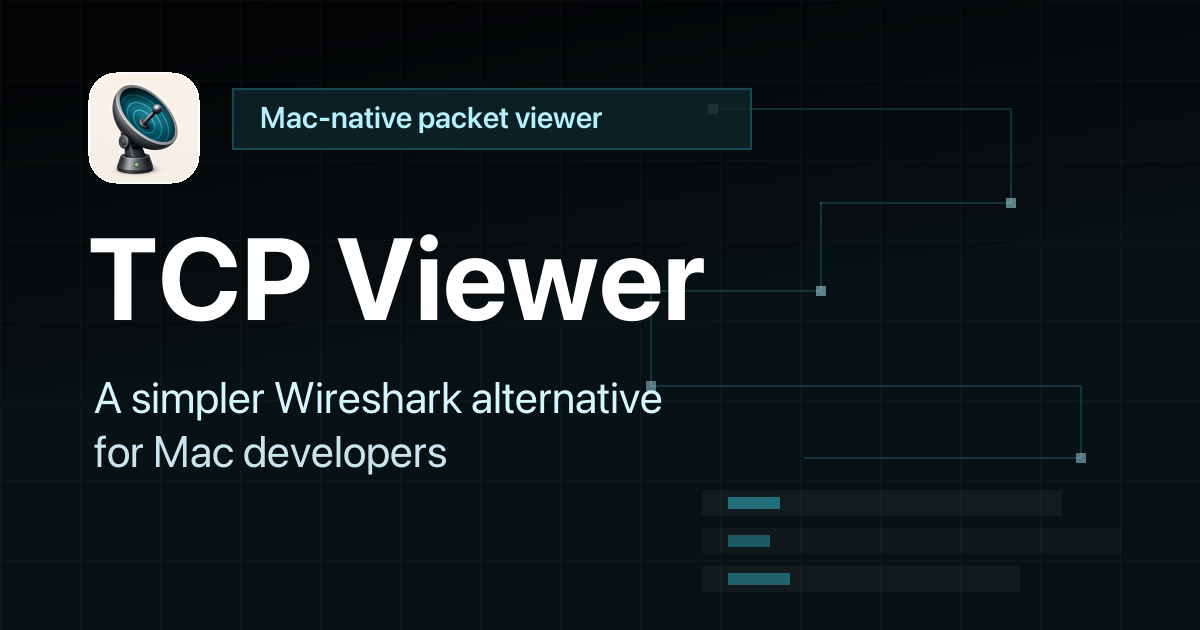
Un visualizzatore di pacchetti nativo e semplice per Mac.
Sito web ·
Download ·
Documentazione ·
Release
TCP Viewer cattura e legge i pacchetti di rete su macOS. Utilizza libpcap di sistema per la cattura e le librerie di Wireshark per i dettagli approfonditi dei pacchetti.
Funzionalità
- App nativa per macOS, costruita con AppKit
- Basata sulla libreria Wireshark Lib, alternativa a Wireshark
- Cattura il traffico in tempo reale.
- Raggruppa i pacchetti per app, dominio o indirizzo IP.
- Filtra TCP, UDP, DNS, HTTP, TLS, WebSocket e altro.
- Leggi i campi dei protocolli e i byte grezzi.
- Apri file PCAP e PCAPNG.
- Segui i flussi TCP e UDP.
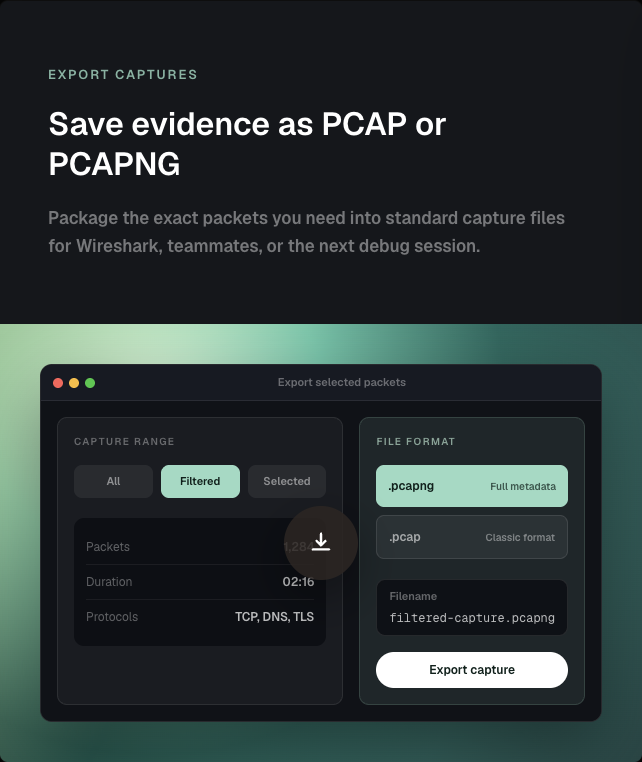
- Esporta i pacchetti come PCAP o PCAPNG.
- Chiedi a un agente AI informazioni sulla tua cattura con TCP Viewer MCP.
- Automatizza cattura, query sui pacchetti, file, licenze e impostazioni con
tcpviewer-cli.
- Consulta il codice sorgente completo.
Cattura pacchetti semplice
- Scegli un'interfaccia di rete.
- Avvia o interrompi con un clic.
- Mantieni le catture intense facili da leggere.
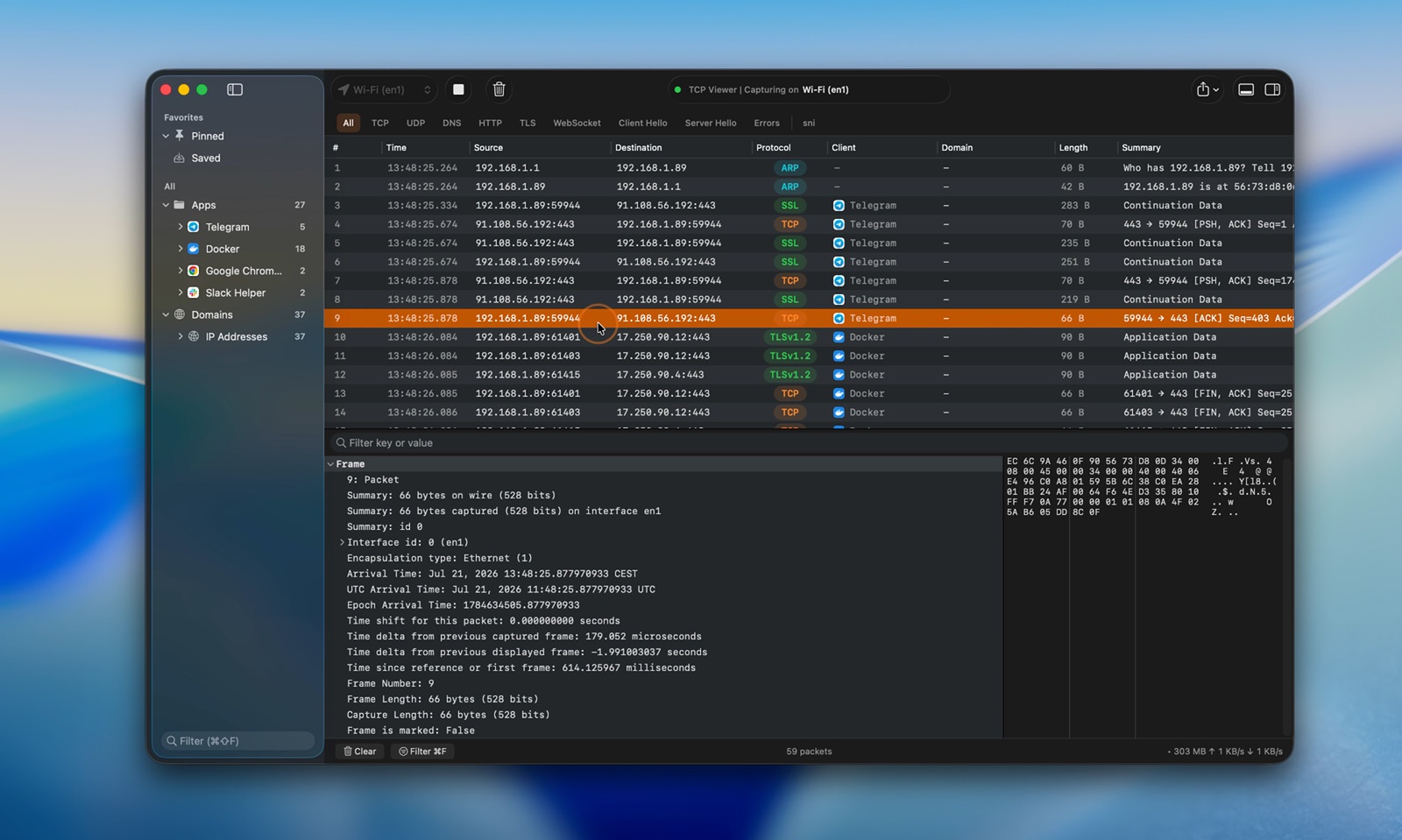
Guarda il video della cattura in tempo reale
TCP Viewer MCP
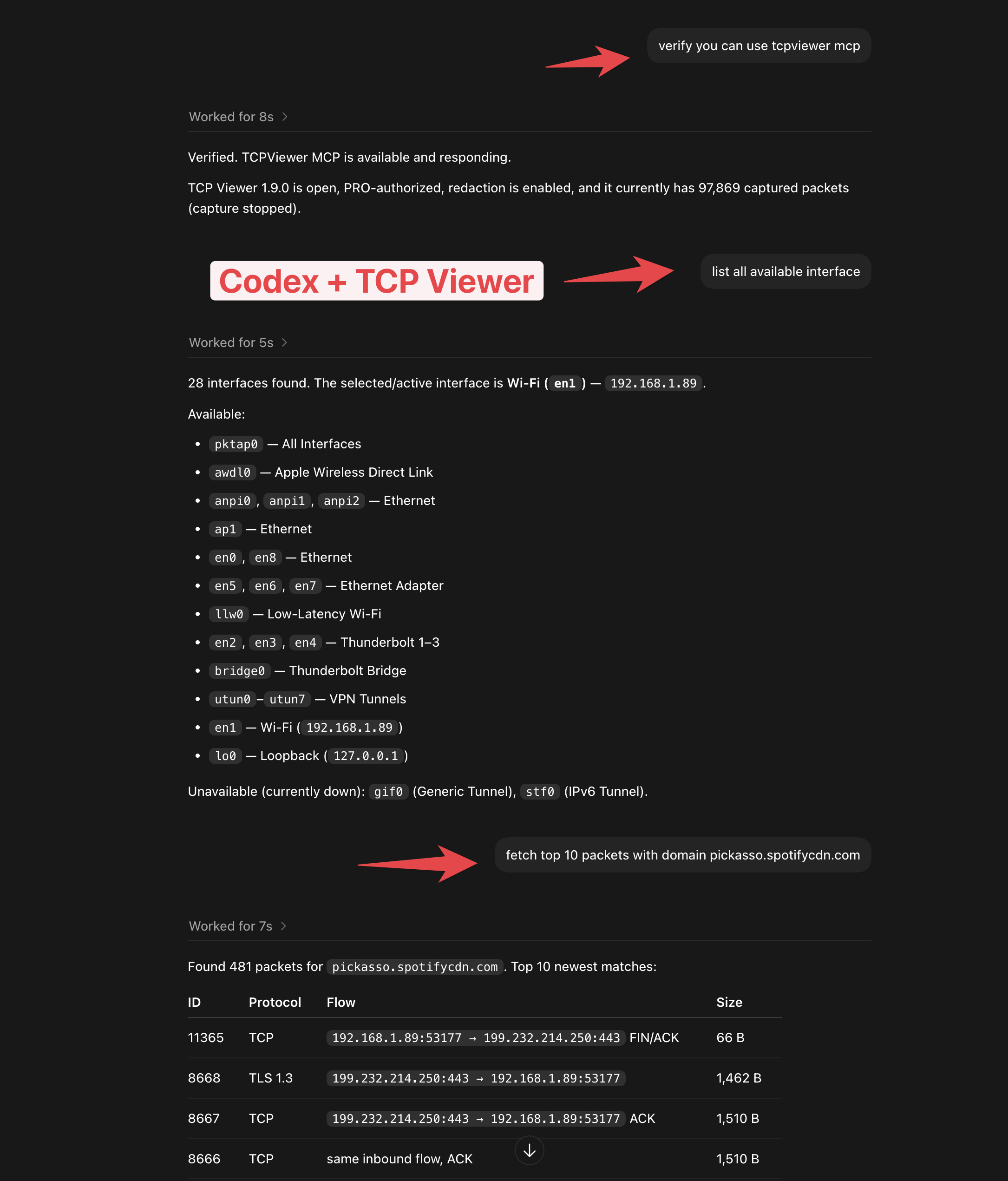
- Collega TCP Viewer a Codex o a un altro client MCP.
- Controlla lo stato della cattura.
- Elenca le interfacce di rete.
- Trova i pacchetti con un semplice prompt.
- Disponibile con TCP Viewer PRO.
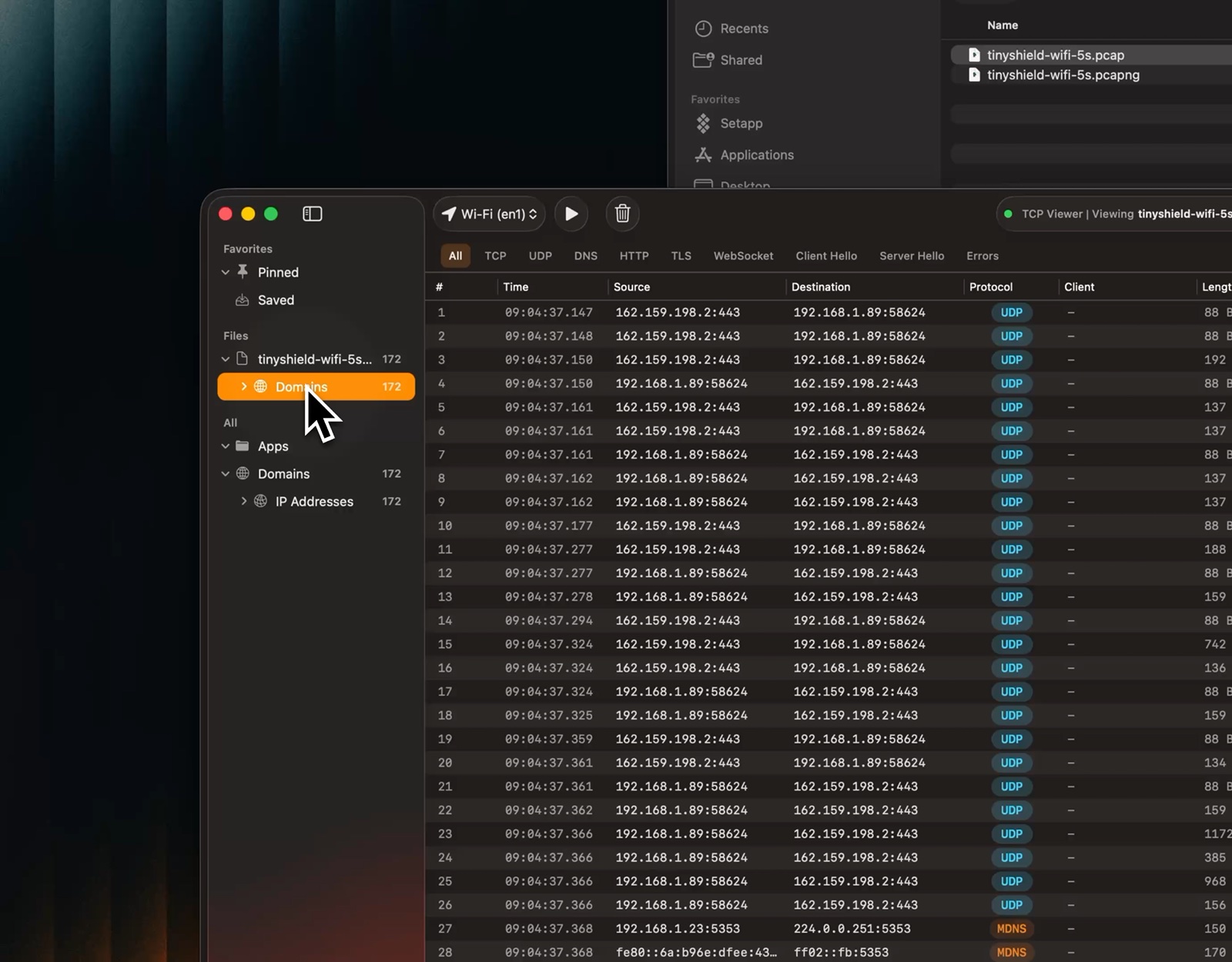
Apri file di cattura
- Trascina un file PCAP o PCAPNG.
- Visualizza subito l'anteprima dei pacchetti.
- Usa la stessa vista di una cattura in tempo reale.
Guarda il video dell'anteprima dei file
Segui flussi TCP e UDP
- Ricostruisci una conversazione TCP o visualizza i datagrammi UDP nell'ordine di cattura.
- Apri un flusso dal menu del pacchetto o dal menu Strumenti.
- Mostra entrambe le direzioni insieme.
- Mostra solo i dati del client o del server.
- Passa tra testo ed esadecimale.
- Cerca nel flusso.
- Torna al pacchetto di origine.
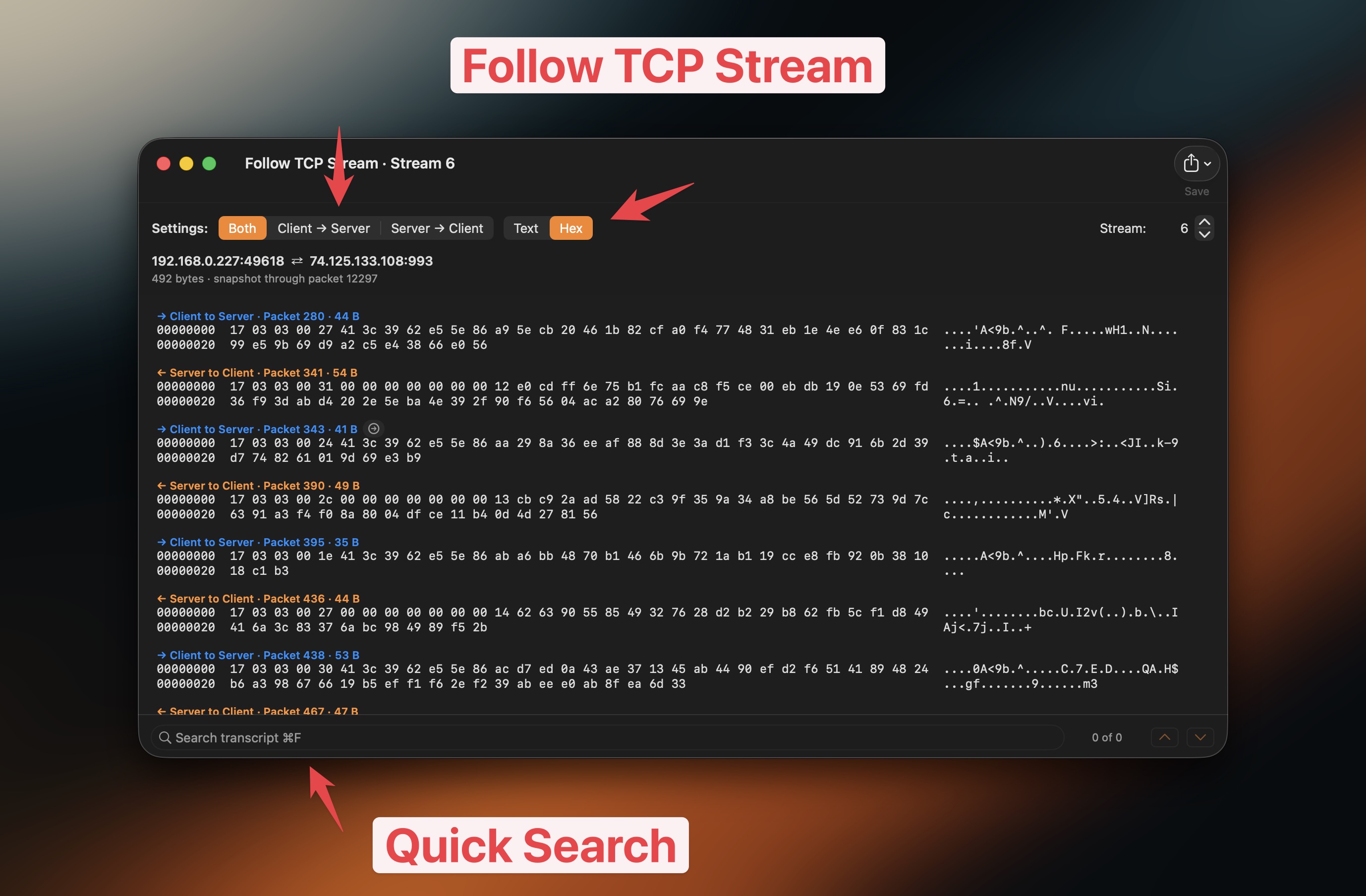
Guarda il video di Follow TCP Stream
Raggruppa il traffico
- Raggruppa i pacchetti per app.
- Raggruppa i pacchetti per dominio.
- Raggruppa i pacchetti per indirizzo IP.
- Vai direttamente al traffico che ti serve.
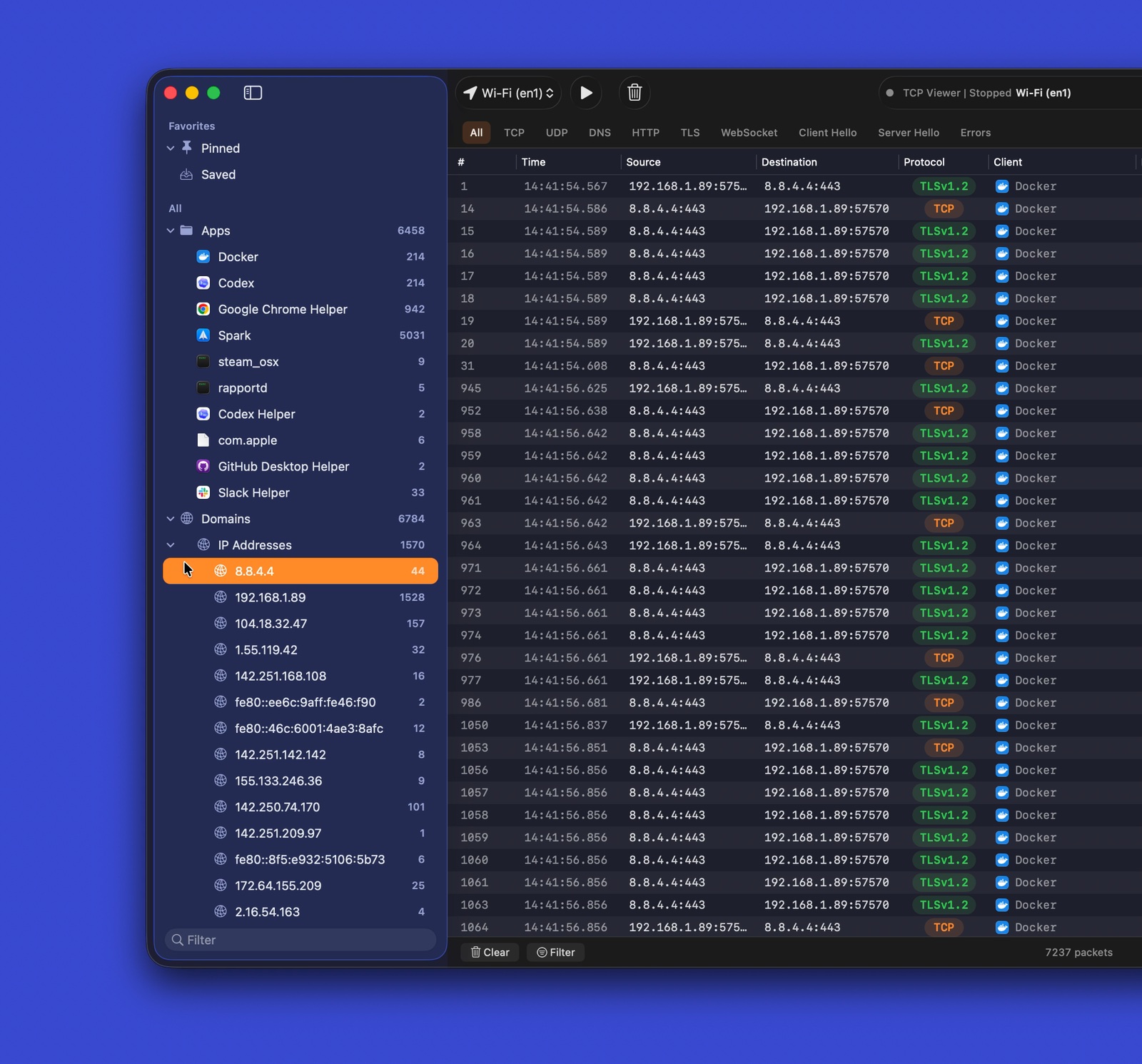
Guarda il video del traffico raggruppato
Filtri per protocollo
- Usa filtri rapidi per i protocolli comuni.
- Combina i filtri con la ricerca testuale.
- Concentrati rapidamente sui pacchetti utili.
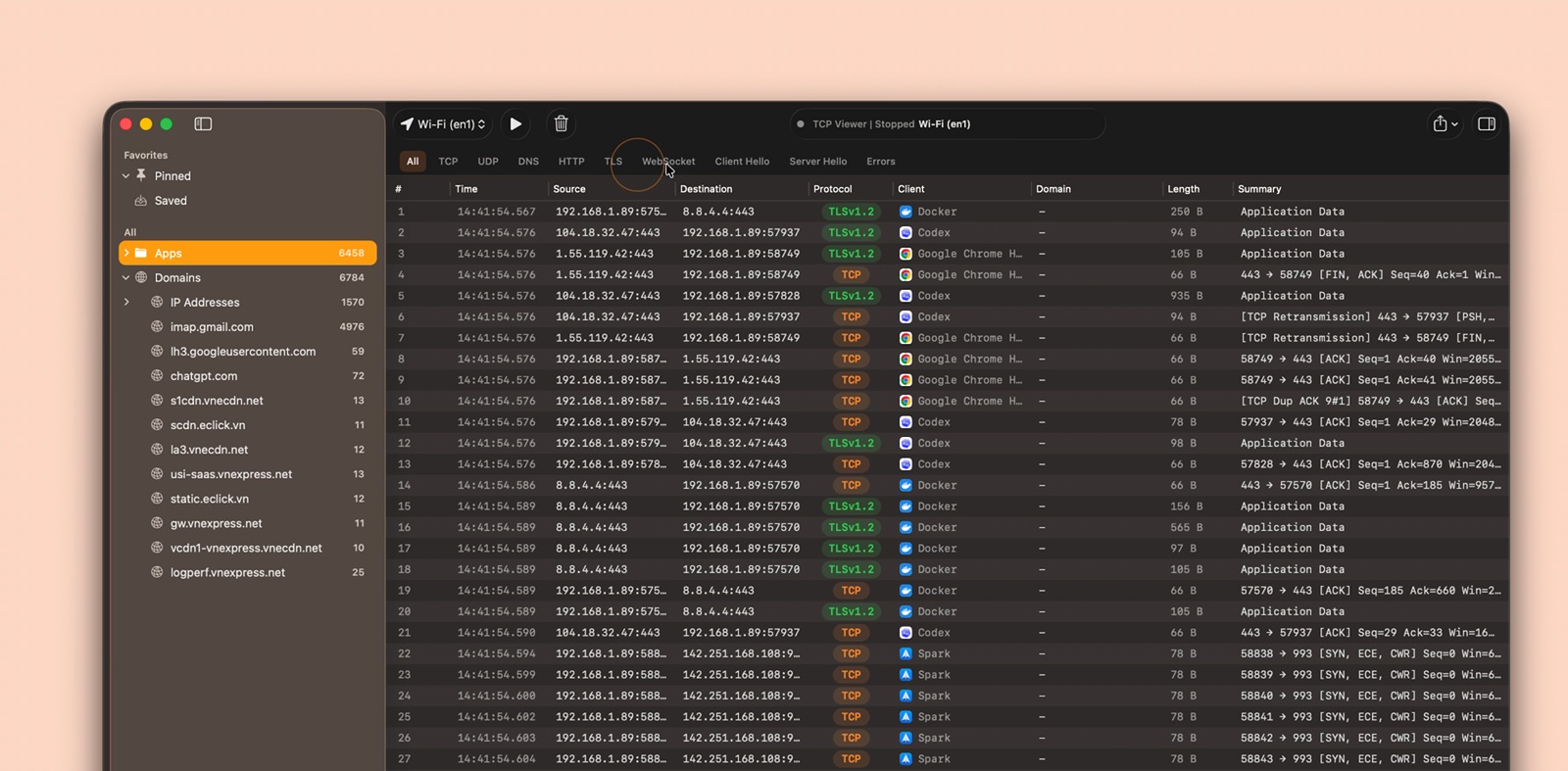
Guarda il video dei filtri per protocollo
Esporta catture
- Esporta tutti i pacchetti, quelli filtrati o quelli selezionati.
- Salva come PCAP o PCAPNG.
- Apri il risultato in altri strumenti per pacchetti.
Dettagli dei pacchetti
- Leggi alberi dei protocolli di livello Wireshark.
- Ispeziona nomi e valori dei campi.
- Correla i campi ai byte grezzi.
- Cerca nei dettagli dei pacchetti.
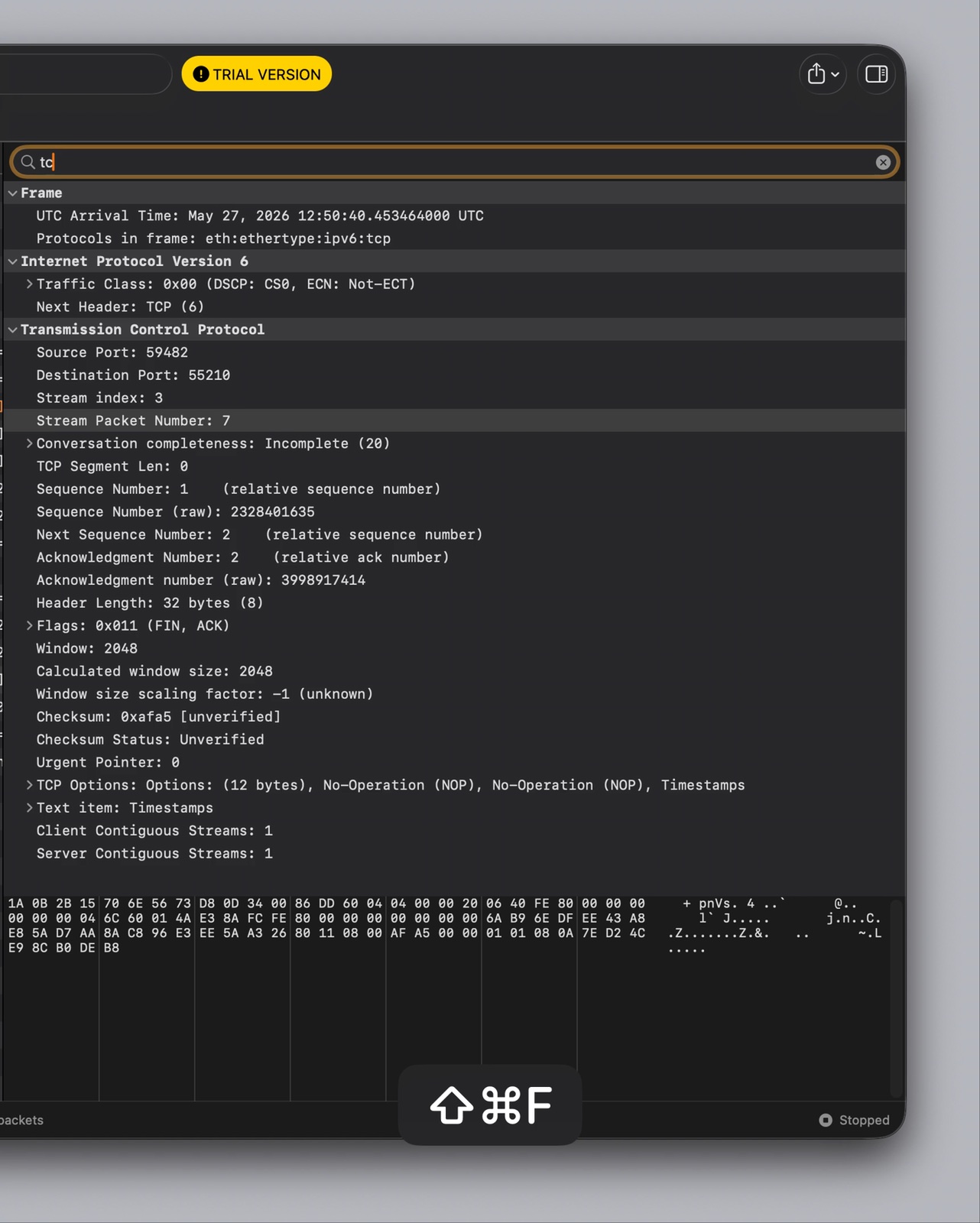
Guarda il video dei dettagli dei pacchetti
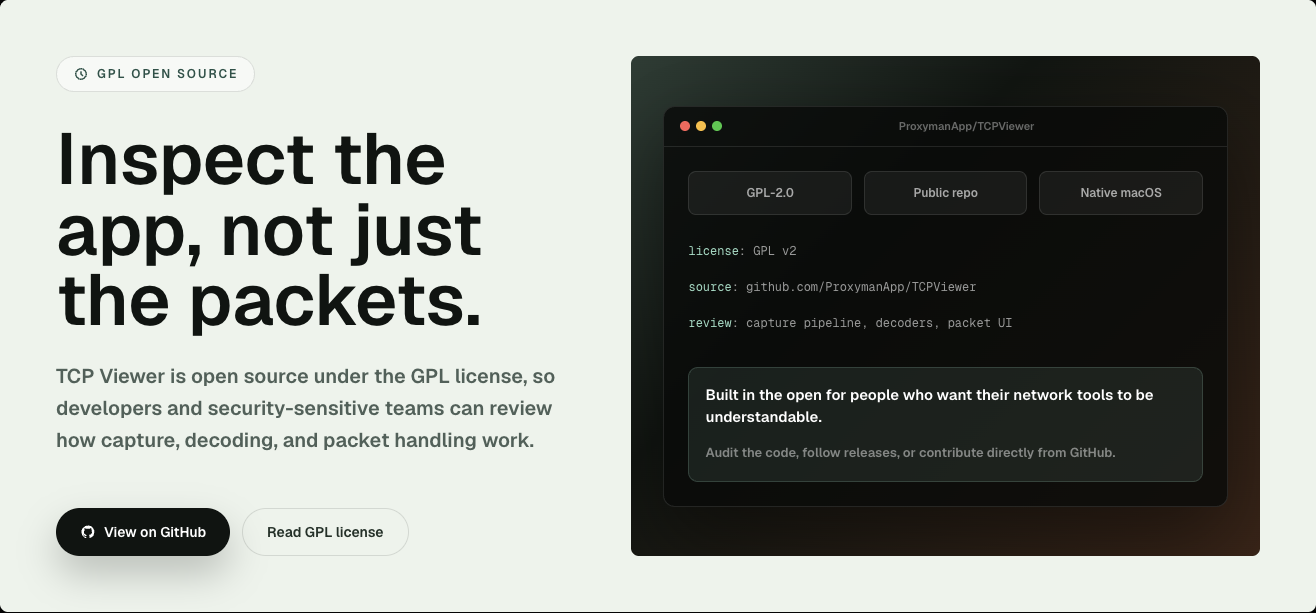
Open source
- Concesso in licenza sotto GPL-2.0-or-later.
- Consulta la pipeline di cattura.
- Consulta la decodifica dei pacchetti.
- Consulta l'interfaccia nativa per macOS.
- Segnala problemi o invia una pull request.
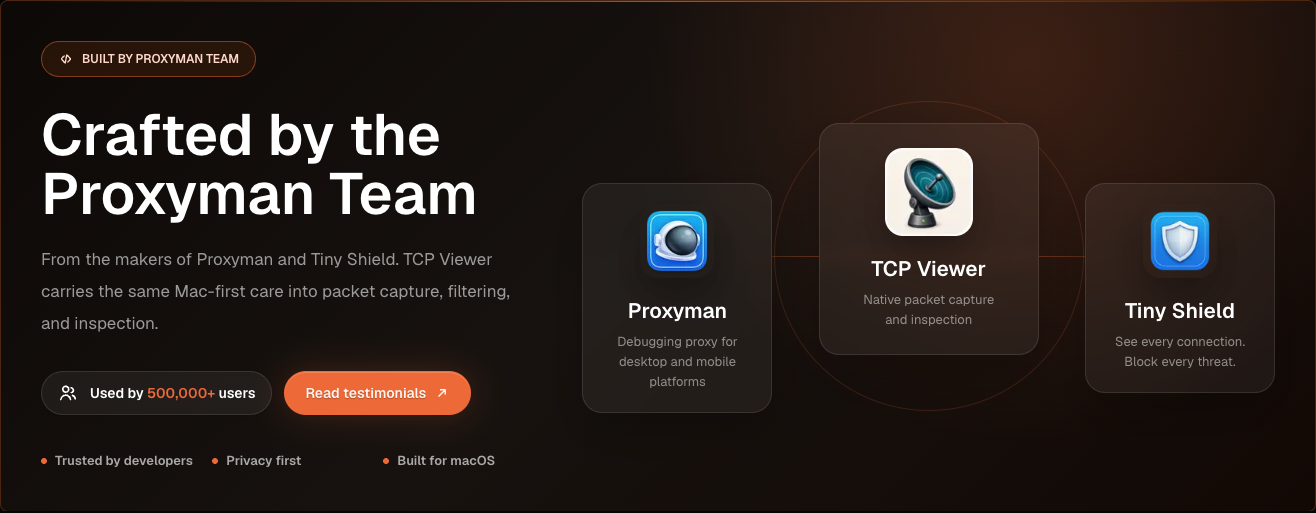
Sviluppato dal team di Proxyman
- Realizzato dal team dietro Proxyman e Tiny Shield.
- Costruito per macOS.
- Incentrato sulla privacy e su un debug di rete chiaro.
Requisiti
Per eseguire TCP Viewer:
- Mac con Apple Silicon.
- macOS 15 o successivo.
Per compilare TCP Viewer:
- Xcode 16 o successivo.
- Git.
- CMake, Ninja, Meson, pkg-config e autotools.
brew install cmake ninja meson pkg-config autoconf automake libtool
Configurazione
Clona con i sottomoduli. Poi esegui il bootstrap della dipendenza Wireshark bloccata.
git clone --recurse-submodules <repo-url>
cd TCPViewer
cp Config/TCPViewer.local.xcconfig.example Config/TCPViewer.local.xcconfig
./scripts/bootstrap-wireshark.sh
Hai già clonato senza i sottomoduli?
git submodule update --init --recursive
./scripts/bootstrap-wireshark.sh
Gli script di bootstrap:
- Eseguono prima
scripts/bootstrap-wireshark-deps.sh.
- Compilano da sorgente le librerie runtime di Wireshark.
- Le scrivono in
Vendor/.install/wireshark-deps.
- Usano macOS 15 come deployment target.
- Usano Homebrew solo per gli strumenti di build.
- Non copiano mai le dylib delle bottle di Homebrew in una release.
Tieni i valori locali di firma, appcast, Sparkle, Sentry e release fuori da Git. Usa Config/TCPViewer.local.xcconfig, .env, variabili d'ambiente o strumenti supportati da Keychain.
Esecuzione
In Xcode:
- Apri
TCPViewer.xcodeproj.
- Seleziona lo schema
TCPViewer.
- Scegli
My Mac.
- Premi Run.
Build da riga di comando:
xcodebuild -project TCPViewer.xcodeproj -scheme TCPViewer build
Se Xcode richiede la firma, seleziona un development team per TCPViewer e PcapPlusPlusCore.
Test
xcodebuild test \
  -project TCPViewer.xcodeproj \
  -scheme TCPViewer \
  -destination 'platform=macOS'
Release
Lo script di release può:
- Compilare e notarizzare l'app.
- Firmare l'aggiornamento Sparkle.
- Caricare i file su Cloudflare R2.
- Pubblicare la release sul backend.
Configurazione iniziale:
 proxymanapp/tcpviewer
