 projectdiscovery/tlsx
Veloce e configurabile grabber TLS focalizzato sulla raccolta di dati basati su TLS.

<h1 align="center">
<img src="https://assets.kitploit.com/production/public/readmes/41152/5378854a9ce1d6b8be992803fef258be9a652c389d699c22f4636b6db34acdf6.png" width="200px">
<br>
</h1>
<p align="center">
<a href="https://opensource.org/licenses/MIT"><img src="https://img.shields.io/badge/license-MIT-_red.svg"></a>
<a href="https://goreportcard.com/badge/github.com/projectdiscovery/tlsx"><img src="https://goreportcard.com/badge/github.com/projectdiscovery/tlsx"></a>
<a href="https://pkg.go.dev/github.com/projectdiscovery/tlsx/pkg/tlsx"><img src="https://img.shields.io/badge/go-reference-blue"></a>
<a href="https://github.com/projectdiscovery/tlsx/releases"><img src="https://img.shields.io/github/release/projectdiscovery/tlsx"></a>
<a href="https://twitter.com/pdiscoveryio"><img src="https://img.shields.io/twitter/follow/pdiscoveryio.svg?logo=twitter"></a>
<a href="https://discord.gg/projectdiscovery"><img src="https://img.shields.io/discord/695645237418131507.svg?logo=discord"></a>
</p>
<p align="center">
<a href="#features">Funzionalità</a> •
<a href="#installation">Installazione</a> •
<a href="#usage">Utilizzo</a> •
<a href="#running-tlsx">Eseguire tlsx</a> •
<a href="https://discord.gg/projectdiscovery">Unisciti su Discord</a>
</p>
Un analizzatore TLS veloce e configurabile focalizzato sulla **raccolta e analisi dei dati** basati su TLS.
# Funzionalità
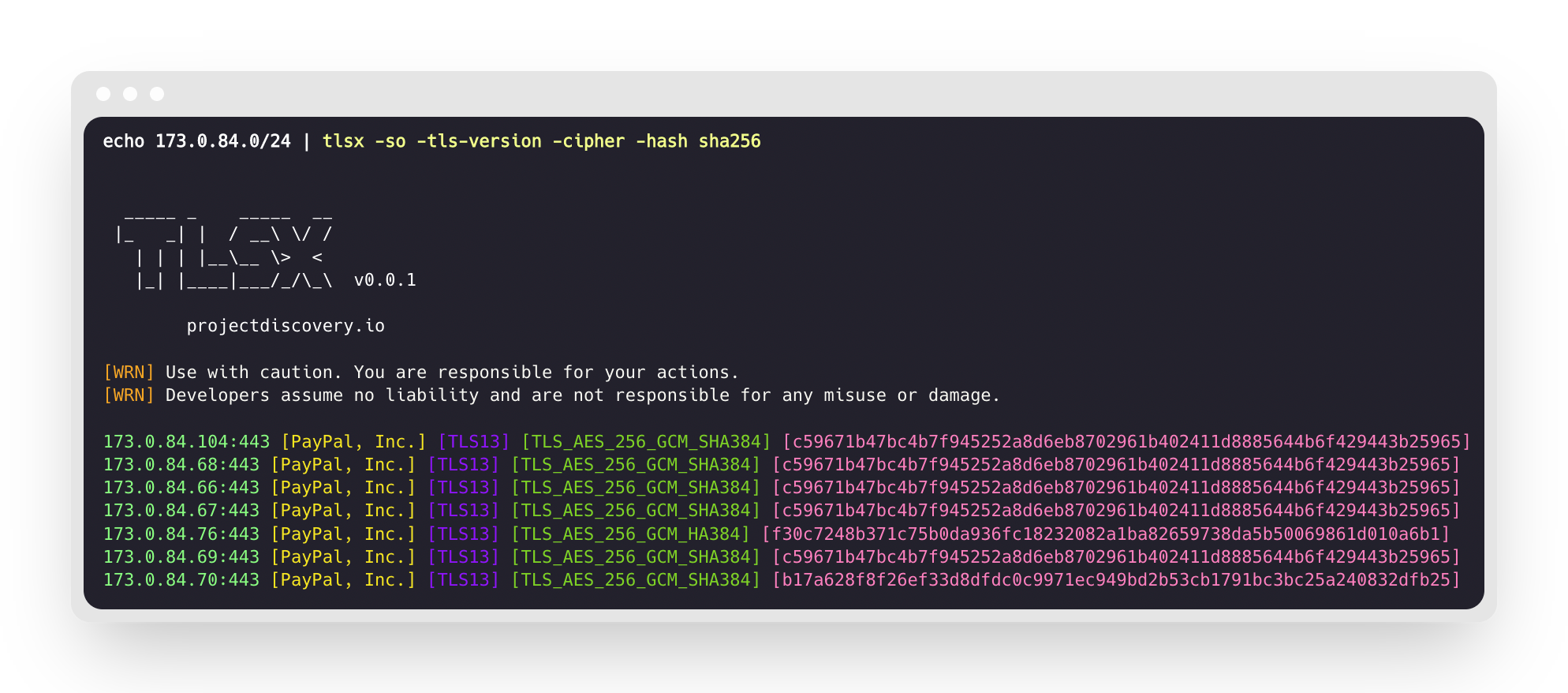
- Connessione TLS veloce e completamente configurabile
- Molteplici **Modalità per la Connessione TLS**
- Molteplici **Sonde TLS**
- **Fallback TLS Automatico** per versioni TLS precedenti
- Connessione TLS **Pre Handshake** (terminazione anticipata)
- Selezione personalizzabile di **Cipher / SNI / TLS**
- Impronta digitale TLS **JARM/JA3**
- **Misfunzionamenti TLS**
- Input **ASN, CIDR, IP, HOST,** e **URL**
- Output **STD IN/OUT** e **TXT/JSON**
## Installazione
tlsx richiede **Go 1.24** per essere installato correttamente. Per installare, basta eseguire il comando sottostante o scaricare il binario precompilato dalla [pagina delle release](https://github.com/projectdiscovery/tlsx/releases).```console
go install github.com/projectdiscovery/tlsx/cmd/tlsx@latest
```
## Utilizzo```console
tlsx -h
```
Questo mostrerà l'aiuto per lo strumento. Ecco tutte le opzioni che supporta.```console
TLSX is a tls data gathering and analysis toolkit.
Usage:
tlsx [flags]
Flags:
INPUT:
-u, -host string[] target host to scan (-u INPUT1,INPUT2)
-l, -list string target list to scan (-l INPUT_FILE)
-p, -port string[] target port to connect (default 443)
SCAN-MODE:
-sm, -scan-mode string tls connection mode to use (ctls, ztls, openssl, auto) (default "auto")
-ps, -pre-handshake enable pre-handshake tls connection (early termination) using ztls
-sa, -scan-all-ips scan all ips for a host (default false)
-iv, -ip-version string[] ip version to use (4, 6) (default 4)
PROBES:
-san display subject alternative names
-cn display subject common names
-so display subject organization name
-tv, -tls-version display used tls version
-cipher display used cipher
-hash string display certificate fingerprint hashes (md5,sha1,sha256)
-jarm display jarm fingerprint hash
-ja3 display ja3 fingerprint hash (using ztls)
-wc, -wildcard-cert display host with wildcard ssl certificate
-tps, -probe-status display tls probe status
-ve, -version-enum enumerate and display supported tls versions
-ce, -cipher-enum enumerate and display supported cipher
-ct, -cipher-type value ciphers types to enumerate. possible values: all/secure/insecure/weak (comma-separated) (default all)
-ch, -client-hello include client hello in json output (ztls mode only)
-sh, -server-hello include server hello in json output (ztls mode only)
-se, -serial display certificate serial number
MISCONFIGURATIONS:
-ex, -expired display host with host expired certificate
-ss, -self-signed display host with self-signed certificate
-mm, -mismatched display host with mismatched certificate
-re, -revoked display host with revoked certificate
-un, -untrusted display host with untrusted certificate
CONFIGURATIONS:
-config string path to the tlsx configuration file
-r, -resolvers string[] list of resolvers to use
-cc, -cacert string client certificate authority file
-ci, -cipher-input string[] ciphers to use with tls connection
-sni string[] tls sni hostname to use
-rs, -random-sni use random sni when empty
-rps, -rev-ptr-sni perform reverse PTR to retrieve SNI from IP
-min-version string minimum tls version to accept (ssl30,tls10,tls11,tls12,tls13)
-max-version string maximum tls version to accept (ssl30,tls10,tls11,tls12,tls13)
-cert, -certificate include certificates in json output (PEM format)
-tc, -tls-chain include certificates chain in json output
-vc, -verify-cert enable verification of server certificate
-ob, -openssl-binary string OpenSSL Binary Path
-hf, -hardfail strategy to use if encountered errors while checking revocation status
-proxy string socks5 proxy to use for tlsx
OPTIMIZATIONS:
-c, -concurrency int number of concurrent threads to process (default 300)
-cec, -cipher-concurrency int cipher enum concurrency for each target (default 10)
-timeout int tls connection timeout in seconds (default 5)
-retry int number of retries to perform for failures (default 3)
-delay string duration to wait between each connection per thread (eg: 200ms, 1s)
UPDATE:
-up, -update update tlsx to latest version
-duc, -disable-update-check disable automatic tlsx update check
OUTPUT:
-o, -output string file to write output to
-j, -json display output in jsonline format
-dns display unique hostname from SSL certificate response
-ro, -resp-only display tls response only
-silent display silent output
-nc, -no-color disable colors in cli output
-v, -verbose display verbose output
-version display project version
PDCP:
-pd, -dashboard upload or view output in the PDCP UI dashboard
-pdu, -dashboard-upload string upload tlsx output file (JSONL format) to the PDCP UI dashboard
-auth string PDCP API key for authentication
-tid, -team-id string upload asset results to a specified team ID
-aid, -asset-id string upload new assets to an existing asset ID
-aname, -asset-name string asset group name
DEBUG:
-health-check, -hc run diagnostic check up
```
## Utilizzare tlsx come libreria
Esempi di utilizzo di tlsx come libreria sono forniti nella cartella [examples](https://github.com/projectdiscovery/tlsx/blob/main/examples).
## Esecuzione di tlsx
### Input per tlsx
**tlsx** richiede **ip** per stabilire una connessione TLS e accetta più formati come elencato di seguito:```bash
AS1449 # ASN input
173.0.84.0/24 # CIDR input
93.184.216.34 # IP input
example.com # DNS input
example.com:443 # DNS input with port
https://example.com:443 # URL input port
```
L'input host può essere fornito utilizzando il flag `-host / -u`, e valori multipli possono essere forniti utilizzando input separato da virgole, allo stesso modo l'input da **file** è supportato utilizzando il flag `-list / -l`.
Esempio di input host separato da virgole:```console
$ tlsx -u 93.184.216.34,example.com,example.com:443,https://example.com:443 -silent
```
Esempio di input host basato su file:```console
$ tlsx -list host_list.txt
```
**Input Porta:**
**tlsx** si connette sulla porta **443** per impostazione predefinita, che può essere personalizzata usando il flag `-port / -p`. È possibile specificare porte singole o multiple utilizzando input separato da virgole o un file delimitato da nuove righe contenente un elenco di porte a cui connettersi.
Esempio di input porta separato da virgole:```
$ tlsx -u hackerone.com -p 443,8443
```
Esempio di input di porta basato su file:```
$ tlsx -u hackerone.com -p port_list.txt
```
**Nota:**
> Quando l'host di input contiene una porta, ad esempio `8.8.8.8:443` o `hackerone.com:8443`, la porta specificata con l'host verrà utilizzata per stabilire la connessione TLS invece di quella predefinita o di quella fornita utilizzando il flag `-port / -p`.
### TLS Probe (esecuzione predefinita)
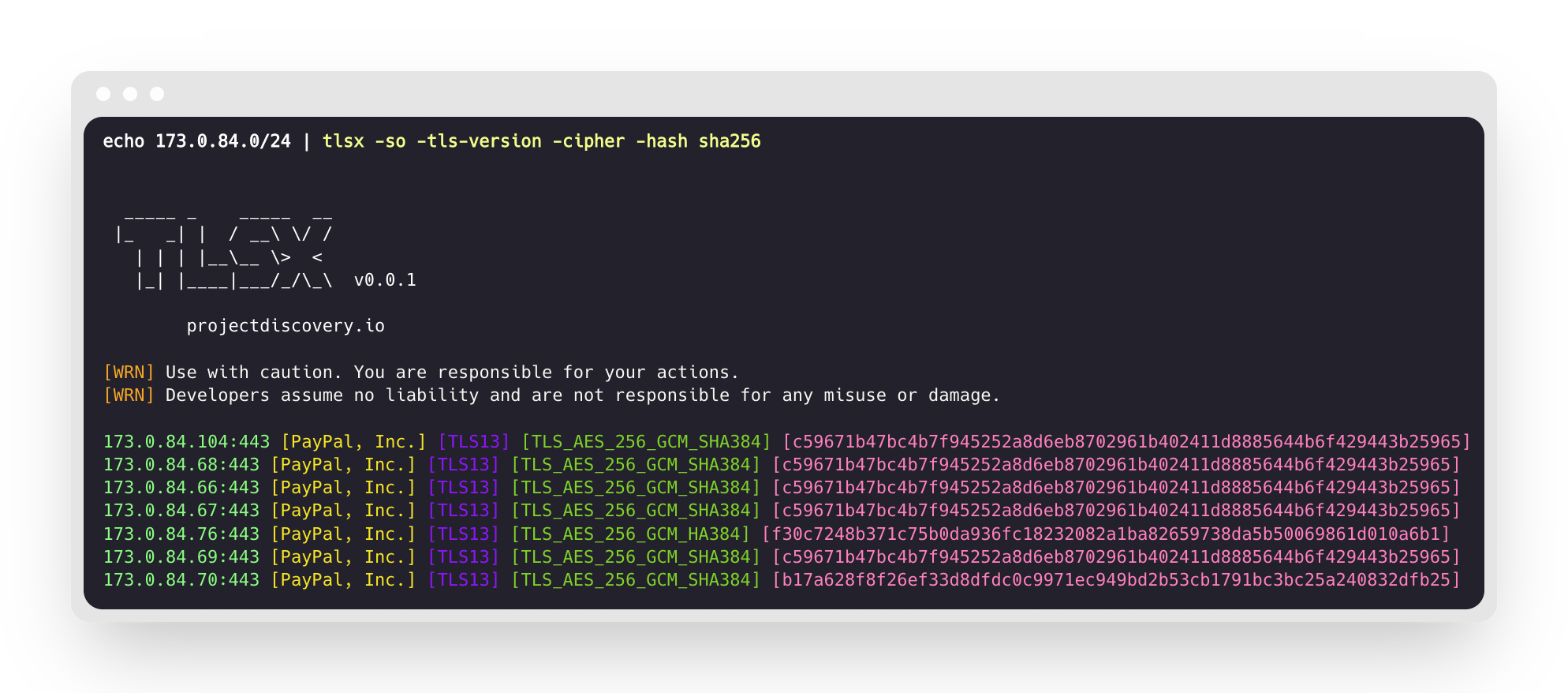
Questo eseguirà lo strumento sul range CIDR fornito e restituirà gli host che accettano connessioni TLS sulla porta 443.```console
$ echo 173.0.84.0/24 | tlsx
_____ _ _____ __
|_ _| | / __\ \/ /
| | | |__\__ \> <
|_| |____|___/_/\_\ v0.0.1
projectdiscovery.io
[WRN] Use with caution. You are responsible for your actions.
[WRN] Developers assume no liability and are not responsible for any misuse or damage.
173.0.84.69:443
173.0.84.67:443
173.0.84.68:443
173.0.84.66:443
173.0.84.76:443
173.0.84.70:443
173.0.84.72:443
```
### SAN/CN Probe
Il certificato TLS contiene nomi DNS nei campi **subject alternative name** e **common name** che possono essere estratti usando i flag `-san`, `-cn`.```console
$ echo 173.0.84.0/24 | tlsx -san -cn -silent
173.0.84.104:443 [uptycspay.paypal.com]
173.0.84.104:443 [api-3t.paypal.com]
173.0.84.104:443 [api-m.paypal.com]
173.0.84.104:443 [payflowpro.paypal.com]
173.0.84.104:443 [pointofsale-s.paypal.com]
173.0.84.104:443 [svcs.paypal.com]
173.0.84.104:443 [uptycsven.paypal.com]
173.0.84.104:443 [api-aa.paypal.com]
173.0.84.104:443 [pilot-payflowpro.paypal.com]
173.0.84.104:443 [pointofsale.paypal.com]
173.0.84.104:443 [uptycshon.paypal.com]
173.0.84.104:443 [api.paypal.com]
173.0.84.104:443 [adjvendor.paypal.com]
173.0.84.104:443 [zootapi.paypal.com]
173.0.84.104:443 [api-aa-3t.paypal.com]
173.0.84.104:443 [uptycsize.paypal.com]
```
Per facilità di automazione, opzionalmente si può usare il flag `-resp-only` per elencare solo i nomi dns nell'output CLI.```console
$ echo 173.0.84.0/24 | tlsx -san -cn -silent -resp-only
api-aa-3t.paypal.com
pilot-payflowpro.paypal.com
pointofsale-s.paypal.com
uptycshon.paypal.com
a.paypal.com
adjvendor.paypal.com
zootapi.paypal.com
api-aa.paypal.com
payflowpro.paypal.com
pointofsale.paypal.com
uptycspay.paypal.com
api-3t.paypal.com
uptycsize.paypal.com
api.paypal.com
api-m.paypal.com
svcs.paypal.com
uptycsven.paypal.com
uptycsven.paypal.com
a.paypal.com
api.paypal.com
pointofsale-s.paypal.com
pilot-payflowpro.paypal.com
```
I **sottodomini** ottenuti dai certificati TLS possono essere ulteriormente passati ad altri strumenti PD per un'ispezione più approfondita; ecco un esempio di piping di sottodomini TLS a **[dnsx](https://github.com/projectdiscovery/dnsx)** per filtrare i sottodomini passivi e poi a **[httpx](https://github.com/projectdiscovery/httpx)** per elencare gli host che eseguono servizi web attivi.```console
$ echo 173.0.84.0/24 | tlsx -san -cn -silent -resp-only | dnsx -silent | httpx
__ __ __ _ __
/ /_ / /_/ /_____ | |/ /
/ __ \/ __/ __/ __ \| /
/ / / / /_/ /_/ /_/ / |
/_/ /_/\__/\__/ .___/_/|_|
/_/ v1.2.2
projectdiscovery.io
Use with caution. You are responsible for your actions.
Developers assume no liability and are not responsible for any misuse or damage.
https://api-m.paypal.com
https://uptycsize.paypal.com
https://api.paypal.com
https://uptycspay.paypal.com
https://svcs.paypal.com
https://adjvendor.paypal.com
https://uptycshap.paypal.com
https://uptycshon.paypal.com
https://pilot-payflowpro.paypal.com
https://slc-a-origin-pointofsale.paypal.com
https://uptycsven.paypal.com
https://api-aa.paypal.com
https://api-aa-3t.paypal.com
https://uptycsbrt.paypal.com
https://payflowpro.paypal.com
http://pointofsale-s.paypal.com
http://slc-b-origin-pointofsale.paypal.com
http://api-3t.paypal.com
http://zootapi.paypal.com
http://pointofsale.paypal.com
```
### TLS / Cipher Probe```console
$ subfinder -d hackerone.com | tlsx -tls-version -cipher
mta-sts.hackerone.com:443 [TLS1.3] [TLS_AES_128_GCM_SHA256]
hackerone.com:443 [TLS1.3] [TLS_AES_128_GCM_SHA256]
api.hackerone.com:443 [TLS1.3] [TLS_AES_128_GCM_SHA256]
mta-sts.managed.hackerone.com:443 [TLS1.3] [TLS_AES_128_GCM_SHA256]
mta-sts.forwarding.hackerone.com:443 [TLS1.3] [TLS_AES_128_GCM_SHA256]
www.hackerone.com:443 [TLS1.3] [TLS_AES_128_GCM_SHA256]
support.hackerone.com:443 [TLS1.2] [TLS_ECDHE_RSA_WITH_AES_128_GCM_SHA256]
```
# Configurazione errata TLS
### Certificato scaduto / autofirmato / non corrispondente / revocato / non attendibile
È possibile fornire un elenco di host a tlsx per rilevare certificati **scaduti / autofirmati / non corrispondenti / revocati / non attendibili**.```console
$ tlsx -l hosts.txt -expired -self-signed -mismatched -revoked -untrusted
_____ _ _____ __
|_ _| | / __\ \/ /
| | | |__\__ \> <
|_| |____|___/_/\_\ v0.0.1
projectdiscovery.io
[WRN] Use with caution. You are responsible for your actions.
[WRN] Developers assume no liability and are not responsible for any misuse or damage.
wrong.host.badssl.com:443 [mismatched]
self-signed.badssl.com:443 [self-signed]
expired.badssl.com:443 [expired]
revoked.badssl.com:443 [revoked]
untrusted-root.badssl.com:443 [untrusted]
```
### [JARM](https://engineering.salesforce.com/easily-identify-malicious-servers-on-the-internet-with-jarm-e095edac525a/) Impronta TLS```console
$ echo hackerone.com | tlsx -jarm -silent
hackerone.com:443 [29d3dd00029d29d00042d43d00041d5de67cc9954cc85372523050f20b5007]
```
### [JA3](https://github.com/salesforce/ja3) Impronta digitale TLS```console
$ echo hackerone.com | tlsx -ja3 -silent
hackerone.com:443 [20c9baf81bfe96ff89722899e75d0190]
```
### Output JSON
**tlsx** supporta più flag di probe per interrogare dati specifici, ma tutte le informazioni sono sempre disponibili in formato JSON; per automazione e post-elaborazione, l'uso dell'output `-json` è l'opzione più conveniente.```console
echo example.com | tlsx -json -silent | jq .
```
```
- **Ricognizione Avanzata**: raccoglie informazioni sui target (registri DNS, range IP, scansione ASN, rilevamento WAF, fingerprinting SSL, registri dei domini) per creare un quadro completo dei potenziali vettori di attacco.
- **Rilevamento Avanzato di Falle di Sicurezza**: supporta il rilevamento di vulnerabilità per una vasta gamma di target, tra cui CMS (WordPress, Joomla, Drupal), infrastrutture (PHP, MySQL, Apache), server (FTP, SSH, SMTP), gestori di pacchetti (Composer, NPM) e molto altro.
- **Velocissimo e Veloce**: esegue scansioni multi-threaded fino a 50 richieste al secondo senza sovraccaricare i server target.
- **Sonde di Honeypot**: include sonde di honeypot finte (file di backup finti, file di configurazione) per rilevare automaticamente cloni dannosi o crawler malevoli che prendono di mira il tuo sito.
- **Generazione di Report**: genera report dettagliati in formato HTML, PDF o testo semplice con i risultati della scansione.
- **Autenticazione Multi-Fattore**: fornisce il supporto per l'autenticazione a due fattori per un ulteriore livello di sicurezza della tua applicazione web.
``````json
{
"timestamp": "2022-08-22T21:22:59.799053+05:30",
"host": "example.com",
"ip": "93.184.216.34",
"port": "443",
"probe_status": true,
"tls_version": "tls13",
"cipher": "TLS_AES_256_GCM_SHA384",
"not_before": "2022-03-14T00:00:00Z",
"not_after": "2023-03-14T23:59:59Z",
"subject_dn": "CN=www.example.org, O=Internet Corporation for Assigned Names and Numbers, L=Los Angeles, ST=California, C=US",
"subject_cn": "www.example.org",
"subject_org": [
"Internet Corporation for Assigned Names and Numbers"
],
"subject_an": [
"www.example.org",
"example.net",
"example.edu",
"example.com",
"example.org",
"www.example.com",
"www.example.edu",
"www.example.net"
],
"issuer_dn": "CN=DigiCert TLS RSA SHA256 2020 CA1, O=DigiCert Inc, C=US",
"issuer_cn": "DigiCert TLS RSA SHA256 2020 CA1",
"issuer_org": [
"DigiCert Inc"
],
"fingerprint_hash": {
"md5": "c5208a47259d540a6e3404dddb85af91",
"sha1": "df81dfa6b61eafdffffe1a250240db5d2e6cee25",
"sha256": "7f2fe8d6b18e9a47839256cd97938daa70e8515750298ddba2f3f4b8440113fc"
},
"tls_connection": "ctls",
"sni": "example.com"
}
```
### Integrazione con il Dashboard PDCP
**tlsx** supporta il caricamento dei risultati delle scansioni sul dashboard di ProjectDiscovery Cloud Platform (PDCP) per visualizzazione e analisi.
#### Caricamento dei risultati in tempo reale
Abilita il caricamento sul dashboard per caricare automaticamente i risultati man mano che vengono scoperti:```console
$ tlsx -u example.com -pd -json
```
I risultati verranno automaticamente caricati su PDCP e riceverai un URL della dashboard per visualizzarli.
#### Caricamento di un file esistente
Carica un file di output JSONL precedentemente salvato su PDCP:```console
$ tlsx -pdu results.jsonl -tid your-team-id -aname "My Scan"
```
#### Opzioni di Configurazione
- `-pd, --dashboard`: Abilita il caricamento in tempo reale al dashboard PDCP
- `-pdu, --dashboard-upload <file>`: Carica un file JSONL specifico su PDCP
- `-auth <key>`: Chiave API PDCP (può anche essere impostata tramite ambiente o gestore di credenziali)
- `-tid, --team-id <id>`: Specifica l'ID del team per i caricamenti
- `-aid, --asset-id <id>`: Carica su un ID asset esistente
- `-aname, --asset-name <name>`: Imposta un nome personalizzato per il gruppo di asset
Esempio con tutte le opzioni:```console
$ tlsx -u example.com -pd -json -tid team123 -aname "Production Scan"
```
## Configurazione
### Modalità di Scansione
tlsx fornisce molteplici modalità per effettuare la connessione TLS -
- `auto` (fallback automatico ad altre modalità in caso di fallimento) - **predefinita**
- `ctls` (**[crypto/tls](https://github.com/golang/go/blob/master/src/crypto/tls/tls.go)**)
- `ztls` (**[zcrypto/tls](https://github.com/zmap/zcrypto)**)
- `openssl` (**[openssl](https://github.com/openssl/openssl)**)
Alcuni suggerimenti per la modalità/libreria specifica sono evidenziati nelle [discussioni collegate](https://github.com/projectdiscovery/tlsx/discussions/2), la modalità `auto` è supportata per garantire la massima copertura e scansioni per gli host che eseguono versioni obsolete di TLS riprovando la connessione utilizzando le modalità `ztls` e `openssl` in caso di errore di connessione.
Un esempio di utilizzo della modalità `ztls` per scansionare un sito web che utilizza una versione vecchia/obsoleta di TLS.```console
$ echo tls-v1-0.badssl.com | tlsx -port 1010 -sm ztls
_____ _ _____ __
|_ _| | / __\ \/ /
| | | |__\__ \> <
|_| |____|___/_/\_\ v0.0.1
projectdiscovery.io
[WRN] Use with caution. You are responsible for your actions.
[WRN] Developers assume no liability and are not responsible for any misuse or damage.
tls-v1-0.badssl.com:1010
```
### OpenSSL
Per utilizzare la modalità di connessione openssl, è necessario avere openssl installato sul sistema. La maggior parte dei sistemi moderni viene fornita con openssl preinstallato, ma se non è presente sul sistema, è possibile installarlo manualmente. È possibile verificare se openssl è installato eseguendo il comando `openssl version`. Se openssl è installato, questo comando mostrerà il numero di versione.
<table>
<tr>
<td>
### Pre-Handshake (Terminazione anticipata)
**tlsx** supporta la terminazione anticipata della connessione SSL, che porta a scansioni più veloci e a minori richieste di connessione (disconnettendosi dopo il `serverhello` TLS e la raccolta dei dati del certificato).
Per maggiori dettagli, fare riferimento a [Hunting-Certificates-And-Servers](https://github.com/erbbysam/Hunting-Certificates-And-Servers/blob/master/Hunting%20Certificates%20%26%20Servers.pdf) di [@erbbysam](https://twitter.com/erbbysam)
Un esempio di utilizzo della modalità `-pre-handshake`:```console
$ tlsx -u example.com -pre-handshake
_____ _ _____ __
|_ _| | / __\ \/ /
| | | |__\__ \> <
|_| |____|___/_/\_\ v0.0.1
projectdiscovery.io
[WRN] Use with caution. You are responsible for your actions.
[WRN] Developers assume no liability and are not responsible for any misuse or damage.
example.com:443
```
> **Nota**:
> La modalità **pre-handshake** utilizza `ztls` (**zcrypto/tls**), il che significa anche che il supporto è limitato fino a `TLS v1.2` poiché `TLS v1.3` non è supportato dalla libreria `ztls`.
</table>
</tr>
</td>
### Versione TLS
Le versioni TLS **minima** e **massima** possono essere specificate usando i flag `-min-version` e `-max-version`; di default questi valori sono impostati dalla libreria sottostante utilizzata.
I valori accettabili per la versione TLS sono specificati di seguito.
- `ssl30`
- `tls10`
- `tls11`
- `tls12`
- `tls13`
Ecco un esempio che utilizza `max-version` per scansionare gli host che supportano una versione precedente di TLS, ovvero **TLS v1.0**```console
$ tlsx -u example.com -max-version tls10
_____ _ _____ __
|_ _| | / __\ \/ /
| | | |__\__ \> <
|_| |____|___/_/\_\ v0.0.1
projectdiscovery.io
[WRN] Use with caution. You are responsible for your actions.
[WRN] Developers assume no liability and are not responsible for any misuse or damage.
example.com:443
```
### Cifrario Personalizzato
Il cifrario personalizzato supportato può essere fornito usando il flag `-cipher-input / -ci`, l'elenco dei cifrari supportati per ogni modalità è disponibile nella [pagina wiki](https://github.com/projectdiscovery/tlsx/wiki/Ciphers).```console
$ tlsx -u example.com -ci TLS_AES_256_GCM_SHA384 -cipher
```
Le seguenti opzioni sono attualmente supportate:```console
$ tlsx -u example.com -ci cipher_list.txt -cipher
```
## Ringraziamenti
Questo programma utilizza opzionalmente:
- [zcrypto](https://github.com/zmap/zcrypto) libreria del team zmap.
- [cfssl](https://github.com/cloudflare/cfssl) libreria del team cloudflare
- dati sui cipher da [ciphersuite.info](https://ciphersuite.info) per la classificazione delle suites di cifratura
--------
<div align="center">
tlsx è realizzato con ❤️ dal team [projectdiscovery](https://projectdiscovery.io) e distribuito sotto [Licenza MIT](https://github.com/projectdiscovery/tlsx/blob/main/LICENSE).
<a href="https://discord.gg/projectdiscovery"><img src="https://assets.kitploit.com/production/public/readmes/41152/d0624f94cb9ea6401be5a089bb694bc963c47fa82aa3b758c893e3b0bbfdf663.png" width="300" alt="Join Discord"></a>
</div>
### Streaming dei Registri di Trasparenza dei Certificati (CT)
`tlsx` può operare in una modalità _fire-hose_ che trasmette continuamente i certificati TLS appena emessi dall'ecosistema pubblico di Trasparenza dei Certificati, fornendo un flusso quasi in tempo reale di nomi host e metadati.
Abilita la modalità dei registri CT tramite l'opzione `-ctl` (impostazione predefinita quando non viene fornito alcun input):```bash
tlsx -ctl -silent | jq .subject_an
```
#### Offset di partenza
Lo strumento offre tre comportamenti di avvio mutuamente esclusivi controllati dalle seguenti flag:
| Flag | Comportamento |
|------|-----------|
| _default_ | Avvia **ora** (dimensione dell'albero all'avvio) – solo i certificati futuri vengono trasmessi in streaming |
| `-cb, --ctl-beginning` | Avvia dall'indice **0** per ogni log (riproduzione storica completa) |
| `-cti, --ctl-index <log>=<n>` | Indice personalizzato per log (ripetibile). Imposta l'indice di partenza su _n_ per l'URL/ID del log specificato. Esempio: `--ctl-index https://ct.googleapis.com/logs/argon2023=123456` |```bash
# Replay the entire history
$ tlsx -ctl -cb -silent > all_certs.jsonl
# Resume at custom positions for two logs
$ tlsx -ctl -cti https://ct.googleapis.com/logs/argon2023=987654 -cti cloudflare-nimbus2024=543210 \
-silent | jq -r .ct_source
```
Per impostazione predefinita, i duplicati vengono filtrati utilizzando un grande filtro bloom inverso. Passa `-v` per osservare statistiche verbose.