 poshbotio/poshbot
Framework per bot basato su Powershell

| Azure Pipelines | GitHub Actions | Documentation | PS Gallery | License |
|---|---|---|---|---|
 |  |  |
PoshBot è un progetto open source con licenza MIT. Lo sviluppo continuo è reso possibile grazie al supporto degli sponsor. Se desideri diventare uno sponsor, puoi farlo tramite GitHub Sponsors o Patreon.

Vuoi delle guide approfondite? Dai un'occhiata a ChatOps the Easy Way su Leanpub!
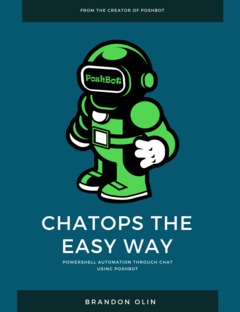
PoshBot è un chatbot scritto in PowerShell. Fa ampio uso delle classi introdotte in PowerShell 5.0. I moduli PowerShell vengono caricati in PoshBot e diventano immediatamente disponibili come comandi del bot. PoshBot attualmente supporta la connessione a Slack per offrirti fantastiche funzionalità ChatOps.
Praticamente qualsiasi cosa tu voglia :) No, sul serio. PoshBot esegue funzioni o cmdlet da moduli PowerShell. Usa PoshBot per connetterti ai server e segnalare lo stato, distribuire codice, eseguire runbook, interrogare API, ecc. Se riesci a scriverlo in PowerShell, PoshBot può eseguirlo.
La documentazione dettagliata è disponibile su ReadTheDocs.
Vedi Compilare PoshBot per la documentazione su come compilare PoshBot dal sorgente.
Le modifiche dettagliate per ogni release sono documentate nelle note di rilascio.
Per iniziare subito, ottieni un SLACK-API-TOKEN per il tuo bot:
https://my.slack.com/services/new/bot
# Install the module from PSGallery
Install-Module -Name PoshBot -Repository PSGallery

# Import the module
Import-Module -Name PoshBot

# Create a bot configuration
$botParams = @{
    Name = 'name'
    BotAdmins = @('<SLACK-CHAT-HANDLE>')
    CommandPrefix = '!'
    LogLevel = 'Info'
    BackendConfiguration = @{
        Name = 'SlackBackend'
        Token = '<SLACK-API-TOKEN>'
    }
    AlternateCommandPrefixes = 'bender', 'hal'
}

$myBotConfig = New-PoshBotConfiguration @botParams

# Start a new instance of PoshBot interactively or in a job.
Start-PoshBot -Configuration $myBotConfig #-AsJob
Utilizzo base:
# Create a Slack backend
$backendConfig = @{Name = 'SlackBackend'; Token = '<SLACK-API-TOKEN>'}
$backend = New-PoshBotSlackBackend -Configuration $backendConfig

# Create a PoshBot configuration
$pbc = New-PoshBotConfiguration -BotAdmins @('<MY-SLACK-HANDLE>') -BackendConfiguration $backendConfig

# Save configuration
Save-PoshBotConfiguration -InputObject $pbc -Path .\PoshBotConfig.psd1

# Load configuration
$pbc = Get-PoshBotConfiguration -Path .\PoshBotConfig.psd1

# Create an instance of the bot
$bot = New-PoshBotInstance -Configuration $pbc -Backend $backend

# Start the bot
$bot.Start()

# Available commands
Get-Command -Module PoshBot

CommandType     Name                                               Version    Source
-----------     ----                                               -------    ------
Function        Get-PoshBot                                        0.12.0     poshbot
Function        Get-PoshBotConfiguration                           0.12.0     poshbot
Function        Get-PoshBotStatefulData                            0.12.0     poshbot
Function        New-PoshBotCardResponse                            0.12.0     poshbot
Function        New-PoshBotConfiguration                           0.12.0     poshbot
Function        New-PoshBotDiscordBackend                          0.12.0     poshbot
Function        New-PoshBotFileUpload                              0.12.0     poshbot
Function        New-PoshBotInstance                                0.12.0     poshbot
Function        New-PoshBotMiddlewareHook                          0.12.0     poshbot
Function        New-PoshBotScheduledTask                           0.12.0     poshbot
Function        New-PoshBotSlackBackend                            0.12.0     poshbot
Function        New-PoshBotTeamsBackend                            0.12.0     poshbot
Function        New-PoshBotTextResponse                            0.12.0     poshbot
Function        Remove-PoshBotStatefulData                         0.12.0     poshbot
Function        Save-PoshBotConfiguration                          0.12.0     poshbot
Function        Set-PoshBotStatefulData                            0.12.0     poshbot
Function        Start-PoshBot                                      0.12.0     poshbot
Function        Stop-Poshbot                                       0.12.0     poshbot
