 mhaskar/exchangefinder
Trova un'istanza di Microsoft Exchange per un dato dominio e identifica la versione esatta.


ExchangeFinder è uno strumento semplice e open-source che tenta di trovare istanze di Microsoft Exchange per un dato dominio, basandosi sui nomi DNS comuni più utilizzati per Microsoft Exchange.
ExchangeFinder può identificare la versione esatta di Microsoft Exchange a partire da Microsoft Exchange 4.0 fino a Microsoft Exchange Server 2019.
ExchangeFinder tenterà prima di risolvere qualsiasi sottodominio comunemente usato per un server Exchange, poi invierà un paio di richieste HTTP per analizzare il contenuto della risposta inviata dal server e determinare se sta utilizzando Microsoft Exchange o meno.
Attualmente, lo strumento dispone di una firma per ogni versione di Microsoft Exchange a partire da Microsoft Exchange 4.0 fino a Microsoft Exchange Server 2019. In base alla versione di build inviata da Exchange tramite l'intestazione X-OWA-Version, possiamo identificare la versione esatta.
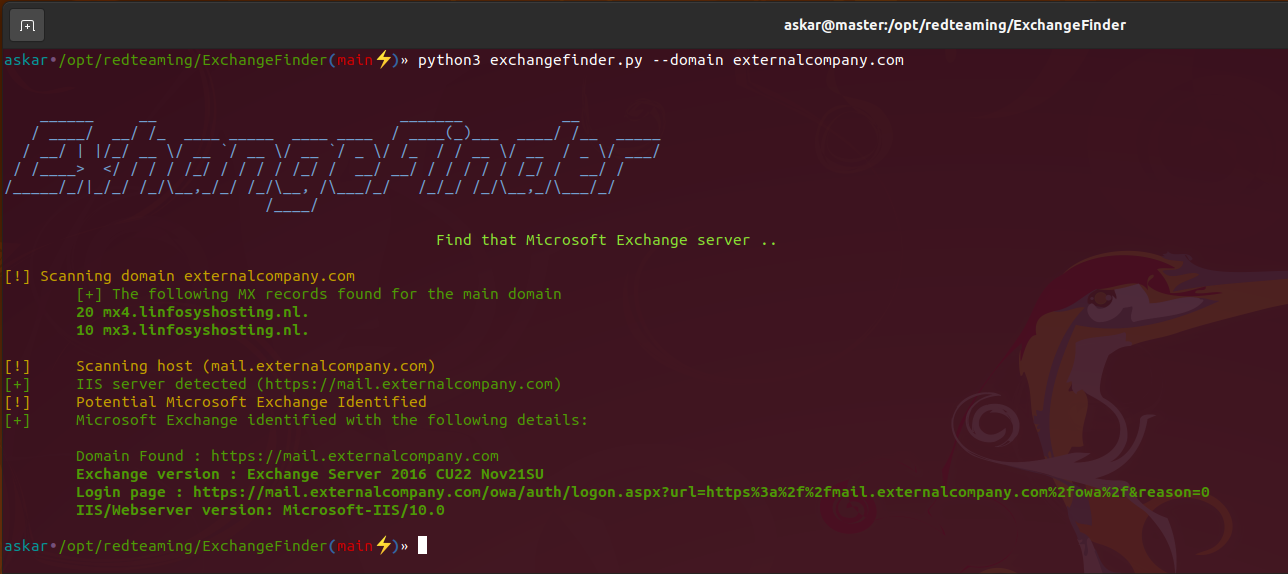
Se lo strumento trova un'istanza valida di Microsoft Exchange, restituirà i seguenti risultati:
Clona l'ultima versione di ExchangeFinder usando il seguente comando:
git clone https://github.com/mhaskar/ExchangeFinder
Poi installa tutte le dipendenze usando il comando poetry install.
┌──(kali㉿kali)-[~/Desktop/ExchangeFinder]
└─$ poetry install                                                                                                                   1 ⨯
Installing dependencies from lock file


Package operations: 15 installs, 0 updates, 0 removals

  • Installing pyparsing (3.0.9)
  • Installing attrs (22.1.0)
  • Installing certifi (2022.6.15)
  • Installing charset-normalizer (2.1.1)
  • Installing idna (3.3)
  • Installing more-itertools (8.14.0)
  • Installing packaging (21.3)
  • Installing pluggy (0.13.1)
  • Installing py (1.11.0)
  • Installing urllib3 (1.26.12)
  • Installing wcwidth (0.2.5)
  • Installing dnspython (2.2.1)
  • Installing pytest (5.4.3)
  • Installing requests (2.28.1)
  • Installing termcolor (1.1.0)

Installing the current project: ExchangeFinder (0.1.0)

┌──(kali㉿kali)-[~/Desktop/ExchangeFinder]
┌──(kali㉿kali)-[~/Desktop/ExchangeFinder]
└─$ python3 exchangefinder.py


    ______     __                           _______           __
   / ____/  __/ /_  ____ _____  ____ ____  / ____(_)___  ____/ /__  _____
  / __/ | |/_/ __ \/ __ `/ __ \/ __ `/ _ \/ /_  / / __ \/ __  / _ \/ ___/
 / /____>  </ / / / /_/ / / / / /_/ /  __/ __/ / / / / / /_/ /  __/ /
/_____/_/|_/_/ /_/\__,_/_/ /_/\__, /\___/_/   /_/_/ /_/\__,_/\___/_/
                             /____/

                                                Find that Microsoft Exchange server ..

[-] Please use --domain or --domains option

┌──(kali㉿kali)-[~/Desktop/ExchangeFinder]
└─$
Puoi usare l'opzione -h per mostrare il banner di aiuto:
askar•/opt/redteaming/ExchangeFinder(main⚡)» python3 exchangefinder.py -h


    ______     __                           _______           __
   / ____/  __/ /_  ____ _____  ____ ____  / ____(_)___  ____/ /__  _____
  / __/ | |/_/ __ \/ __ `/ __ \/ __ `/ _ \/ /_  / / __ \/ __  / _ \/ ___/
 / /____>  </ / / / /_/ / / / / /_/ /  __/ __/ / / / / / /_/ /  __/ /
/_____/_/|_/_/ /_/\__,_/_/ /_/\__, /\___/_/   /_/_/ /_/\__,_/\___/_/
                             /____/

                                                Find that Microsoft Exchange server ..

usage: exchangefinder.py [-h] [--domain DOMAIN] [--domains DOMAINS] [--useragent USERAGENT] [--output OUTPUT] [--verbose]

DNSStager main parser

optional arguments:
  -h, --help            show this help message and exit
  --domain DOMAIN       The target domain you want to scan (example.com)
  --domains DOMAINS     Path to domains file you want to scan (domains.txt)
  --useragent USERAGENT
                        Useragent to use, the default is "Mozilla/5.0 (Windows NT 10.0; Win64; x64) AppleWebKit/537.36 (KHTML, like Gecko) Chrome/104.0.0.0 Safari/537.36."
  --output OUTPUT       Export results to given .csv file
  --verbose             Show detailed output
askar•/opt/redteaming/ExchangeFinder(main⚡)»
Per scansionare un singolo dominio puoi usare l'opzione --domain come segue:
askar•/opt/redteaming/ExchangeFinder(main⚡)» python3 exchangefinder.py --domain dummyexchangetarget.com


    ______     __                           _______           __
   / ____/  __/ /_  ____ _____  ____ ____  / ____(_)___  ____/ /__  _____
  / __/ | |/_/ __ \/ __ `/ __ \/ __ `/ _ \/ /_  / / __ \/ __  / _ \/ ___/
 / /____>  </ / / / /_/ / / / / /_/ /  __/ __/ / / / / / /_/ /  __/ /
/_____/_/|_/_/ /_/\__,_/_/ /_/\__, /\___/_/   /_/_/ /_/\__,_/\___/_/
                             /____/

                                                Find that Microsoft Exchange server ..

[!] Scanning domain dummyexchangetarget.com
	[+] The following MX records found for the main domain
	10 mx01.dummyexchangetarget.com.

[!] 	Scanning host (mail.dummyexchangetarget.com)
[+] 	IIS server detected (https://mail.dummyexchangetarget.com)
[!] 	Potential Microsoft Exchange Identified
[+] 	Microsoft Exchange identified with the following details:

	Domain Found : https://mail.dummyexchangetarget.com
	Exchange version : Exchange Server 2016 CU22 Nov21SU
	Login page : https://mail.dummyexchangetarget.com/owa/auth/logon.aspx?url=https%3a%2f%2fmail.dummyexchangetarget.com%2fowa%2f&reason=0
	IIS/Webserver version: Microsoft-IIS/10.0

[!] 	Scanning host (autodiscover.dummyexchangetarget.com)
[+] 	IIS server detected (https://autodiscover.dummyexchangetarget.com)
[!] 	Potential Microsoft Exchange Identified
[+] 	Microsoft Exchange identified with the following details:

	Domain Found : https://autodiscover.dummyexchangetarget.com
	Exchange version : Exchange Server 2016 CU22 Nov21SU
	Login page : https://autodiscover.dummyexchangetarget.com/owa/auth/logon.aspx?url=https%3a%2f%2fautodiscover.dummyexchangetarget.com%2fowa%2f&reason=0
	IIS/Webserver version: Microsoft-IIS/10.0

askar•/opt/redteaming/ExchangeFinder(main⚡)»
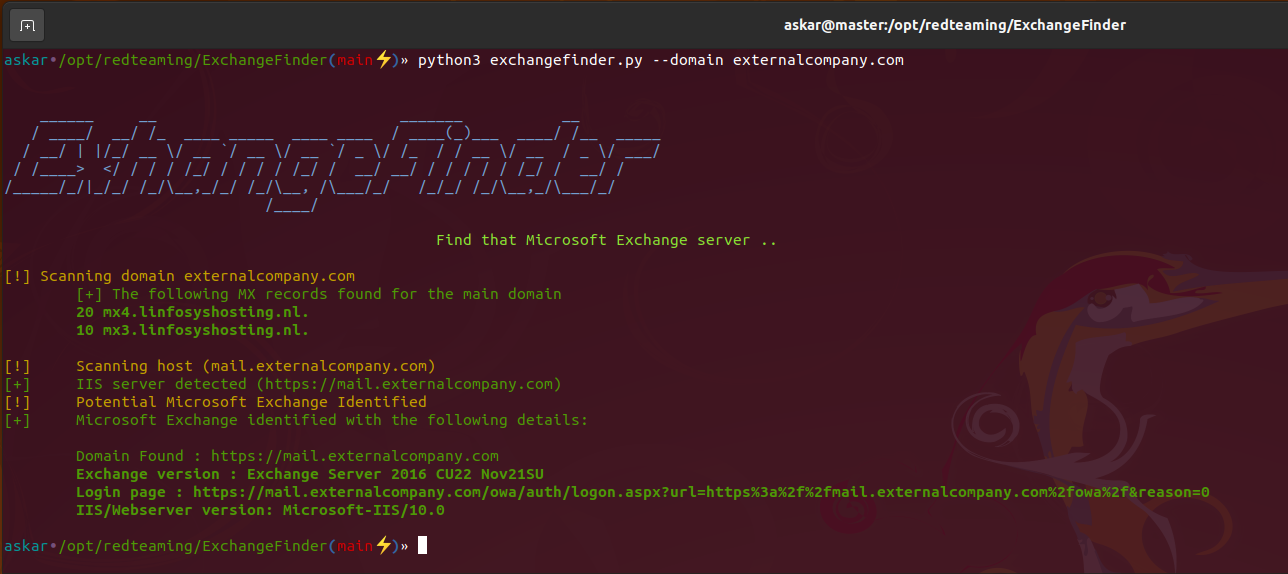
Per scansionare più domini (target) puoi usare l'opzione --domains e scegliere un file come segue:
askar•/opt/redteaming/ExchangeFinder(main⚡)» python3 exchangefinder.py --domains domains.txt
