 jay123anta/laravel-threat-detection
Passive Laravel middleware that detects and logs SQL injection, XSS, RCE, bot scanners, and 175+ attack patterns. Features a built-in dashboard, Slack alerts, REST API, and geo-enrichment. IDS, not WAF.






Security monitoring and attack logging for Laravel. Detect and log SQL injection,
XSS, RCE, directory traversal, bot scanners and /wp-admin-style recon probes —
every hostile request recorded to your database with full application context.
It's an IDS, not a WAF: it never blocks, filters, or modifies a request.
GET /wp-admin/setup-config.php          404   — on a site that isn't WordPress
GET /.env                               404   — someone wants your database password
GET /?id=1' UNION SELECT password FROM  200   — SQL injection against a real route
GET /phpmyadmin/index.php               404   — scanning for an admin panel
Those requests are already reaching your Laravel app. Your access log shows the URL and the status code, and nothing else — not the decoded payload, not which of your routes was targeted, not whether the same IP has tried forty other things this hour.
This package answers those questions. Drop it into any Laravel 10–13 app and it starts scanning every HTTP request against 150+ attack patterns, scoring each match by confidence and writing it to your database — with a built-in dashboard, Slack alerts, geo-enrichment, and fail2ban/blocklist exports. No request is ever blocked. Think security camera, not a lock: it shows you exactly who's probing your routes, how often, and with what techniques.
Extracted from a production app and battle-tested on real traffic. 1,800+ tests, no runtime dependencies beyond Laravel itself, and no internet connection required for detection.
Upgrading? See UPGRADING.md. Contributing? See CONTRIBUTING.md.
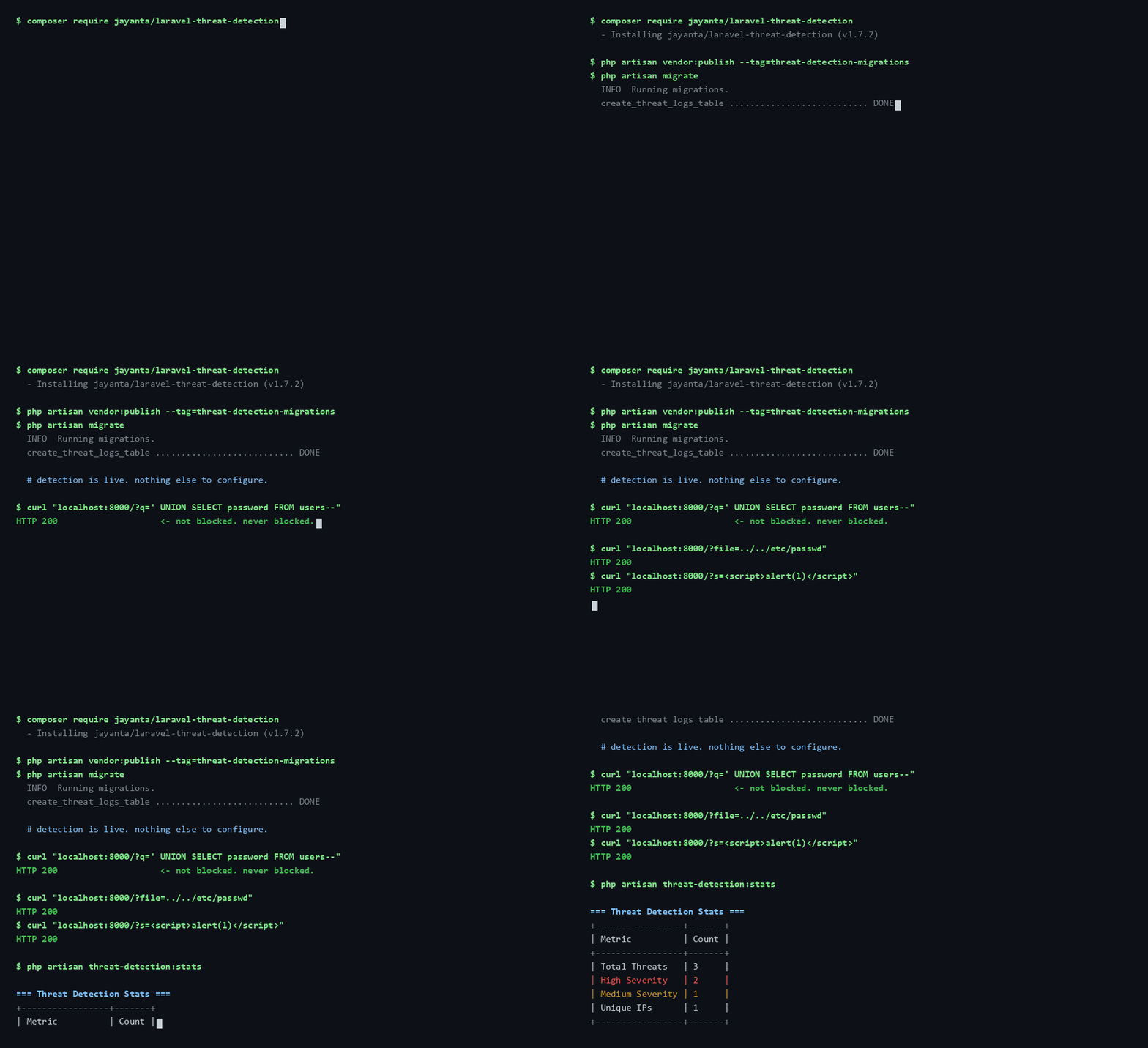
composer require jayanta/laravel-threat-detection
php artisan vendor:publish --tag=threat-detection-migrations
php artisan migrate
Then add the middleware to your web group (one line in bootstrap/app.php on Laravel 11+,
or app/Http/Kernel.php on Laravel 10) — full snippet in Quick Start below.
That's it; detection is live.
php artisan threat-detection:doctor # confirms it is actually recording
This package is a passive, application-level IDS — it watches and records, it doesn't block. It's meant to sit alongside a WAF or edge service, not replace one. Each layer sees something the others can't:
| This package (app IDS) | WAF (mod_security, Cloudflare WAF) | Edge / CDN (Cloudflare) | |
|---|---|---|---|
| Blocks malicious requests | ❌ logs only | ✅ | ✅ |
| Full app context (exact route, decoded payload, authenticated user) | ✅ | ⚠️ partial | ❌ |
| Built-in dashboard + threat log in your DB | ✅ | ⚠️ varies | ⚠️ edge only |
| App-specific detections (e.g. Aadhaar / PAN / IFSC PII) | ✅ custom patterns | ❌ | ❌ |
| Works offline / no external service | ✅ | ⚠️ depends | ❌ |
| Stops traffic before it reaches your app | ❌ | ✅ edge | ✅ |
| Setup | one composer require | medium–high | low–medium |
| Cost | free, MIT | varies | free tier + paid |
The short version: an edge/WAF is your lock on the door; this is the security camera inside, with the app context to tell you exactly what's being tried on which route, by whom, and how often. Use it to feed real decisions — fail2ban bans, rate limits, geo-blocking — with data your edge layer never sees.
An untuned install fires on legitimate content, and you should know that before
you install rather than after. These are measured, not hypothetical. The rows
below are a sample of the floor pinned by
LegitimateTrafficCorpusTest;
each one lists everything that request logs, and
ReadmeNoiseFloorTest fails the
build if any row stops matching what the suite measures for it.
