
Skip to content
KitploitKITPLOIT
StrumentiBlog
Invia
StrumentiBlog
Invia

Strumenti di Hacking, PenTest e Cybersecurity per il tuo Arsenale di Sicurezza!

Kitploit è una directory di strumenti di hacking, cybersecurity e pentesting. Scopri gli ultimi aggiornamenti dei progetti per trovare vulnerabilità, analizzare sistemi, automatizzare i test e rafforzare la tua sicurezza.

··Feed·Contatto·Privacy·© 2026 Kitploit

Directory degli strumenti

Categorie

Vedi tutte le categorie
Loading categories
jdvrif — Steganography Tool for JPG Images | Kitploit
Strumenti/GitHubGitHub/cleasbycode/jdvrif
Encryption/Decryption ToolsData ExfiltrationForensicsSteganographyCryptographyPrivacy
GitHubcleasbycode/jdvrif

jdvrif

Steganography Tool for JPG Images

Vedi Repository
69195 giorni faRevisionato da Kitploit

Più Popolari

Vedi tutti →

Scopri gli strumenti più utilizzati dalla nostra community.

Esplora tutti gli strumenti

Sfoglia la nostra collezione di strumenti

Vedi tutti gli strumenti →
Condividi
Contenuto non disponibile nella lingua richiesta. Visualizzazione della versione inglese.

jdvrif

jdvrif (JPG Data Vehicle, v9.0) is a fast, easy-to-use steganography command-line tool for concealing and extracting any file type via a JPG image. Linux only.

Your data file is compressed with libdeflate/zlib, then encrypted with XChaCha20-Poly1305 (libsodium secretstream) under a key derived by Argon2id from a randomly generated recovery PIN, and finally embedded in the cover image. The PIN is displayed once, at the end of conceal, and is never stored anywhere: without it the concealed file cannot be recovered.

Using the default conceal mode, you can conceal any file type up to 2GiB. The other platform conceal modes and the compatible social media sites (listed below) have their own much smaller size limits and other requirements.

There is a Web edition of jdvrif, which you can use immediately, as a convenient alternative to downloading and compiling the CLI source code. Web file uploads are limited to 20MiB.

An experimental Rust port jdvrif-rs is also available for those interested in that language. It is format-compatible: either build can recover the other's images.

jdvrif partly derives from the technique implemented by security researcher David Buchanan.
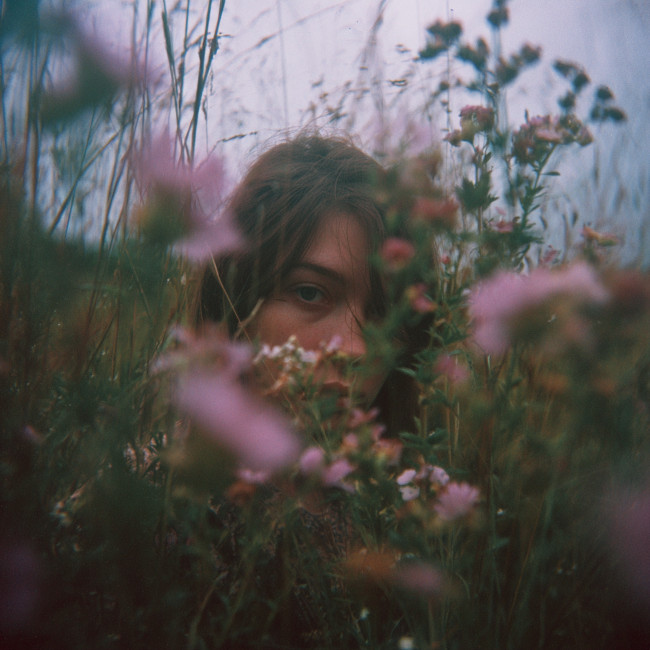
Demo Image
Demo Image: "A place of concealment" / PIN: 2190398302048725932

How jdvrif conceals data

Unlike the common LSB (Least Significant Bit) steganography method of concealing data within the pixels of a cover image, jdvrif mostly hides data within application segments of a JPG image (ICC, EXIF, XMP, etc).

The two platform exceptions to the default segment storage method are Reddit and X-Twitter. Both have their own conceal mode, and neither of those modes uses metadata segments at all: -r and -x carry the payload in the JPG image's DCT coefficients instead.

Reddit re-encodes uploaded images and discards the metadata segments the default mode relies on, so -r is the only mode that works there. X-Twitter does preserve a single, small ICC segment, so the default mode still works on that platform, but only for a tiny payload.

For the Reddit conceal mode (-r), we use the QIM steganography method (JPEG DCT-domain Quantization Index Modulation), as this is the only storage method that currently works for Reddit. The cover is transcoded to baseline Q75 4:2:0 and the payload is carried in its luminance DCT blocks.

To maximise storage capacity for the Reddit platform, use a cover image with large dimension sizes, 2048x2048, 4096x4096, 8192x8192 (max), etc.

Quality of cover image is not important for this method and should be kept basic for the largest dimensions to help minimise cover image file size.

While the X-Twitter platform can use the default method provided by jdvrif, where data is concealed within APP2/ICC segments, X-Twitter limits this to a single ICC segment with a maximum size of just ~10KiB.

To carry more than that ~10KiB, use the X-Twitter platform conceal mode (-x). It abandons metadata segments entirely — nothing is written to an ICC profile — and instead uses the adaptive J-UNIWARD steganography method with Syndrome-Trellis Coding (STC). The cover is transcoded to progressive 4:2:0 at its source-derived quality (capped at Q97).

To maximise storage capacity for the X-Twitter platform, use a high quality/detailed cover image with large dimension sizes, 1024x1024, 2048x2048, 4096x4096 (max), etc.

Both DCT modes carry far less data than the default mode, so use capsize to measure a cover image before choosing a payload (see Checking capacity).

Requirements & Compilation (Linux)

Building requires CMake 3.20 or newer, flock from util-linux, and either Ninja (preferred) or Make. The compiler must be GCC 14 or newer, or Clang 18 or newer paired with a C++23 standard library that implements features such as std::format and std::print. The native libraries required are libsodium, libjpeg-turbo (both the turbojpeg and libjpeg APIs), zlib and libdeflate. OpenMP is optional: when present it parallelises the -x J-UNIWARD cost pass.

root@kitploit:~
$ sudo apt update
$ sudo apt install g++ cmake ninja-build util-linux libsodium-dev libturbojpeg0-dev libjpeg-dev zlib1g-dev libdeflate-dev

$ g++ --version   # confirm the reported version is 14 or newer

$ chmod +x compile_jdvrif.sh
$ ./compile_jdvrif.sh

$ sudo cp jdvrif /usr/bin

If your distribution ships GCC 14 as a versioned package, install g++-14 and build with CXX=g++-14 ./compile_jdvrif.sh.

The wrapper keeps dependency-tracked object files under src/build/, so later invocations rebuild only what changed, and it replaces the published jdvrif binary only after a complete, successful build. Set JDVRIF_JOBS=<count> to change the parallelism limit (default: CPU count, capped at 8), JDVRIF_BUILD_DIR=<path> to use a separate build cache, or BUILD_MODE=sanitize for an ASan/UBSan build.

Usage

root@kitploit:~
$ jdvrif

Usage: jdvrif conceal [-b|-r|-x] <cover_image> <secret_file>
       jdvrif recover <cover_image>
       jdvrif capsize [-r|-x] <cover_image>
       jdvrif --info

Run jdvrif --info for the full built-in guide to modes, platform options and size limits.

root@kitploit:~
$ jdvrif conceal your_cover_image.jpg your_secret_file.doc

Platform compatibility for output image:-

 ✓ X-Twitter
 ✓ Tumblr
 ✓ Mastodon
 ✓ Pixelfed
 ✓ PostImage
 ✓ ImgBB
 ✓ ImgPile
 ✓ Flickr

Recovery PIN: [***2166776980318349924***]

Important: Keep your PIN safe, so that you can extract the hidden file.


Saved "file-embedded" JPG image: jrif_4e87c566c.jpg (143029 bytes).

Complete!

$ jdvrif recover jrif_4e87c566c.jpg

PIN: *******************

Extracted hidden file: your_secret_file.doc (6165 bytes).

Complete! Please check your file.

jdvrif mode arguments:

conceal - Compresses, encrypts and embeds your secret data file within a JPG cover image.
recover - Decrypts, uncompresses and extracts the concealed data file from a JPG cover image (recovery PIN required).
capsize - Reports the carrier capacity of a cover image for -r or -x mode. No image is saved.

Requirements for the cover image:

● JPEG only, at least 400x400 pixels, and either grayscale or YCbCr colour — CMYK/YCCK images must be converted to RGB first.

● Default and -b upper dimensions are 4096x4096px; -r uses 8192x8192px, while -x is also capped at 4096x4096px.

● The default mode (no option) also rejects cover images whose estimated JPEG quality is above Q97; re-save the image at a lower quality if it is refused.

Requirements for the secret data file:

● The embedded filename must be no longer than 20 characters and must not begin with . or -. The name is stored in the image and restored on recover.

● Your data file is compressed before encryption, except for recognised already-compressed file types (.zip, .7z, .mp4, .jpg, .png, etc). In the default and -b modes those types skip compression only when larger than 10MiB; in -r and -x modes they always skip it. For anything else destined for a small platform limit, consider compressing it yourself first (zip, rar, 7z, etc.) so that you know its exact stored size.

Compatible Platforms

******************
Note: Bluesky now saves images as WEBP by default.

To save an image as JPG, so that you can still recover concealed data with jdvrif:-

First click the image in the post to open it, then right-click on the image. From the menu, select Open image in new tab.

Select the new tab and within the address bar, move to the end of the address and add @jpg then hit enter.
Right-click the image and from the menu select Save image...

Your image should now be downloaded as a JPG, which will now work with jdvrif.

If you want a tool to conceal data using WEBP images to post on Bluesky you can use my WEBP steganography CLI tool wbpdv
******************

Posting size limit measured by the combined size of the cover image + compressed data file:

● Flickr (200MiB), ImgPile (100MiB), ImgBB (32MiB), PostImage (32MiB), Pixelfed (15MiB).

Size limit measured only by the compressed data file size:

● Mastodon (~6MiB), Tumblr (~64KiB), X-Twitter (~10KiB / default method).

For example, with Mastodon, if your cover image is 1MiB you can still embed a data file up to the ~6MiB size limit.

Other: platforms with their own conceal mode:

● Bluesky (-b option). The finished "file-embedded" JPG must not exceed 2,000,000 bytes (~1.9MiB), so the cover image and the compressed data file share one budget. The compressed data file on its own must not exceed ~171KiB. A cover image already at 2,000,000 bytes leaves no room at all, so keep the cover smaller than the limit by at least the size of your compressed data file. The "create_bsky_post.py" script is required to post these images on Bluesky. More info on this script further down the page.

● Reddit (-r option). The cover image and the data file must each be no larger than 20MiB, but the actual carrier capacity of the cover image is much smaller and depends on its dimension sizes. Use jdvrif capsize -r to measure it.

● X-Twitter (-x option). The cover image and the data file must each be no larger than 5MiB, and the cover must not exceed 4096x4096 pixels. The actual carrier capacity is much smaller and depends on image quality and dimension sizes. Use jdvrif capsize -x to measure it.

In the default and -b modes, the cover image is also losslessly optimized before use and must not exceed 4MiB after that step.

For platforms such as X-Twitter, Reddit & Tumblr, which have small data size limits, you may want to focus on data that compresses well, such as text files, etc.

https://github.com/user-attachments/assets/af330d09-f65d-4f75-8290-883078be34b3

https://github.com/user-attachments/assets/fc454d42-0240-4864-b44b-ce5ef7cfd94c

Checking capacity with capsize

capsize prepares the cover image exactly as conceal would, then reports how much encrypted payload it can carry. Nothing is written to disk. Use -r for the Reddit carrier and -x for the X-Twitter carrier (-x is the default if no option is given).

root@kitploit:~
$ jdvrif capsize -r basic_img_large_dims.jpg

Reddit capacity check for conceal -r mode only.

Cover Image: 384KiB, 8192x8192, Baseline YCbCr 4:2:0, Standard Q75 quantization (C3).

Theoretical C3 capacity limit for this cover image:                    436906 bytes (~426KiB).
Conservative maximum compressed capacity with a 20-character filename: 436792 bytes (~426KiB).
Recommended  maximum compressed capacity with a 20-character filename: 435768 bytes (~425KiB).

The figure reported is the total encrypted envelope capacity, not a raw secret-file limit: the filename, encryption and recovery metadata consume 95 to 114 bytes for a single-frame payload, and larger payloads add framing overhead. Don't aim at the theoretical limit — where capacity allows, keep the compressed payload at least 1KiB below the conservative maximum. The size check performed by conceal is the authoritative one.

Conceal mode platform options

To create compatible "data-concealed" JPG images for posting on the Reddit platform, you must use the -r option with conceal mode.

root@kitploit:~
$ jdvrif conceal -r my_image.jpg hidden.doc

These images are only compatible for posting on Reddit. Your embedded data file will be lost if posted on a different platform.

When saving/downloading an image from Reddit make sure to click on the image within the post to fully expand it before saving.

https://github.com/user-attachments/assets/ead3c34c-dd9a-4018-9ea3-0746fbdfdb8b

To create compatible "data-concealed" JPG images for posting on the X-Twitter platform using the J-UNIWARD steganography method, you must use the -x option with conceal mode.

root@kitploit:~
$ jdvrif conceal -x my_image.jpg hidden.doc

These images are only compatible for posting on X-Twitter. Your embedded data file will be lost if posted on a different platform.

When saving/downloading an image from X-Twitter make sure to click on the image within the post to fully expand it before saving.

To create compatible "file-embedded" JPG images for posting on the Bluesky platform, you must use the -b option with conceal mode.

root@kitploit:~
$ jdvrif conceal -b my_image.jpg hidden.doc

These images are only compatible for posting on Bluesky. Your embedded data file will be removed if posted on a different platform.

You are also required to use the Python script create_bsky_post.py (found in the repo src/bsky folder) to post the image to Bluesky. It will not work if you post images to Bluesky via the browser site or mobile app.

To use the script, you will need to create an app password from your Bluesky account. Pass your credentials through the environment rather than on the command line, where they would be visible to other local users via tools such as ps:

root@kitploit:~
$ pip install -r bsky/requirements.txt

$ export ATP_AUTH_HANDLE='you.bsky.social'
$ read -rsp 'Bluesky app password: ' ATP_AUTH_PASSWORD && export ATP_AUTH_PASSWORD

$ python3 bsky/create_bsky_post.py \
    --image jrif_4e87c566c.jpg \
    --alt-text "alt-text here [optional]" \
    "standard post text here [required]"

$ unset ATP_AUTH_PASSWORD

See src/bsky/README.md for the full set of options (multiple images, replies, quote posts, link cards) and for what the hardened fork of the script protects against.

https://github.com/user-attachments/assets/1daef508-d304-491f-bfe2-2cdbb5d62081

Tests

The test scripts in src/tests each take the binary to exercise:

root@kitploit:~
$ bash tests/run_golden_tests.sh --bin ./jdvrif        # recover pre-built images with known PINs
$ bash tests/run_roundtrip_tests.sh --bin ./jdvrif     # fresh conceal/recover round-trips
$ bash tests/run_security_smoke.sh --bin ./jdvrif      # negative-path and boundary checks
$ bash tests/run_reddit_tests.sh --bin ./jdvrif        # -r QIM carrier
$ bash tests/run_twitter_tests.sh --bin ./jdvrif       # -x J-UNIWARD/STC carrier
$ bash tests/run_bsky_tests.sh                         # Bluesky posting helper

Third-Party Software and Assets

Core applications

  • libsodium — cryptographic random generation, Argon2id key derivation and XChaCha20-Poly1305 secret streams. Dynamically linked as a system library.

    License: ISC License

    Copyright (c) 2013–2026 Frank Denis.

  • libjpeg-turbo — JPEG processing and lossless transformation. Dynamically linked as a system library.

    This software is based in part on the work of the Independent JPEG Group.

    Licenses: Independent JPEG Group License, Modified BSD 3-Clause License, and zlib License.

    Copyright © 1991–2020 Thomas G. Lane and Guido Vollbeding.

    Copyright © 2009–2023 D. R. Commander. All Rights Reserved.

    Copyright © 2015 Viktor Szathmáry. All Rights Reserved.

  • zlib — Streaming zlib compression and decompression. Dynamically linked as a system library.

    License: zlib License

    Copyright (C) 1995–2026 Jean-loup Gailly and Mark Adler.

  • libdeflate — Fast whole-buffer zlib-format compression. Dynamically linked as a system library.

    License: MIT

    Copyright 2016 Eric Biggers.

    Copyright 2024 Google LLC.

Incorporated code and assets

  • base64simd — The AVX2 Base64 encoder is adapted from Wojciech Muła’s vector Base64 implementation.

    License: BSD 2-Clause

    Copyright (c) 2015–2018, Wojciech Muła. All rights reserved.

  • Compact ICC Profiles — embedded Adobe- compatible ICC profile.

    License: CC0 1.0 Universal

Optional Bluesky posting helper

  • Bryan Newbold / ATProto Hacker Cookbook — create_bsky_post.py — Basis for the forked Bluesky posting helper (src/bsky/bsky_post.py). For reference see the Cookbook copy

    License: CC0 1.0 Universal.

  • Requests — HTTP and Bluesky API requests.

    License: Apache 2.0 / NOTICE

    Copyright 2019 Kenneth Reitz.

  • Beautiful Soup 4 — HTML and Open Graph metadata parsing.

    License: MIT

    Copyright (c) Leonard Richardson.

  • Pillow — Image validation, dimensions, and aspect-ratio handling.

    License: MIT-CMU

    PIL copyright © 1997–2011 Secret Labs AB and © 1995–2011 Fredrik Lundh and contributors.

    Pillow copyright © 2010 Jeffrey “Alex” Clark and contributors.

Scarica lo strumento
Conceal modeWhere the data goesShare the output image on
(no option)APP2/ICC profile segmentsX-Twitter, Tumblr, Mastodon, Pixelfed, PostImage, ImgBB, ImgPile, Flickr
-bframed EXIF / Photoshop / XMP segmentsBluesky only
-rJPEG DCT coefficients (QIM)Reddit only
-xJPEG DCT coefficients (J-UNIWARD/STC)X-Twitter only