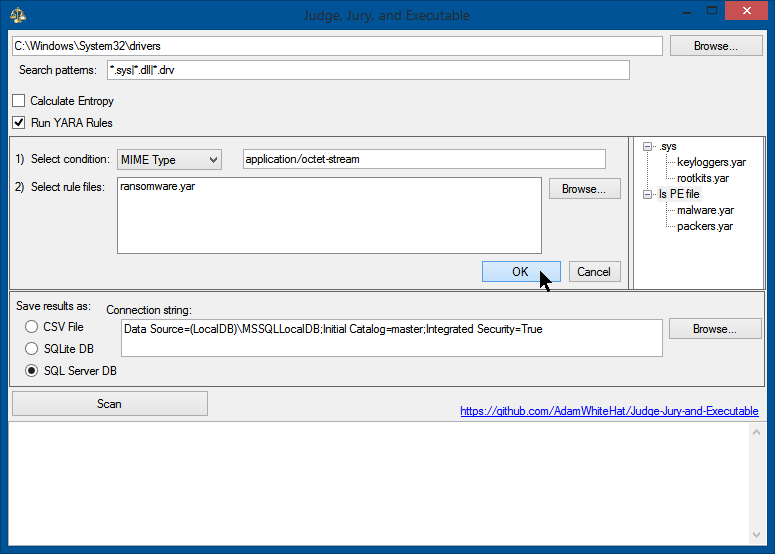

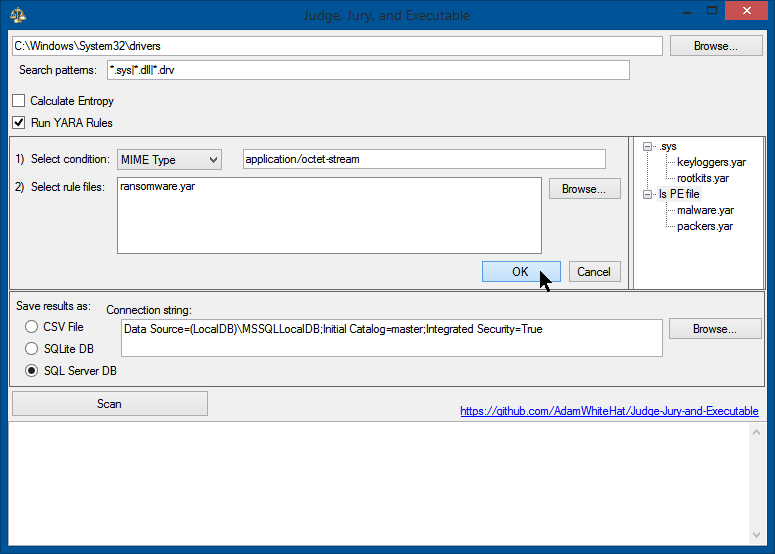
Uno scanner per l'analisi forense del file system e strumento di caccia alle minacce. Esegue scansioni dei file system a livello di MFT e sistema operativo e memorizza i dati in SQL, SQLite o CSV. Minacce e dati possono essere esaminati sfruttando la potenza e la sintassi di SQL.


Permettetemi di spiegare...
Si parte da un disco o da immagini disco potenzialmente infette da malware, virus, APT (minacce persistenti avanzate) o simili, e poi le si scansiona con questo strumento. (Opzionalmente, e supponendo di avere la saggezza e la lungimiranza di farlo, si può voler prima scansionare un'immagine disco di base nota come buona con questo strumento (o dopo—non importa). Certamente non è necessario, ma può solo aiutare nell'analisi.) La parte di scansione forense di questo strumento raccoglie un mucchio di proprietà su ogni file in un filesystem (o in una o più immagini di esso), e inserisce queste proprietà in una tabella di database relazionale SQL. Il segreto sta nella possibilità di cacciare minacce, investigare o fare domande sui dati attraverso l'uso di query, nel linguaggio SQL, sul database creato. Una caratteristica chiave è stata NON inventare un linguaggio di query proprietario. Se si conosce SQL e come cliccare un pulsante, allora si sa già come usare questo strumento come un professionista. Anche se non lo si conosce, questo concetto è abbastanza potente che le query preimpostate (vedi sotto) daranno molti risultati.
Innanzitutto, lo strumento crea una voce nel database per ogni record trovato nella MFT (Master File Table – è come NTFS tiene la contabilità). Questo bypassa i permessi di sicurezza dei file, le tecniche di occultamento, furtività o offuscamento dei file, la cancellazione dei file o la manomissione dei timestamp. Queste tecniche non impediranno che il file venga scansionato e catalogato. I byte del file vengono letti dalla MFT e vengono prelevati quanti più dati possibile dai byte del file letti dalla MFT prima di tentare di accedere a qualsiasi dato utilizzando le chiamate API del sistema operativo di livello superiore.
Dopo che i dati a livello forense e della MFT sono stati acquisiti, vengono raccolte le proprietà, i dati e i metadati a livello di sistema operativo disponibili per ogni file e arricchiscono ogni voce creata dalla voce MFT. Di conseguenza, anche se il file o le sue proprietà dall'API del sistema operativo o dal framework .NET non possono essere accessibili a causa di permessi sui file (ACL), blocchi dei file (in uso), corruzione del disco, file di lunghezza zero, o qualsiasi altra ragione, l'esistenza del file sarà comunque registrata, loggata e tracciata. La voce, tuttavia, semplicemente non conterrà le informazioni che non erano accessibili al sistema operativo. Fino a 51 diversi punti dati possono essere raccolti per ogni file.
/*
IDEA: All files in the directory C:\Windows\System32\ should be 'owned' by TrustedInstaller.
If a file in the System32 directory is owned by a different user, this indicates an anomaly,
and that user is likely the user that created that file.
Malware likes to masquerade around as valid Windows system files.
Executables that are placed in the System32 directory not only look more official, as it is a common path for
system files, but an explicit path to that executable does not need to be supplied to execute it from the
command line, windows 'Run' dialog box of the start menu, or the win32 API call ShellExecute.
*/
SELECT
TOP 1000 *
FROM [FileProperties]
WHERE
[FileOwner] <> 'TrustedInstaller'
AND [DirectoryLocation] = ':\Windows\System32'
AND IsSigned = 0
ORDER BY [PrevalenceCount] DESC
/*
IDEA: The MFT creation timestamp and the OS creation timestamp should match.
If the MFT creation timestamp occurs after the creation time reported by the OS meta-data,
this indicates an anomaly.
Timestomp is a tool that is part of the Metasploit Framework that allows a user to backdate a file
to an arbitrary time of their choosing. There really isn't a good legitimate reason for doing this
(let me know if you can think of one), and is considered an anti-forensics technique.
*/
SELECT
TOP 1000 *
FROM [FileProperties]
WHERE
([MftTimeAccessed] <> [LastAccessTime]) OR
([MftTimeCreation] <> [CreationTime]) OR
([MftTimeMftModified] <> [LastWriteTime])
ORDER BY [DateSeen] DESC
/*
IDEA: The 'CompileDate' property of any executable or dll should always come before the creation timestamp for that file.
Similar logic applies as for the MFT creation timestamp occuring after the creation timestamp. How could a program have been
compiled AFTER the file that holds it was created? This anomaly indicates backdating or timestomping has occurred.
*/
SELECT
TOP 1000 *
FROM [FileProperties]
WHERE
([MftTimeCreation] < [CompileDate]) OR
([CreationTime] < [CompileDate])
ORDER BY [DateSeen] DESC
| MFTNumber | SequenceNumber | SHA256 | FullPath | Length | FileOwner | Attributes | IsExe | IsDll | IsDriver | BinaryType | IsSigned | IsSignatureValid | IsValidCertChain | IsTrusted | ImpHash | MD5 | SHA1 | CompileDate | MimeType | InternalName | ProductName | OriginalFileName | FileVersion | FileDescription | Copyright | Company | Language | Trademarks | Project | ApplicationName | Comment | Title | Link | ProviderItemID | ComputerName | DriveLetter | DirectoryLocation | Filename | Extension | CertSubject | CertIssuer | CertSerialNumber | CertThumbprint | CertNotBefore | CertNotAfter | PrevalenceCount | Entropy | YaraRulesMatched | DateSeen | MftTimeAccessed | MftTimeCreation | MftTimeModified | MftTimeMftModified | CreationTime | LastAccessTime | LastWriteTime |
|---|
| 18010 | 0 | C67BE7D3F54D44AC264A18E33909482F1F8CA7B7FBAAF5659EF71ED9F8092C34 | C:\Windows\WinSxS\amd64_windows-defender-service-cloudclean_31bf3856ad364e35_6.3.9600.18603_none_73d12e8145b3841b\SymSrv.dll | 149264 | TrustedInstaller | A | 1 | 1 | 0 | 16 | 1 | 1 | 0 | 1 | 5D54F5D721E301667338323AC07578E3 | 65FB3391EB26F5AC647FC40501D8E21D | 4B46DB2A99A47FF6A6EE376F4D79F5298BFF28A2 | 2010-02-01 20:15:48.0000000 | application/x-msdownload | symsrv.dll | Debugging Tools for Windows(R) | symsrv.dll | 6.12.2.633 | Symbol Server | © Microsoft Corporation. All rights reserved. | Microsoft Corporation | English (United States) | L | C | C:\Windows\WinSxS\amd64_windows-defender-service-cloudclean_31bf3856ad364e35_6.3.9600.18603_none_73d12e8145b3841b | SymSrv.dll | .dll | CN=Microsoft Corporation, OU=MOPR, O=Microsoft Corporation, L=Redmond, S=Washington, C=US | CN=Microsoft Code Signing PCA, O=Microsoft Corporation, L=Redmond, S=Washington, C=US | 6105F71E000000000032 | D468FAEB5190BF9DECD9827AF470F799C41A769C | 7/13/2009 5:00:18 PM | 10/13/2010 5:10:18 PM | 1 | 0 | NULL | 2020-10-25 06:17:12.0133333 | 2013-06-18 14:43:52.6497911 | 2013-08-22 06:56:50.9086288 | 2013-08-22 06:56:50.9086288 | 2019-01-15 19:13:49.1704756 | 2013-08-22 06:56:50.9086288 | 2013-08-22 06:56:50.9086288 | 2013-06-18 14:43:52.6497911 |