 0xcub3/wblock
The next-generation ad blocker for Safari. Free and open source on macOS, iOS, iPadOS, and visionOS, with 750,000 rules, userscripts, userstyles, and an element zapper.


The end of Safari ad-blocking B.S.
A free, open-source ad blocker for Safari on Mac, iPhone, iPad, and Apple Vision Pro.





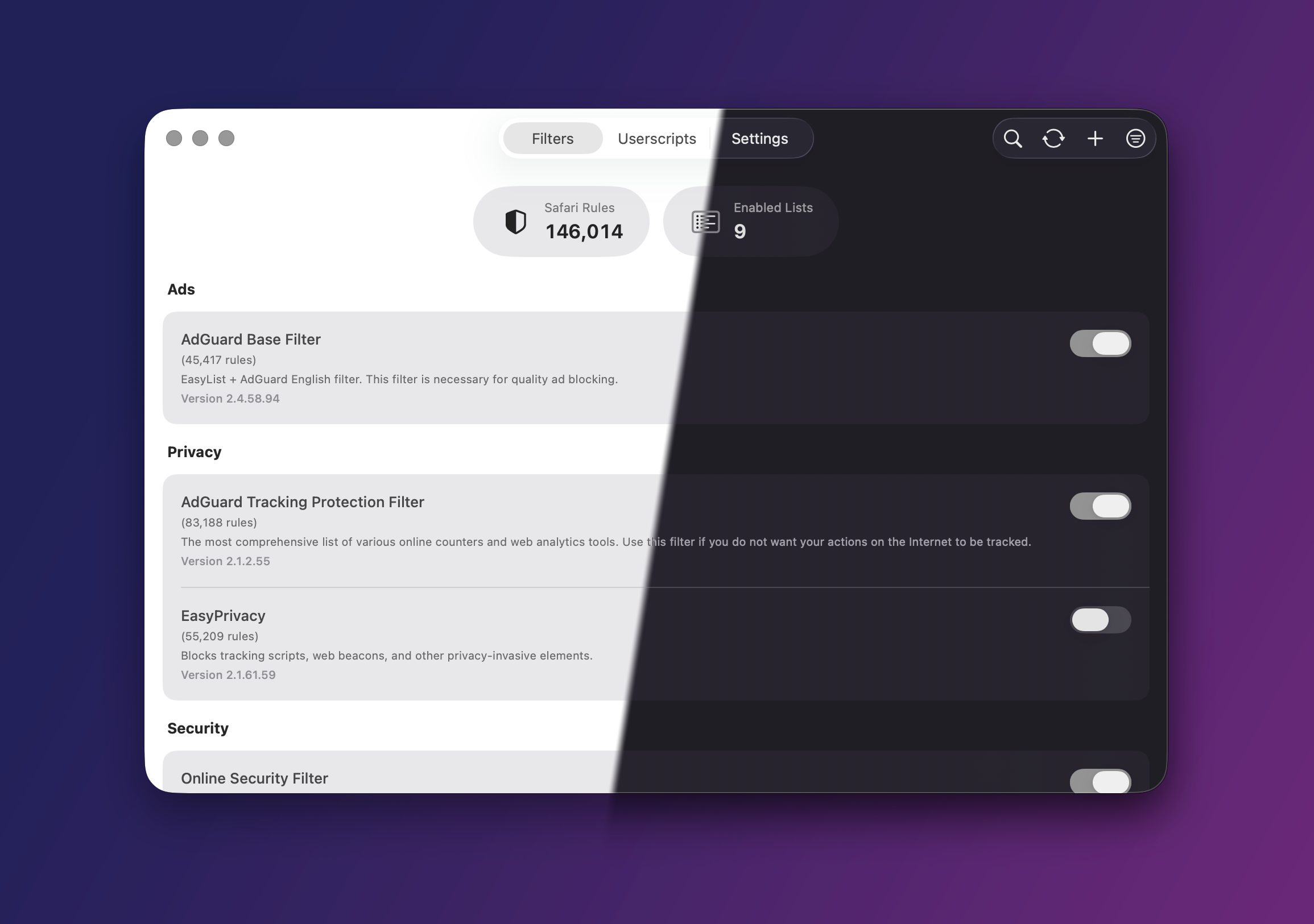
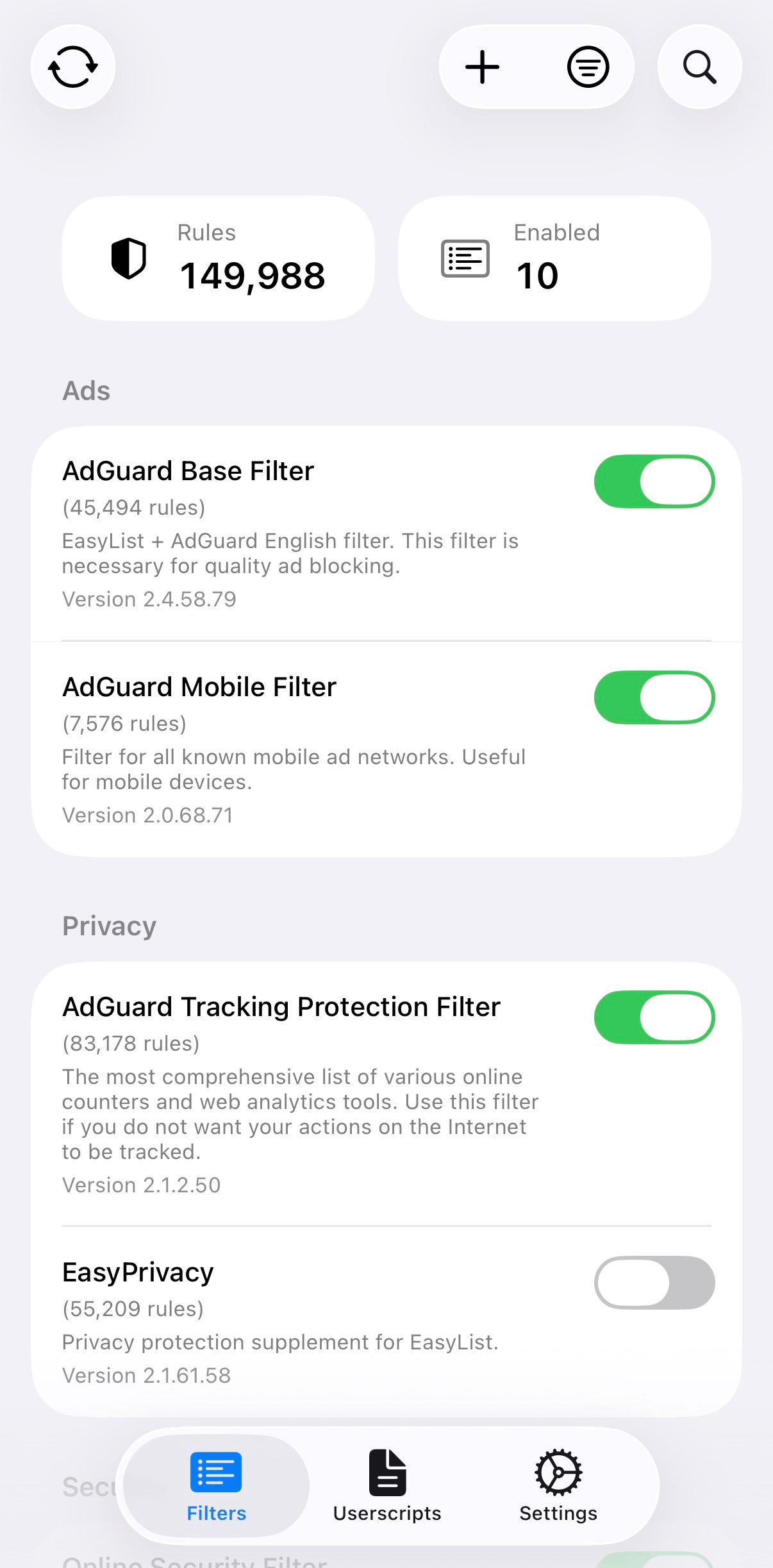
Safari gives ad blockers very little room. Each content blocker gets 150,000 rules and can't touch a page's JavaScript. wBlock ships five of them (750,000 rules) plus a scripts extension for everything a rule can't do. That covers scriptlets, cosmetic filters, userscripts and userstyles, an element zapper, and native video players for YouTube and most other sites.
It's free and collects nothing. If a list misbehaves, you can see what it compiled into, which lines Safari threw out, and what changed on the last update.
[!TIP] Deciding between wBlock, uBlock Origin Lite, Wipr, and AdGuard? I wrote a comparison.
utm_* get stripped from links, and link shorteners get unwrapped. That's on by default.GM_* and GM.*. GM_xmlhttpRequest only reaches hosts a script lists in @connect..user.css), including Less, Sass, and Stylus. More in docs/USERSTYLES.md.Tube Cleaner and Player Cleaner hand a site's video back to Safari before the page paints. You get Picture-in-Picture, background audio, fullscreen, and Now Playing, same as a plain <video controls> tag.
Tube Cleaner is the YouTube one. It keeps YouTube's own stream, puts chapters and captions in Safari's native menus, and skips sponsors through SponsorBlock with per-category settings. If you also want better titles and thumbnails, DeArrow is a separate script. Player Cleaner does the same job on video.js, JW Player, Plyr, Flowplayer, MediaElement, Clappr, Media Chrome, and shadow-root players like Archive.org's, and it remembers speed, volume, captions, and where you left off on each site.
Both update from wBlock-userscripts on their own schedule, separate from the app. They don't block ads (the filter lists do that).
Click the toolbar button on any site and you get separate switches for filtering, userscripts, and autoplay, plus the element zapper. You can also limit a filter list or a userscript to certain sites, or keep it off them. Zapper rules stay editable in Settings.
It's one app on macOS, iOS, iPadOS, and visionOS. iCloud syncs your lists, custom filters, userscripts, allowlist, and settings. If you'd rather keep things local, export a backup instead.

Userscripts on macOS |
|
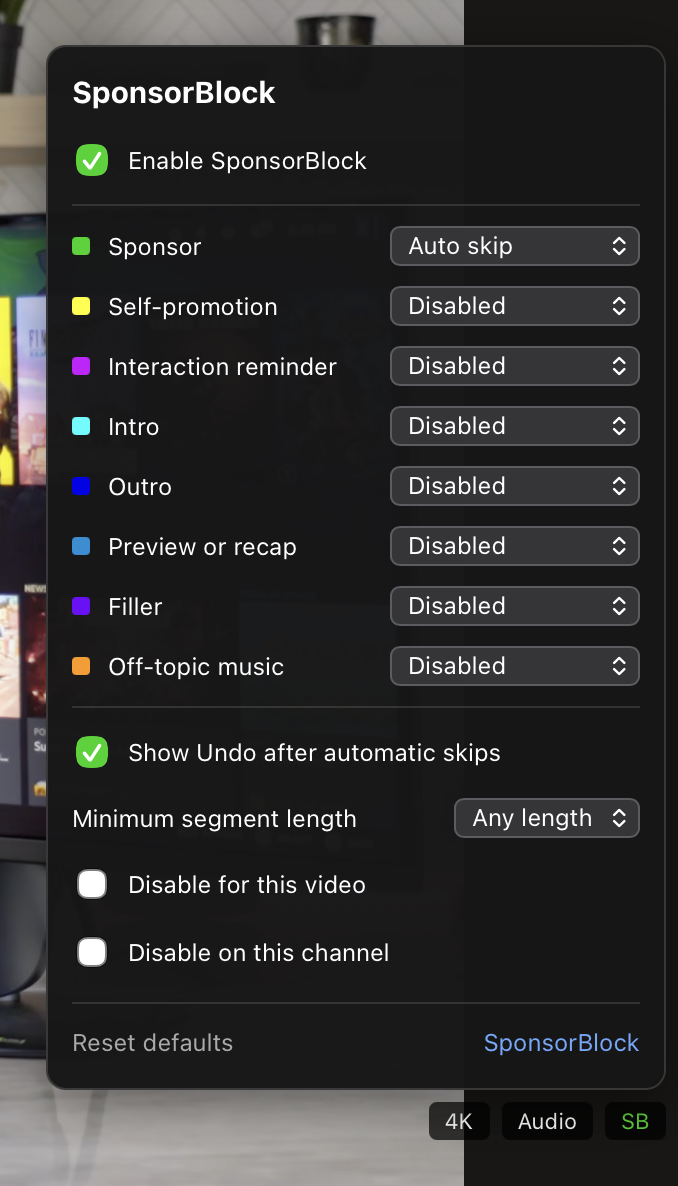
SponsorBlock in Tube Cleaner |

The Safari popup on iPhone |

Settings on macOS |
|
brew tap 0xcub3/wblock && brew install --cask wblockAll three are the same build. On first launch wBlock walks you through turning the extensions on in Safari.
wBlock has three parts. The app downloads your lists, converts them with SafariConverterLib 4.3.0, and splits the result across five content blockers (Ads, Privacy, Security, Foreign, Custom). Safari compiles those and applies them on its own, and no wBlock code runs while a page loads. Anything a static rule can't express goes to the wBlock Scripts extension.
Filter data lives in Protocol Buffers with LZ4 compression and is streamed to disk to keep big compiles from spiking memory. If you change one list, only the blockers that list feeds get rebuilt. Safari still has to reload them before you see the change, and no app can skip that.
