cdncheck v1.2.49
Un'utility per rilevare varie tecnologie per un dato indirizzo IP.
cdncheck





Funzionalità • Installazione • Utilizzo • Unisciti a Discord
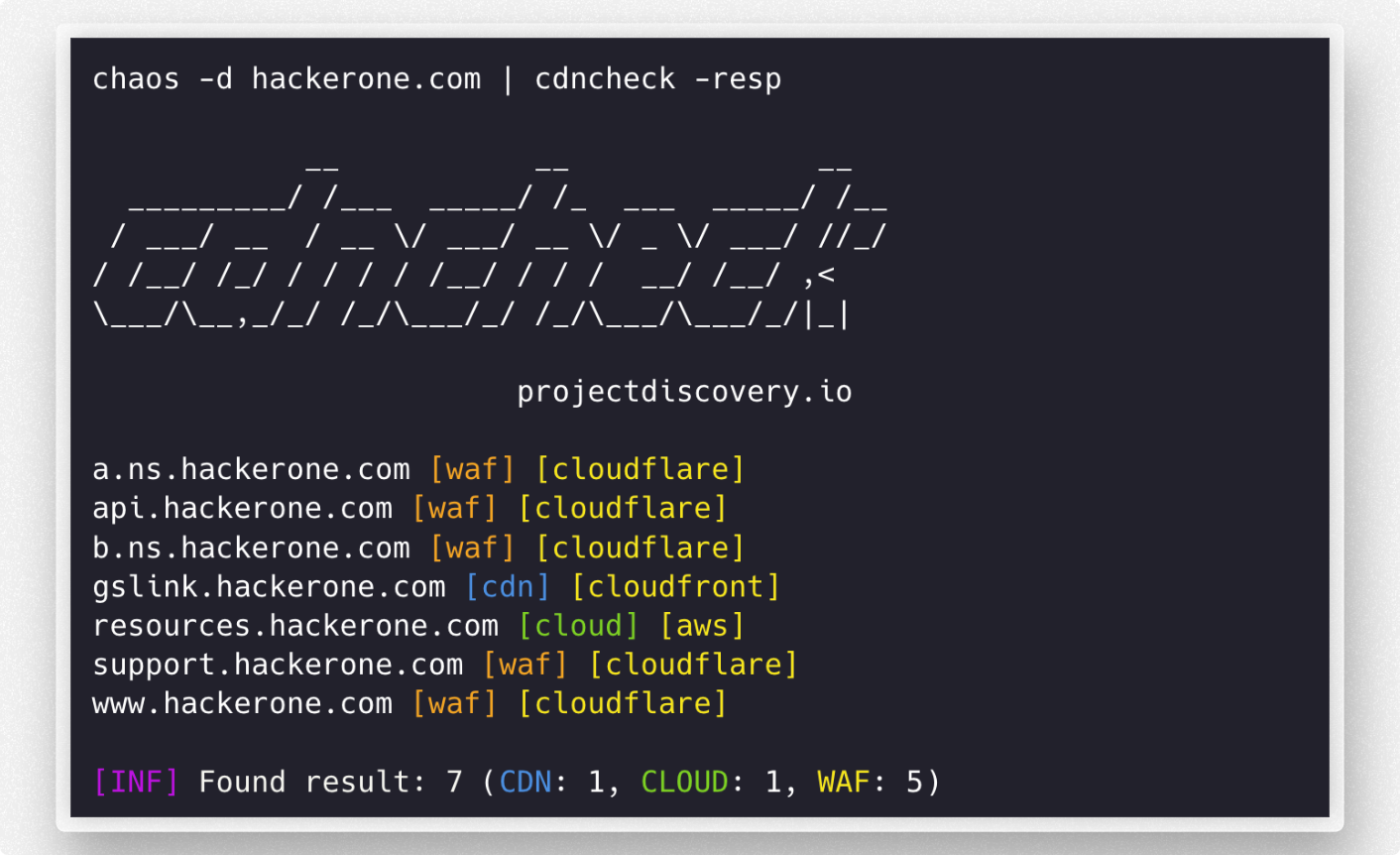
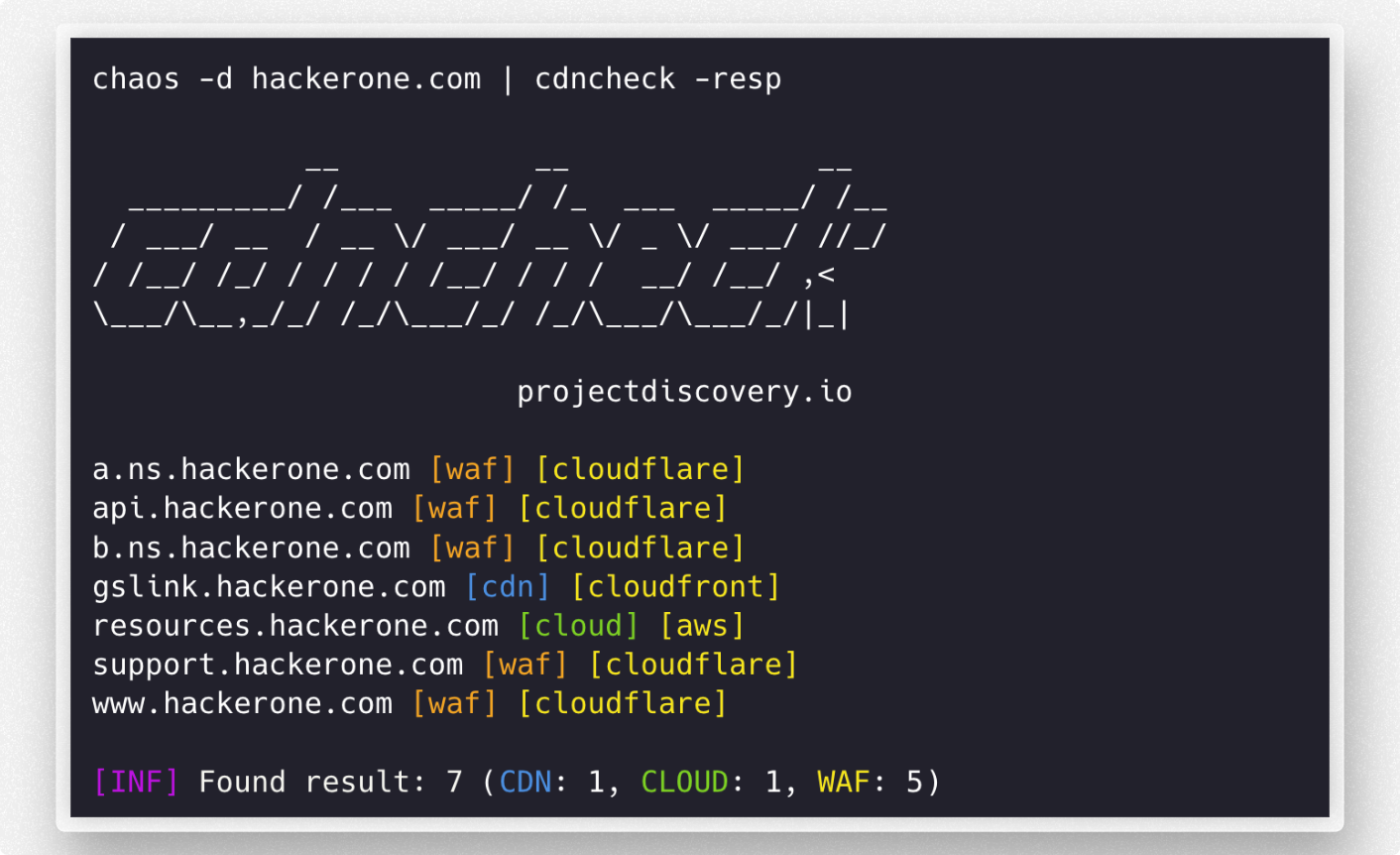
cdncheck è uno strumento per identificare la tecnologia associata agli indirizzi di rete dns / ip.
Funzionalità
- Rilevamento di CDN, CLOUD e WAF
- Facile da usare come libreria
- Provider facilmente estendibili
- Supporto input IP, DNS
- Output in testo, JSONL
- Filtri sull'output
Installazione
cdncheck richiede go1.26.10 per essere installato correttamente. Esegui il seguente comando per installare l'ultima versione:
go install -v github.com/projectdiscovery/cdncheck/cmd/cdncheck@latest
Utilizzo
cdncheck -h
Questo mostrerà la guida per lo strumento. Ecco tutti gli switch supportati.
Usage:
  ./cdncheck [flags]

Flags:
INPUT:
   -i, -input string[]  list of ip / dns to process

DETECTION:
   -cdn    display only cdn in cli output
   -cloud  display only cloud in cli output
   -waf    display only waf in cli output

MATCHER:
   -mcdn, -match-cdn string[]      match host with specified cdn provider (cloudfront, fastly, google, leaseweb)
   -mcloud, -match-cloud string[]  match host with specified cloud provider (aws, google, oracle)
   -mwaf, -match-waf string[]      match host with specified waf provider (cloudflare, incapsula, sucuri, akamai)

FILTER:
   -fcdn, -filter-cdn string[]      filter host with specified cdn provider (cloudfront, fastly, google, leaseweb)
   -fcloud, -filter-cloud string[]  filter host with specified cloud provider (aws, google, oracle)
   -fwaf, -filter-waf string[]      filter host with specified waf provider (cloudflare, incapsula, sucuri, akamai)

OUTPUT:
   -resp               display technology name in cli output
   -o, -output string  write output in plain format to file
   -v, -verbose        display verbose output
   -j, -jsonl          write output in json(line) format
   -nc, -no-color      disable colors in cli output
   -version            display version of the project
   -silent             only display results in output

CONFIG:
   -r, -resolver string[]  list of resolvers to use (file or comma separated)
   -e, -exclude            exclude detected ip from output
   -retry int              maximum number of retries for dns resolution (must be at least 1) (default 2)

UPDATE:
   -up, -update                 update cdncheck to latest version
   -duc, -disable-update-check  disable automatic cdncheck update check
Come aggiungere nuovi provider?
Il file provider.yaml contiene l'elenco dei provider CDN, WAF e Cloud. L'elenco contiene URL, ASN e CIDR che vengono poi compilati in un file finale sources_data.json utilizzando il programma generate-index.
Esempio di file provider.yaml -
cdn:
  # asn contains the ASN numbers for providers
  asn:
    leaseweb:
      - AS60626

  # urls contains a list of URLs for CDN providers
  urls:
    cloudfront:
      - https://d7uri8nf7uskq.cloudfront.net/tools/list-cloudfront-ips
    fastly:
      - https://api.fastly.com/public-ip-list

  # cidr contains the CIDR ranges for providers
  cidr:
    akamai:
      - "23.235.32.0/20"
      - "43.249.72.0/22"
      - "103.244.50.0/24"
      - "103.245.222.0/23"
      - "103.245.224.0/24"
      - "104.156.80.0/20"
Nuovi provider che possono essere estratti da un URL, un ASN o un elenco di CIDR statici possono essere aggiunti al file provider.yaml seguendo i semplici passaggi elencati di seguito:
- Esegui il fork del repository GitHub contenente il file
cmd/generate-index/provider.yaml. - Clona il tuo repository forkato sulla tua macchina locale e spostati nella directory
cmd/generate-index. - Apri il file
provider.yamle individua la sezione relativa al tipo di provider che vuoi aggiungere (CDN, WAF o Cloud). - Aggiungi le informazioni del nuovo provider nella sezione appropriata del file
provider.yaml. - Esegui il commit delle tue modifiche con un messaggio di commit descrittivo.
- Esegui il push delle tue modifiche sul tuo repository forkato su GitHub.
- Apri una pull request verso il repository originale con le tue modifiche.
Altri provider
Le aggiunte basate su CNAME e Wappalyzer possono essere effettuate nel file other.go. Basta semplicemente aggiungere i valori alle variabili e il gioco è fatto.
// cdnCnameDomains contains a map of CNAME to domains to cdns
var cdnCnameDomains = map[string]string{
	"cloudfront.net":         "amazon",
	"amazonaws.com":          "amazon",
    ...
}

// cdnWappalyzerTechnologies contains a map of wappalyzer technologies to cdns
var cdnWappalyzerTechnologies = map[string]string{
	"imperva":    "imperva",
	"incapsula":  "incapsula",
	...
}
cdncheck come libreria
Libreria di supporto che verifica se un determinato IP è in esecuzione su Cloud / CDN / WAF.
La libreria può essere utilizzata importando github.com/projectdiscovery/cdncheck. Di seguito un esempio di base:
package main

import (
	"fmt"
	"net"
	"github.com/projectdiscovery/cdncheck"
)

func main() {
	client := cdncheck.New()
	ip := net.ParseIP("173.245.48.12")

	// checks if an IP is contained in the cdn denylist
	matched, val, err := client.CheckCDN(ip)
	if err != nil {
		panic(err)
	}

	if matched {
		fmt.Printf("%v is a %v\n", ip, val)
	} else {
		fmt.Printf("%v is not a CDN\n", ip)
	}

	// checks if an IP is contained in the cloud denylist
	matched, val, err = client.CheckCloud(ip)
	if err != nil {
		panic(err)
	}

	if matched {
		fmt.Printf("%v is a %v\n", ip, val)
	} else {
		fmt.Printf("%v is not a Cloud\n", ip)
	}

	// checks if an IP is contained in the waf denylist
	matched, val, err = client.CheckWAF(ip)
	if err != nil {
		panic(err)
	}

	if matched {
		fmt.Printf("%v WAF is %v\n", ip, val)
	} else {
		fmt.Printf("%v is not a WAF\n", ip)
	}
}
cdncheck è realizzato con ❤️ dal team projectdiscovery e distribuito sotto MIT License.