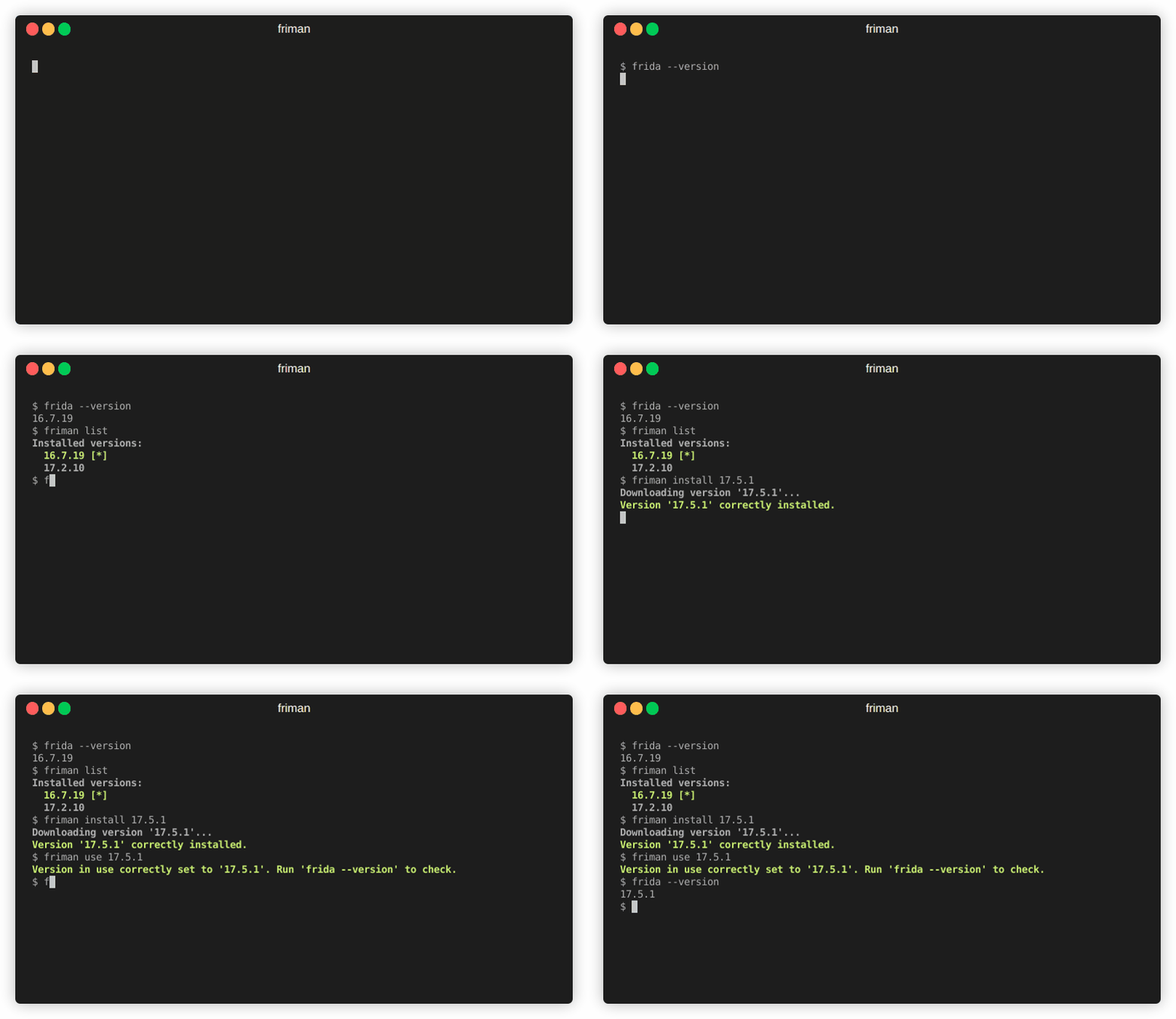
 thelicato/friman
Frida संस्करण प्रबंधन उपकरण




क्या आपको कभी ऐसा लगता है कि काम के लिए सही Frida संस्करण ढूंढना सुई में धागा पिरोने जैसा है? अलग-अलग प्रोजेक्ट, डिवाइस और डीबगिंग परिदृश्यों में विशिष्ट बिल्ड की आवश्यकता होती है, और Frida संस्करणों पर नज़र रखना जल्द ही एक थकाऊ संतुलन क्रिया बन सकता है। friman (उच्चारित "free man") इसी समस्या को हल करने के लिए डिज़ाइन किया गया है।
Frida संस्करणों के बीच स्विच करना आम बात है क्योंकि अलग-अलग वातावरण नवीनतम रिलीज़ के साथ हमेशा एक जैसा व्यवहार नहीं करते। आप जिस लक्ष्य पर काम कर रहे हैं, उसके आधार पर, कोई विशिष्ट संस्करण ही विश्वसनीय रूप से काम कर सकता है। सामान्य कारणों में शामिल हैं:
v16 और v17 के बीच कई API बदल गए)।Frida तेज़ी से विकसित होता है, और अलग-अलग प्रोजेक्ट या डिवाइसों में अक्सर अलग-अलग संस्करणों की आवश्यकता होती है। मैन्युअल रूप से स्विच करना त्रुटि-प्रवण हो सकता है, खासकर जब कई वातावरणों, सर्वर बाइनरी और गैजेट को एक साथ संभाला जाता है।
friman प्रदान करता है:
$HOME/.friman)frida-gadget और frida-server एसेट)इसका उद्देश्य Frida संस्करण प्रबंधन को यथासंभव सरल बनाना है।
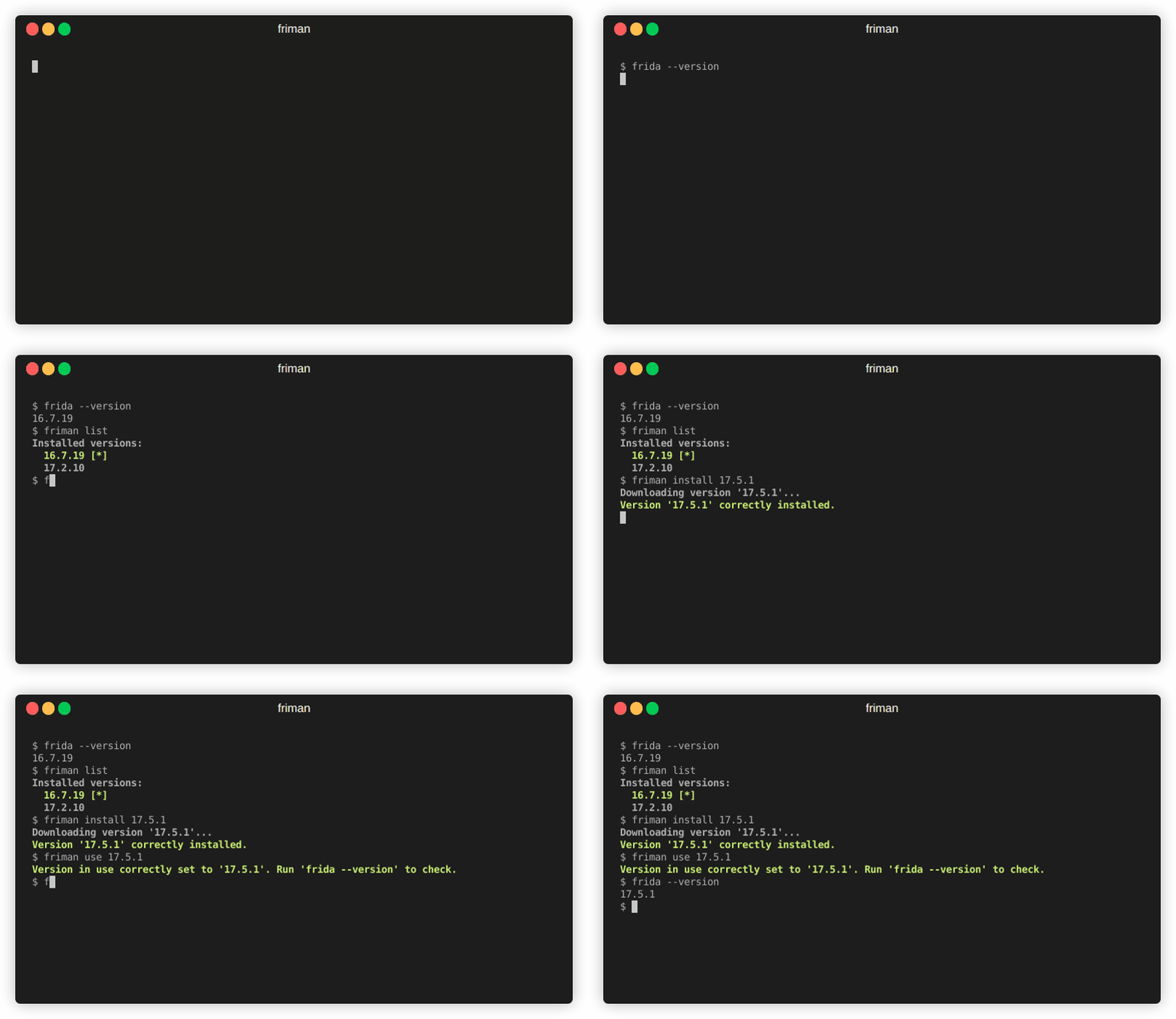
अनुशंसित स्थापना विधि सीधे GitHub से है:
# pipx के साथ (अनुशंसित)
pipx install git+https://github.com/thelicato/friman

# या pip के साथ
pip install git+https://github.com/thelicato/friman
स्थापना के बाद निम्नलिखित चलाएँ:
friman ensurepath # वर्तमान चयनित Frida वातावरण के लिए PATH सेट करें
friman update # उपलब्ध Frida संस्करणों और संगतता मैट्रिक्स की स्थानीय सूची अपडेट करें
friman Frida के कई संस्करणों को स्थापित करने, स्विच करने और प्रबंधित करने के लिए एक कमांड-लाइन इंटरफ़ेस प्रदान करता है। निम्नलिखित मुख्य सहायता आउटपुट है:
Usage: friman [OPTIONS] COMMAND [ARGS]...

Options:
  -v, --version  Show the application's version and exit.
  -d, --debug    Show debug output.
  -h, --help     Show this message and exit.

Commands:
  update       Update the local list of available Frida versions.
  install      Install a <version> of Frida.
  uninstall    Uninstall a <version> of Frida.
  use          Use <version>.
  disable      Disable friman.
  current      Display the currently activated version of Frida.
  list         List all the installed versions.
  ensurepath   Ensure friman directories are correctly set.
  download     Download a specific release file (only server and gadget)...
  push-server  Pushes a the Frida server into the selected ANDROID device.
विशिष्ट सहायता कमांड नीचे दिए गए अनुभागों में उपलब्ध हैं।
update कमांडupdate कमांडUsage: friman update [OPTIONS]
Update the local list of available Frida versions.
Options:
-h, --help Show this message and exit.
install कमांडinstall कमांडUsage: friman install [OPTIONS] version
Install a <version> of Frida.
Arguments:
version The version of Frida to install \[required]
Options:
-f, --force Force install.
--list Show all the installable versions and exit.
-h, --help Show this message and exit.
uninstall कमांडuninstall कमांडUsage: friman uninstall [OPTIONS] version
Uninstall a <version> of Frida.
Arguments:
version The version of Frida to uninstall \[required]
Options:
-h, --help Show this message and exit.
use कमांडuse कमांडUsage: friman use [OPTIONS] version
Use <version>.
Arguments:
version The version of Frida to use \[required]
Options:
-h, --help Show this message and exit.
disable कमांडdisable कमांडUsage: friman disable [OPTIONS]
Disable friman.
Options:
-h, --help Show this message and exit.
current कमांडcurrent कमांडUsage: friman current [OPTIONS]
Display the currently activated version of Frida.
Options:
-h, --help Show this message and exit.
list कमांडlist कमांडUsage: friman list [OPTIONS]
List all the installed versions.
Options:
-h, --help Show this message and exit.
ensurepath कमांडensurepath कमांडUsage: friman ensurepath [OPTIONS]
Ensure friman directories are correctly set.
Options:
-h, --help Show this message and exit.
download कमांडdownload कमांडUsage: friman download [OPTIONS] type platform
Download a specific release file (only server and gadget) for the current
version.
Arguments:
type The selected asset type \[required]
platform The platform to use \[required]
Options:
-o, --output TEXT Select the folder where to download the file.
-h, --help Show this message and exit.
push-server कमांडpush-server कमांडUsage: friman push-server [OPTIONS] device_id platform
Pushes a the Frida server into the selected ANDROID device.
Arguments:
device_id The selected ANDROID device \[required]
platform The platform of the device \[required]
Options:
--list Show all the USB devices and exit.
-h, --help Show this message and exit.
पुल रिक्वेस्ट का स्वागत है! कृपया प्रमुख बदलावों पर चर्चा करने के लिए पहले एक issue खोलें।
friman MIT LICENSE के अंतर्गत जारी किया गया है।
