 shahinst/cdn-ip-scanner
Web-based scanner that discovers fast, low-latency CDN IP addresses from Cloudflare, Fastly and other providers using multi-threaded 5-attempt verification and V2Ray config testing.


High Accuracy • Ultra Fast • Real-Time


🌐 Language: English | فارسی
Install • Features • Usage • What's new • Developers • Donate
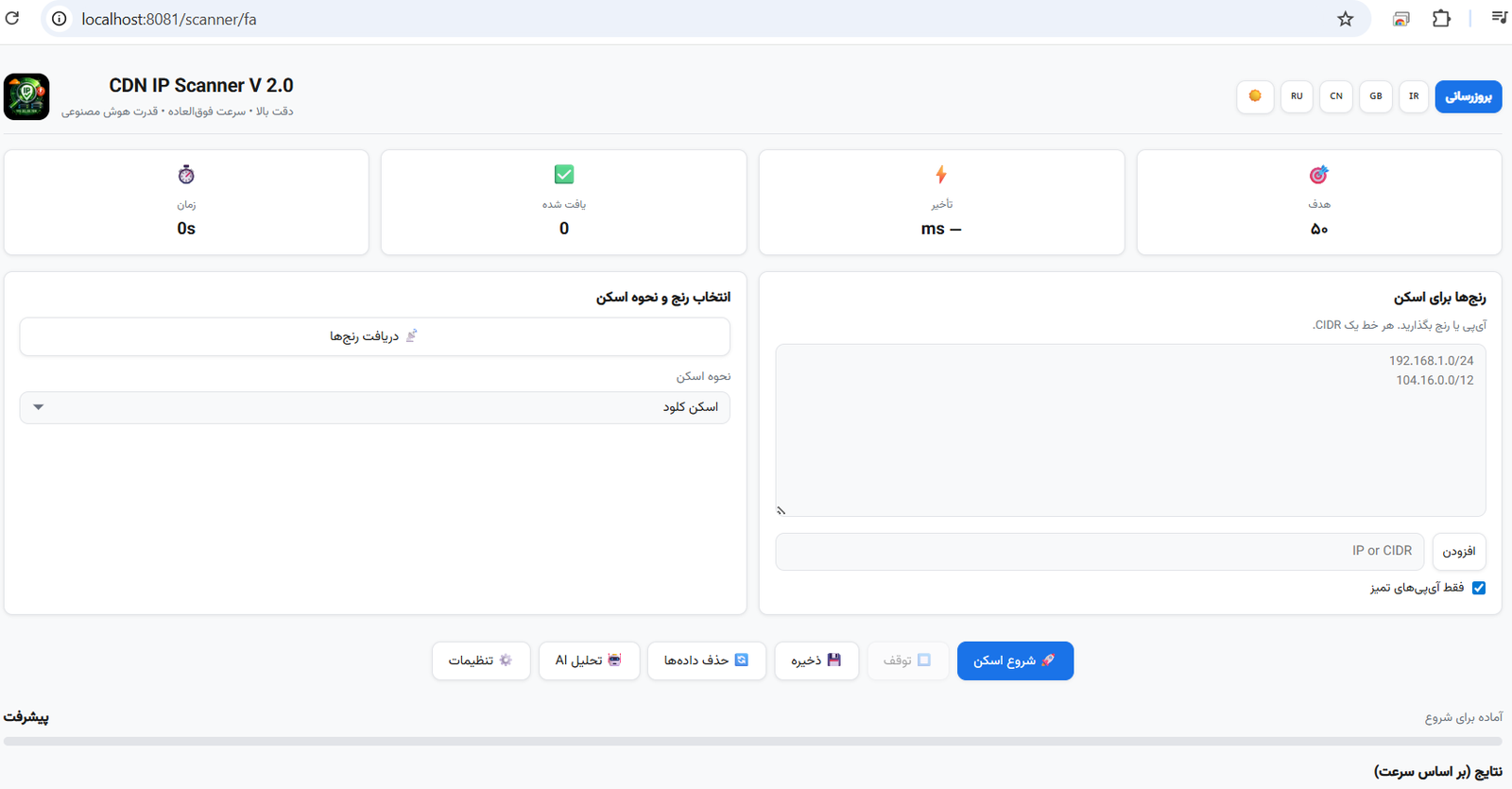
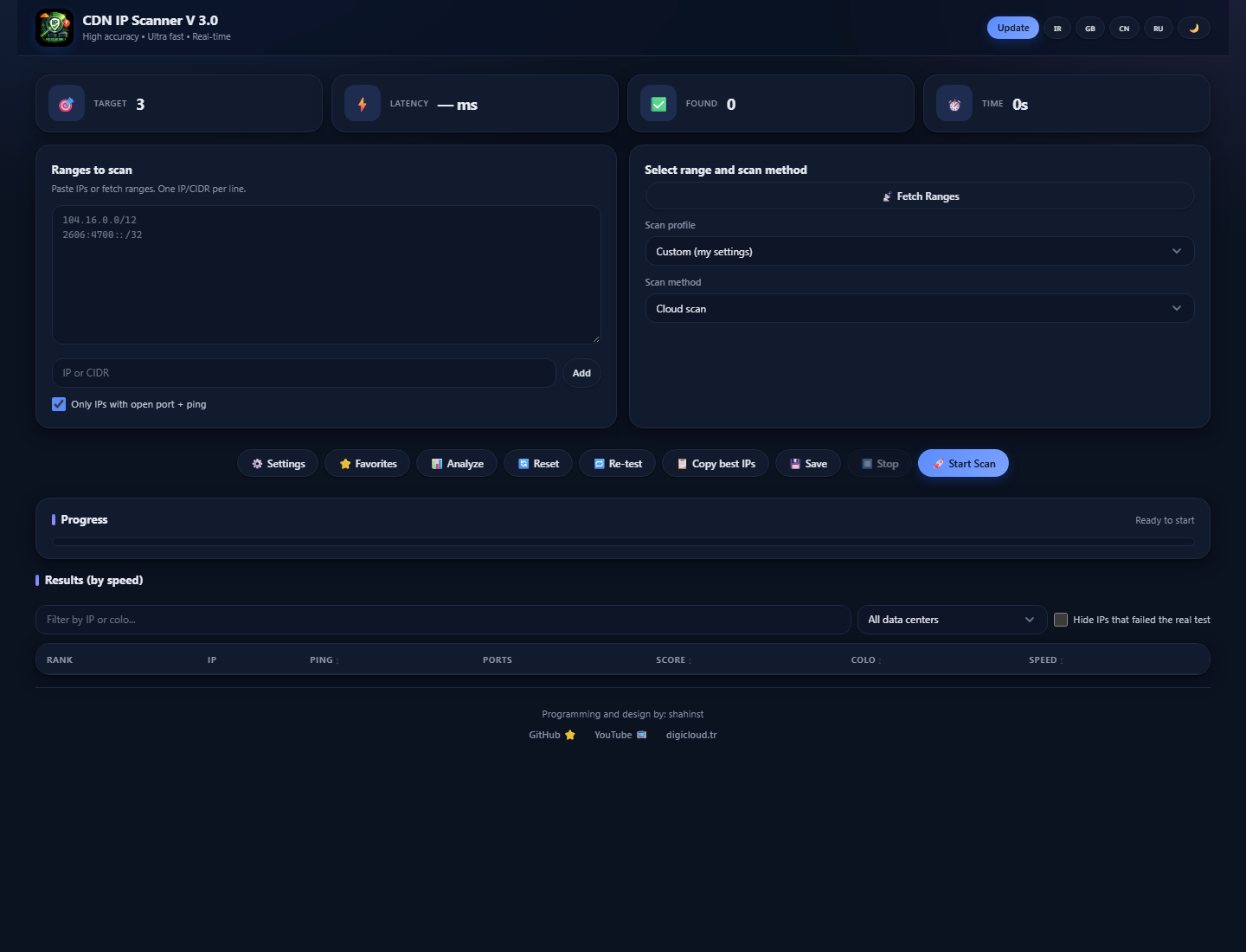
CDN IP Scanner finds the fastest, cleanest edge IPs of Cloudflare, Fastly and other CDNs for your network. Paste a range (or let the app fetch the official ones), press Start, and watch verified IPs appear live with their ping, open ports, data center and a 0–100 score. Give it a V2Ray config and it finds the IPs that really carry traffic for that config, then hands you a subscription link, QR codes or a ready Clash / sing-box file.
Every IP goes through a TCP pre-check and a 5-attempt /cdn-cgi/trace verification (at least 3 genuine
CDN-edge answers are required), so the list only contains IPs that actually respond, not just hosts with an open port.
| How | Best for | |
|---|---|---|
| 🟢 npm app (new in 3.0) | npm install -g cdn-ip-scanner then cdn-ip-scanner --port 8080 | Windows, macOS and Linux desktops — one command, no Python, no installer |
| 📱 Android app | Install the APK from Releases | Scanning directly on the phone, even on mobile data |
| 🐧 Linux server | sudo bash install.sh | A shared, always-on panel behind nginx + TLS + login |
All three share the same feature set, the same UI (npm / server) and the same scoring.
1. Fetch CDN IP ranges (or paste your own)
2. Select scan method (Cloud / Operator / V2Ray)
3. Pick a profile or set target count, ping range and ports yourself
4. Click "Start Scan" and watch results arrive live
5. Re-test, filter, star the good ones
6. Export, copy the best IPs, or download a Clash / sing-box file
| Feature | Description |
|---|---|
| Runs with one command | npx cdn-ip-scanner or npm i -g cdn-ip-scanner — the web UI comes up on the port you choose (default 8080) |
| Modern UI | Dashboard-style theme with light and dark mode, responsive from phones to wide screens, RTL for Persian |
| Multi-source range fetching | Cloudflare API, ASN, GitHub lists, Fastly's verified list, or your own ranges |
| 5-attempt verification | Every IP is tested 5 times with connection reuse — at least 3 real CDN-edge answers are required |
| Real-time results | WebSocket streaming with live charts of scan speed and found-IP ping |
| Scoring | 0–100 score from ping, open ports, download speed and the real config test; dead IPs drop to 0 |
| 4 speed modes + profiles | Hyper / Turbo / Ultra / Deep control the resource use; one-click Quick / Balanced / Thorough / Mobile-data profiles |
| Fair sampling | Round-robin picking from /24 blocks so every range gets covered; IPv4 and IPv6 |
| V2Ray config support | Parse vless://, vmess://, trojan://; test IPs with the config's own SNI/Host and rebuild the config for every working IP |
| Xray real test | The best IPs are tested from inside Xray-core with your config — only IPs that really carry traffic pass |
| Download speed test | Real download through the best IPs; the speed feeds the score |
| Subscription, QR, Clash & sing-box | Subscription link for v2rayN / v2rayNG / Hiddify, copy-all configs, a QR per IP, and ready Clash/Mihomo or sing-box files with auto-select of the fastest IP |
| Operator tagging | Tag results with Iranian (Irancell, MCI, Rightel, Shatel), Chinese or Russian operators — the test runs from the device's own network |
| Data-center names | Colo code plus city (FRA → Frankfurt, DE) in the table, filter and every export |
| Filter & sort | Filter by IP or data center, hide failed tests, sort by ping, score, speed or real delay |
| Re-test & copy best | Re-check every IP of a scan with one click (dead ones get marked) and copy the top 10 |
| Favorites & monitoring | Star IPs, re-check them automatically (5 min – 3 h), 24-hour uptime, Telegram alert when one goes down |
| Scan summary to Telegram | Receive the best IPs of every scan in Telegram (proxy supported) |
| Resume scans | Continue a stopped or interrupted scan from where it left off |
| Export | JSON, Excel (.xlsx), CSV with headers in four languages, or plain text (IPs only) |
| History & logs | Every session is kept with its parameters; live log with a DEBUG mode |
| Diagnostics report | One-click report (version, system, redacted settings, log) to attach to bug reports |
| Multi-language | English, Persian, Chinese, Russian |
| Self-update | In-app update check; the npm app updates itself with npm install -g cdn-ip-scanner@latest |
| Stop any time | The Stop button halts a scan in under 2 seconds |
