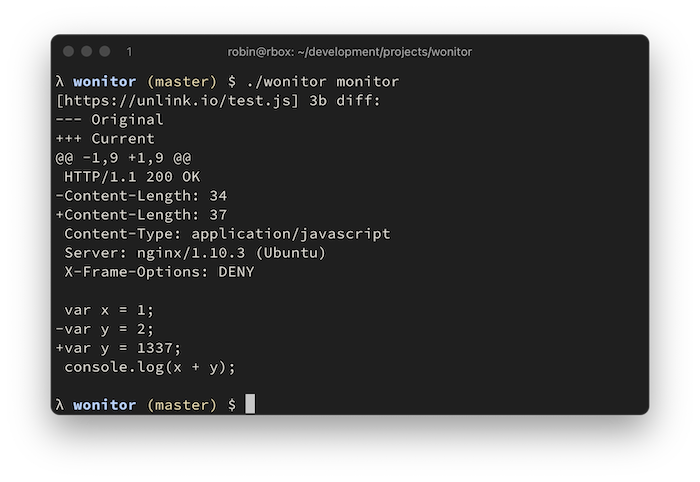
 rverton/wonitor
तेज़, शून्य कॉन्फ़िगरेशन वेब एंडपॉइंट परिवर्तन मॉनिटर

तेज़, शून्य कॉन्फ़िगरेशन वेब एंडपॉइंट परिवर्तन मॉनिटर। प्रतिक्रियाओं की तुलना करने के लिए, HTTP हेडर की एक चयनित सूची और पूर्ण प्रतिक्रिया बॉडी को स्थानीय कुंजी/मान स्टोर फ़ाइल में संग्रहीत किया जाता है। किसी कॉन्फ़िगरेशन की आवश्यकता नहीं है।
--worker फ़्लैग का उपयोग किया जाता है।--headersOnly का उपयोग करने से केवल प्रतिक्रिया हेडर की निगरानी की अनुमति मिलती है।
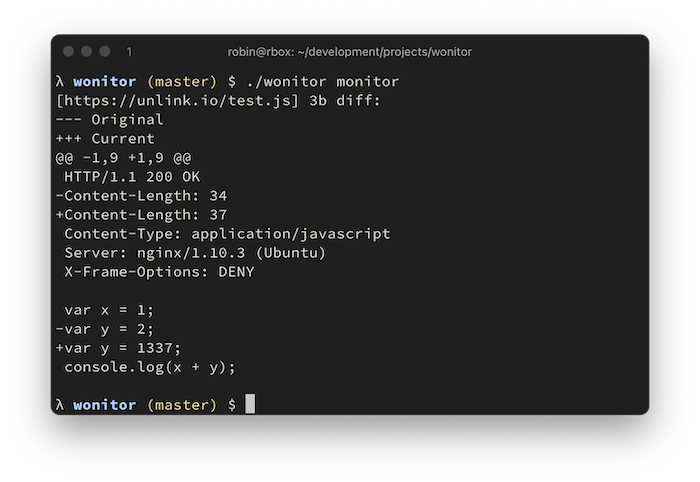
Go के माध्यम से या बाइनरी रिलीज़ से स्थापित करें:
go get -u github.com/rverton/wonitor
λ $ ./wonitor
NAME:
   wonitor - web monitor

USAGE:
   wonitor [global options] command [command options] [arguments...]

COMMANDS:
   add, a      add endpoint to monitor
   delete, d   deletes an endpoint
   get, g      get endpoint body
   list, l     list all monitored endpoints and their body size in bytes
   monitor, m  retrieve all urls and compare them
   help, h     Shows a list of commands or help for one command

GLOBAL OPTIONS:
   --help, -h  show help (default: false)

λ $ ./wonitor add --url https://unlink.io/
+ https://unlink.io/
λ $ ./wonitor monitor --save
[https://unlink.io/] 1576b diff:
--- Original
+++ Current
@@ -1 +1,47 @@
+HTTP/1.1 200 OK
+Content-Type: text/html
+Server: nginx/1.10.3 (Ubuntu)
+X-Frame-Options: DENY

+<html>
+<body>
+<pre>
[... snip ...]
+</pre>
+</body>
+</html>
+

λ $ ./wonitor monitor --save
λ $ # no output because no change detected
सहेजी गई प्रतिक्रिया में निम्नलिखित हेडर भी शामिल हैं और परिवर्तनों के लिए निगरानी की जाती हैं:
var headerToInclude = []string{
	"Host",
	"Content-Length",
	"Content-Type",
	"Location",
	"Access-Control-Allow-Origin",
	"Access-Control-Allow-Methods",
	"Access-Control-Expose-Headers",
	"Access-Control-Allow-Credentials",
	"Allow",
	"Content-Security-Policy",
	"Proxy-Authenticate",
	"Server",
	"WWW-Authenticate",
	"X-Frame-Options",
	"X-Powered-By",
}
