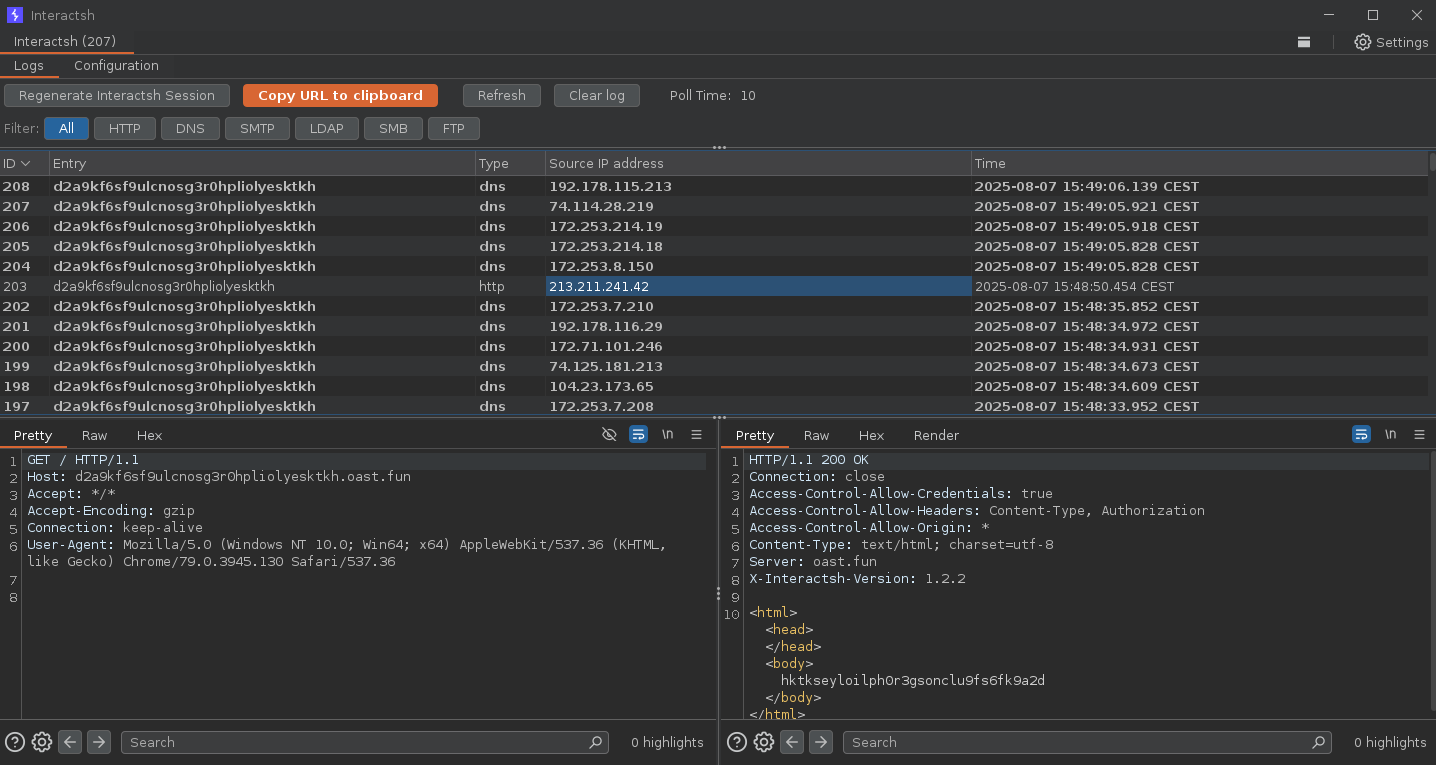
 projectdiscovery/interactsh
एक OOB इंटरैक्शन संग्रह सर्वर और क्लाइंट लाइब्रेरी






विशेषताएँ • उपयोग • Interactsh क्लाइंट • Interactsh सर्वर • Interactsh एकीकरण • Discord से जुड़ें
Interactsh आउट-ऑफ-बैंड इंटरैक्शन का पता लगाने के लिए एक ओपन-सोर्स टूल है। यह बाहरी इंटरैक्शन का कारण बनने वाली कमजोरियों का पता लगाने के लिए डिज़ाइन किया गया एक टूल है।
interactsh-client -h
यह टूल के लिए सहायता प्रदर्शित करेगा। यहाँ सभी स्विच दिए गए हैं जिनका यह समर्थन करता है।```yaml
Usage:
  ./interactsh-client [flags]

Flags:
INPUT:
   -s, -server string   interactsh server(s) to use (default "oast.pro,oast.live,oast.site,oast.online,oast.fun,oast.me")
   -fl, -file string[]  local file(s) to upload and host on the interactsh server

CONFIG:
   -config string                           flag configuration file (default "$HOME/.config/interactsh-client/config.yaml")
   -auth                                    configure projectdiscovery cloud (pdcp) api key (default true)
   -n, -number int                          number of interactsh payload to generate (default 1)
   -t, -token string                        authentication token to connect protected interactsh server
   -pi, -poll-interval int                  poll interval in seconds to pull interaction data (default 5)
   -nf, -no-http-fallback                   disable http fallback registration
   -cidl, -correlation-id-length int        length of the correlation id preamble (min 3, default 20) (default 20)
   -cidn, -correlation-id-nonce-length int  length of the correlation id nonce (min 3, default 13) (default 13)
   -sf, -session-file string                store/read from session file
   -kai, -keep-alive-interval value         keep alive interval (default 1m0s)

FILTER:
   -m, -match string[]   match interaction based on the specified pattern
   -f, -filter string[]  filter interaction based on the specified pattern
   -dns-only             display only dns interaction in CLI output
   -http-only            display only http interaction in CLI output
   -smtp-only            display only smtp interactions in CLI output
   -asn                   include asn information of remote ip in json output

UPDATE:
   -up, -update                 update interactsh-client to latest version
   -duc, -disable-update-check  disable automatic interactsh-client update check

OUTPUT:
   -o string                         output file to write interaction data
   -json                             write output in JSON Lines format
   -ps, -payload-store               write generated interactsh payload to file
   -psf, -payload-store-file string  store generated interactsh payloads to given file (default "interactsh_payload.txt")
   -fsf, -file-store-file string     store hosted file URLs to given file (requires -file)
   -v                                display verbose interaction

DEBUG:
   -version            show version of the project
   -health-check, -hc  run diagnostic check up
Interactsh CLI क्लाइंट को सफलतापूर्वक इंस्टॉल करने के लिए go1.20+ की आवश्यकता होती है। रेपो प्राप्त करने के लिए निम्नलिखित कमांड चलाएँ -```sh go install -v github.com/projectdiscovery/interactsh/cmd/interactsh-client@latest
### Interactsh CLI Client के साथ PDCP_API_KEY कॉन्फ़िगर करें
> https://cloud.projectdiscovery.io पर साइन अप करके अपनी मुफ़्त API key प्राप्त करें

आप अपनी PDCP_API_KEY को दो तरीकों से कॉन्फ़िगर कर सकते हैं:
1. API key को इंटरैक्टिव रूप से कॉन्फ़िगर करने के लिए, निम्नलिखित कमांड चलाएँ:   ```sh
   ./interactsh-client -auth
यह एक अद्वितीय पेलोड उत्पन्न करेगा जिसका उपयोग आउटपुट में न्यूनतम इंटरैक्शन जानकारी के साथ OOB परीक्षण के लिए किया जा सकता है।```console $ interactsh-client
_ __ __ __
()__ / /____ _________ / // /_
/ / __ / / _ / / __ '/ / __/ __/ __
/ / / / / // __/ / / // / // /( ) / / /
/// //_/_// _,/___/_/__// // v0.0.5
projectdiscovery.io
[INF] Listing 1 payload for OOB Testing [INF] c23b2la0kl1krjcrdj10cndmnioyyyyyn.oast.pro
[c23b2la0kl1krjcrdj10cndmnioyyyyyn] Received DNS interaction (A) from 172.253.226.100 at 2021-26-26 12:26 [c23b2la0kl1krjcrdj10cndmnioyyyyyn] Received DNS interaction (AAAA) from 32.3.34.129 at 2021-26-26 12:26 [c23b2la0kl1krjcrdj10cndmnioyyyyyn] Received HTTP interaction from 43.22.22.50 at 2021-26-26 12:26 [c23b2la0kl1krjcrdj10cndmnioyyyyyn] Received HTTPS interaction from 43.22.22.50 at 2021-26-26 12:26 [c23b2la0kl1krjcrdj10cndmnioyyyyyn] Received DNS interaction (MX) from 43.3.192.3 at 2021-26-26 12:26 [c23b2la0kl1krjcrdj10cndmnioyyyyyn] Received DNS interaction (TXT) from 74.32.183.135 at 2021-26-26 12:26 [c23b2la0kl1krjcrdj10cndmnioyyyyyn] Received SMTP interaction from 32.85.166.50 at 2021-26-26 12:26
### सत्र फ़ाइल

`interactsh-client` में `-sf, -session-file` फ़्लैग का उपयोग उपयोगकर्ता-निर्धारित फ़ाइल से वर्तमान सत्र जानकारी संग्रहीत/पढ़ने के लिए किया जा सकता है, जो क्लाइंट के बंद या रुक जाने के बाद भी इंटरैक्शन को पोल करने के लिए उसी सत्र को फिर से शुरू करने में उपयोगी है।```console
$ interactsh-client -sf interact.session

    _       __                       __       __
   (_)___  / /____  _________ ______/ /______/ /_
  / / __ \/ __/ _ \/ ___/ __ '/ ___/ __/ ___/ __ \
 / / / / / /_/  __/ /  / /_/ / /__/ /_(__  ) / / /
/_/_/ /_/\__/\___/_/   \__,_/\___/\__/____/_/ /_/ 1.0.3

        projectdiscovery.io

[INF] Listing 1 payload for OOB Testing
[INF] c23b2la0kl1krjcrdj10cndmnioyyyyyn.oast.pro
