 nccgroup/wubes
Windows पर Qubes कंटेनरीकरण

Wubes, Qubes जैसा है, लेकिन Windows के लिए। विचार यह है कि Windows Sandbox तकनीक का लाभ उठाकर एप्लिकेशन को अलगाव (isolation) में चलाया जाए।
हम वर्तमान में निम्नलिखित एप्लिकेशन के लिए Windows Sandbox चलाने का समर्थन करते हैं:
अन्य एप्लिकेशन आसानी से जोड़े जा सकते हैं।
रिपॉजिटरी में फ़ाइलों और फ़ोल्डरों का निम्नलिखित पदानुक्रम है:
.
├── sandboxes                       // Contains folders shared between the sandboxes and the host
│   ├── Firefox                         // Folder shared between the host and the Firefox sandbox
│   │   ├── abcdefgh.default-release        // Firefox profile copied from the host
│   │   ├── backups                         // Contains a backup of all previous Firefox profiles
│   │   ├── install.bat                     // Install script automatically executed when the Windows Sandbox starts (see below)
│   │   └── save.bat                        // Script to manually execute to save modified Firefox profile onto the host for next Windows Sandbox run
│   └── Firefox.wsb                     // Windows Sandbox profile for Firefox. Double-click to open the sandbox
└── shared
    └── Tools
        └── procexp64.exe
आपके पास Windows 10 Pro या Enterprise होना आवश्यक है, और यहाँ दिए गए क्विक स्टार्ट का पालन करें।
प्रत्येक एप्लिकेशन के पास एक Windows Sandbox प्रोफ़ाइल (जैसे Firefox.wsb) होती है, जो उस होस्ट फ़ोल्डर को परिभाषित करती है जहाँ wubes फ़ाइलें स्थित हैं (आपको इसे अपने वातावरण से मेल खाने के लिए संशोधित करना होगा), साथ ही Sandbox के अंदर के पथ भी, जो हमेशा समान रहेंगे (उन्हें संशोधित करने की आवश्यकता नहीं है)।
<Configuration>
<vGPU>Enable</vGPU>
<Networking>Default</Networking>
<MappedFolders>
   <MappedFolder>
     <HostFolder>C:\path\to\wubes\sandboxes\Firefox</HostFolder>
     <ReadOnly>false</ReadOnly>
   </MappedFolder>
</MappedFolders>
<LogonCommand>
   <Command>C:\users\WDAGUtilityAccount\Desktop\Firefox\install.bat</Command>
</LogonCommand>
</Configuration>
जब हम Windows Sandbox प्रोफ़ाइल (जैसे Firefox.wsb) खोलते हैं, तो यह स्वचालित रूप से install.bat स्क्रिप्ट को कॉल करके Firefox को डाउनलोड करेगा, Firefox को एक बार चलाकर एक खाली प्रोफ़ाइल बनाएगा, फिर प्रोफ़ाइल को साझा फ़ोल्डर वाली प्रोफ़ाइल से बदल देगा और Firefox को फिर से चलाएगा। यह काम करने के लिए, आपको पहले अपने होस्ट पर उपयोग की गई Firefox प्रोफ़ाइल (जैसे %APPDATA%\Mozilla\Firefox\Profiles\d63zctv5.default-release) को wubes\sandboxes\Firefox\abcdefgh.default-release में कॉपी करना होगा। हम हार्डकोडेड abcdefgh का उपयोग करते हैं ताकि आपको आंतरिक सहायक स्क्रिप्ट्स को संशोधित न करना पड़े।
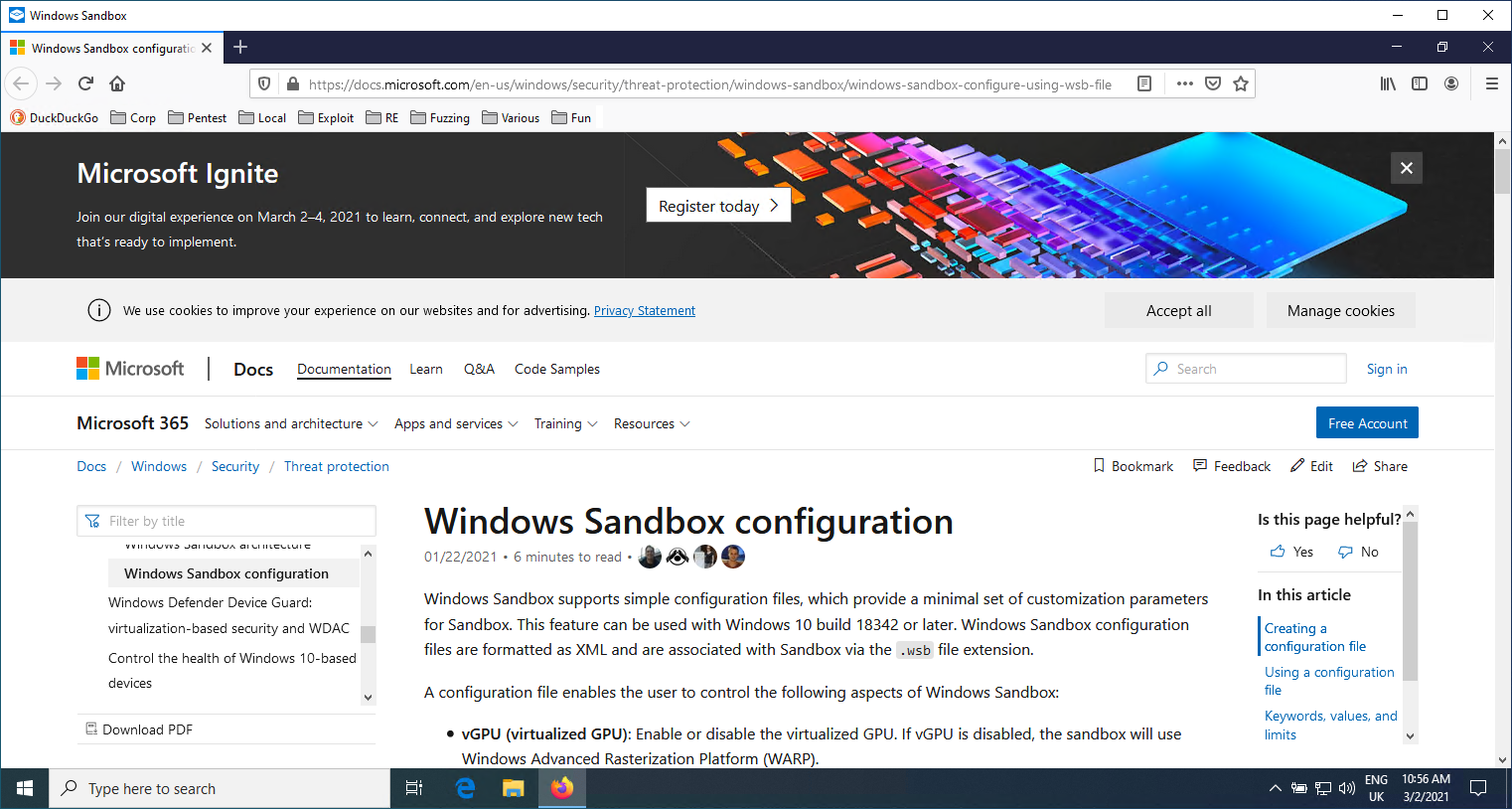
आप देख सकते हैं कि बुकमार्क टूलबार में मेरे सभी बुकमार्क मौजूद हैं और इसने एक पुराना टैब फिर से खोल दिया है।
एक बार जब हम इंटरनेट ब्राउज़ करना समाप्त कर लेते हैं, तो हम सैंडबॉक्स के अंदर से C:\Users\WDAGUtilityAccount\Desktop\Firefox\save.bat फ़ाइल को निष्पादित कर सकते हैं। यह हमारी Firefox प्रोफ़ाइल का बैकअप होस्ट पर ले जाएगा। फिर हम Windows Sandbox विंडो को बंद कर सकते हैं।
आप अपने Downloads फ़ोल्डर को C:\users\WDAGUtilityAccount\Desktop\Firefox\Downloads के रूप में परिभाषित कर सकते हैं, ताकि आप फ़ाइलों को सीधे अपने होस्ट पर डाउनलोड कर सकें।
