 mnrkbys/ma2tl
macOS फोरेंसिक टाइमलाइन जनरेटर जो mac_apt के विश्लेषण परिणाम डेटाबेस का उपयोग करता है

यह mac_apt के विश्लेषण परिणाम DBs से macOS फोरेंसिक टाइमलाइन उत्पन्न करने के लिए एक DFIR टूल है।
% git clone https://github.com/mnrkbys/ma2tl.git
% python ./ma2tl.py -h
usage: ma2tl.py [-h] [-i INPUT] [-o OUTPUT] [-ot OUTPUT_TYPE] [-s START] [-e END] [-t TIMEZONE] [-l LOG_LEVEL] plugin [plugin ...]

Forensic timeline generator using mac_apt analysis results. Supports only SQLite DBs.

positional arguments:
  plugin                Plugins to run (space separated).

optional arguments:
  -h, --help            show this help message and exit
  -i INPUT, --input INPUT
                        Path to a folder that contains mac_apt DBs.
  -o OUTPUT, --output OUTPUT
                        Path to a folder to save ma2tl result.
  -ot OUTPUT_TYPE, --output_type OUTPUT_TYPE
                        Specify the output file type: SQLITE, XLSX, TSV (Default: SQLITE)
  -s START, --start START
                        Specify start timestamp. (ex. 2021-11-05 08:30:00)
  -e END, --end END     Specify end timestamp.
  -t TIMEZONE, --timezone TIMEZONE
                        Specify Timezone: "UTC", "Asia/Tokyo", "US/Eastern", etc (Default: System Local Timezone)
  -l LOG_LEVEL, --log_level LOG_LEVEL
                        Specify log level: INFO, DEBUG, WARNING, ERROR, CRITICAL (Default: INFO)

The following 4 plugins are available:
    FILE_DOWNLOAD       Extract file download activities.
    PERSISTENCE         Extract persistence settings.
    PROG_EXEC           Extract program execution activities.
    VOLUME_MOUNT        Extract volume mount/unmount activities.
    ----------------------------------------------------------------------------
    ALL                 Run all plugins
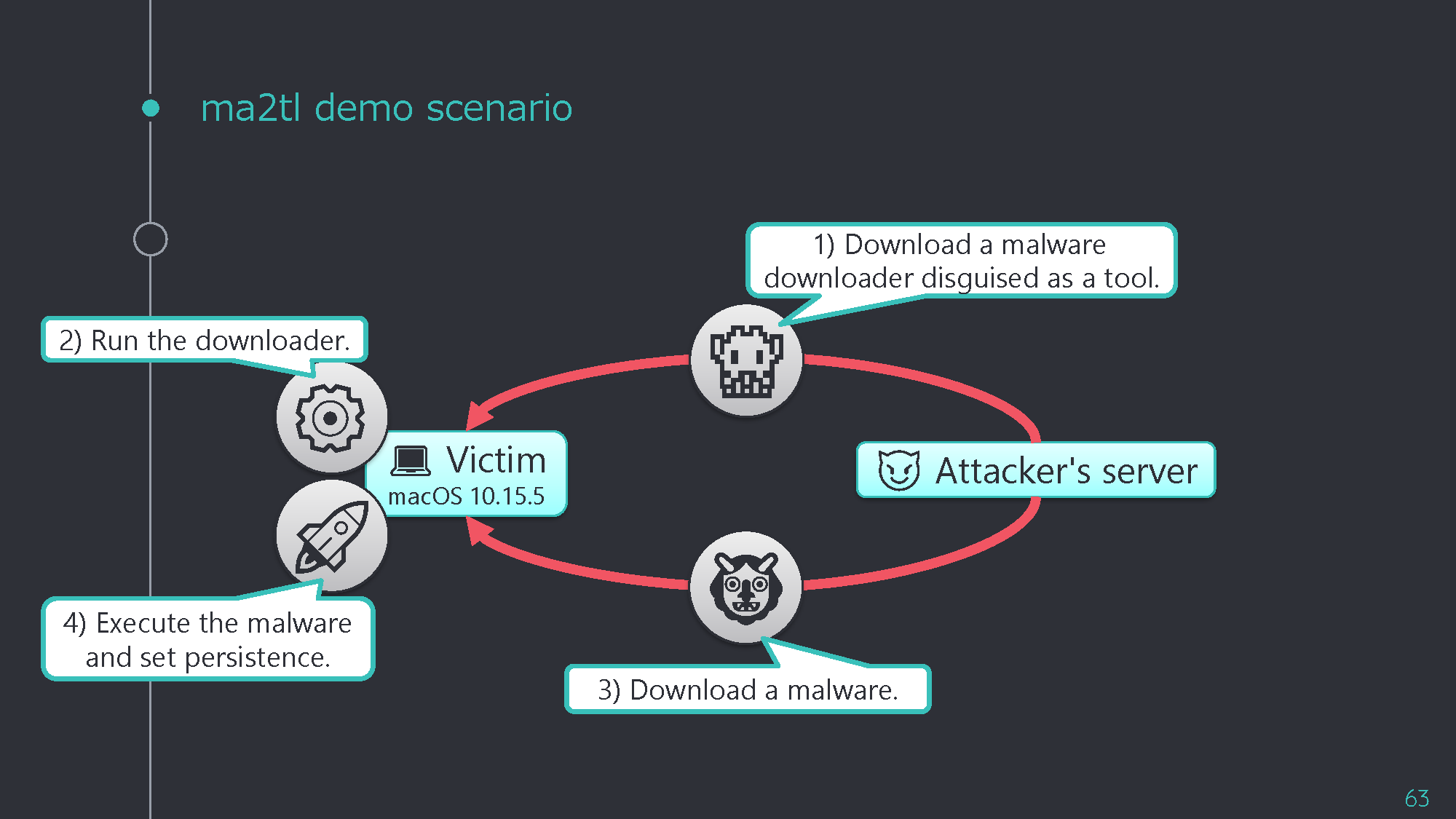
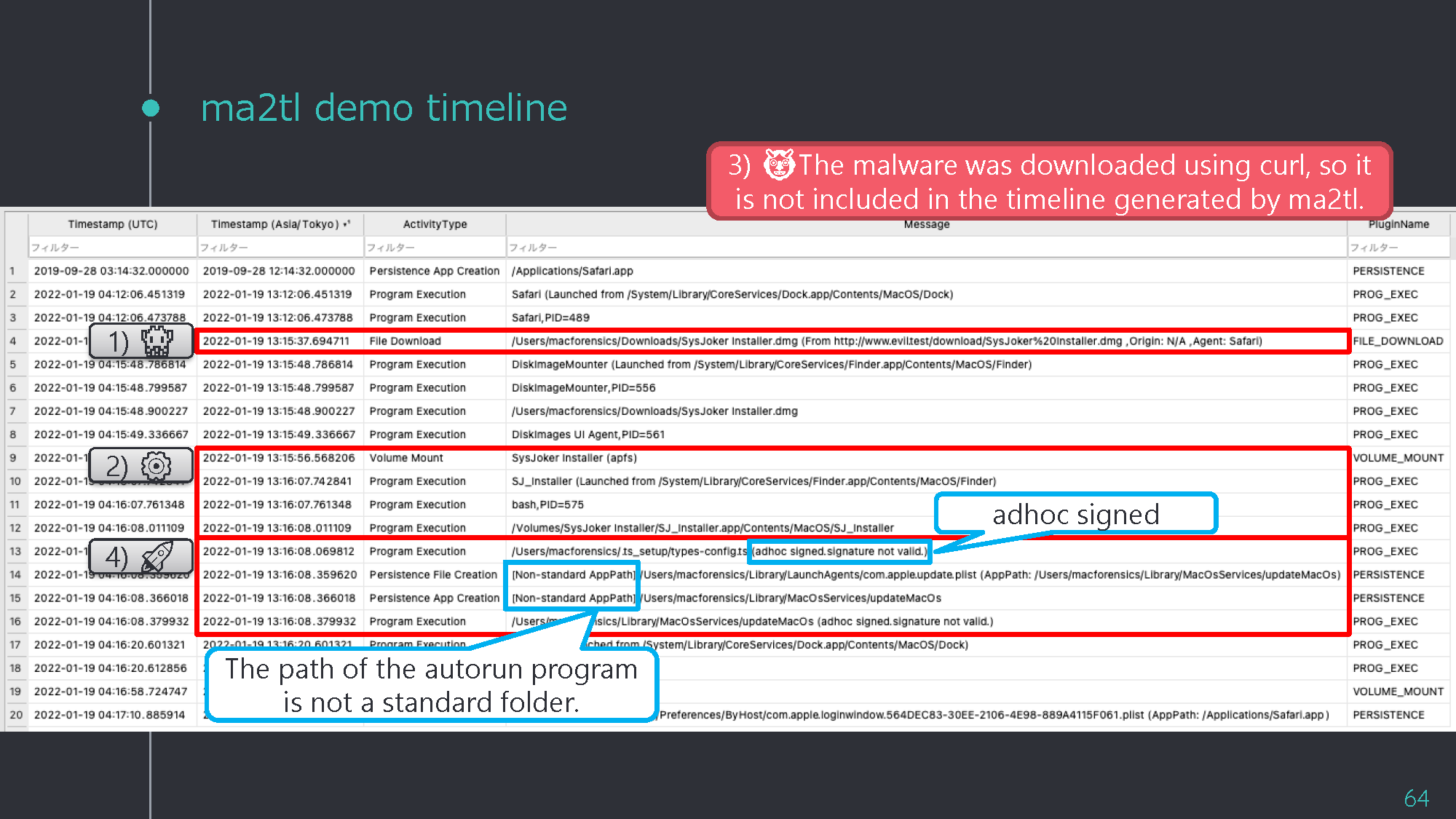
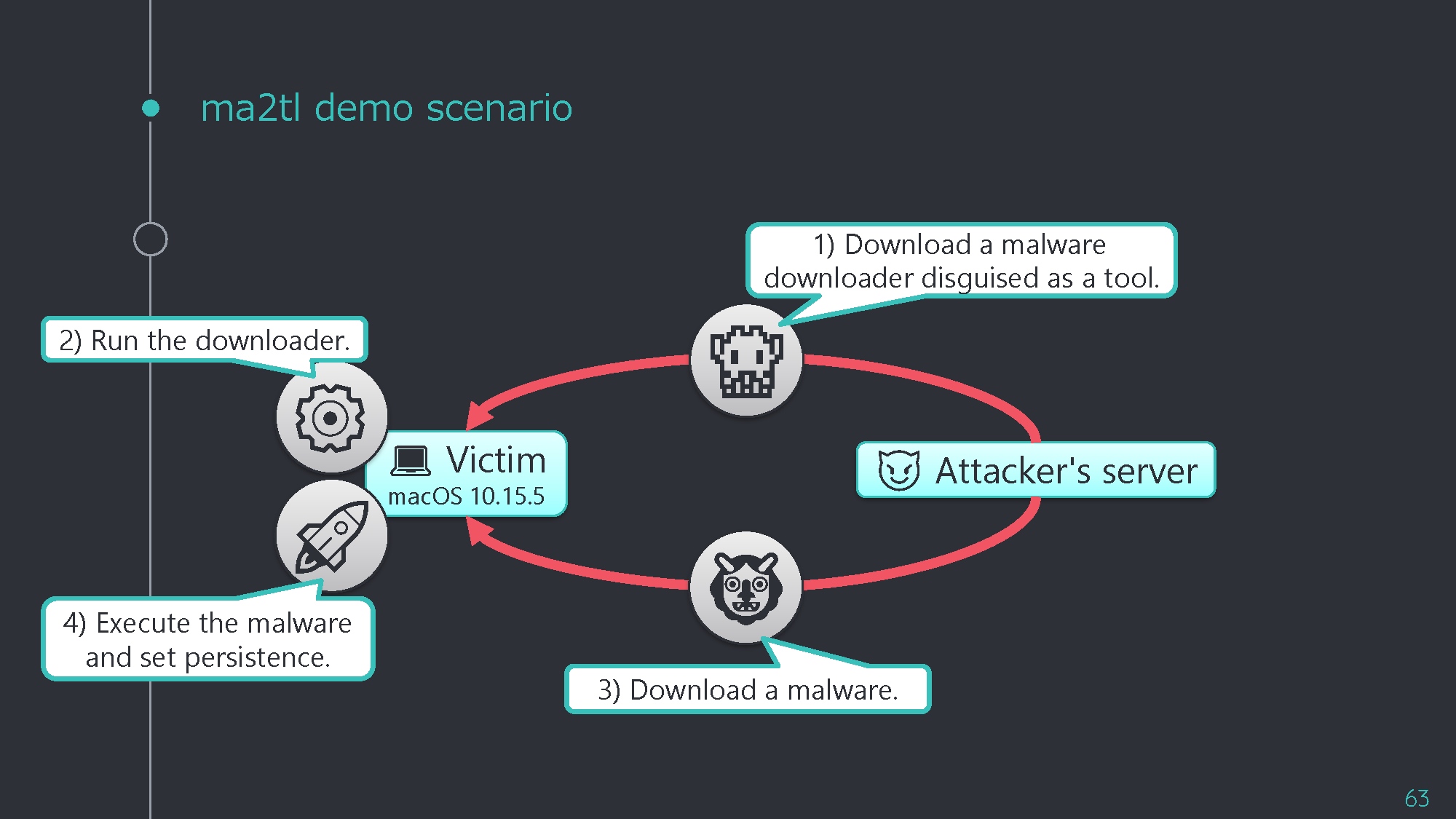
दुर्भाग्य से, mac_apt का नवीनतम संस्करण Unified Logs फ़ाइलों को सही ढंग से पार्स नहीं कर सकता। इसलिए आपको UnifiedLogs.db को सहायक उपकरण द्वारा बनाए गए डेटाबेस से बदलना होगा।
यह टूल Japan Security Analyst Conference 2022 (JSAC2022) में प्रकाशित किया गया था।
स्लाइड्स नीचे उपलब्ध हैं:
