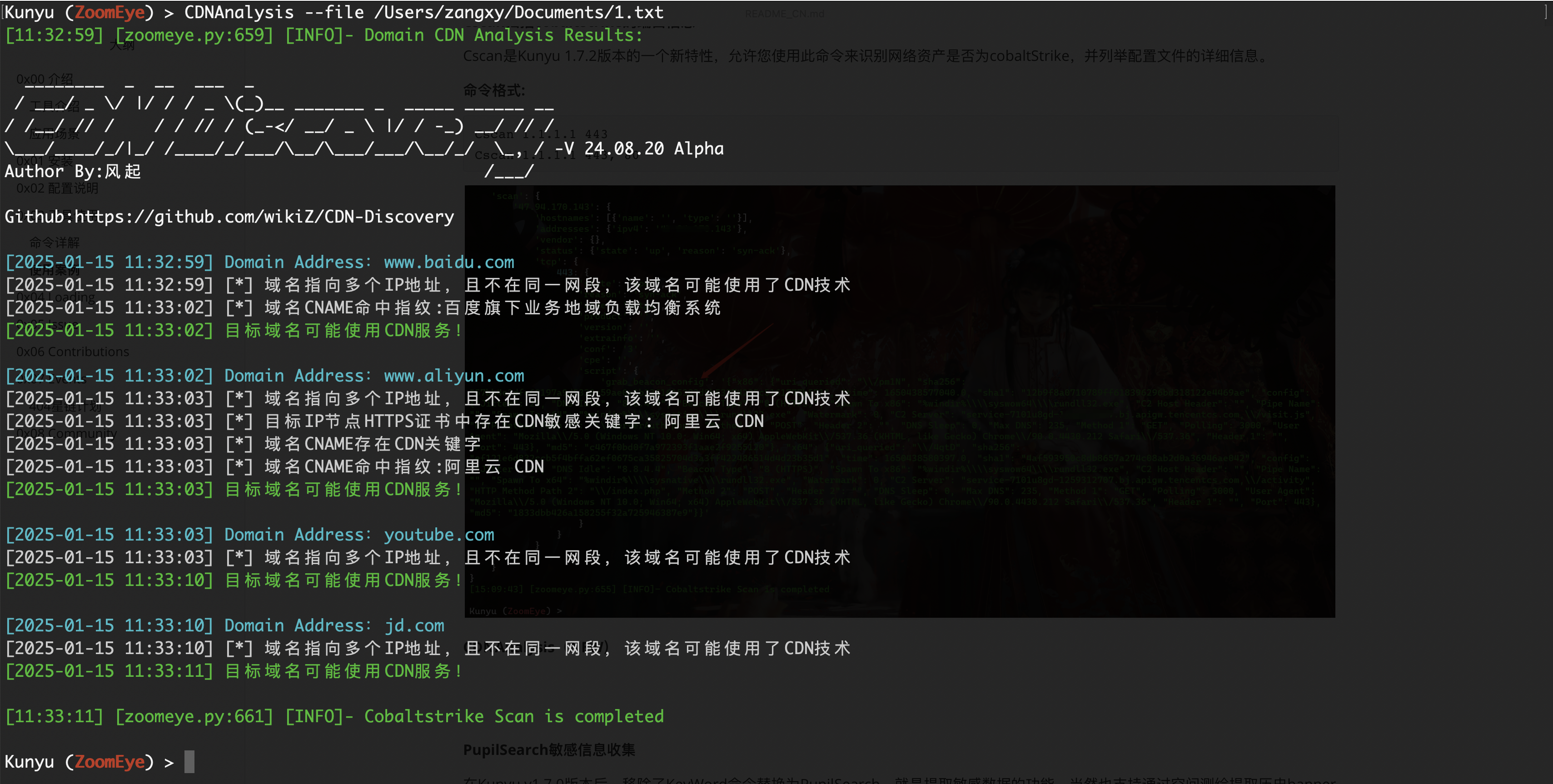
 knownsec/kunyu
Kunyu, अधिक कुशल कॉर्पोरेट संपत्ति संग्रह


अंग्रेज़ी | 中文文档

कुन्यु (kunyu), जिसका नाम से लिया गया है, वास्तव में भौगोलिक जानकारी से संबंधित एक पेशेवर विषय है, जो समुद्र, भूमि और आकाश की भौगोलिक जानकारी को गिनता है। यही बात साइबरस्पेस पर भी लागू होती है। अज्ञात और कमजोर संपत्तियों की खोज के बारे में भी यही सच है। यह एक साइबरस्पेस मानचित्र की तरह है, जिसका उपयोग साइबरस्पेस संपत्तियों, साइबरस्पेस के विभिन्न तत्वों और तत्वों के बीच संबंधों के साथ-साथ साइबरस्पेस और वास्तविक स्थान के बीच मानचित्रण संबंध का व्यापक वर्णन और प्रदर्शन करने के लिए किया जाता है। इसलिए मुझे लगता है कि "Kun Yu" अभी भी इस अवधारणा में फिट बैठता है।
कुन्यु का उद्देश्य कॉर्पोरेट संपत्ति संग्रह को अधिक कुशल बनाना और अधिक सुरक्षा-संबंधित चिकित्सकों को साइबरस्पेस सर्वेक्षण और मानचित्रण तकनीक को समझने और उपयोग करने में सक्षम बनाना है।
कुन्यु के उपयोग के लिए, कई अनुप्रयोग परिदृश्य हो सकते हैं, जैसे:
Python3 या उच्च संस्करण की आवश्यकता है``` git clone https://github.com/knownsec/Kunyu.git cd Kunyu pip3 install -r requirements.txt
Linux: python3 setup.py install kunyu console
Windows: cd kunyu python3 console.py
PYPI: pip3 install kunyu
P.S. Windows also supports python3 setup.py install.
# 0x02 कॉन्फ़िगरेशन निर्देश
जब आप पहली बार प्रोग्राम चलाते हैं, तो ऑपरेशन को आरंभ करने के लिए निम्नलिखित कमांड दर्ज करें। अन्य लॉगिन विधियाँ प्रदान की गई हैं, और API विधि अनुशंसित है (username/password लॉगिन अप्रचलित है)।```
kunyu init --apikey <your zoomeye key> --seebug <your seebug key>
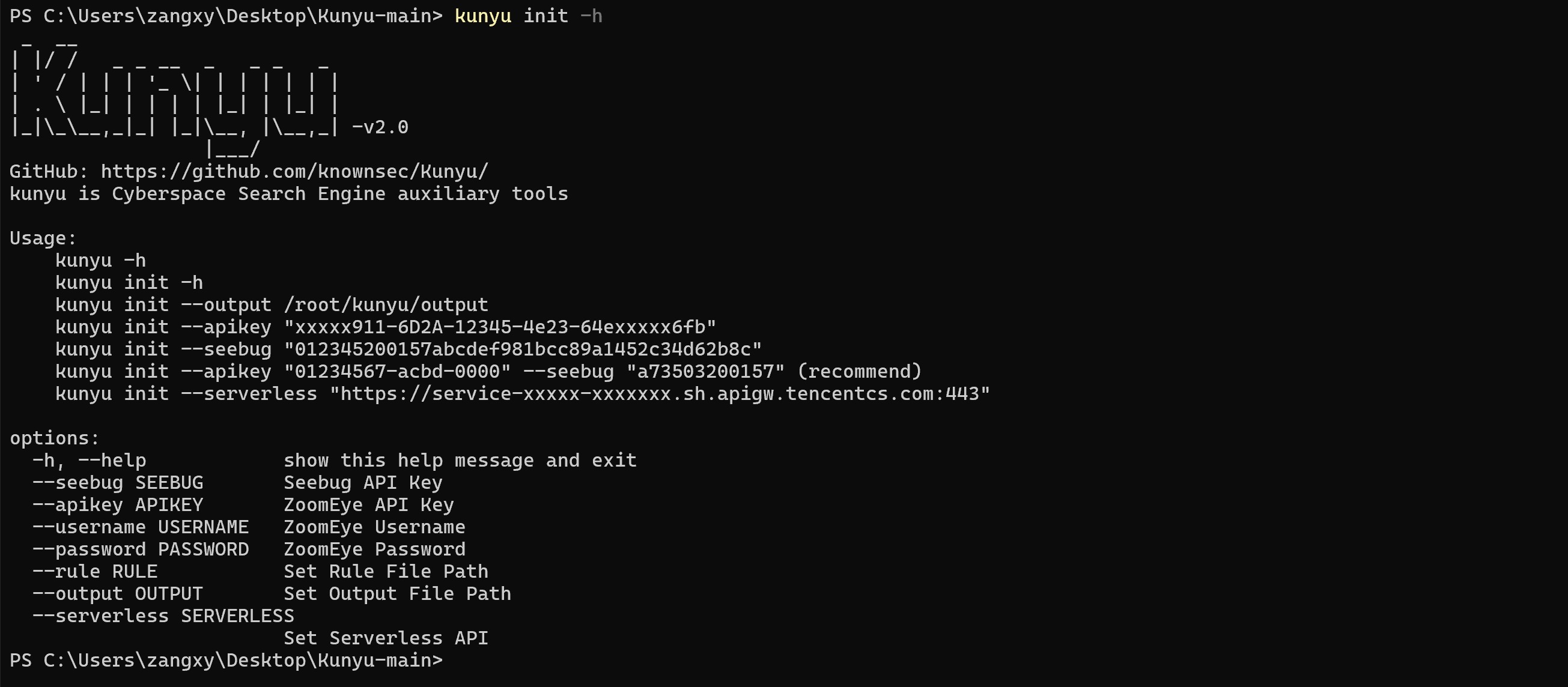
पहली बार उपयोग करने पर, आपको टूल का उपयोग करके जानकारी एकत्र करने के लिए ZoomEye लॉगिन क्रेडेंशियल का उपयोग करना होगा। वर्तमान में, ZoomEye API के लिए भुगतान आवश्यक है।
ZoomEye एक्सेस पता: https://www.zoomeye.org/
Seebug एक्सेस पता: https://www.seebug.org/
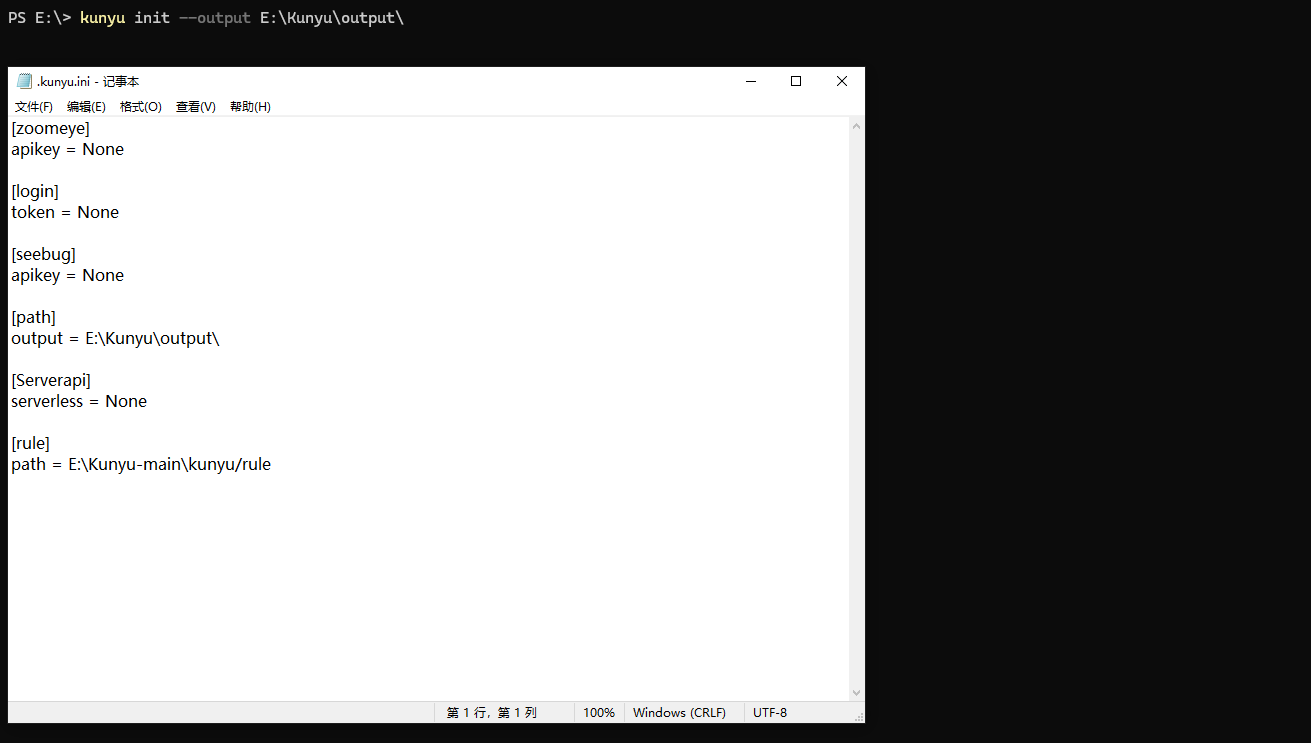
आउटपुट फ़ाइल पथ निम्नलिखित कमांड द्वारा अनुकूलित किया जा सकता है, डिफ़ॉल्ट आउटपुट पथ है: C:/Users/active user/kunyu/output/ या /active user/kunyu/output``` kunyu init --output C:\Users\风起\kunyu\output
# 0x03 उपकरण निर्देश
## विस्तृत कमांड```
kunyu console
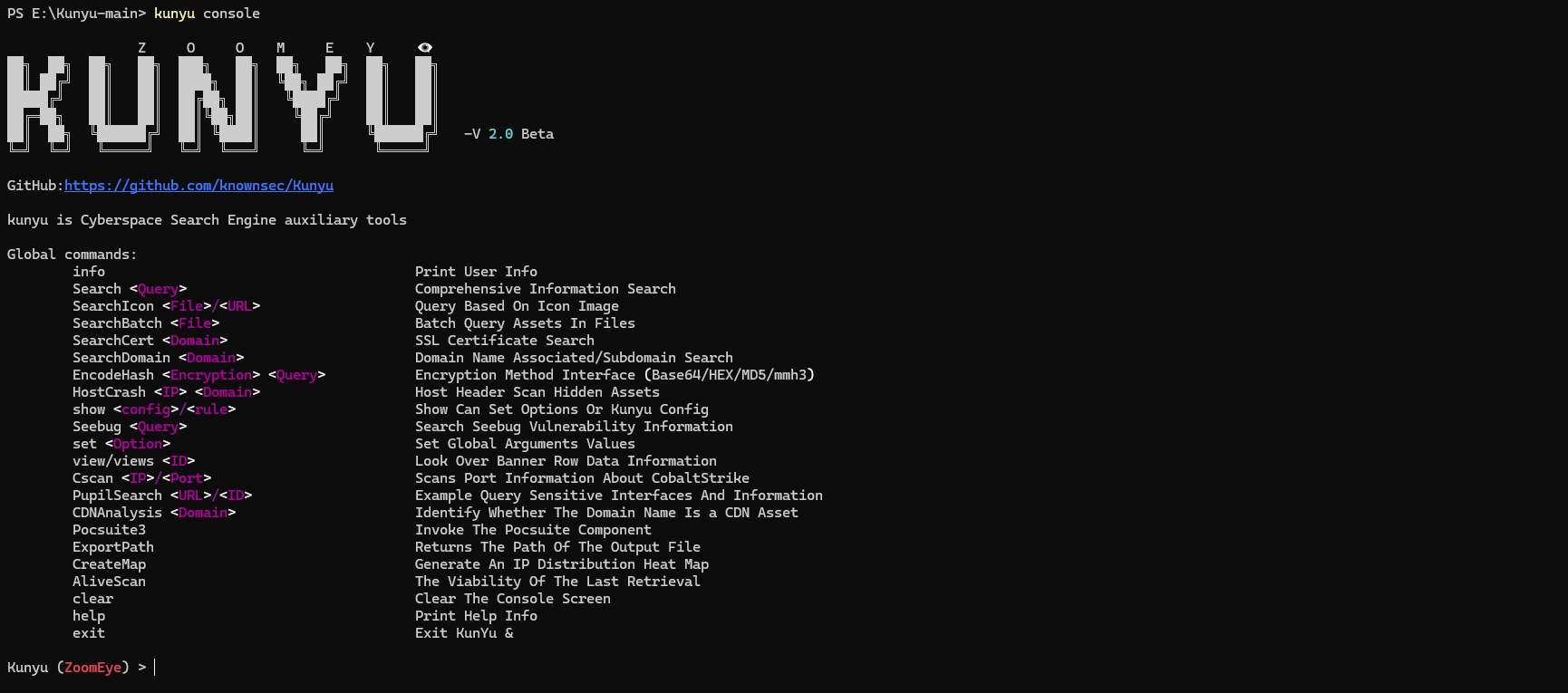
ZoomEye``` Global commands: info Print User Info Search Comprehensive Information Search SearchIcon / Query Based On Icon Image SearchBatch Batch Query Assets In Files SearchCert SSL Certificate Search SearchDomain Domain Name Associated/Subdomain Search EncodeHash Encryption Method Interface (Base64/HEX/MD5/mmh3) HostCrash Host Header Scan Hidden Assets show / Show Can Set Options Or Kunyu Config Seebug Search Seebug Vulnerability Information set Set Global Arguments Values view/views Look Over Banner Row Data Information Cscan / Scans Port Information About CobaltStrike PupilSearch / Example Query Sensitive Interfaces And Information CDNAnalysis Identify Whether The Domain Name Is a CDN Asset Pocsuite3 Invoke The Pocsuite Component ExportPath Returns The Path Of The Output File CreateMap Generate An IP Distribution Heat Map AliveScan The Viability Of The Last Retrieval clear Clear The Console Screen help Print Help Info exit Exit KunYu &
**विकल्प**```
ZoomEye:
        page <Number>       		The number of pages returned by the query (default:1)
        size <Number>      		Set the number of searches per page (default:10)
        fields <fields>     		Set the response field information
        dtype <0/1>         		Query associated domain name/subdomain name
        stype <v4/v6>       		stype <v4/v6> Set to get data type IPV4 or IPV6
        btype <host/web>    		Set the API interface for batch query
        timeout <num>       		Set the timeout period of Kunyu HTTP request
        thread              		Set PupilSearch Thread Number(default is 10)
        deep                		Set PupilSearch Search Deep(default is 2)
        all                 		PupilSearch Add All Url To Check List
        fuzz                		PupilSearch Add Api To Check List
        proxy               		PupilSearch HTTP Proxy
Kunyu उपयोग ट्यूटोरियल इस प्रकार है
उपयोगकर्ता जानकारी क्वेरी

व्यापक खोज (नया)
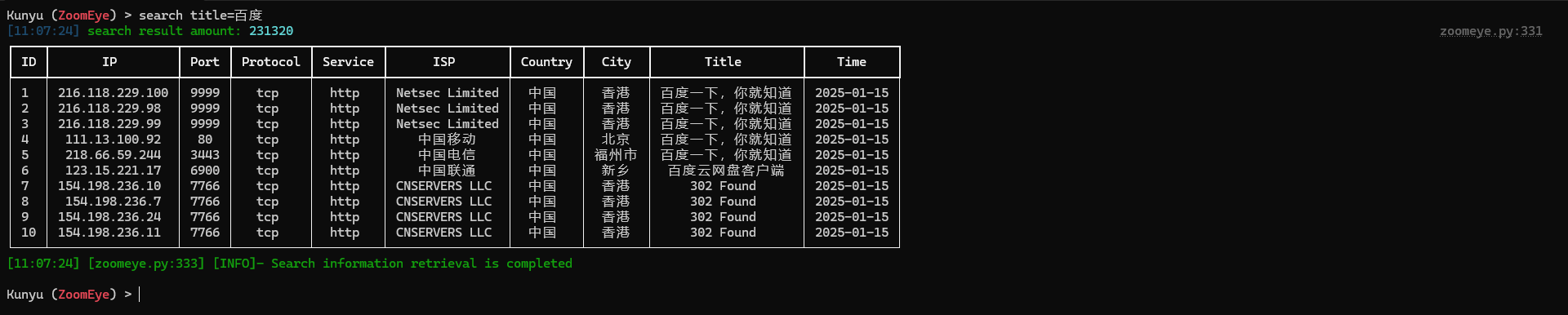
कस्टम आउटपुट फ़ील्ड्स (नया)
समर्थित कस्टम आउटपुट फ़ील्ड्स के लिए कृपया निम्नलिखित देखें:


