
Skip to content
KitploitKITPLOIT
उपकरणएक्सप्लॉइटब्लॉग
Log in
जमा करें
उपकरणएक्सप्लॉइटब्लॉग
जमा करें

हैकिंग, पेनटेस्ट और साइबर सुरक्षा उपकरण आपके सुरक्षा शस्त्रागार के लिए!

Kitploit हैकिंग, साइबर सुरक्षा और पेंटेस्टिंग टूल्स की एक निर्देशिका है। कमजोरियों को खोजने, सिस्टम का विश्लेषण करने, परीक्षण को स्वचालित करने और अपनी सुरक्षा को मजबूत करने के लिए नवीनतम प्रोजेक्ट अपडेट खोजें।

फ़ीडसंपर्कगोपनीयता© 2026 Kitploit

टूल निर्देशिका

श्रेणियाँ

सभी श्रेणियाँ देखें
Loading categories
ogi — Open Source Link Analysis & OSINT Framework | Kitploit

उपकरण/GitHubGitHub/khashashin/ogi
OSINT (Open Source Intelligence)ReconnaissanceInformation GatheringWeb SecuritySocial EngineeringThreat IntelligenceEmail HarvestingLearning & EducationCrawlerDNS Analysis
GitHubkhashashin/ogi

ogi

Open Source Link Analysis & OSINT Framework
रिपॉजिटरी देखेंवेबसाइट
28037482 दिन पहलेKitploit द्वारा समीक्षित
साझा करें
अनुरोधित भाषा में सामग्री उपलब्ध नहीं है। अंग्रेज़ी संस्करण दिखाया जा रहा है।
OGI Mascot

OpenGraph Intel (OGI)

Open-source visual link analysis and OSINT framework. Free, self-hostable, and community-driven.

License: AGPL v3 CI Docker Python 3.14+ TypeScript React FastAPI Version

Features • Screenshots • Quick Start • Docker • Transform Hub • Architecture • Contributing


Heads up: This project is actively evolving. It has solid core capabilities and test coverage, and we continue to improve documentation, hardening, and feature depth with each release. Contributions, bug reports, and feedback are very welcome.

Features

  • Visual graph investigation — drag-and-drop entities, explore connections interactively, 14 layout presets
  • 25+ built-in transforms — DNS, WHOIS, SSL certificates, geolocation, web, email, hash, people, and location enrichment
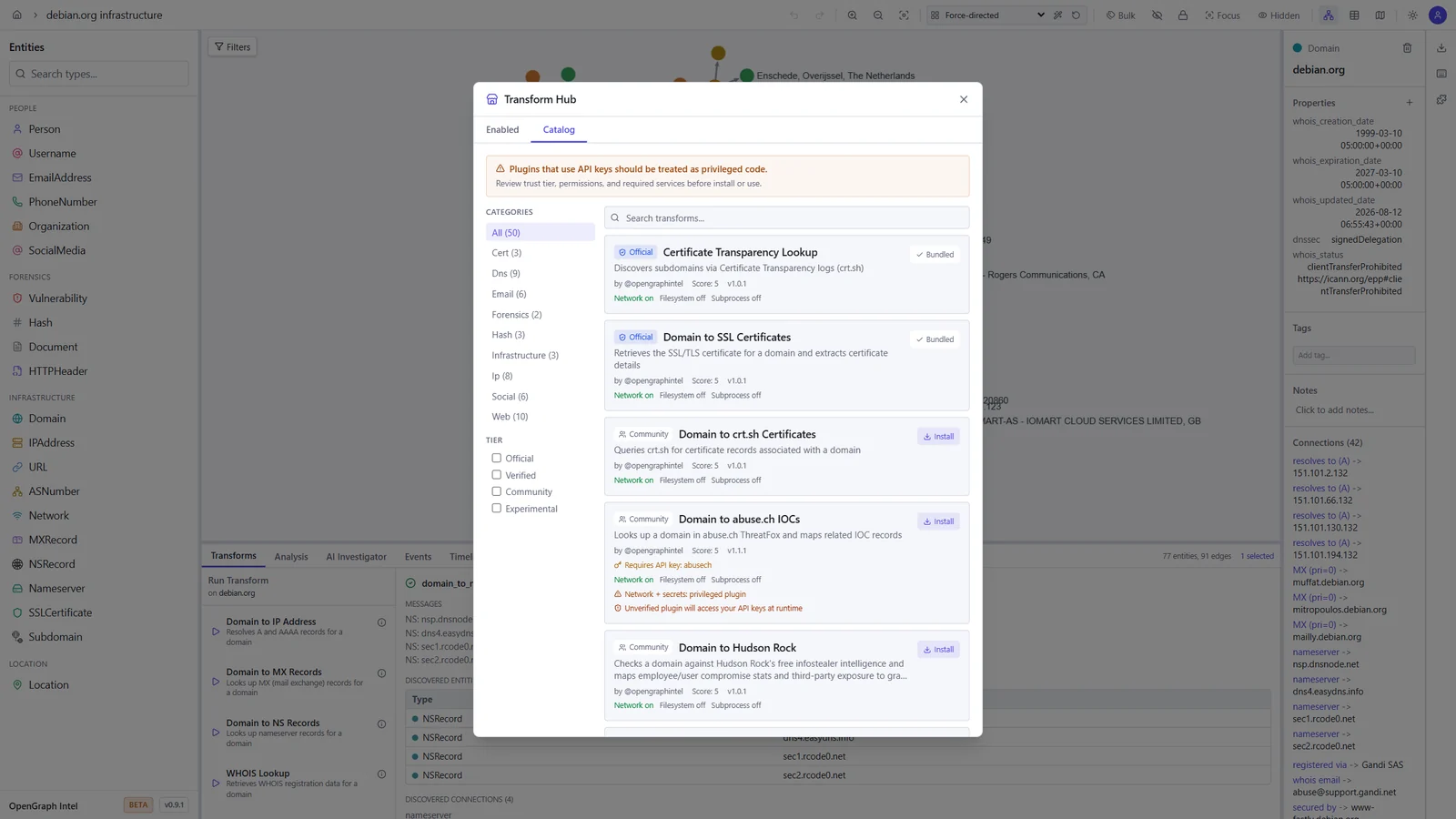
  • Transform Hub — browse and install community transforms from the registry
  • AI Investigator — prompt-driven agentic investigations that plan transform runs, stream progress live, and summarize findings with auditability
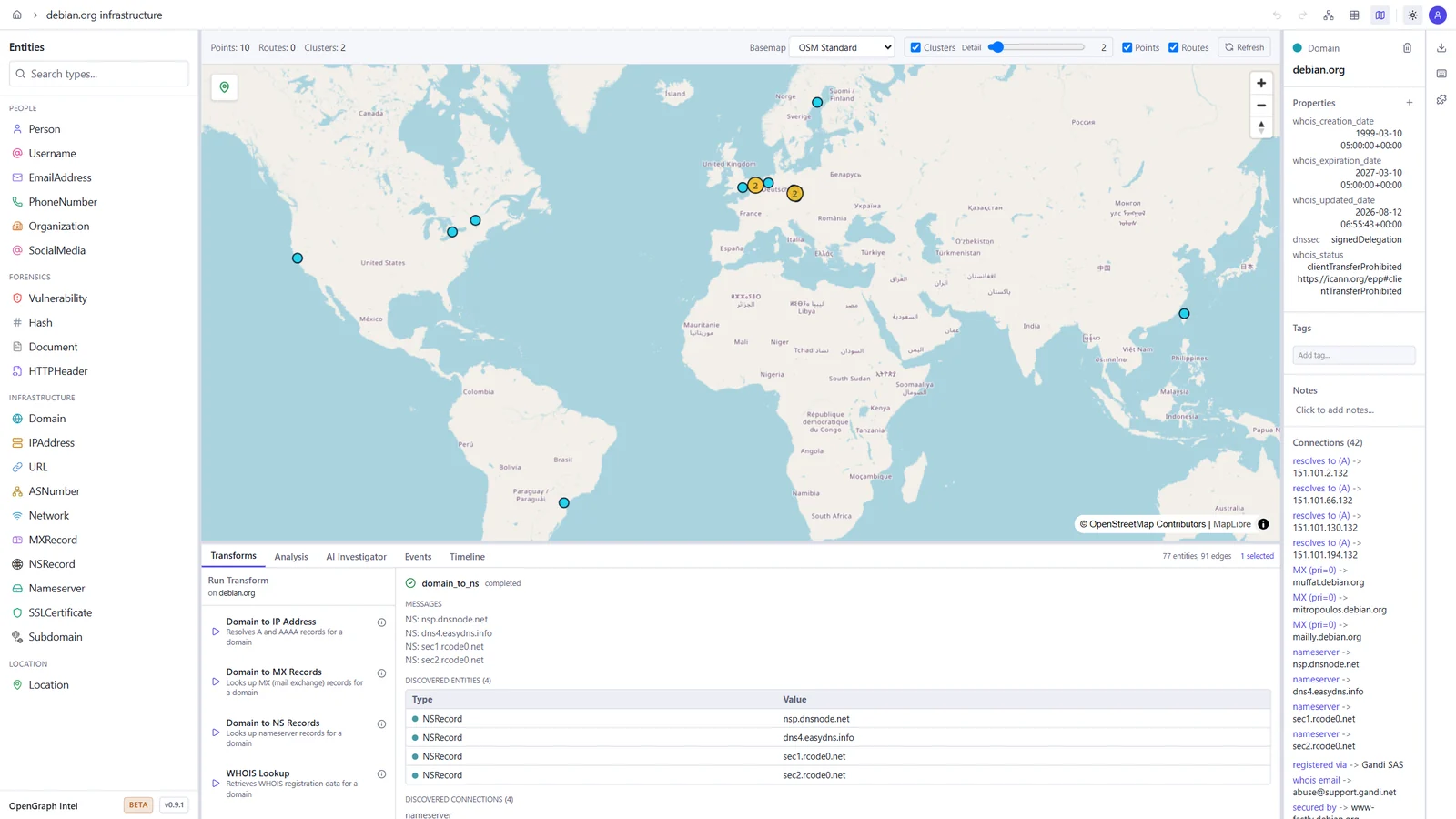
  • Map view — geolocated entities on an interactive map, with clustering and routes
  • Timeline and events — filter the graph by time window and review every transform run in the project's activity log
  • Import / Export — import JSON, CSV, GraphML, and MTGX; export JSON, CSV, GraphML, and PNG images of the graph
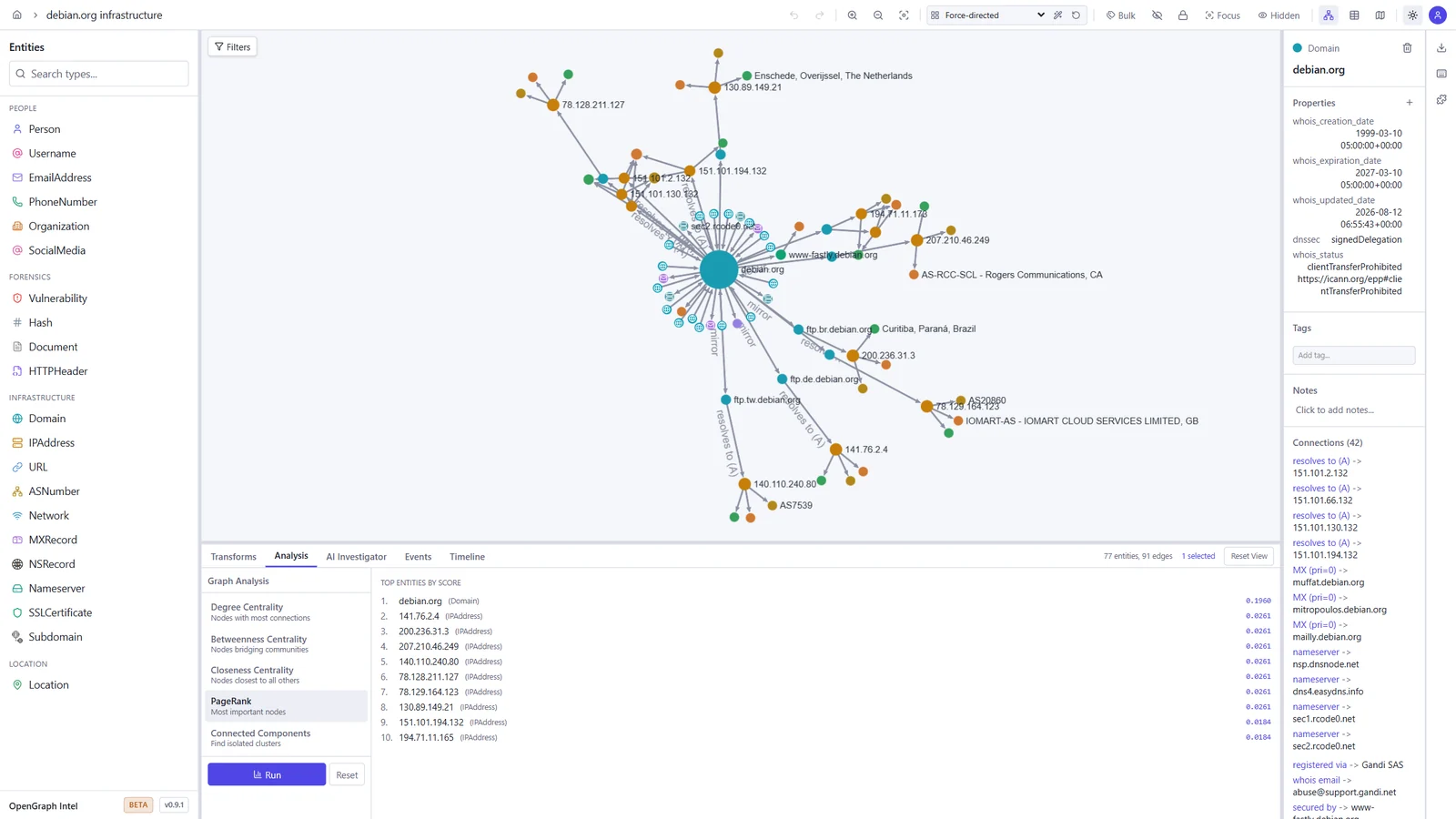
  • Graph analysis — degree, betweenness, and closeness centrality, PageRank, and connected components
  • Light and dark themes — pick dark, light, or follow your system setting
  • Real-time collaboration — projects, sharing, and live sync via Supabase Realtime
  • Async transform jobs — Redis/RQ queue with WebSocket progress updates
  • Plugin system — directory-based plugin discovery with YAML manifests
  • CLI tool — search, install, and manage transforms from the terminal
  • Runs anywhere — local SQLite mode (zero config) or PostgreSQL + Supabase for team/cloud setups
  • Docker ready — one-command deployment with docker compose up

Screenshots

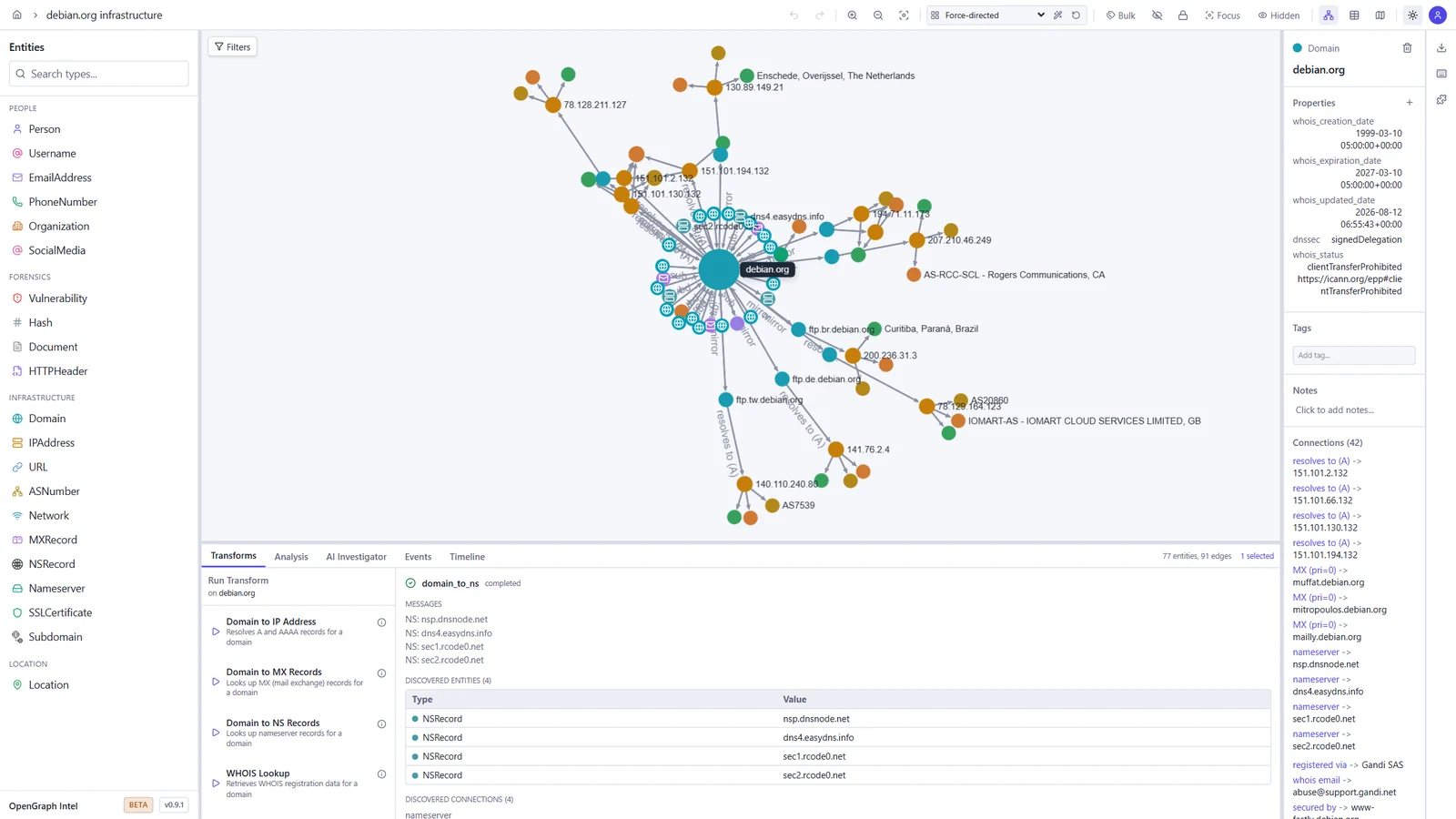
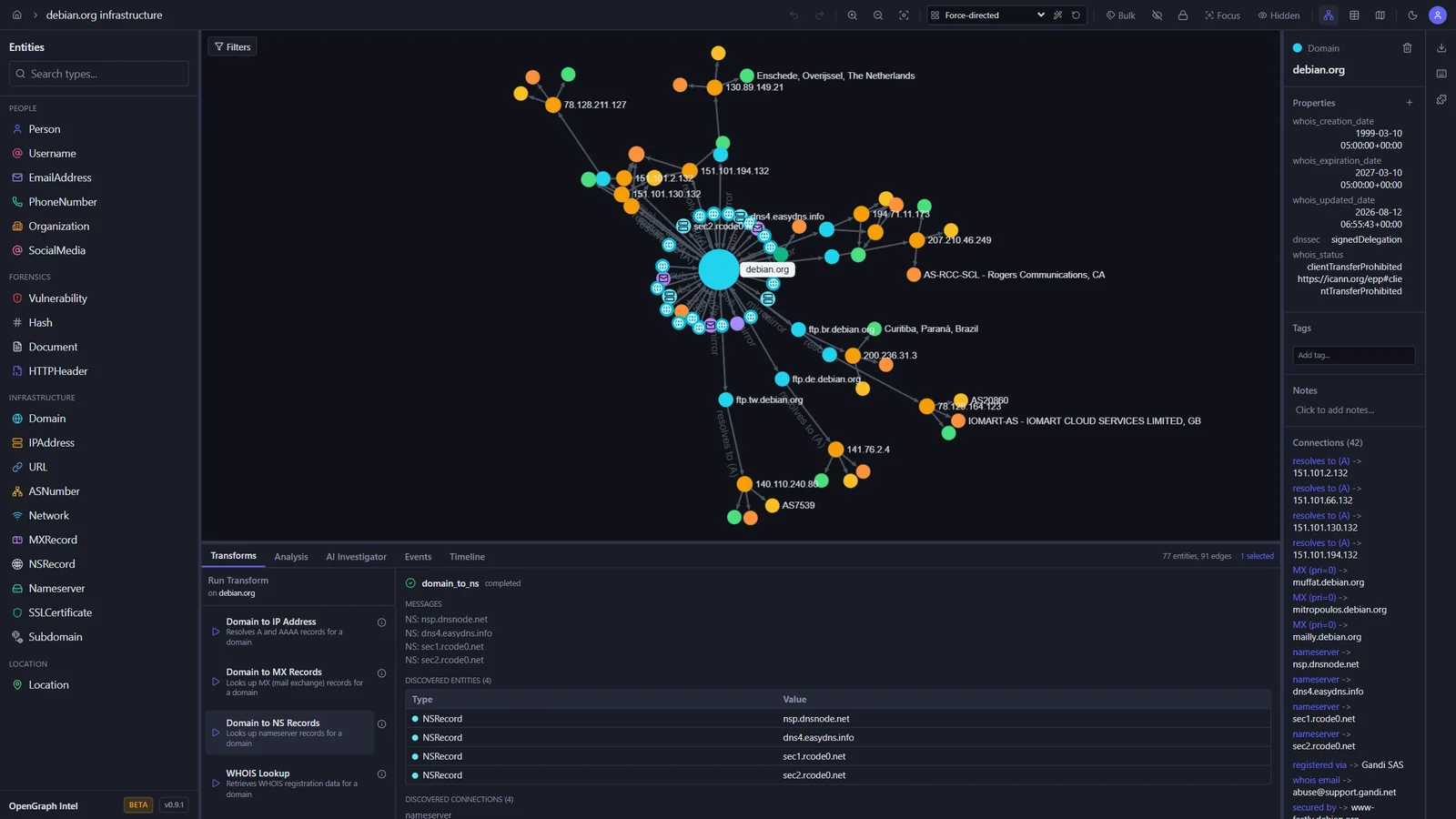
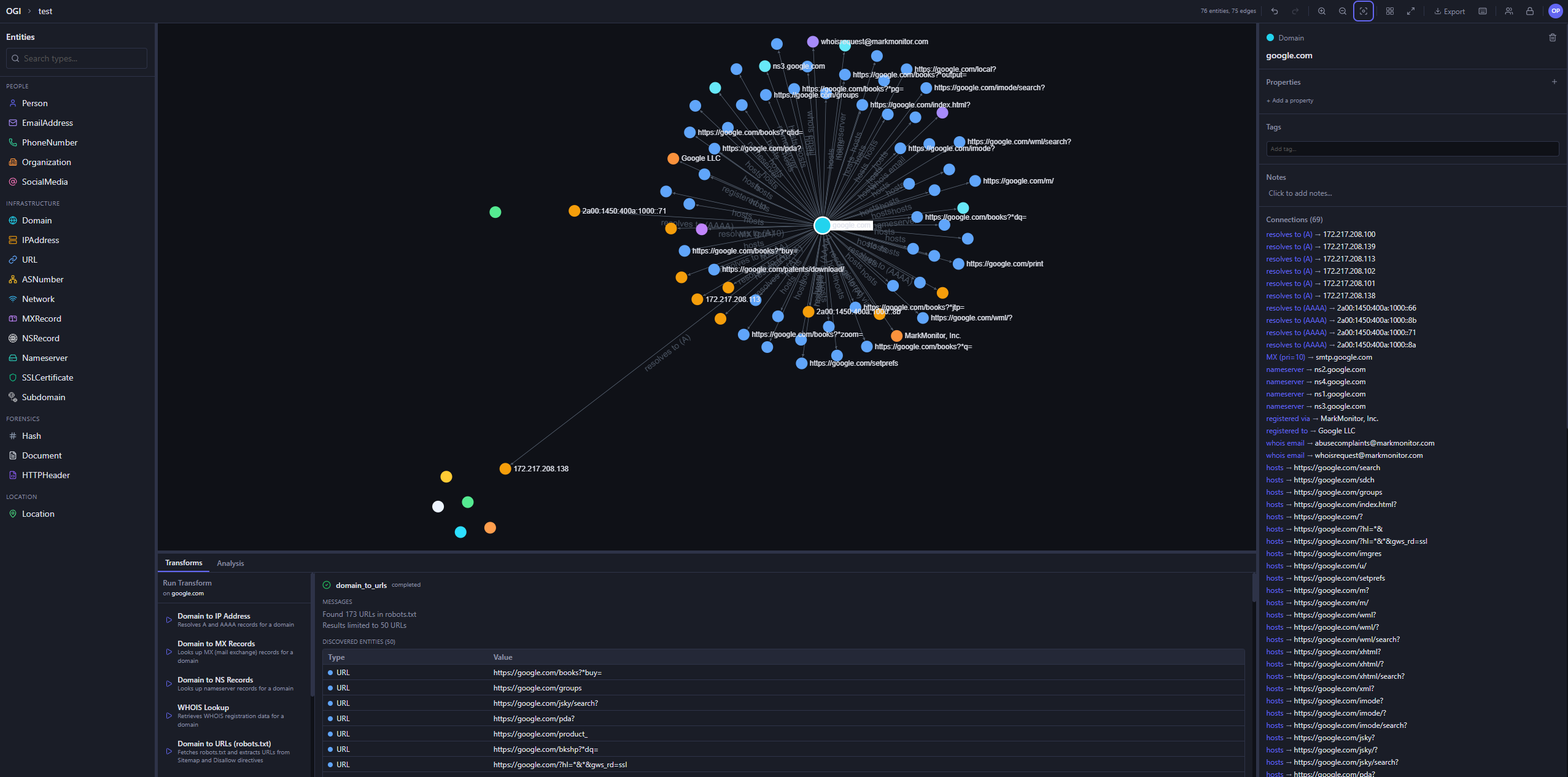
These screenshots show an investigation of the public debian.org infrastructure, built with the built-in transforms.

Graph investigation Map view
Graph of debian.org with its IP addresses, mail and name servers, subdomains, and mirrors, and the output of a DNS transform World map with the geolocated Debian mirror servers
Transform Hub Graph analysis
Transform Hub catalog with official and community transforms, trust tiers, and permissions PageRank results ranking the most important entities in the graph

Light and dark themes

The toggle in the toolbar switches between dark, light, and your system setting.

Dark Light
The graph workspace in the dark theme The graph workspace in the light theme

Quick Start

Prerequisites

ToolVersion
Python3.14+
uvlatest
Node.js24 LTS (22.22+ also works)
pnpm10.x

Backend

cd backend
uv sync
uv run uvicorn ogi.main:app --reload

The API will be available at http://localhost:8000.

For local transform execution, Redis and the transform worker must also be running. Redis alone is not enough.

Start Redis:

docker run -d --name ogi-redis -p 6379:6379 redis:7-alpine

Start the transform worker in a second terminal:

cd backend
uv run python -m ogi.worker.run_worker

If you see Job queue not available or Redis not available, verify that:

  • OGI_REDIS_URL points to redis://localhost:6379/0 for local host-based runs
  • the backend was restarted after Redis came up
  • the separate worker process is running
  • you are not using the Docker-only hostname redis outside Docker Compose

If you run the backend against PostgreSQL (OGI_USE_SQLITE=false), startup will automatically apply Alembic migrations before serving requests. Docker deployments do the same in the backend container entrypoint.

टूल डाउनलोड करें

सबसे लोकप्रिय

सभी देखें →

हमारे समुदाय द्वारा सबसे अधिक उपयोग किए जाने वाले उपकरण खोजें।

  • 1

    OsintHunter

    letox4/osinthunter

    🎯 अंतिम OSINT टूलकिट: जाँच ग्राफ़, विश्वास स्कोरिंग, उपनाम परिवार, मानचित्र, टाइमलाइन और रिपोर्ट। 49 मॉड्यूल, 400+ साइटें, किसी API कुंजी की आवश्यकता नहीं।

    772
  • 2

    ghostlock-app

    yukonga/ghostlock-app

    # घोस्टलॉक वन-टैप निष्पादन ऐप (CVE-2026-43499)

    505
  • 3

    ARTEX

    baarai/artex

    प्लानर/वर्कर एजेंट, एसेट और एक्सप्लोरेशन ग्राफ़, MITM ट्रैफ़िक रिकॉर्डिंग, और भेद्यता पुनःपरीक्षण के साथ LLM मल्टी-एजेंट स्वायत्त पेनेट्रेशन टेस्टिंग प्लेटफ़ॉर्म।

    420
  • 4

    redforge

    cybersecurity91/redforge

    ब्राउज़र-साइड रेड टीम टूलकिट, जिसमें रेकॉन, पेलोड जनरेशन, क्रेडेंशियल हमलों, क्रिप्टो, एन्कोडिंग और एंगेजमेंट रिपोर्टिंग के लिए 102 ऑफ़लाइन टूल्स हैं।

    345
  • 5

    CyberStrikeAI

    ed1s0nz/cyberstrikeai

    AI-मूल साइबरसुरक्षा के लिए कार्रवाई की प्रणाली—जहाँ इरादा नियंत्रित निष्पादन बन जाता है, साक्ष्य परिचालन स्मृति बन जाता है, और हर ऑपरेशन अगले को बेहतर बनाता है।

    260
  • 6

    antifox

    antifox-ai/antifox

    AI मल्टी-एजेंट स्वायत्त पेनेट्रेशन टेस्टिंग प्लेटफ़ॉर्म जो रेकॉन, अटैक-सरफ़ेस डिस्कवरी, एक्सप्लॉइटेशन वैलिडेशन और साक्ष्य-आधारित रिपोर्ट डिलीवरी संचालित करता है।

    251

सभी उपकरण खोजें

हमारे उपकरणों का संग्रह ब्राउज़ करें

सभी उपकरण देखें →