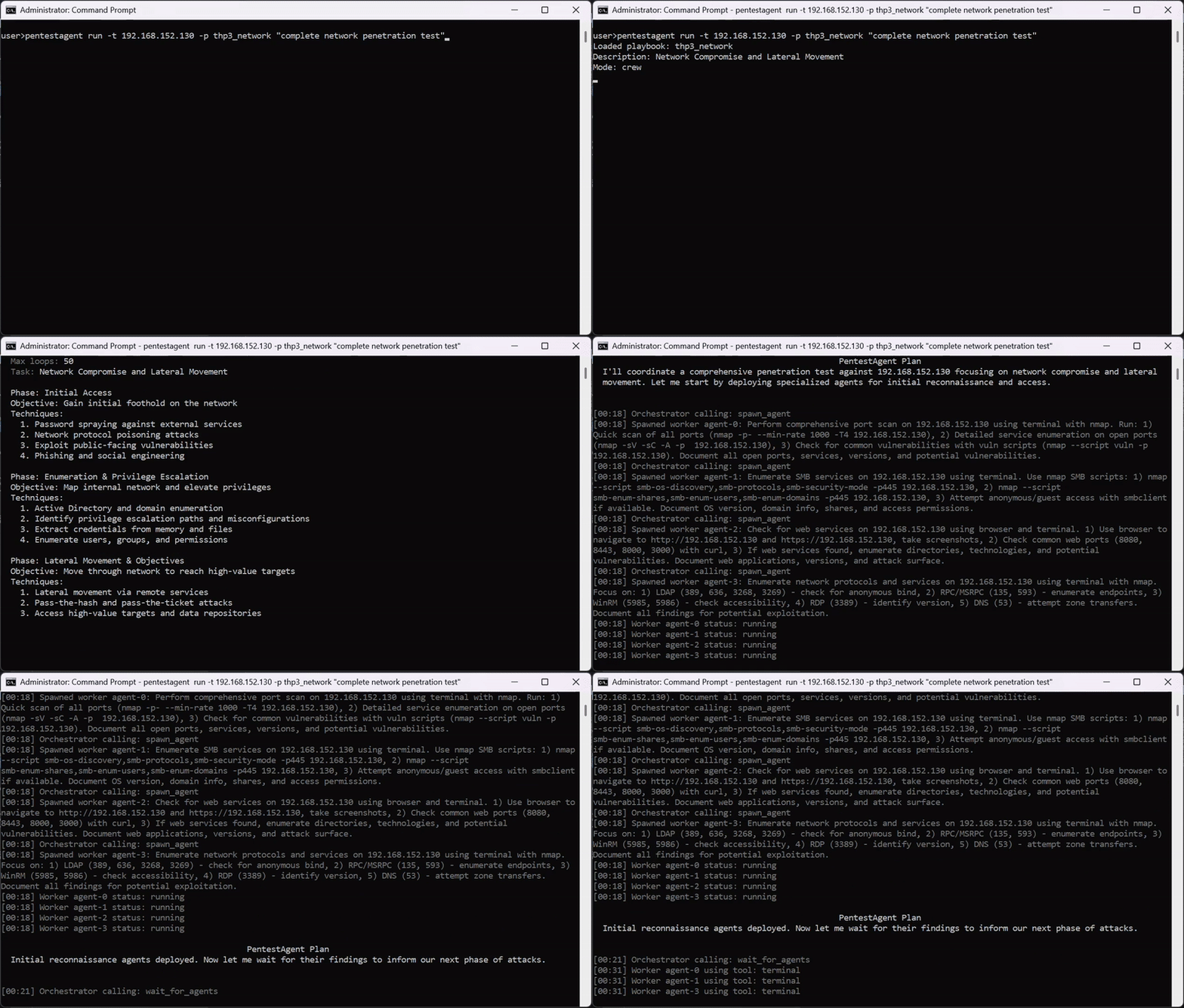


ब्लैक-बॉक्स सुरक्षा परीक्षण के लिए AI एजेंट फ्रेमवर्क, जिसमें स्वायत्त मल्टी-एजेंट ऑर्केस्ट्रेशन, अंतर्निहित पेंटेस्टिंग टूल्स, और बग बाउंटी, रेड-टीम तथा पेनेट्रेशन टेस्टिंग वर्कफ़्लो के लिए MCP एकीकरण शामिल है।





https://github.com/user-attachments/assets/a67db2b5-672a-43df-b709-149c8eaee975
# Clone
git clone https://github.com/GH05TCREW/pentestagent.git
cd pentestagent

# Setup (creates venv, installs deps)
.\scripts\setup.ps1   # Windows
./scripts/setup.sh    # Linux/macOS

# Or manual
python -m venv venv
.\venv\Scripts\Activate.ps1  # Windows
source venv/bin/activate     # Linux/macOS
pip install -e ".[all]"
playwright install chromium  # Required for browser tool
प्रोजेक्ट रूट में .env बनाएँ:
ANTHROPIC_API_KEY=sk-ant-...
PENTESTAGENT_MODEL=claude-sonnet-4-20250514
या OpenAI के लिए:
OPENAI_API_KEY=sk-...
PENTESTAGENT_MODEL=gpt-5
कोई भी LiteLLM-समर्थित मॉडल काम करता है।
OPENAI_API_BASE के माध्यम से PentestAgent को किसी भी OpenAI-संगत एंडपॉइंट पर इंगित करें:
OPENAI_API_KEY=your-relay-token
OPENAI_API_BASE=https://relay.example/v1
PENTESTAGENT_MODEL=openai/<model-name-on-your-relay>
Anthropic-संगत एंडपॉइंट के लिए इसके बजाय ANTHROPIC_API_BASE का उपयोग करें।
पूर्ण प्रदाता नोट्स और एम्बेडिंग विकल्पों के लिए .env.example देखें।
pentestagent                      # Launch TUI
pentestagent -t 192.168.1.1       # Launch with target
pentestagent tui --docker         # Run tools in Docker container
अलगाव और पहले से इंस्टॉल किए गए पेनेट्रेशन टेस्टिंग टूल्स के लिए Docker कंटेनर के अंदर टूल्स चलाएँ।
# Base image with nmap, netcat, curl
docker run -it --rm \
  -e ANTHROPIC_API_KEY=your-key \
  -e PENTESTAGENT_MODEL=claude-sonnet-4-20250514 \
  ghcr.io/gh05tcrew/pentestagent:latest

# Kali image with metasploit, sqlmap, hydra, etc.
docker run -it --rm \
  -e ANTHROPIC_API_KEY=your-key \
  ghcr.io/gh05tcrew/pentestagent:kali
# Build
docker compose build

# Run
docker compose run --rm pentestagent

# Or with Kali
docker compose --profile kali build
docker compose --profile kali run --rm pentestagent-kali
कंटेनर Linux पेनेट्रेशन टेस्टिंग टूल्स तक पहुंच के साथ PentestAgent चलाता है। एजेंट टर्मिनल टूल के माध्यम से सीधे nmap, msfconsole, sqlmap, आदि का उपयोग कर सकता है।
Docker को इंस्टॉल और चालू होना आवश्यक है।
PentestAgent के तीन मोड हैं, जो TUI में कमांड के माध्यम से सुलभ हैं:
| Mode | Command | Description |
|---|---|---|
| Assist | /assist <task> | एक सिंगल शॉट निर्देश, टूल निष्पादन के साथ |
| Agent | /agent <task> | एकल कार्य का स्वायत्त निष्पादन |
| Crew | /crew <task> | मल्टी-एजेंट मोड। ऑर्केस्ट्रेटर विशेष कार्यकर्ताओं को स्पॉन करता है |
| Interact | /interact <task> | इंटरैक्टिव मोड। एजेंट के साथ चैट करें, यह पेनेट्रेशन टेस्टिंग प्रक्रिया के दौरान आपकी मदद करेगा और मार्गदर्शन करेगा |
/assist <task>    One single-shot instruction.
/agent <task>     Run autonomous agent on task
/crew <task>      Run multi-agent crew on task
/interact <task>  Chat with the agent in guided mode
/target <host>    Set target
/tools            List available tools
/notes            Show saved notes
/report           Generate report from session
/memory           Show token/memory usage
/prompt           Show system prompt
/conversations    Browse and restore saved conversations
/mcp <list/add>   Visualizes or adds a new MCP server.
/spawn [target] [--scope CIDR] [--model M] [--no-rag] [--no-mcp]
                  Manually spawn a child MCP agent from the TUI.
/despawn <server_name>
                  Terminate and remove a previously spawned child agent.
/clear            Clear chat and history
/quit             Exit (also /exit, /q)
/help             Show help (also /h, /?)
चल रहे एजेंट को रोकने के लिए Esc दबाएँ। बाहर निकलने के लिए Ctrl+Q दबाएँ।
PentestAgent में ब्लैक-बॉक्स सुरक्षा परीक्षण के लिए पहले से निर्मित अटैक प्लेबुक शामिल हैं। प्लेबुक विशिष्ट सुरक्षा मूल्यांकनों के लिए एक संरचित दृष्टिकोण परिभाषित करते हैं।
प्लेबुक चलाएँ:
pentestagent run -t example.com --playbook thp3_web
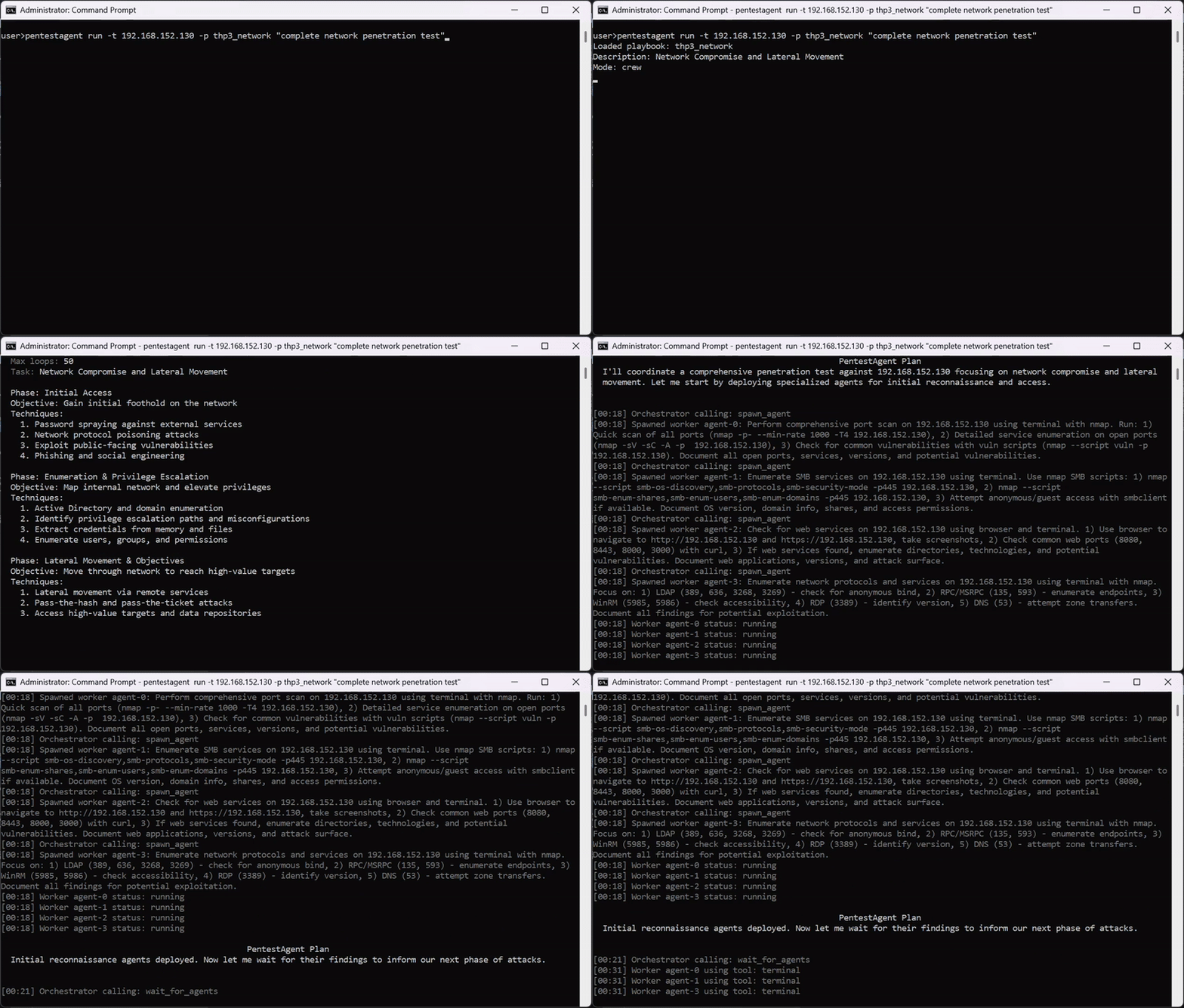
PentestAgent में बिल्ट-इन टूल्स शामिल हैं और यह विस्तारशीलता के लिए MCP (मॉडल कॉन्टेक्स्ट प्रोटोकॉल) का समर्थन करता है।
बिल्ट-इन टूल्स: terminal, browser, notes, web_search (TAVILY_API_KEY आवश्यक है), spawn_mcp_agent
spawn_mcp_agent)spawn_mcp_agent एक बिल्ट-इन टूल है जो चल रहे एजेंट को stdio पर कनेक्टेड अधीनस्थ MCP सर्वर के रूप में अपनी एक चाइल्ड कॉपी स्पॉन करने की अनुमति देता है। चाइल्ड प्रोसेस पूरी तरह से आइसोलेटेड होती है — इसका अपना रनटाइम, LLM क्लाइंट, वार्तालाप इतिहास और नोट्स स्टोर — और स्पॉनिंग के बाद इसका संपूर्ण टूल सेट पैरेंट एजेंट के उपलब्ध टूल्स में वापस इंजेक्ट किया जाता है।
यह बिना किसी बाहरी ऑर्केस्ट्रेशन के पदानुक्रमित, मल्टी-एजेंट वर्कफ़्लो सक्षम करता है: एजेंट मांग पर स्पॉन किए गए चिल्ड्रन को स्कोप्ड सबटास्क सौंपकर स्वयं-संगठित होता है।
| Argument | Type | Default | Description |
|---|---|---|---|
target | string | — | चाइल्ड को पास करने के लिए पेनेट्रेशन टेस्टिंग लक्ष्य |
scope | string[] | — | चाइल्ड के लिए इन-स्कोप लक्ष्य/CIDR |
model | string | env var | मॉडल पहचानकर्ता, चाइल्ड पर PENTESTAGENT_MODEL को ओवरराइड करता है |
no_rag | boolean | false | चाइल्ड पर RAG इंजन आरंभीकरण छोड़ें |
no_mcp | boolean | true | चाइल्ड पर बाहरी MCP सर्वर कनेक्शन छोड़ें (अनुशंसित) |
spawn_mcp_agent लौटने के बाद, चाइल्ड के टूल्स (run_task, run_task_async, await_tasks, आदि) अगली टूल कॉल पर उपलब्ध होते हैं। चाइल्ड का सर्वर नाम स्वचालित रूप से निर्दिष्ट किया जाता है (जैसे child_agent_1) और परिणाम में लौटाया जाता है।
उदाहरण — ऑर्केस्ट्रेटर दो चिल्ड्रन को समानांतर recon सौंप रहा है:
# Turn 1: spawn two isolated child agents
spawn_mcp_agent  target="10.0.1.0/24"  scope=["10.0.1.0/24"]
spawn_mcp_agent  target="10.0.2.0/24"  scope=["10.0.2.0/24"]

# Turn 2: children's tools are now available — delegate work asynchronously
child_agent_1__run_task_async  task="Full port scan and service enumeration"
child_agent_2__run_task_async  task="Full port scan and service enumeration"

# Turn 3: wait and collect
child_agent_1__await_tasks  task_ids=["<id1>"]  timeout_seconds=600
child_agent_2__await_tasks  task_ids=["<id2>"]  timeout_seconds=600
child_agent_1__get_task_result  task_id="<id1>"
child_agent_2__get_task_result  task_id="<id2>"
/spawn और /despawn)स्वचालित spawn_mcp_agent टूल के अलावा, TUI दो कमांड प्रदर्शित करता है जो आपको चल रहे एजेंट लूप से स्वतंत्र रूप से, चाइल्ड एजेंट्स को मैन्युअल रूप से स्पॉन और समाप्त करने देते हैं।
/spawn/spawn [target] [--scope CIDR ...] [--model MODEL] [--no-rag] [--no-mcp]
stdio पर एक नया चाइल्ड MCP एजेंट स्पॉन करता है और इसे वर्तमान सत्र से जोड़ता है। चाइल्ड TUI साइडबार में एक संक्षिप्त (collapsible) टर्मिनल पैनल के रूप में दिखाई देता है और इसके टूल्स अगली टूल कॉल पर पैरेंट एजेंट के लिए उपलब्ध हो जाते हैं।
