 cracked5pider/stardust
एक आधुनिक 32/64-बिट स्थिति-स्वतंत्र इम्प्लांट टेम्पलेट

एक आधुनिक और उपयोग में आसान 32/64-बिट शेलकोड टेम्पलेट।
PEB से मॉड्यूल को हल करना resolve::module का उपयोग करते हुए:
if ( ! (( ntdll.handle = resolve::module( expr::hash_string<wchar_t>( L"ntdll.dll" ) ) )) ) {
    return;
}

if ( ! (( kernel32.handle = resolve::module( expr::hash_string<wchar_t>( L"kernel32.dll" ) ) )) ) {
    return;
}
फ़ंक्शन API को हल करना या तो RESOLVE_API मैक्रो या resolve::api फ़ंक्शन का उपयोग करते हुए:
const auto user32 = kernel32.LoadLibraryA( symbol<const char*>( "user32.dll" ) );

decltype( MessageBoxA ) * msgbox = RESOLVE_API( reinterpret_cast<uintptr_t>( user32 ), MessageBoxA );

msgbox( nullptr, symbol<const char*>( "Hello world" ), symbol<const char*>( "caption" ), MB_OK );
RESOLVE_API, resolve::api के चारों ओर एक रैपर है जो स्वचालित रूप से फ़ंक्शन नाम को हैश करता है और फ़ंक्शन पॉइंटर को फ़ंक्शन प्रकार में बदलता है।
UTF-8 और UTF-16 दोनों के लिए संकलन-समय expr::hash_string फ़ंक्शन का उपयोग करते हुए स्ट्रिंग हैशिंग:
auto user32_hash      = expr::hash_string<wchar_t>( L"user32.dll" );
auto loadlibrary_hash = expr::hash_string<char>( "LoadLibraryA" );
symbol फ़ंक्शन का उपयोग करके 32/64-बिट दोनों के लिए कच्चे स्ट्रिंग्स का समर्थन:
auto caption_string = symbol<const char*>( "hello from stardust" );

user32.MessageBoxA( nullptr, caption_string, symbol<const char*>( "message title" ), MB_OK );
इंस्टेंस में नए API और मॉड्यूल जोड़ना आसान है। include/common.h में निम्नलिखित प्रविष्टि की जानी चाहिए:
class instance {
    ...

    struct
    {
        uintptr_t handle; // base address to user32.dll

        struct {
            D_API( MessageBoxA );
            // more entries can be added here
        };
    } user32 = {
        RESOLVE_TYPE( MessageBoxA ),
        // more entries can be added here
    };

    ...
जबकि src/main.cc को user32 का बेस पता हल करना चाहिए और API पॉइंटर को हल करना चाहिए:
declfn instance::instance(
    void
) {
    ...
    //
    // resolve user32.dll from PEB if loaded
    if ( ! (( user32.handle = resolve::module( expr::hash_string<wchar_t>( L"user32.dll" ) ) )) ) {
        return;
    }

    //
    // automatically resolve every entry imported
    // by user32 from the structure
    RESOLVE_IMPORT( user32 );
    ...
}
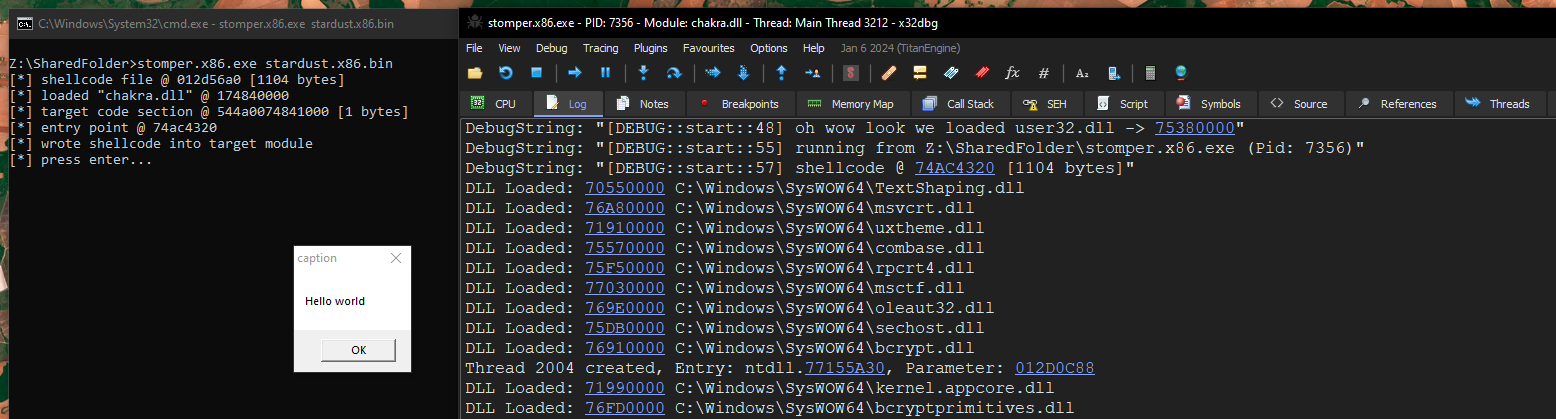
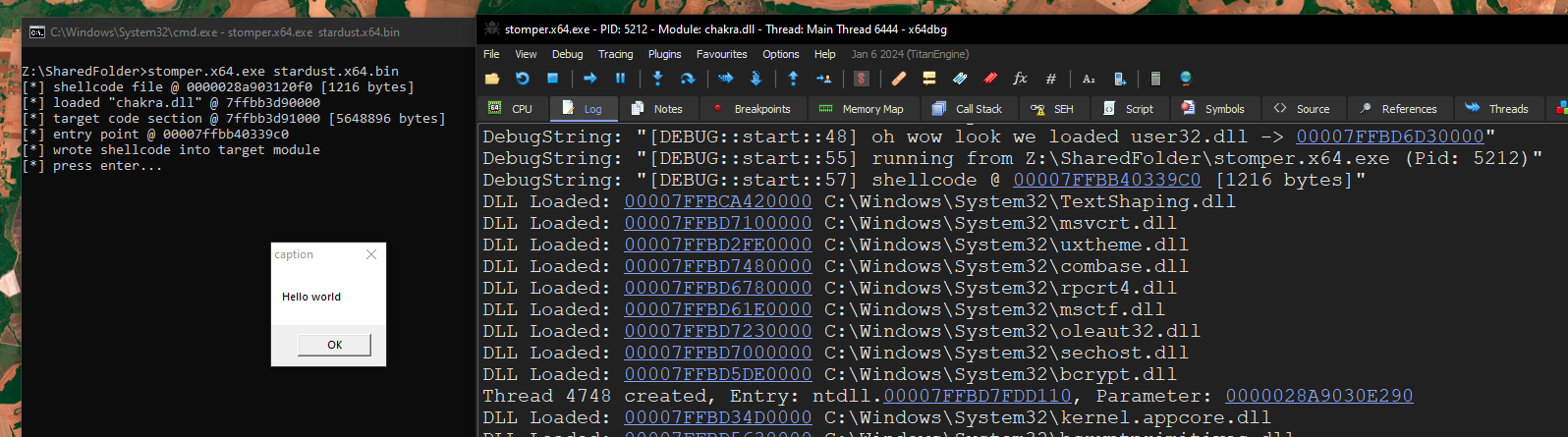
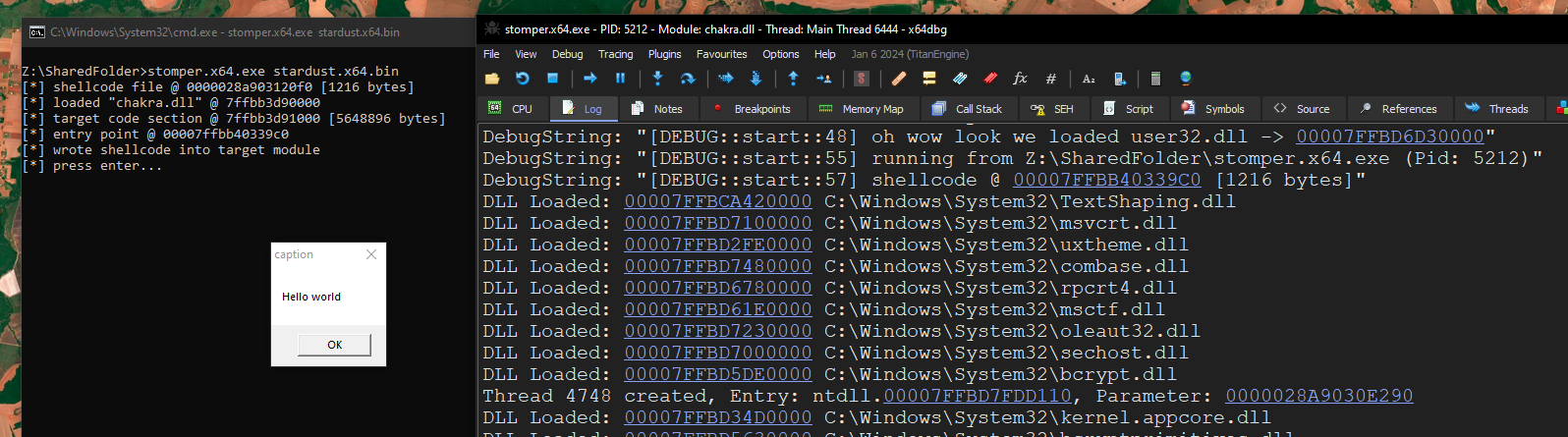
DbgPrint के माध्यम से अर्ध-मैत्रीपूर्ण डिबगिंग क्षमताएं। प्रोजेक्ट को डिबग मोड में संकलित करने की आवश्यकता है, जो make debug निर्दिष्ट करके किया जाता है। उपयोग:
const auto user32 = kernel32.LoadLibraryA( symbol<const char*>( "user32.dll" ) );

if ( user32 ) {
    DBG_PRINTF( "oh wow look we loaded user32.dll -> %p\n", user32 );
} else {
    DBG_PRINTF( "okay something went wrong. failed to load user32 :/\n" );
}

DBG_PRINTF( "running from %ls (Pid: %d)\n",
    NtCurrentPeb()->ProcessParameters->ImagePathName.Buffer,
    NtCurrentTeb()->ClientId.UniqueProcess );

DBG_PRINTF( "shellcode @ %p [%d bytes]\n", base.address, base.length );
रिलीज़ मोड में निर्माण:
$ make                                                                                                                                                                                                                                                                                  20:17:26
-> compiling src/main.cc to main.x64.obj
-> compiling src/resolve.cc to resolve.x64.obj
compiling x64 project
/usr/bin/x86_64-w64-mingw32-ld: bin/stardust.x64.exe:.text: section below image base
-> compiling src/main.cc to main.x86.obj
-> compiling src/resolve.cc to resolve.x86.obj
compiling x86 project
/usr/bin/i686-w64-mingw32-ld: bin/stardust.x86.exe:.text: section below image base
$ ll bin                                                                                                                                                                                                                                                                                20:57:10
drwxr-xr-x spider spider 4.0 KB Thu Mar 13 20:57:10 2025 obj
.rw-r--r-- spider spider 752 B  Thu Mar 13 20:57:10 2025 stardust.x64.bin
.rw-r--r-- spider spider 672 B  Thu Mar 13 20:57:10 2025 stardust.x86.bin
डिबग मोड में निर्माण:
$ make debug                                                                                                                                                                                                                                                                            20:57:14
-> compiling src/main.cc to main.x64.obj
-> compiling src/resolve.cc to resolve.x64.obj
compiling x64 project
/usr/bin/x86_64-w64-mingw32-ld: bin/stardust.x64.exe:.text: section below image base
-> compiling src/main.cc to main.x86.obj
-> compiling src/resolve.cc to resolve.x86.obj
compiling x86 project
/usr/bin/i686-w64-mingw32-ld: bin/stardust.x86.exe:.text: section below image base
$ ll bin                                                                                                                                                                                                                                                                                20:58:13
drwxr-xr-x spider spider 4.0 KB Thu Mar 13 20:58:13 2025 obj
.rw-r--r-- spider spider 1.2 KB Thu Mar 13 20:58:13 2025 stardust.x64.bin
.rw-r--r-- spider spider 1.1 KB Thu Mar 13 20:58:13 2025 stardust.x86.bin
x64:
x86: