
Skip to content
KitploitKITPLOIT
उपकरणएक्सप्लॉइटब्लॉग
Log in
जमा करें
उपकरणएक्सप्लॉइटब्लॉग
जमा करें

हैकिंग, पेनटेस्ट और साइबर सुरक्षा उपकरण आपके सुरक्षा शस्त्रागार के लिए!

Kitploit हैकिंग, साइबर सुरक्षा और पेंटेस्टिंग टूल्स की एक निर्देशिका है। कमजोरियों को खोजने, सिस्टम का विश्लेषण करने, परीक्षण को स्वचालित करने और अपनी सुरक्षा को मजबूत करने के लिए नवीनतम प्रोजेक्ट अपडेट खोजें।

फ़ीडसंपर्कगोपनीयता© 2026 Kitploit

टूल निर्देशिका

श्रेणियाँ

सभी श्रेणियाँ देखें
Loading categories
cartography — Pulls infrastructure assets and their relationships from 30+ cloud, identity, and SaaS platforms into a Neo4j graph for security queries and rule-based analysis. | Kitploit
उपकरण/GitHubGitHub/cartography-cncf/cartography
Cloud Infrastructure SecurityContainer SecurityNetwork MappingVulnerability AnalysisConfiguration AuditingInformation GatheringCloud SecurityDevSecOpsThreat IntelligenceIdentity & Access Management (IAM)Supply Chain Security
4.2k6101404घं 15मि पहलेKitploit द्वारा समीक्षित
GitHubcartography-cncf/cartography

cartography

Pulls infrastructure assets and their relationships from 30+ cloud, identity, and SaaS platforms into a Neo4j graph for security queries and rule-based analysis.

रिपॉजिटरी देखेंवेबसाइट

सबसे लोकप्रिय

सभी देखें →

हमारे समुदाय द्वारा सबसे अधिक उपयोग किए जाने वाले उपकरण खोजें।

अभी तक कोई लोकप्रियता डेटा नहीं है।

सभी उपकरण खोजें

हमारे उपकरणों का संग्रह ब्राउज़ करें

सभी उपकरण देखें →
साझा करें
अनुरोधित भाषा में सामग्री उपलब्ध नहीं है। अंग्रेज़ी संस्करण दिखाया जा रहा है।
Cartography

OpenSSF Scorecard OpenSSF Best Practices build

Documentation

Cartography is a Python tool that pulls infrastructure assets and their relationships into a Neo4j graph database.

What it connects: AWS, GCP, Azure, Kubernetes, GitHub, Okta, Entra ID, CrowdStrike, and 30+ more platforms.

Questions it answers:
  • Which identities have access to which datastores? How about across multiple tenants, or providers?
  • Am I affected by any critical vulnerabilities or compromised software packages?
  • What are the network paths in and out of my environment?
  • Which compute instances are exposed to the internet?
  • What AI agents are running in production, and what permissions do they have?

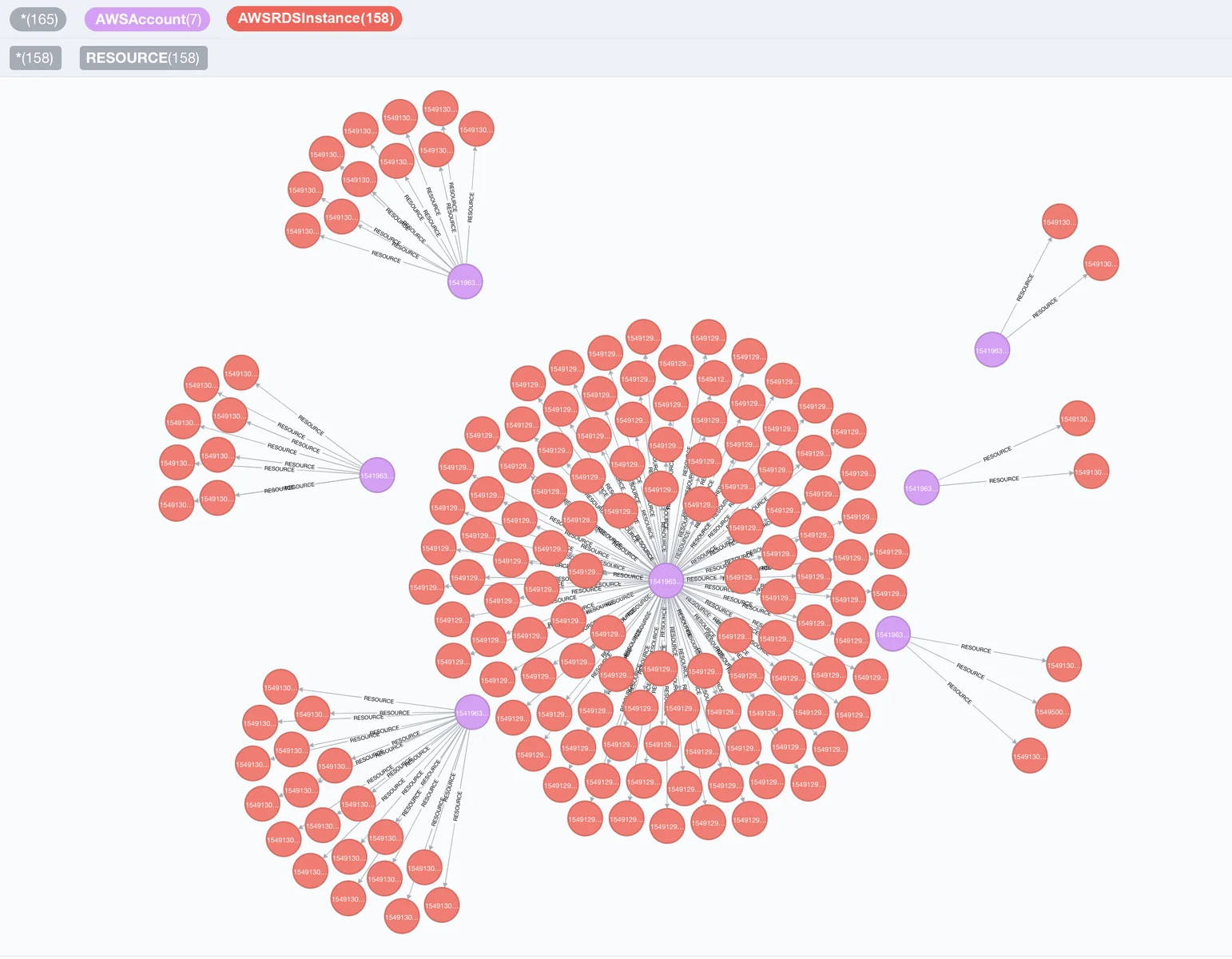
Visualization of RDS nodes and AWS nodes

Quick Start

Install Cartography

pip install cartography

Install cartography[neo4j-rust] instead to swap in Neo4j's Rust Bolt codec, which cuts sync time by roughly 20-30%. See Faster Neo4j driver.

Start Neo4j database

docker run -d --publish=7474:7474 --publish=7687:7687 -v data:/data --env=NEO4J_AUTH=none neo4j:5-community

Confirm that http://localhost:7474 is up.

Sync your first data source (AWS example)

Ensure your AWS credentials and default region are configured (e.g. via AWS_PROFILE, AWS_DEFAULT_REGION, or ~/.aws/config). See AWS credentials docs for reference.

Run Cartography:

cartography --neo4j-uri bolt://localhost:7687 --selected-modules aws

See the full install guide for other platforms.

Query the graph

Open http://localhost:7474 and try:

// Find unencrypted RDS instances by account
MATCH (a:AWSAccount)-[:RESOURCE]->(rds:AWSRDSInstance{storage_encrypted:false})
RETURN a.name, rds.id
// Find EC2 instances exposed to the internet
MATCH (instance:AWSEC2Instance{exposed_internet: true})
RETURN instance.instanceid, instance.publicdnsname

See the querying tutorial and data schema for more use-cases.

Run security rules

Once Cartography has populated the reachable Neo4j graph, list, inspect, and run security rules. This quickstart uses the no-auth Neo4j container started above, so no password is required:

cartography-rules list
cartography-rules list object_storage_public
cartography-rules run object_storage_public

For authenticated Neo4j, set NEO4J_PASSWORD or use one of the other secure password options in the rules docs.

Supported platforms

Click to expand full list of 30+ supported platforms
टूल डाउनलोड करें

