
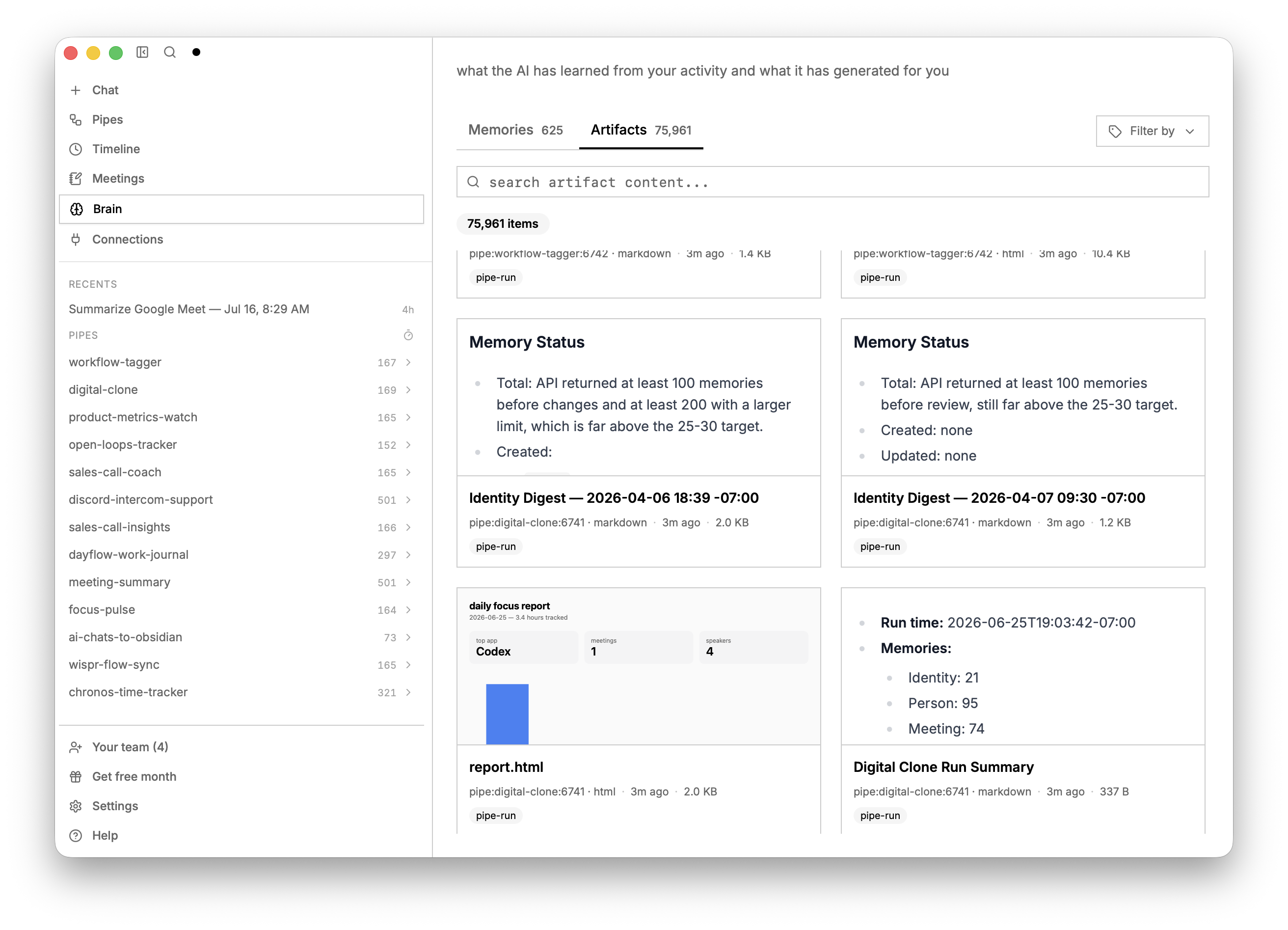
screenpipe app-v2.7.42
YC (S26) | ओपन कंप्यूटर हिस्ट्री | अपनी कंपनी के कंप्यूटर कार्य को लगातार रिकॉर्ड करें, अपने वर्कफ़्लो को मैप करें, ऑटोमेशन के योग्य कार्य खोजने में आपकी सहायता करें, और अपने एजेंट्स के कॉन्टेक्स्ट को सशक्त बनाएं
SCREENPIPE डाउनलोड करें


[ screenpipe | YC S26 ]
Screenpipe आपकी कंपनी में ऑटोमेशन के योग्य काम खोजता है
अपनी कंपनी के कंप्यूटर कार्य को लगातार रिकॉर्ड करें, वर्कफ़्लो मैप करें, ऑटोमेशन के योग्य काम खोजने में मदद करें, और एजेंट्स के कॉन्टेक्स्ट को शक्ति प्रदान करें



https://github.com/user-attachments/assets/70fe94eb-6d2a-47ca-b7c3-c8ead13a5b7f
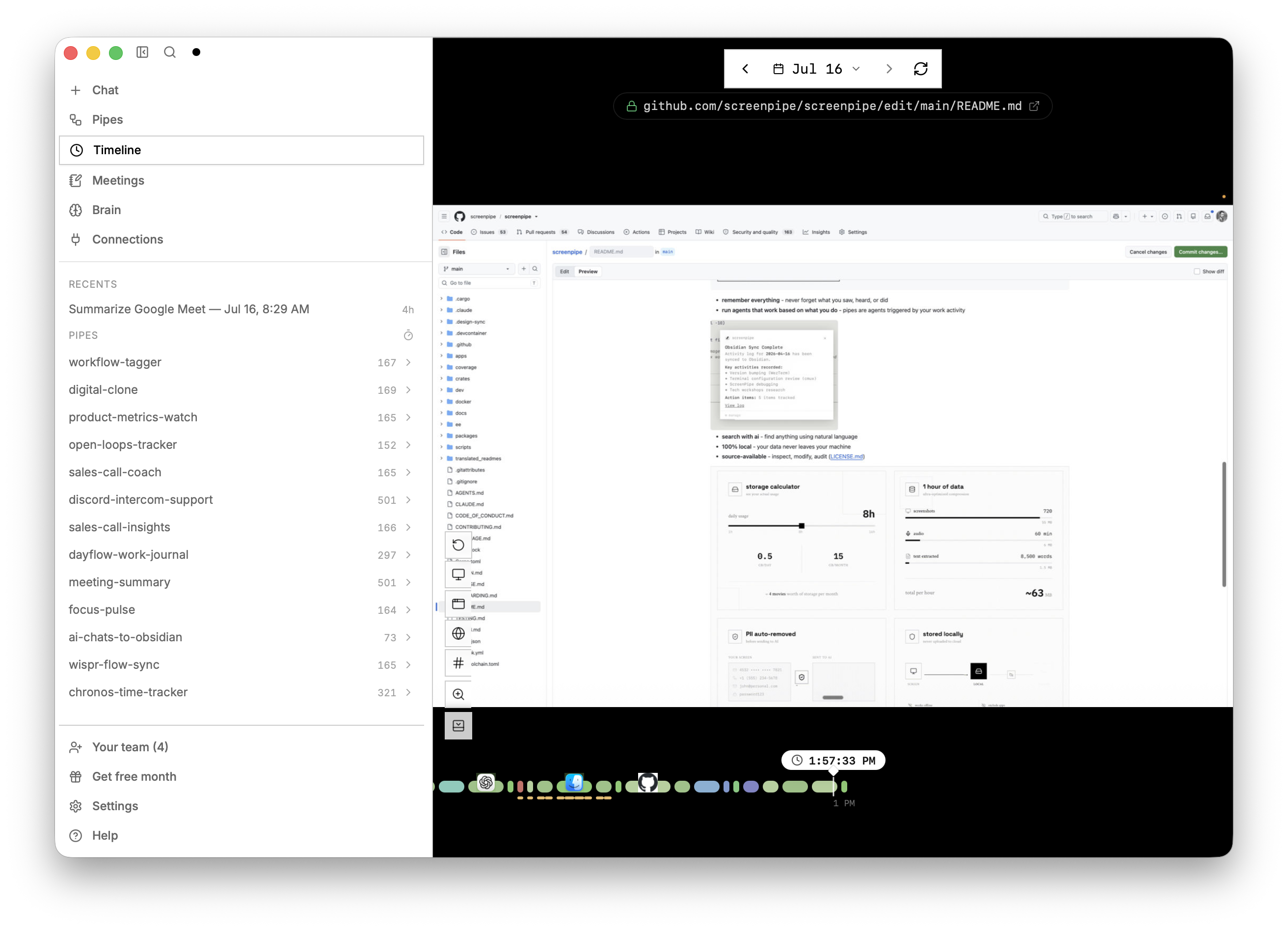
यह क्या है?
screenpipe आपके सभी कंप्यूटर कार्य को स्थानीय रूप से कैप्चर करता है और आपकी कंपनी के एजेंट्स को शक्ति प्रदान करता है
┌─────────────────────────────────────────┐
│  screen + audio → local storage → ai   │
└─────────────────────────────────────────┘
- सब कुछ याद रखें - आपने जो किया, देखा, सुना उसे कभी न भूलें
- वर्कफ़्लो मैप करें - स्वचालित करने के लिए वर्कफ़्लो की सूची बनाएं (लोगों का साक्षात्कार लेने या सलाहकार नियुक्त करने के बजाय)
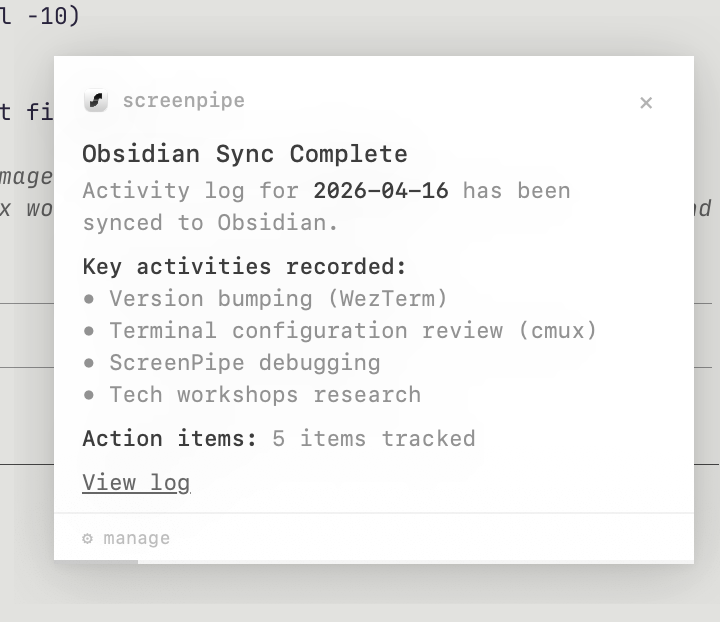
- ऐसे एजेंट चलाएं जो आपके काम के आधार पर काम करें - आप जो करते हैं उसके आधार पर एजेंट, स्किल्स और ऑटोमेशन बनाएं
- ai के साथ खोजें - प्राकृतिक भाषा का उपयोग करके कुछ भी खोजें
- Local-first - कैप्चर इतिहास डिफ़ॉल्ट रूप से आपके डिवाइस पर रहता है। Cloud AI, सिंक, इंटीग्रेशन और प्रबंधित टीम स्टोरेज के अलग डेटा पथ हैं; देखें गोपनीयता और सुरक्षा।
- source-available - निरीक्षण करें, संशोधित करें, ऑडिट करें (LICENSE.md)
इंस्टॉल करें
macOS, Windows या Linux के लिए डेस्कटॉप ऐप डाउनलोड करें। उपलब्ध सुविधाएं आपके प्लान पर निर्भर करती हैं।
या CLI चलाएं:
npx screenpipe record
फिर
npx screenpipe setup
# or
claude mcp add screenpipe -- npx -y screenpipe-mcp@latest
फिर claude से पूछें what did i see in the last 5 mins? या summarize today conversations या create a pipe that updates linear every time i work on task X
🤖 कोडिंग एजेंट्स के लिए केवल-CLI सेटअप
यदि Claude Code, Codex, Gemini CLI, Cursor, या कोई अन्य कोडिंग एजेंट इस रिपॉज़िटरी से काम कर रहा है, तो उसे यह निर्देश दें:
screenpipe संचालित करने से पहले screenpipe CLI skill पढ़ें। हमेशा-चालू स्थानीय कैप्चर सेट करें, कैप्चर की ताज़गी और स्टोरेज सत्यापित करें, फिर डेस्कटॉप ऐप पर निर्भर हुए बिना मेरे इतिहास को क्वेरी करें।
आपके कंप्यूटर पर पाए गए प्रत्येक समर्थित एजेंट में screenpipe skills और MCP कॉन्फ़िगरेशन इंस्टॉल करने के लिए, यह चलाएँ:
npx screenpipe setup
यह कौशल रिकॉर्डर-प्रथम सेवा डिफ़ॉल्ट, स्पष्ट API-केवल सर्वर मोड, मानव और JSON स्थिति, स्थानीय खोज, सुरक्षित रीड-ओनली SQLite एक्सेस, पाइप्स और कनेक्शन को कवर करता है।
specs
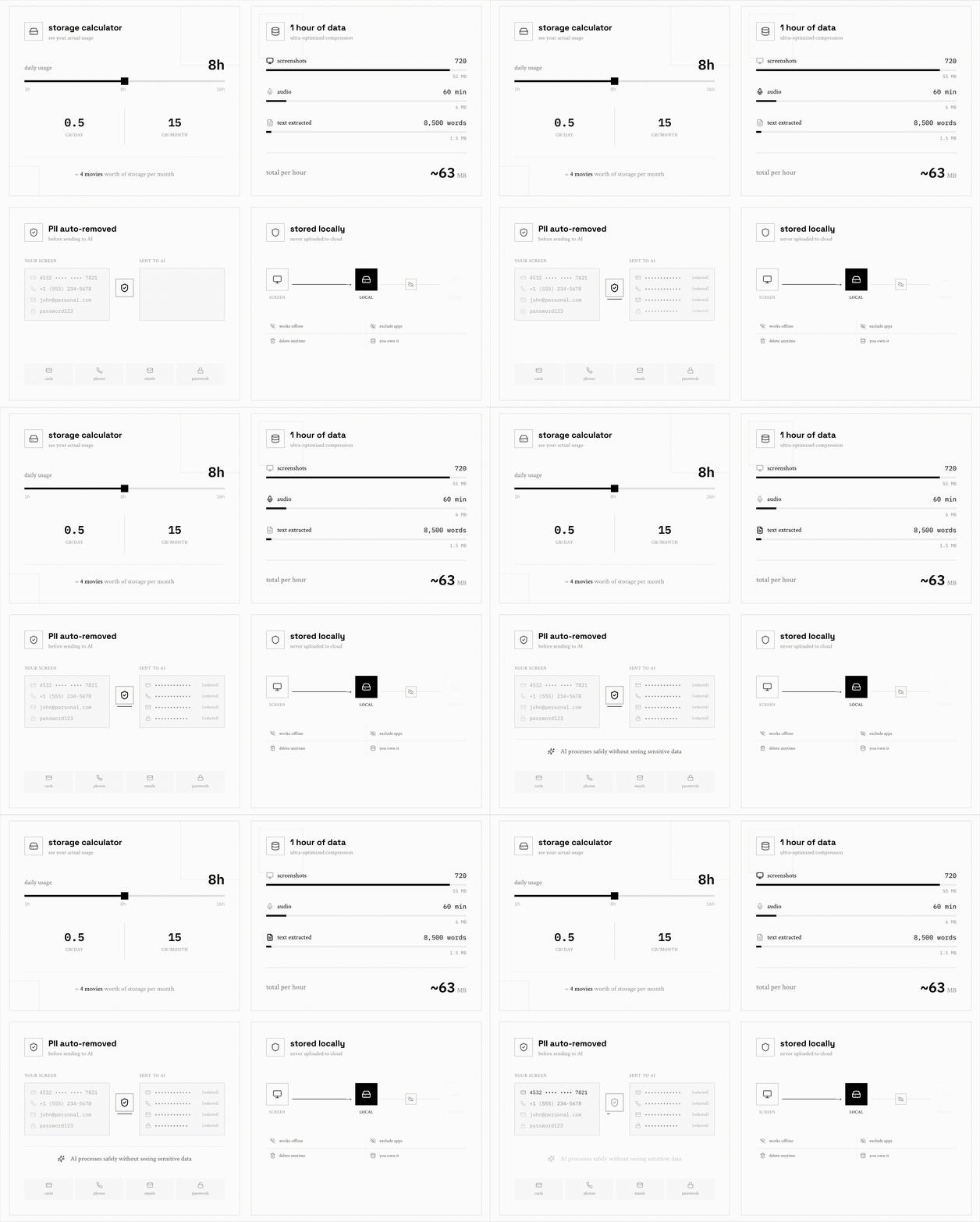
- पूर्ण एक्सेसिबिलिटी ट्री कैप्चर करता है, फ़ॉलबैक के रूप में OCR, ट्रांसक्रिप्शन, स्पीकर, कीबोर्ड इनपुट, ऐप स्विच
- CPU: लगभग 5-20%; हार्डवेयर, कैप्चर सेटिंग्स, ट्रांसक्रिप्शन और AI वर्कलोड के अनुसार बदलता है
- RAM: कैप्चर के लिए लगभग 0.5-3 GB; स्थानीय मॉडल और अतिरिक्त वर्कलोड अधिक उपयोग कर सकते हैं
- स्टोरेज: गतिविधि, डिस्प्ले, ऑडियो, कैप्चर सेटिंग्स और रिटेंशन के अनुसार बदलता है। स्टोरेज का आकार निर्धारित करने से पहले अपने डिवाइस पर एक प्रतिनिधि दिन मापें।
- फ़िल्टर (विंडो, ऐप, क्रोम एक्सटेंशन, पासवर्ड, प्रोप्राइटरी AI PII मॉडल)
- वैकल्पिक एट-रेस्ट एन्क्रिप्शन
- सेटअप के बाद स्थानीय कैप्चर और खोज ऑफ़लाइन काम करते हैं। क्लाउड AI, सिंक और कनेक्टेड सेवाओं के लिए नेटवर्क एक्सेस आवश्यक है।
docs · enterprise · discord · x · youtube · reddit
रिपॉज़िटरी गाइड
डेवलपमेंट सेटअप और योगदान आवश्यकताओं के लिए CONTRIBUTING.md से शुरू करें। एजेंट्स को AGENTS.md भी पढ़ना चाहिए; CLAUDE.md उन्हीं निर्देशों की ओर इंगित करता है।
| निर्देशिका | सामग्री |
|---|---|
apps/ | डेस्कटॉप ऐप और Workflows वेब होस्ट |
crates/ | Rust कैप्चर, स्टोरेज, इंजन और सेवा क्रेट्स |
packages/ | SDK, CLI वितरण, MCP सर्वर, ब्राउज़र एक्सटेंशन और साझा UI |
docs/ | योगदानकर्ता गाइड, उत्पाद/डिज़ाइन मार्गदर्शन, परीक्षण और आर्किटेक्चर स्पेक्स |
evals/ | कोडिंग-एजेंट रिग्रेशन मूल्यांकन |
infra/ | बिल्ड रनर और डिप्लॉयमेंट इंफ्रास्ट्रक्चर |
scripts/ | रिपॉज़िटरी डेवलपमेंट और रखरखाव उपकरण |