
Skip to content
KitploitKITPLOIT
OutilsBlog
Soumettre
OutilsBlog
Soumettre

Outils de Hacking, PenTest et Cybersécurité pour votre Arsenal de Sécurité !

Kitploit est un répertoire d'outils de hacking, de cybersécurité et de pentesting. Découvrez les dernières mises à jour des projets pour trouver des vulnérabilités, analyser des systèmes, automatiser les tests et renforcer votre sécurité.

··Flux·Contact·Confidentialité·© 2026 Kitploit

Répertoire d'outils

Catégories

Voir toutes les catégories
Loading categories
ExtensionSpoofer — Spoof file icons and extensions in Windows | Kitploit
Outils/GitHubGitHub/henriksb/extensionspoofer
Phishing ToolsIDS/IPS EvasionImpersonation ToolsMalware AnalysisSocial EngineeringPayload Development
GitHubhenriksb/extensionspoofer

ExtensionSpoofer

Spoof file icons and extensions in Windows

Voir le dépôt
18764il y a 27 joursVérifié par Kitploit

Populaires

Voir tout →

Découvrez les outils les plus utilisés par notre communauté.

Explorer tous les outils

Parcourez notre collection d'outils

Voir tous les outils →
Partager
Contenu non disponible dans la langue demandée. Affichage de la version anglaise.

ExtensionSpoofer

ExtensionSpoofer is a Visual Basic .NET desktop app that demonstrates how file names and icons can be visually manipulated on Windows while the underlying executable file type remains unchanged.

It uses the Unicode Right-to-Left Override character (U+202E) to reverse displayed characters in part of the file name and can swap the executable icon to match a chosen spoofed extension.

How it works (example)

Original file name:

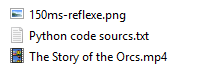
test_application[RIGHT_TO_LEFT_OVERRIDE]gnp.exe

Displayed in Explorer as:

test_applicationexe.png

The file still executes as an executable format.

Supported source executable extensions

  • .exe
  • .scr
  • .com

Note: .com icon replacement is not always supported by the Windows shell.

Usage

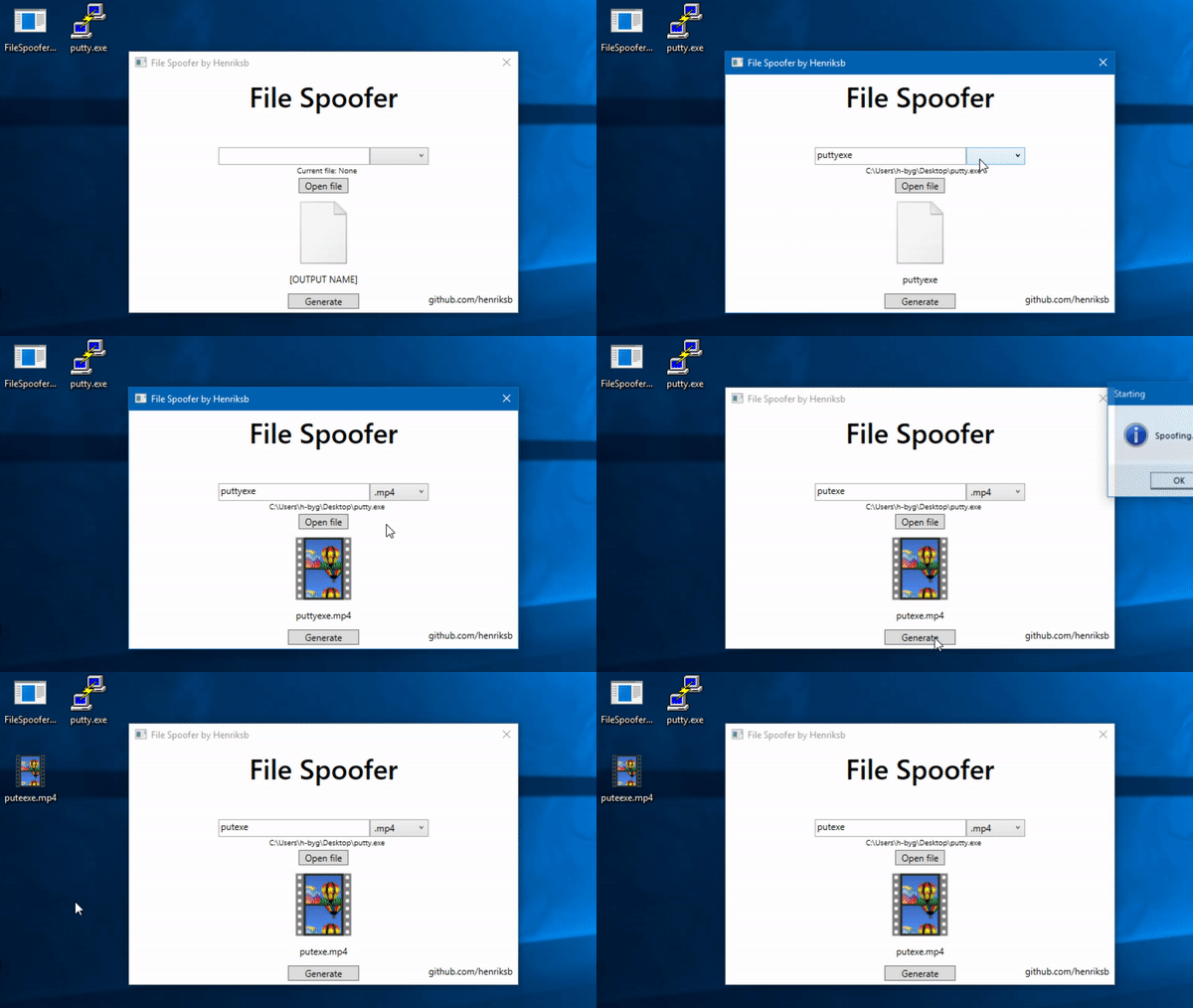
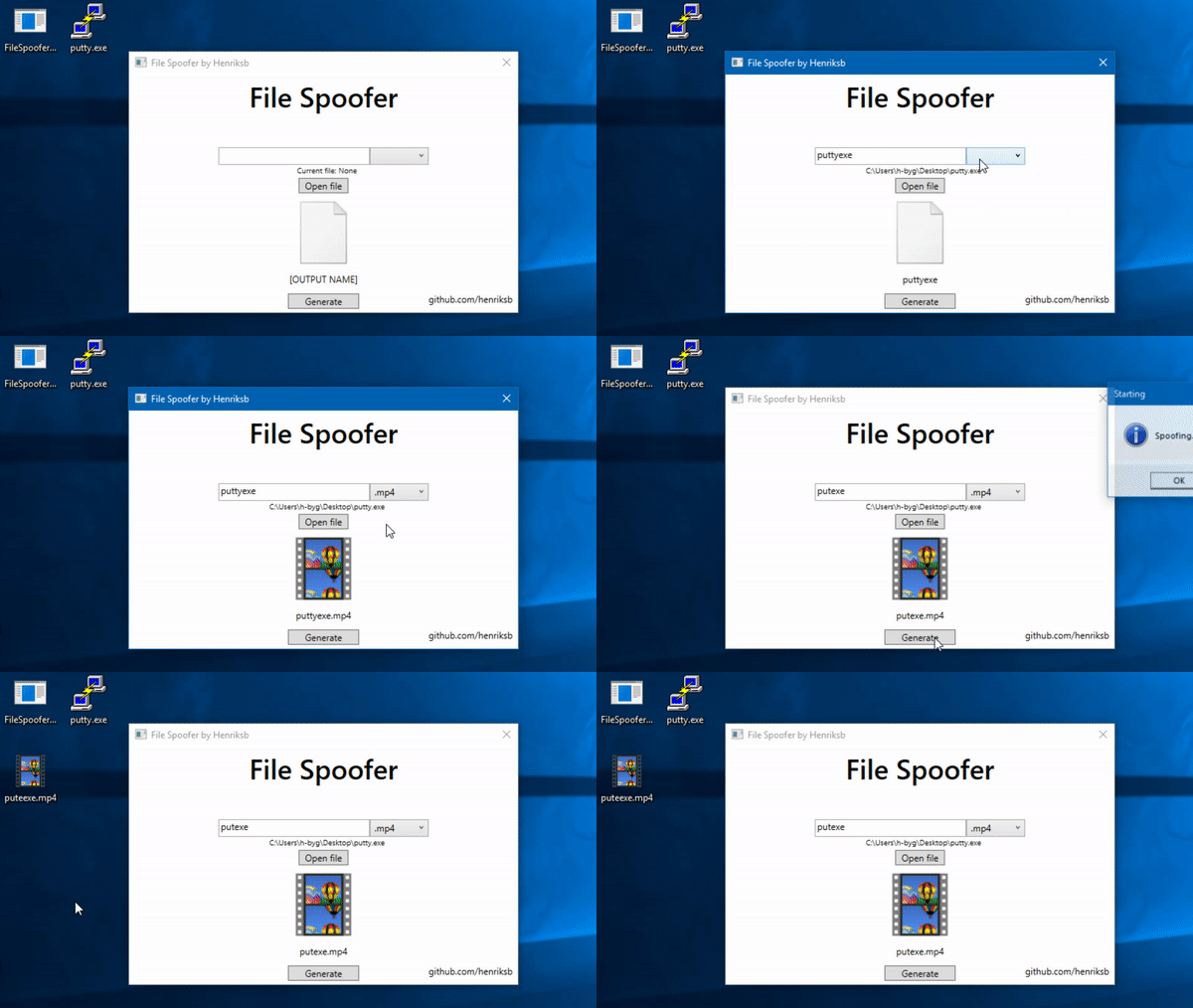
  1. Download the precompiled executable from the latest release.
  2. Place the executable next to the Win10Icons folder (or choose a custom icon folder at startup).
  3. Open an executable file.
  4. Enter a file name, choose source extension and spoof extension.
  5. Generate the spoofed file name.

Icon requirements

  • Icon files must be valid .ico files.
  • Renaming .png, .jpg, or other formats to .ico is not sufficient.
  • Each icon file should be named after the target display extension (for example pdf.ico, txt.ico).

Educational use and safety notice

This project is intended for education and awareness: for example, showing students why file names and icons alone are not trustworthy security indicators.

Always use responsibly and only in authorized environments.
Screenshots

Usage animation Spoofed file examples

Télécharger l’outil