 blacklanternsecurity/trevorproxy
Un proxy SOCKS écrit en Python qui randomise votre adresse IP source. Répartissez vos paquets malveillants en round-robin via des tunnels SSH ou donnez-leur des milliards d'adresses sources uniques !

Un proxy SOCKS écrit en Python qui randomise votre adresse IP source. Répartissez vos paquets malveillants en round-robin via des tunnels SSH ou donnez-leur des milliards d'adresses source uniques !
Voir le Blog Post d'accompagnement pour un rant amusant et des démos sympas !
Note : Si vous cherchez à vous défendre contre cette attaque, nous avons écrit un bon limiteur de débit rien que pour vous 🩵.
Par @thetechr0mancer

pip install git+https://github.com/blacklanternsecurity/trevorproxy
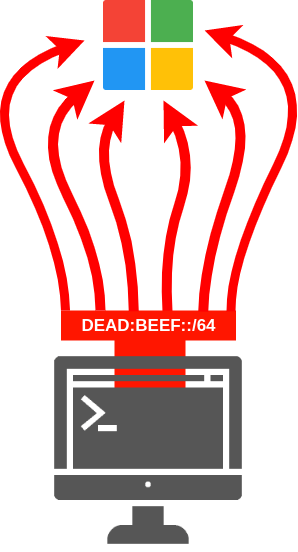 Diagramme du proxy de sous-réseau IPv6 TREVORproxy
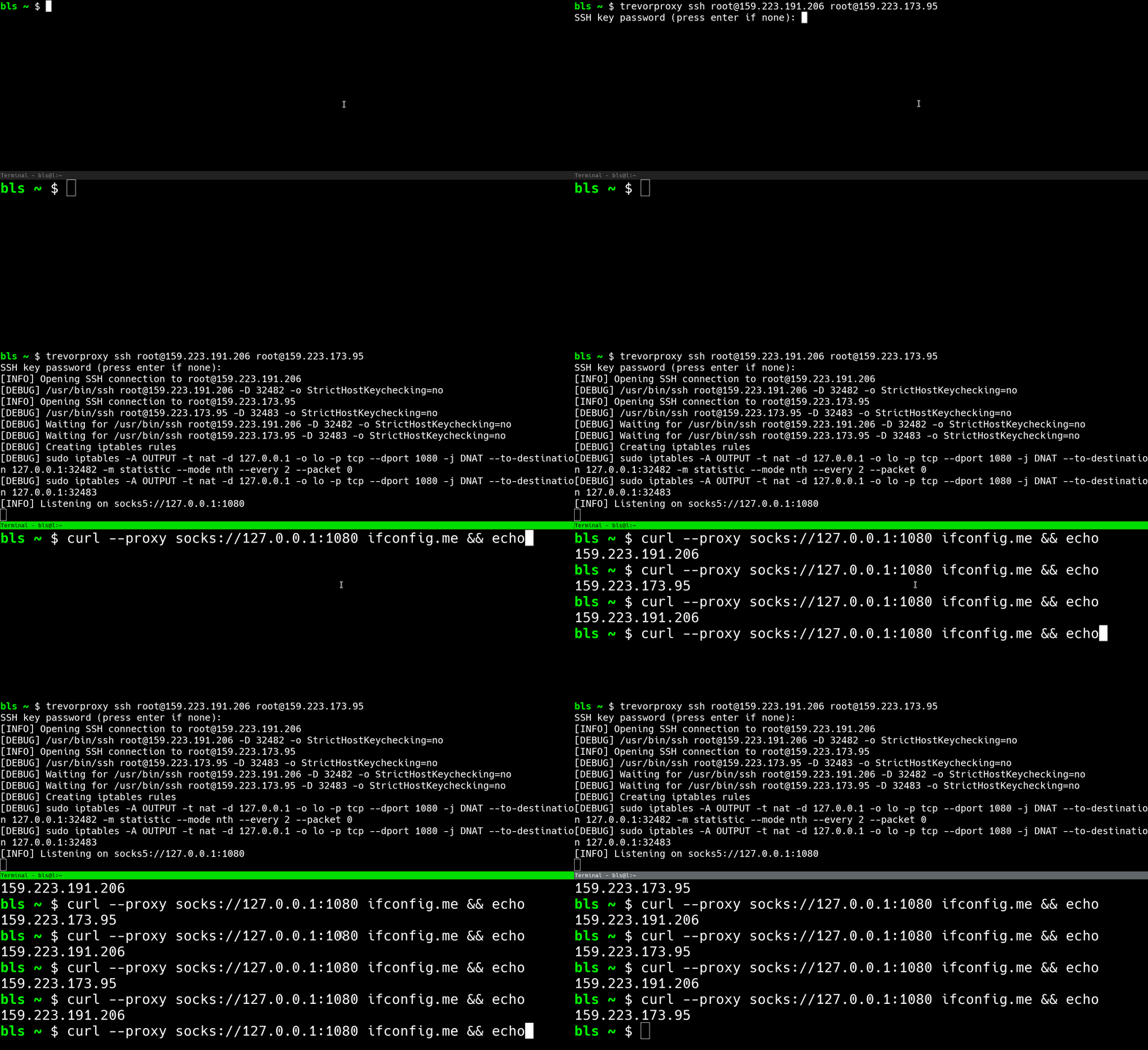 Démo du proxy SSH TREVORproxy
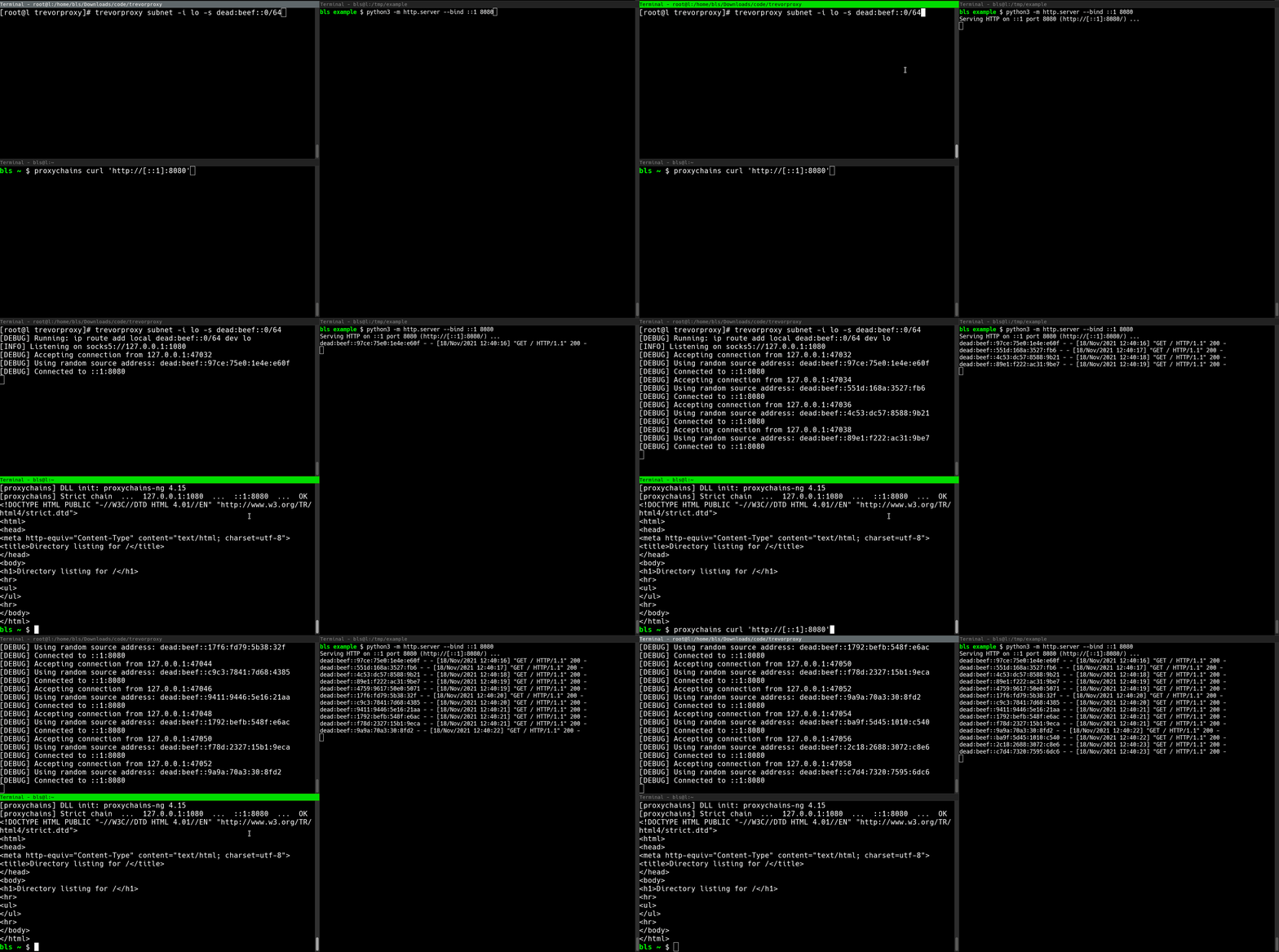 Démo du proxy de sous-réseau TREVORproxy
TREVORproxy a deux modes de fonctionnement : un Proxy de sous-réseau et un Proxy SSH :
/64, vous pouvez envoyer votre trafic depuis plus de dix-huit quintillions (18,446,744,073,709,551,616) d'adresses IP uniques.iptables avec la fonctionnalité de proxy SOCKS d'SSH (ssh -D) pour répartir les paquets en round-robin à travers des systèmes distants (VM cloud, etc.)NOTE : TREVORproxy n'est pas destiné à être un outil DoS, car il ne « spoofe » pas de paquets. C'est un proxy SOCKS pleinement fonctionnel, ce qui signifie qu'il est conçu pour accepter le trafic de retour.
subnet, trevorproxy doit être exécuté en tant que root# Start TREVORproxy
$ sudo trevorproxy subnet -s dead:beef::0/64 -i eth0
[DEBUG] ip route add local dead:beef::0/64 dev eth0
[INFO] Listening on socks5://127.0.0.1:1080
# Test SOCKS proxy
# Note that each request has a different source IP address
$ curl --proxy socks5://127.0.0.1:1080 -6 api64.ipify.org
dead:beef::74d0:b1be:3166:c934
$ curl --proxy socks5://127.0.0.1:1080 -6 api64.ipify.org
dead:beef::4927:1b4:8e5f:d44d
$ curl --proxy socks5://127.0.0.1:1080 -6 api64.ipify.org
dead:beef::2bb8:7b79:706e:cb7d
$ curl --proxy socks5://127.0.0.1:1080 -6 api64.ipify.org
dead:beef::7e13:abe3:dc24:5a00
# Configure proxychains
$ cat /etc/proxychains.conf
...
socks5 127.0.0.1 1080
...

# Start TREVORproxy
$ trevorproxy ssh [email protected] [email protected]
[DEBUG] Opening SSH connection to [email protected]
[DEBUG] /usr/bin/ssh [email protected] -D 32482 -o StrictHostKeychecking=no
[DEBUG] Opening SSH connection to [email protected]
[DEBUG] /usr/bin/ssh [email protected] -D 32483 -o StrictHostKeychecking=no
[DEBUG] Waiting for /usr/bin/ssh [email protected] -D 32482 -o StrictHostKeychecking=no
[DEBUG] Waiting for /usr/bin/ssh [email protected] -D 32483 -o StrictHostKeychecking=no
[DEBUG] Creating iptables rules
[DEBUG] iptables -A OUTPUT -t nat -d 127.0.0.1 -o lo -p tcp --dport 1080 -j DNAT --to-destination 127.0.0.1:32482 -m statistic --mode nth --every 2 --packet 0
[DEBUG] iptables -A OUTPUT -t nat -d 127.0.0.1 -o lo -p tcp --dport 1080 -j DNAT --to-destination 127.0.0.1:32483
[INFO] Listening on socks5://127.0.0.1:1080

# Test SOCKS proxy
$ proxychains curl ifconfig.me
1.2.3.4
$ proxychains curl ifconfig.me
4.3.2.1
$ proxychains curl ifconfig.me
1.2.3.4
$ proxychains curl ifconfig.me
4.3.2.1
$ trevorproxy --help
usage: trevorproxy [-h] [-p PORT] [-l LISTEN_ADDRESS] [-q] [-v] {interface,ssh} ...

Round-robin requests through multiple SSH tunnels via a single SOCKS server

positional arguments:
  {interface,ssh}       proxy type
    interface           send traffic from local interface
    ssh                 send traffic through SSH hosts

optional arguments:
  -h, --help            show this help message and exit
  -p PORT, --port PORT  Port for SOCKS server to listen on (default: 1080)
  -l LISTEN_ADDRESS, --listen-address LISTEN_ADDRESS
                        Listen address for SOCKS server (default: 127.0.0.1)
  -q, --quiet           Be quiet
  -v, -d, --verbose, --debug
                        Be verbose
$ trevorproxy subnet --help
usage: trevorproxy subnet [-h] [-i INTERFACE] [-s SUBNET]

optional arguments:
  -h, --help            show this help message and exit
  -i INTERFACE, --interface INTERFACE
                        Interface to send packets on
  -s SUBNET, --subnet SUBNET
                        Subnet to send packets from
$ trevorproxy ssh --help
usage: trevorproxy ssh [-h] [-k KEY] [--base-port BASE_PORT] ssh_hosts [ssh_hosts ...]

positional arguments:
  ssh_hosts             Round-robin load-balance through these SSH hosts (user@host)

optional arguments:
  -h, --help            show this help message and exit
  -k KEY, --key KEY     Use this SSH key when connecting to proxy hosts
  --base-port BASE_PORT
                        Base listening port to use for SOCKS proxies (default: 32482)

#trevorforget

