
 bishopfox/bfinject
Injection de Dylib pour iOS 11.0 - 11.1.2 avec les jailbreaks LiberiOS et Electra

Injection de dylib facile pour iOS 64 bits 11.0 - 11.1.2 jailbreaké. Compatible avec les jailbreaks Electra et LiberiOS.
bfinject charge des dylibs arbitraires dans des applications App Store en cours d'exécution. Il prend en charge nativement le déchiffrement des applications App Store, et est fourni avec iSpy et Cycript.
bfinject est un wrapper qui se charge de signer correctement vos dylibs avant de les injecter via bfinject4realz. Il est totalement autonome, ne nécessite ni jailbreakd, ni QiLin, ni rien de ce genre. Il fonctionne tout simplement.
Remarque : bfinject ne fonctionne pas sur Electra si « Tweaks » est activé. Redémarrez et relancez Electra sans tweaks pour pouvoir utiliser bfinject. Si vous voyez des erreurs liées à « thread_create », le problème est là.
Remarque : bfdecrypt est disponible en tant que dylib autonome ici : https://github.com/BishopFox/bfdecrypt/
wget d'Electra ne prend pas en charge SSL.ssh root@your-device-ip # (the password is 'alpine')
mkdir bfinject
cd bfinject
wget http://<your_server>/bfinject.tar
tar xvf bfinject.tar
wget de LiberiOS ne prend pas en charge SSL.ssh root@your-device-ip # (the password is 'alpine')
export PATH=$PATH:/jb/usr/bin:/jb/bin:/jb/sbin:/jb/usr/sbin:/jb/usr/local/bin:
cd /jb
mkdir bfinject
cd bfinject
wget http://<your_server>/bfinject.tar
tar xvf bfinject.tar
bash bfinject pour obtenir de l'aidebash, sinon elle ne fonctionnera pas. Sandbox, etc.-bash-3.2# bash bfinject
Syntax: bfinject [-p PID | -P appname] [-l /path/to/yourdylib | -L feature]
For example:
bfinject -P Reddit.app -l /path/to/evil.dylib # Injects evil.dylib into the Reddit app
or
bfinject -p 1234 -L cycript # Inject Cycript into PID
or
bfinject -p 4566 -l /path/to/evil.dylib # Injects the .dylib of your choice into PID
Instead of specifying the PID with -p, bfinject can search for the correct PID based on the app name.
Just enter "-P identifier" where "identifier" is a string unique to your app, e.g. "fing.app".
Available features:
cycript - Inject and run Cycript
decrypt - Create a decrypted copy of the target app
test - Inject a simple .dylib to make an entry in the console log
ispy - Inject iSpy. Browse to http://<DEVICE_IP>:31337/
Avant de faire quoi que ce soit de plus complexe, vérifiez que cela fonctionne. bfinject dispose de tests intégrés. Voici un exemple avec l'application Reddit comme cible :
Cs-iPhone:~ root# bash bfinject -P Reddit -L test
[+] Electra detected.
[+] Injecting into '/var/containers/Bundle/Application/55C94FAA-A282-4FDC-967D-6A012D01087E/Reddit.app/Reddit'
[+] Getting Team ID from target application...
[+] Thinning dylib into non-fat arm64 image
[+] Signing injectable .dylib with Team ID 2TDUX39LX8 and platform entitlements...
[bfinject4realz] Calling task_for_pid() for PID 486.
[bfinject4realz] Calling thread_create() on PID 486
[bfinject4realz] Looking for ROP gadget... found at 0x1019a2ba0
[bfinject4realz] Fake stack frame at 0x12ac5c000
[bfinject4realz] Calling _pthread_set_self() at 0x182bfb814...
[bfinject4realz] Returned from '_pthread_set_self'
[bfinject4realz] Calling dlopen() at 0x1829bb460...
[bfinject4realz] Returned from 'dlopen'
[bfinject4realz] Success! Library was loaded at 0x1c016e1c0
[+] So long and thanks for all the fish.
Sur l'écran de l'appareil, vous devriez voir ceci :

Si ce n'est pas le cas, quelque chose est cassé ;)
Voici un exemple de déchiffrement de l'application Reddit sur un iPhone jailbreaké avec Electra :
Cs-iPhone:~ root# bash bfinject -P Reddit -L decrypt
[+] Electra detected.
[+] Injecting into '/var/containers/Bundle/Application/BCEBDD64-6738-45CE-9B3C-C6F933EA0793/Reddit.app/Reddit'
[+] Getting Team ID from target application...
[+] Thinning dylib into non-fat arm64 image
[+] Signing injectable .dylib with Team ID 2TDUX39LX8 and platform entitlements...
[bfinject4realz] Calling task_for_pid() for PID 3218.
[bfinject4realz] Calling thread_create() on PID 3218
[bfinject4realz] Looking for ROP gadget... found at 0x1016a5110
[bfinject4realz] Fake stack frame at 0x10a06c000
[bfinject4realz] Calling _pthread_set_self() at 0x181303814...
[bfinject4realz] Returned from '_pthread_set_self'
[bfinject4realz] Calling dlopen() at 0x1810c3460...
[bfinject4realz] Returned from 'dlopen'
[bfinject4realz] Success! Library was loaded at 0x1c03e1100
[+] So long and thanks for all the fish.
Vous verrez cet écran sur votre appareil :
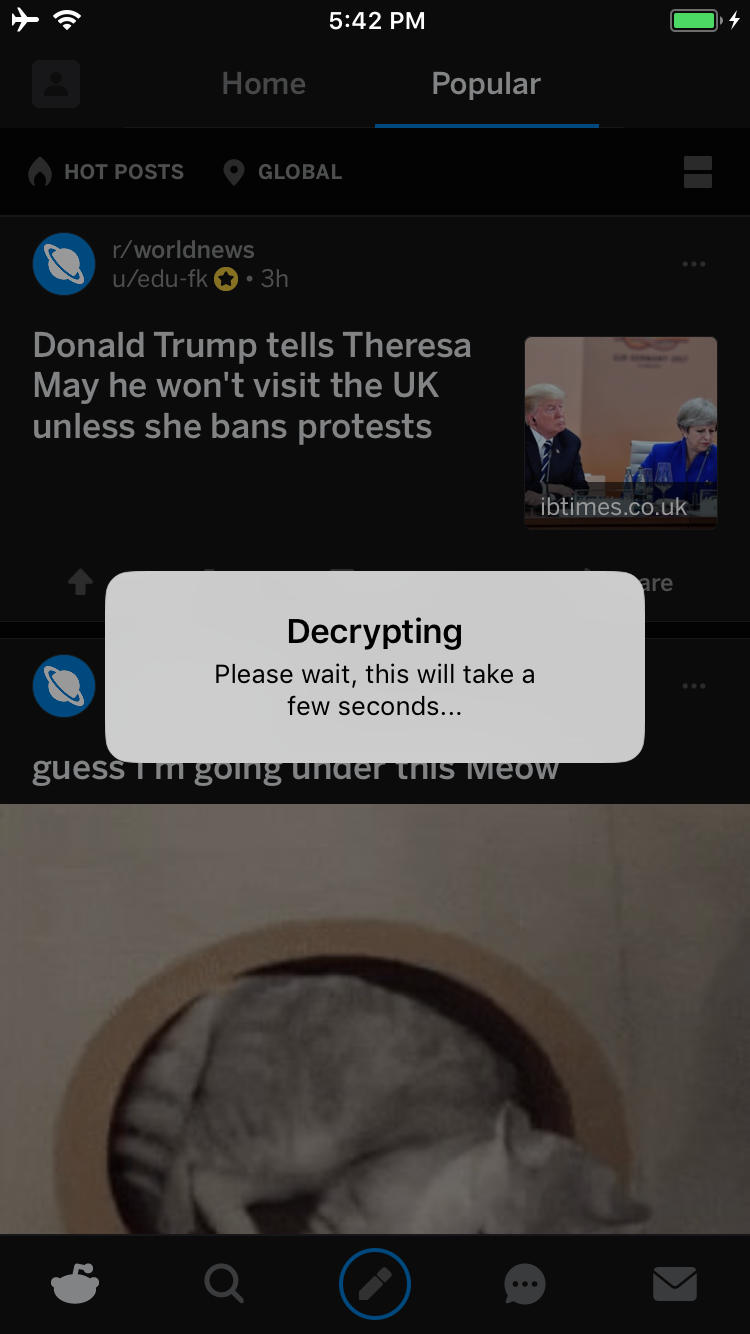
Une fois l'opération terminée, une alerte UI vous demandera si vous souhaitez lancer un service à partir duquel vous pourrez télécharger votre IPA déchiffré :
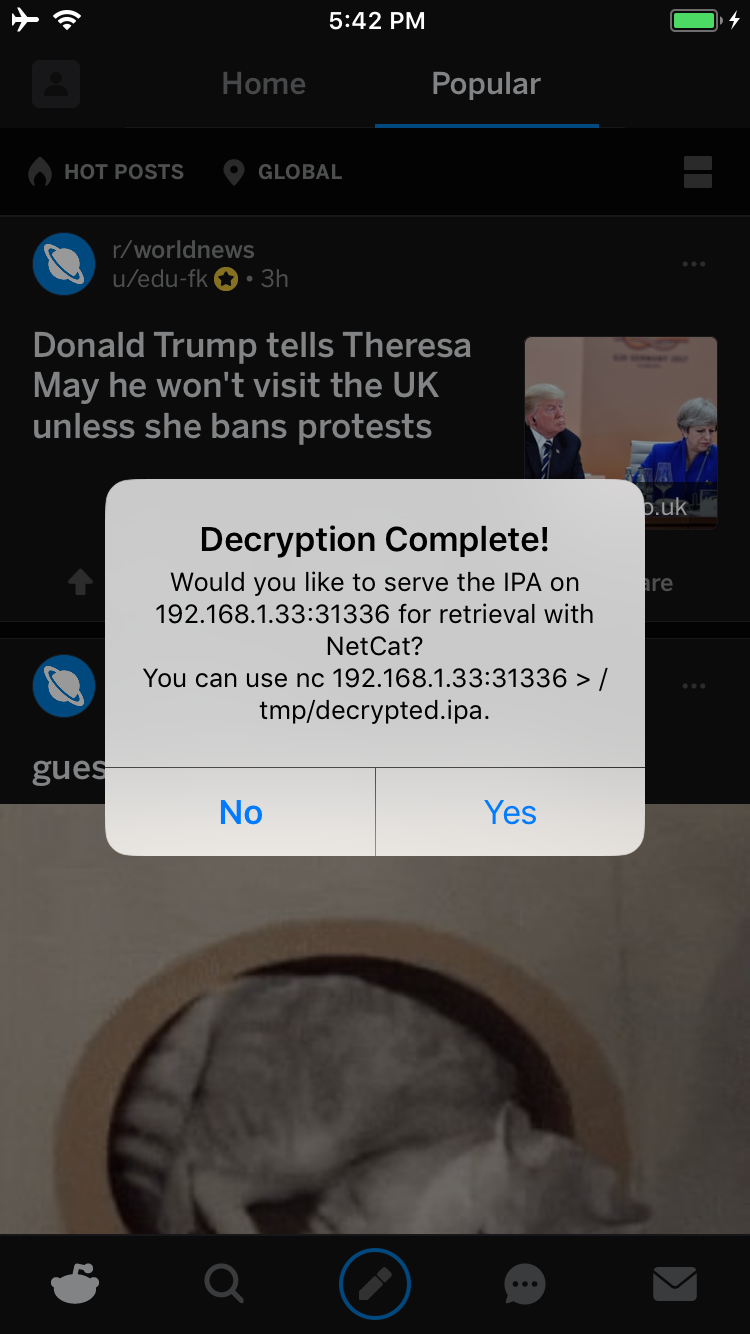
Si vous appuyez sur Oui, un service sera lancé sur le port 31336 de votre appareil. Connectez-vous-y et vous recevrez une copie brute de l'IPA, que vous pourrez télécharger avec netcat comme ceci :
carl@calisto-3 /tmp $ nc 192.168.1.33 31336 > decrypted.ipa
carl@calisto-3 /tmp $ ls -l decrypted.ipa
-rw-r--r--  1 carl  wheel  14649063 Jan 25 16:57 decrypted.ipa
carl@calisto-3 /tmp $ file decrypted.ipa
decrypted.ipa: iOS App Zip archive data, at least v2.0 to extract
Vous pouvez également consulter le journal de la console de l'appareil ; il vous indiquera où est stocké l'IPA déchiffré. Par exemple :
[dumpdecrypted] Wrote /var/mobile/Containers/Data/Application/6E6A5887-8B58-4FC5-A2F3-7870EDB5E8D1/Documents/decrypted-app.ipa
Vous pouvez aussi rechercher l'IPA dans le système de fichiers comme ceci :
find /var/mobile/Containers/Data/Application/ -name decrypted-app.ipa
