 seemoo-lab/openhaystack
Build your own 'AirTags' 🏷 today! Framework for tracking personal Bluetooth devices via Apple's massive Find My network.

 OpenHaystack
OpenHaystack is a framework for tracking personal Bluetooth devices via Apple's massive Find My network. Use it to create your own tracking tags that you can append to physical objects (keyrings, backpacks, ...) or integrate it into other Bluetooth-capable devices such as notebooks.
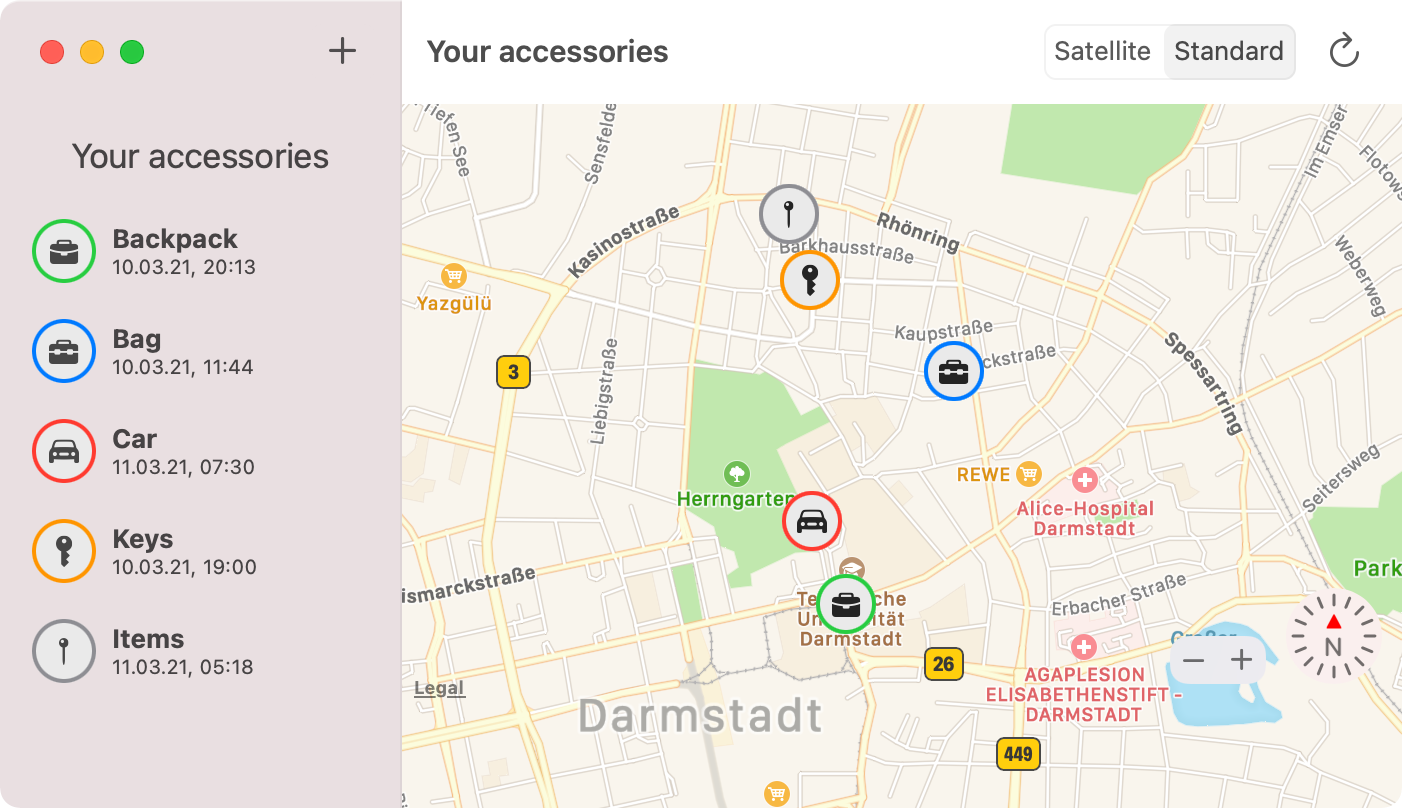
OpenHaystack is an application that allows you to create your own accessories that are tracked by Apple's Find My network. All you need is a Mac and a BBC micro:bit or any other Bluetooth-capable device. By using the app, you can track your accessories anywhere on earth without cellular coverage. Nearby iPhones will discover your accessories and upload their location to Apple's servers when they have a network connection.
OpenHaystack is the result of reverse-engineering and security analysis work of Apple's Find My network (or offline finding). We at the Secure Mobile Networking Lab of TU Darmstadt started analyzing offline finding after its initial announcement in June 2019. We identified how Apple devices can be found by iPhones devices, even when they are offline through this work. The whole system is a clever combination of Bluetooth advertisements, public-key cryptography, and a central database of encrypted location reports. We disclosed a specification of the closed parts of offline finding and conducted a comprehensive security and privacy analysis. We found two distinct vulnerabilities. The most severe one, which allowed a malicious application to access location data, has meanwhile been fixed by Apple (CVE-2020-9986). For more information about the security analysis, please read our paper. Since its release, we received quite a bit of press and media coverage.
OpenHaystack is experimental software. The code is untested and incomplete. For example, OpenHaystack accessories using our firmware broadcast a fixed public key and, therefore, are trackable by other devices in proximity (this might change in a future release). OpenHaystack is not affiliated with or endorsed by Apple Inc.
OpenHaystack consists of two components. First, we provide a macOS application that can display the last reported location of your personal Bluetooth devices. Second, the firmware image enables Bluetooth devices to broadcast beacons that make them discoverable by iPhones.
OpenHaystack requires macOS 11 (Big Sur).
The OpenHaystack application requires a custom plugin for Apple Mail. It is used to download location reports from Apple's servers via a private API (technical explanation: the plugin inherits Apple Mail's entitlements required to use this API). Therefore, the installation procedure is slightly different and requires you to temporarily disable Gatekeeper. Our plugin does not access any other private data such as emails (see source code).
~/Library/Mail/Bundle.sudo spctl --master-disable, which will disable Gatekeeper and allow our Apple Mail plugin to run.sudo defaults write "/Library/Preferences/com.apple.mail" EnableBundles 1sudo spctl --master-enable, which will enable Gatekeeper again.Adding a new accessory. To create a new accessory, you just need to enter a name for it and optionally select a suitable icon and a color. The app then generates a new key pair that is used to encrypt and decrypt the location reports. The private key is stored in your Mac's keychain.
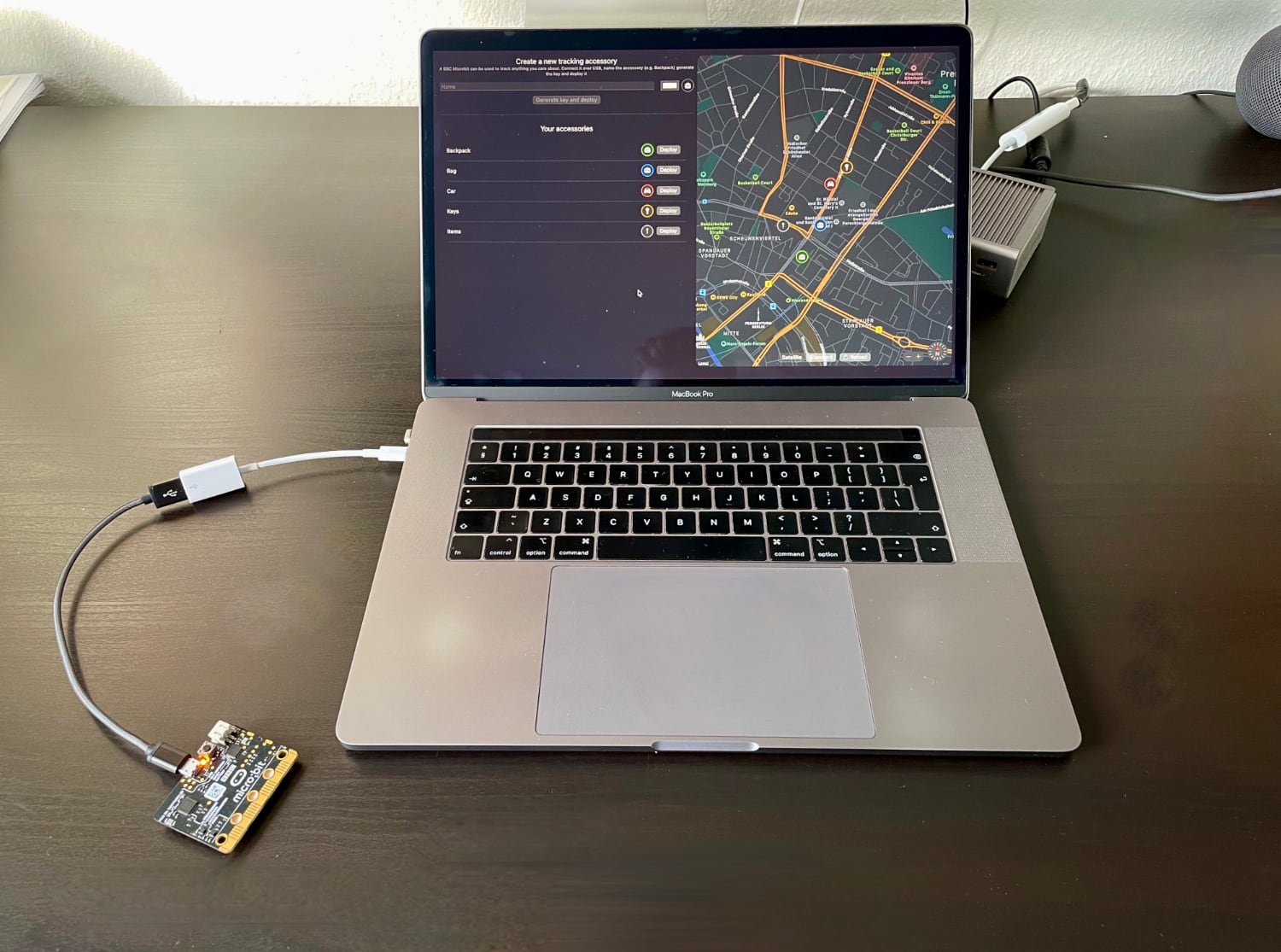
Deploy to device. Connect a supported device via USB to your Mac and hit the Deploy button next to the accessory's name and choose the corresponding. Instead of using OpenHaystack's integrated deployment, you may also copy the public key used for advertising (right click on accessory) and deploy it manually.
Display devices' locations. It can take up to 30 minutes until you will see the first location report on the map on the right side. The map will always show all your items' most recent locations. You can click on every item to check when the last update was received. By clicking the reload button, you can update the location reports.
We briefly explain Apple's offline finding system (aka Find My network). Please refer to our PETS paper and Apple's accessory specification for more details. We provide a schematic overview (from our paper) and explain how we integrate the different steps in OpenHaystack below.
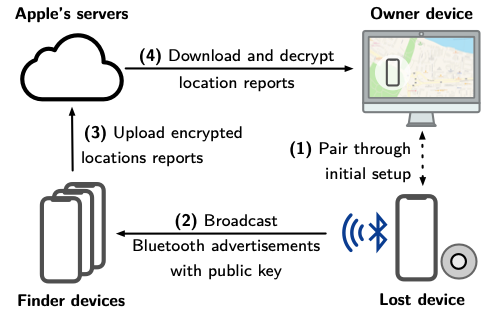
To use Apple's Find My network, we generate a public-private key pair on an elliptic curve (P-224). The private key remains on the Mac securely stored in the keychain, and the public key is deployed on the accessory, e.g., an attached micro:bit.
In short, the accessories broadcast the public key as Bluetooth Low Energy (BLE) advertisements (see firmware). Nearby iPhones will not be able to distinguish our accessories from a genuine Apple device or certified accessory.
When a nearby iPhone receives a BLE advertisement, the iPhone fetches its current location via GPS, encrypts it using public key from the advertisement, and uploads the encrypted report to Apple's server. All iPhones on iOS 13 or newer do this by default. OpenHaystack is not involved in this step.
