
 projectdiscovery/subfinder
Rápida herramienta de enumeración pasiva de subdominios.





Características • Instalación • Uso • Configuración de API • Biblioteca • Unirse a Discord
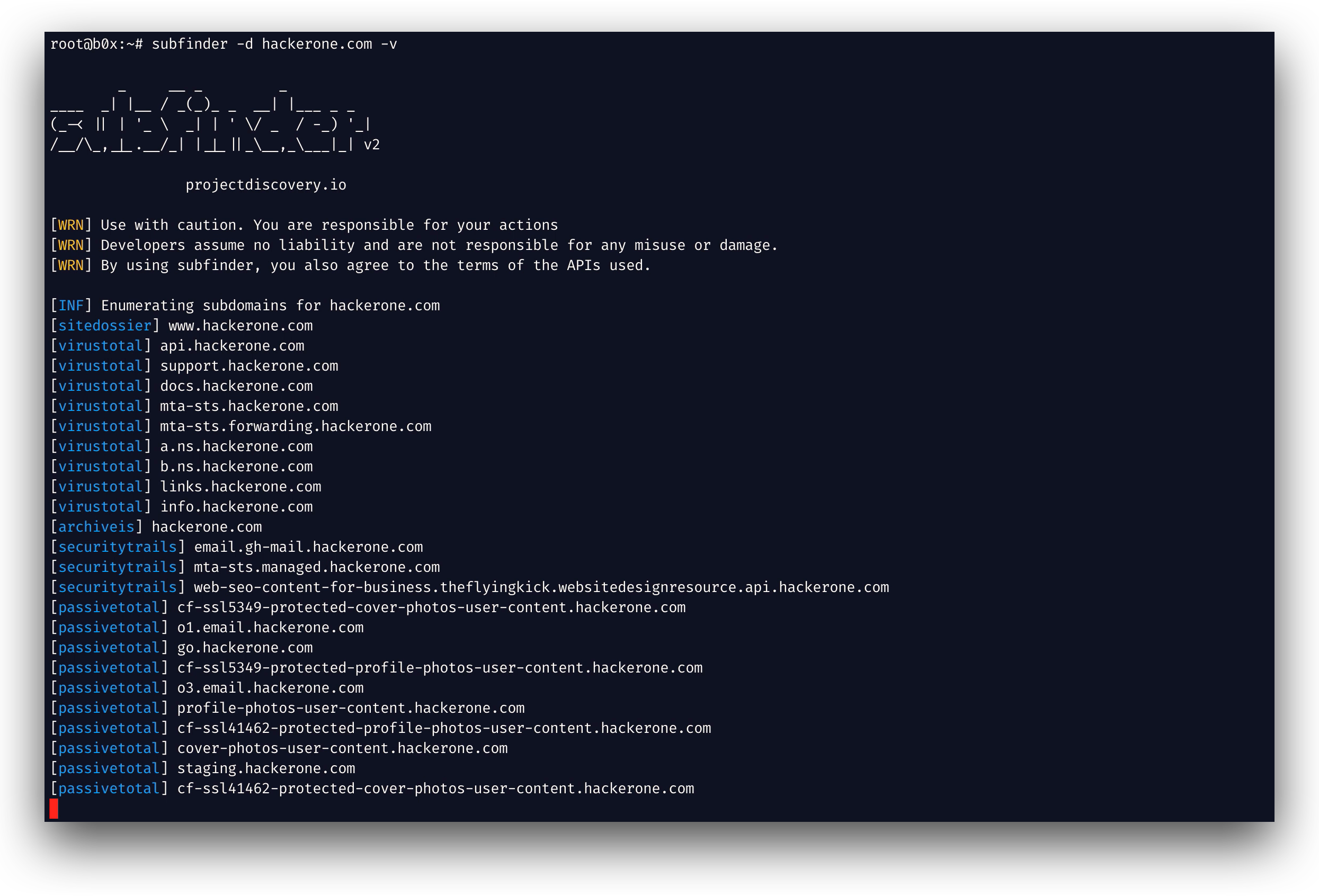
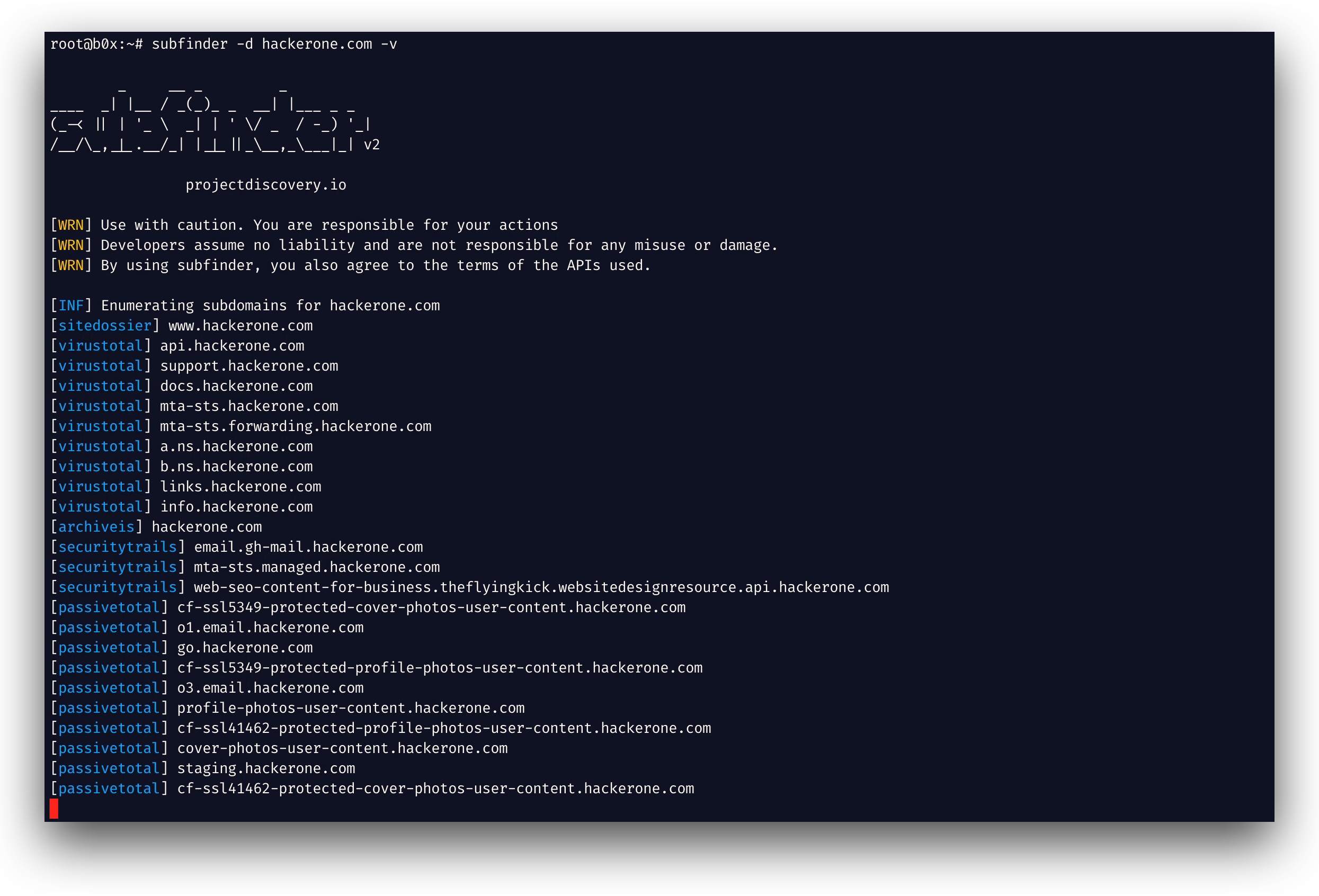
subfinder es una herramienta de descubrimiento de subdominios que devuelve subdominios válidos para sitios web, utilizando fuentes en línea pasivas. Tiene una arquitectura simple y modular, y está optimizada para la velocidad. subfinder está diseñado para hacer una sola cosa: enumeración pasiva de subdominios, y lo hace muy bien.
Lo hemos creado para cumplir con todas las licencias y restricciones de uso de las fuentes pasivas utilizadas. El modelo pasivo garantiza velocidad y discreción que pueden aprovechar tanto los probadores de penetración como los cazadores de recompensas por bugs (bug bounty).
subfinder -h
Esto mostrará la ayuda de la herramienta. Estos son todos los interruptores (switches) que soporta.
Usage:
  ./subfinder [flags]

Flags:
INPUT:
  -d, -domain string[]  domains to find subdomains for
  -dL, -list string     file containing list of domains for subdomain discovery

SOURCE:
  -s, -sources string[]           specific sources to use for discovery (-s crtsh,github). Use -ls to display all available sources.
  -recursive                      use only sources that can handle subdomains recursively (e.g. subdomain.domain.tld vs domain.tld)
  -all                            use all sources for enumeration (slow)
  -es, -exclude-sources string[]  sources to exclude from enumeration (-es alienvault,zoomeyeapi)

FILTER:
  -m, -match string[]   subdomain or list of subdomain to match (file or comma separated)
  -f, -filter string[]   subdomain or list of subdomain to filter (file or comma separated)

RATE-LIMIT:
  -rl, -rate-limit int  maximum number of http requests to send per second
  -rls value            maximum number of http requests to send per second for providers in key=value format (-rls "hackertarget=10/s,shodan=15/s")
  -t int                number of concurrent goroutines for resolving (-active only) (default 10)

UPDATE:
  -up, -update                 update subfinder to latest version
  -duc, -disable-update-check  disable automatic subfinder update check

OUTPUT:
  -o, -output string       file to write output to
  -oJ, -json               write output in JSONL(ines) format
  -oD, -output-dir string  directory to write output (-dL only)
  -cs, -collect-sources    include all sources in the output (-json only)
  -oI, -ip                 include host IP in output (-active only)

CONFIGURATION:
  -config string                flag config file (default "$CONFIG/subfinder/config.yaml")
  -pc, -provider-config string  provider config file (default "$CONFIG/subfinder/provider-config.yaml")
  -r string[]                   comma separated list of resolvers to use
  -rL, -rlist string            file containing list of resolvers to use
  -nW, -active                  display active subdomains only
  -proxy string                 http proxy to use with subfinder
  -ei, -exclude-ip              exclude IPs from the list of domains
  -mr, -max-results int         limit the number of results per source (0 = unlimited; honored by paginating sources)

DEBUG:
  -silent             show only subdomains in output
  -version            show version of subfinder
  -v                  show verbose output
  -nc, -no-color      disable color in output
  -ls, -list-sources  list all available sources (-oJ for JSON)

OPTIMIZATION:
  -timeout int   seconds to wait before timing out (default 30)
  -max-time int  minutes to wait for enumeration results (default 10)
Subfinder admite variables de entorno para especificar rutas personalizadas para los archivos de configuración:
SUBFINDER_CONFIG - Ruta al archivo config.yaml (anula el valor predeterminado $CONFIG/subfinder/config.yaml)SUBFINDER_PROVIDER_CONFIG - Ruta al archivo provider-config.yaml (anula el valor predeterminado $CONFIG/subfinder/provider-config.yaml)subfinder requiere go1.24 para instalarse correctamente. Ejecute el siguiente comando para instalar la última versión:
go install -v github.com/projectdiscovery/subfinder/v2/cmd/subfinder@latest
Aprenda más formas de instalar subfinder aquí: https://docs.projectdiscovery.io/tools/subfinder/install.
subfinder se puede usar inmediatamente después de la instalación; sin embargo, muchas fuentes requieren claves API para funcionar. Obtenga más información aquí: https://docs.projectdiscovery.io/tools/subfinder/install#post-install-configuration.
Aprenda cómo ejecutar Subfinder aquí: https://docs.projectdiscovery.io/tools/subfinder/running.
Subfinder también se puede utilizar como biblioteca y hay un ejemplo mínimo de uso del SDK de subfinder disponible aquí
subfinder está hecho con 🖤 por el equipo de projectdiscovery. Las contribuciones de la comunidad han hecho que el proyecto sea lo que es. Consulte el archivo THANKS.md para obtener más detalles.
Lea el aviso de uso en DISCLAIMER.md y contáctenos para cualquier eliminación de API.
