 orange-cyberdefense/graphcat
Genera gráficos a partir de resultados de cracking de contraseñas

Script sencillo para generar gráficos sobre potfiles de hashcat (y john) y ntds.
git clone https://github.com/Orange-Cyberdefense/graphcat
cd graphcat
pip install .
$ graphcat.py -h
usage: graphcat.py [-h] -potfile hashcat.potfile -hashfile hashfile.txt [-john] [-format FORMAT] [-export-charts] [-output-dir OUTPUT_DIR] [-debug]

Password Cracking Graph Reporting

options:
  -h, --help            show this help message and exit
  -potfile hashcat.potfile
                        Hashcat Potfile
  -hashfile hashfile.txt
                        File containing hashes (one per line)
  -john                 John potfile
  -format FORMAT        hashfile format (default 3): 1 for hash; 2 for username:hash; 3 for secretsdump (username:uid:lm:ntlm)
  -export-charts        Output also charts in png
  -output-dir OUTPUT_DIR
                        Output directory
  -debug                Turn DEBUG output ON
Graphcat solo necesita un potfile con -potfile (por defecto es hashcat, pero puedes usar -john para enviar un potfile de john) y un archivo de hashes con -hashfile. El archivo de hashes debe tener un formato específico de los 3 formatos disponibles con la bandera -format. El valor por defecto es Secretsdump.
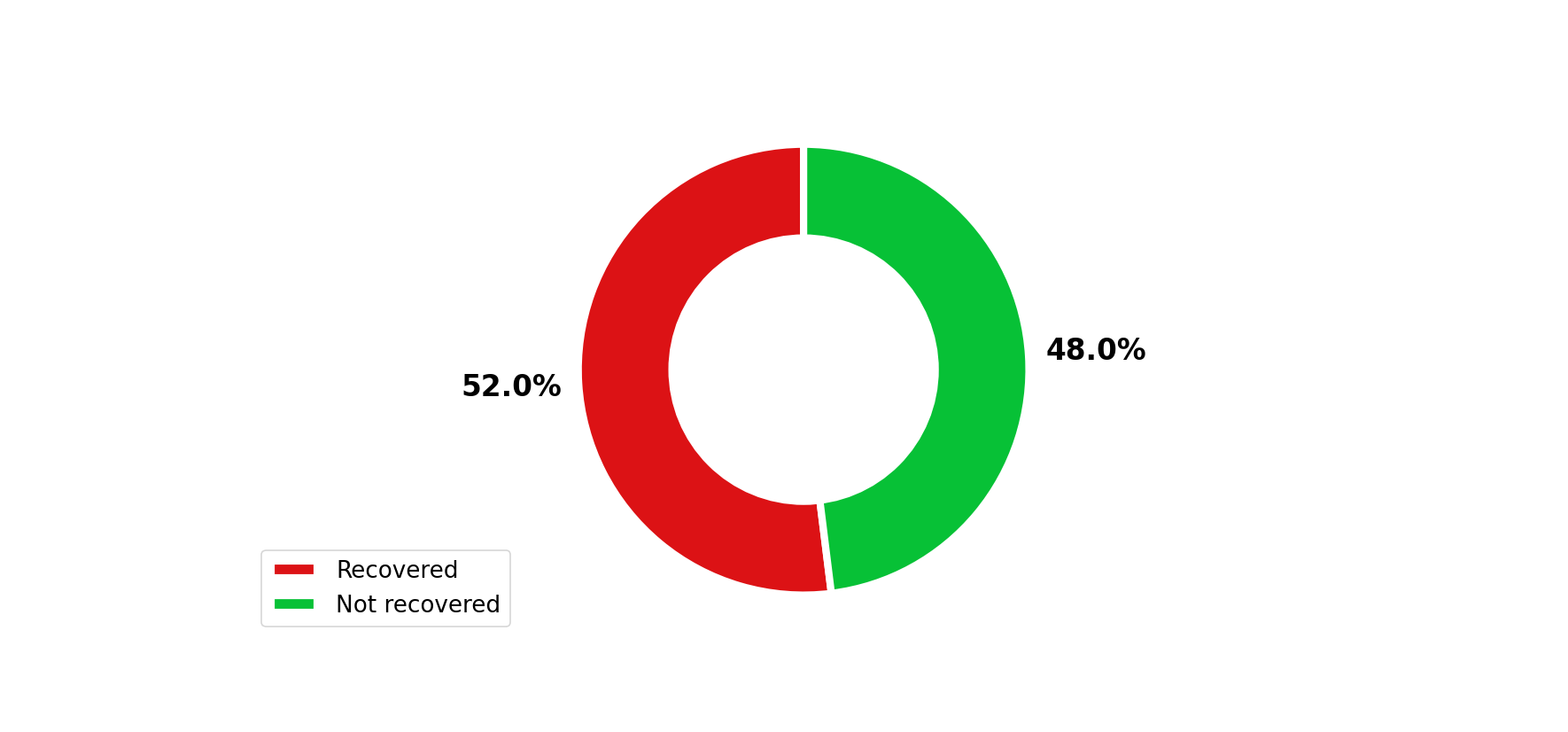
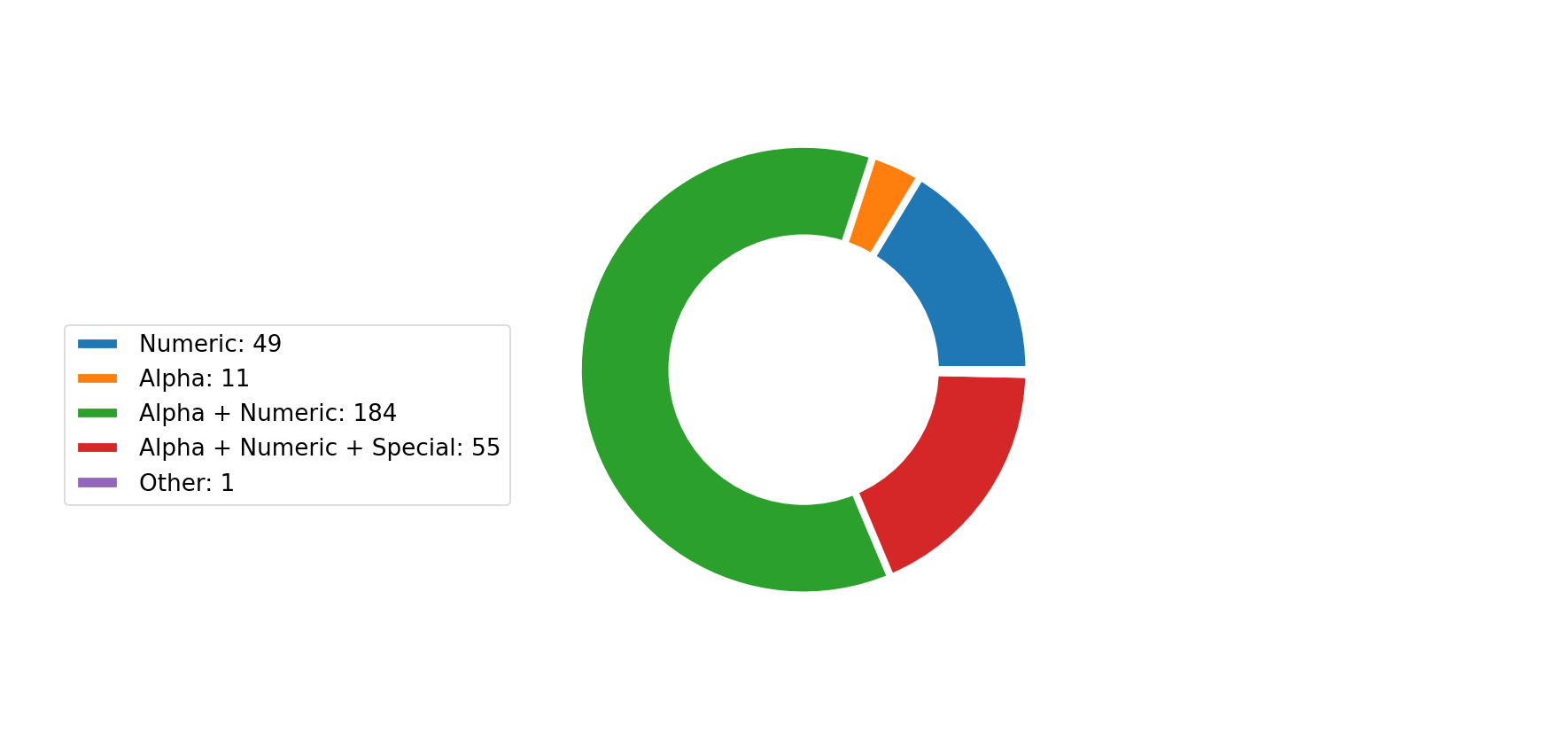
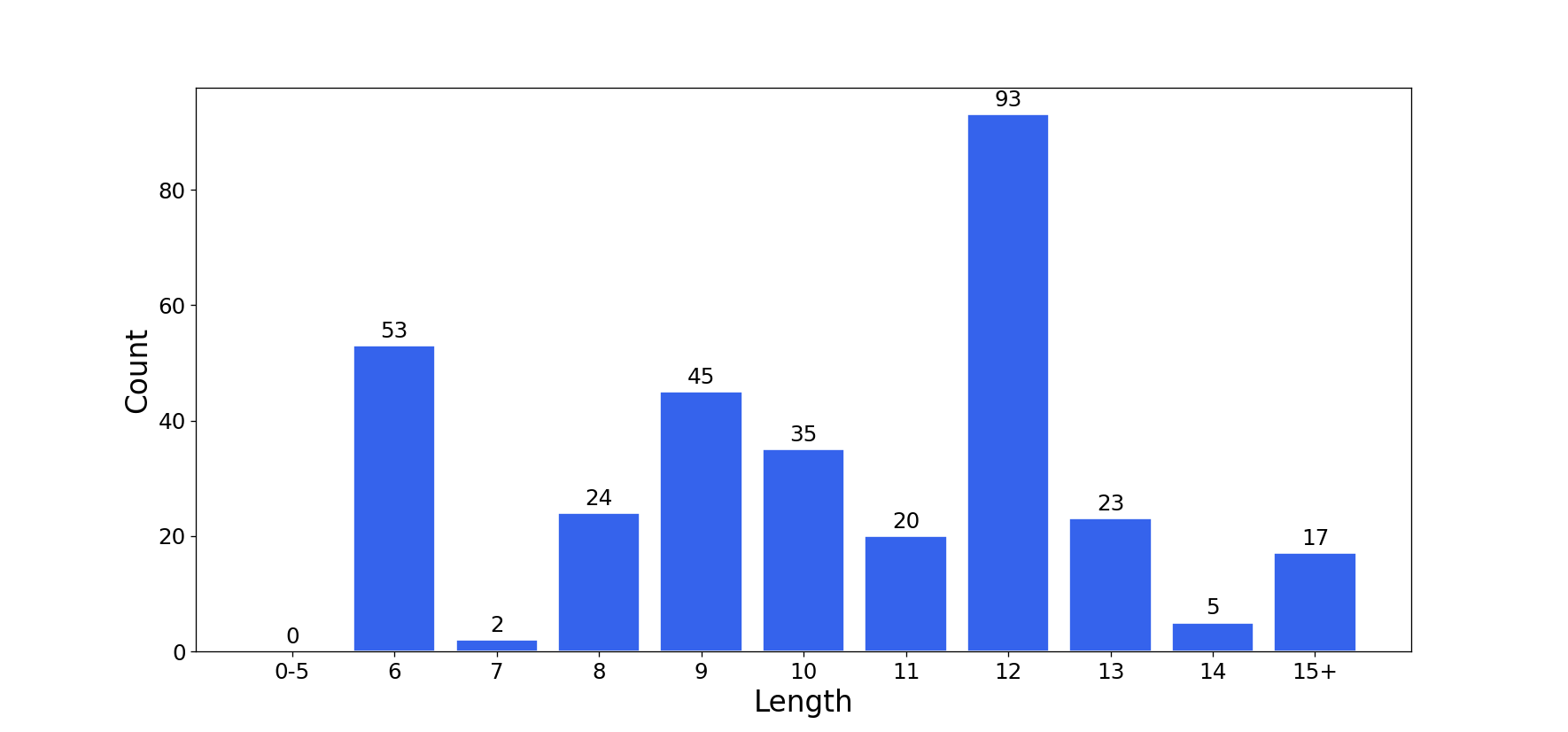
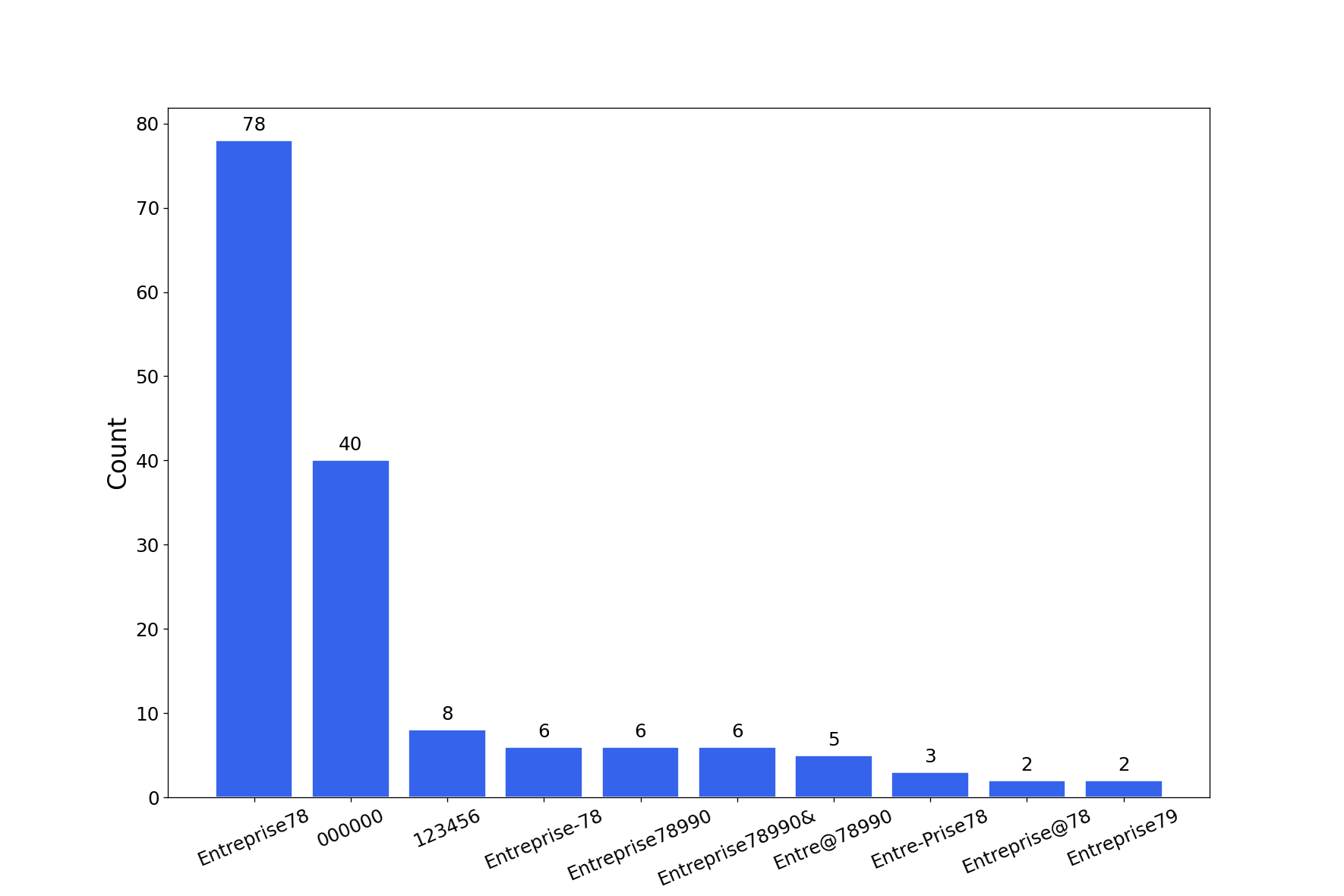
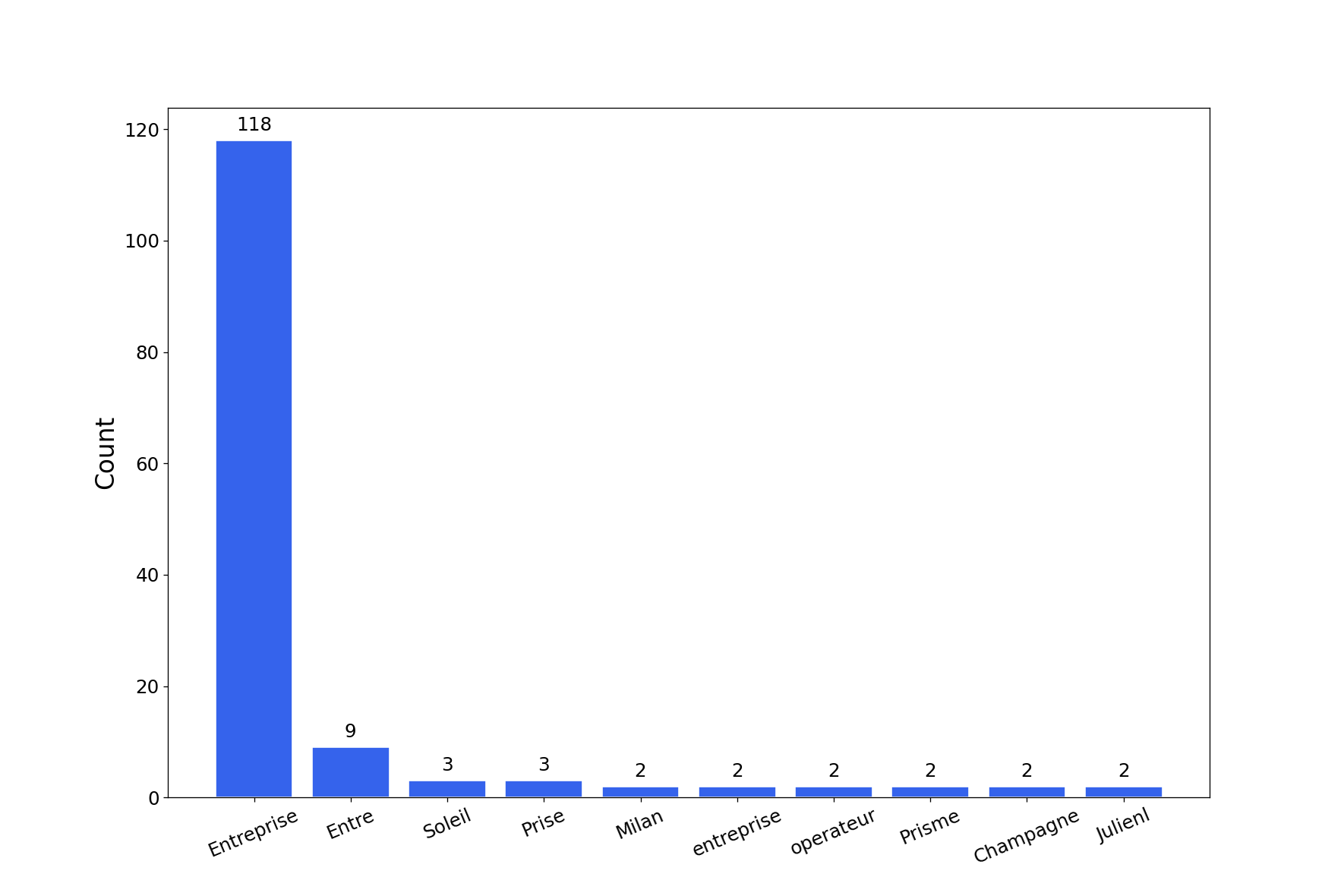
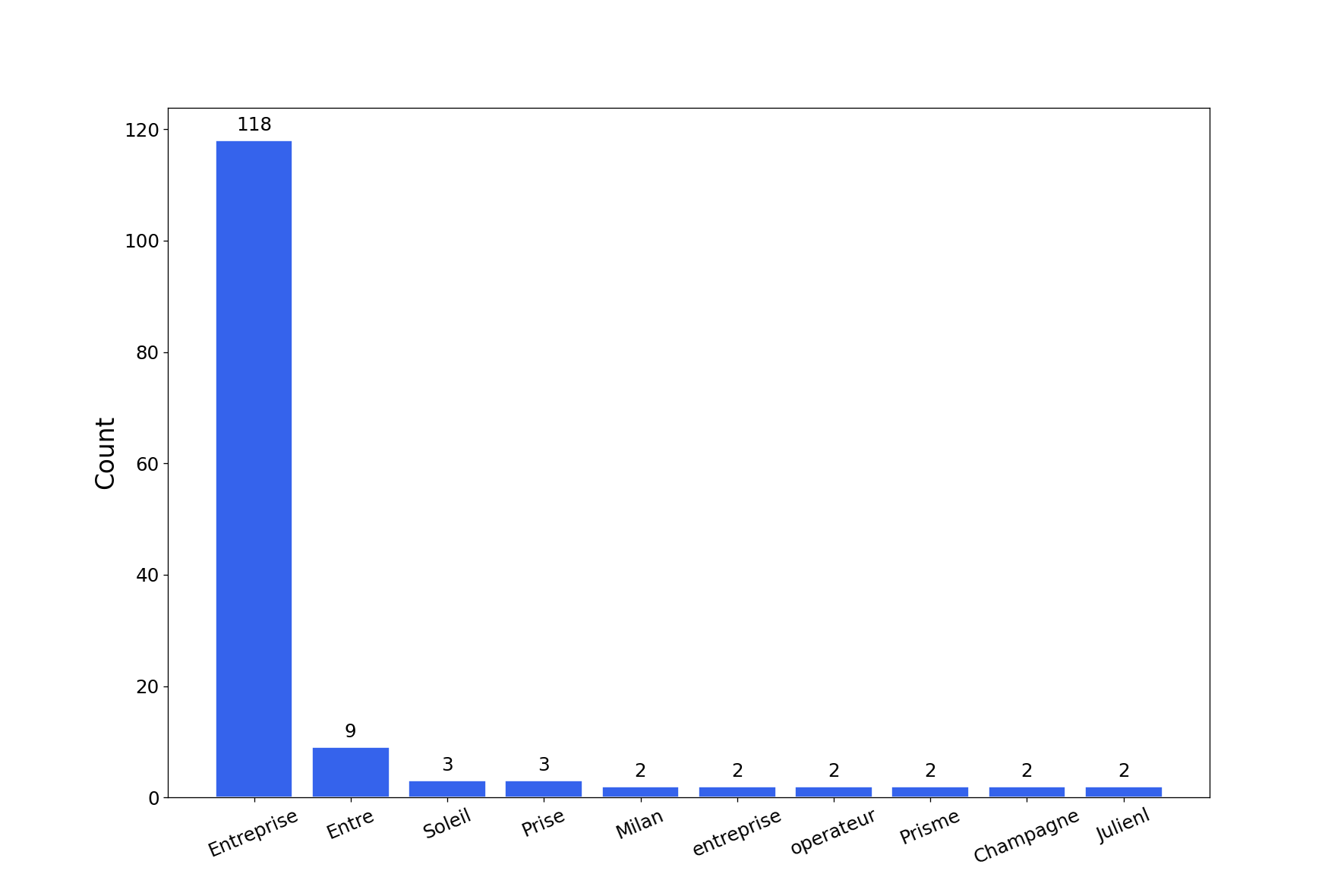
La herramienta generará un informe con múltiples gráficos de cracking de contraseñas. Puedes obtener los gráficos en png con la bandera -export-charts.
$ graphcat.py -hashfile entreprise.local.ntds -potfile hashcat.pot
[-] Parsing potfile
[-] 164 entries in potfile
[-] Parsing hashfile
[-] 1600 entries in hashfile
[-] Generating graphs...
[-] Generating report...
[-] Report available at graphcat_1672941324.pdf
1: Solo Hash
aad3b435b51404eeaad3b435b51404ee
aad3b435b51404eeaad3b435b51404ee
aad3b435b51404eeaad3b435b51404ee
2: Usuario + Hash
test1:aad3b435b51404eeaad3b435b51404ee
test2:aad3b435b51404eeaad3b435b51404ee
test3:aad3b435b51404eeaad3b435b51404ee
3: Secretsdump
waza.local\test1:4268:aad3b435b51404eeaad3b435b51404ee:aad3b435b51404eeaad3b435b51404ee:::
waza.local\test2:4269:aad3b435b51404eeaad3b435b51404ee:aad3b435b51404eeaad3b435b51404ee:::
waza.local\test3:4270:aad3b435b51404eeaad3b435b51404ee:aad3b435b51404eeaad3b435b51404ee:::
Si un hash aparece más de una vez en el archivo de hashes, se contará esa cantidad de veces.
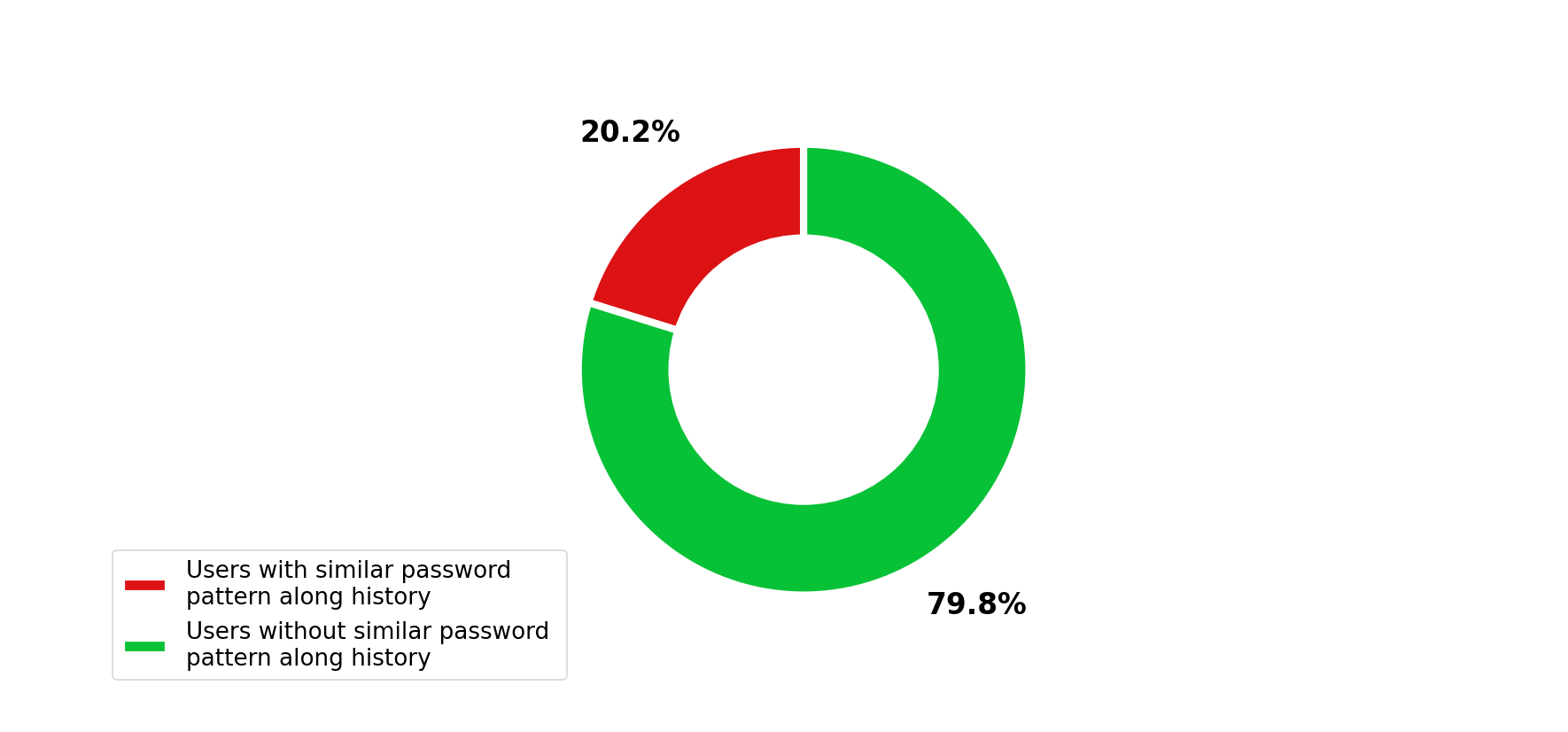
Además, si envías secretsdump con historial de contraseñas (-history en el comando secretsdump), analizará la similitud en el historial de contraseñas.