
 nullt3r/jfscan
JF⚡can - Súper rápido escaneo de puertos y descubrimiento de servicios usando Masscan y Nmap. Escanea grandes redes con Masscan y usa las capacidades de scripting de Nmap para descubrir información sobre los servicios. Genera un informe.




[!CAUTION]
⚠️ Proyecto obsoleto
Este proyecto ha sido reescrito en Go para un mejor rendimiento y funcionalidades. Usa la nueva versión aquí: nullt3r/massmap
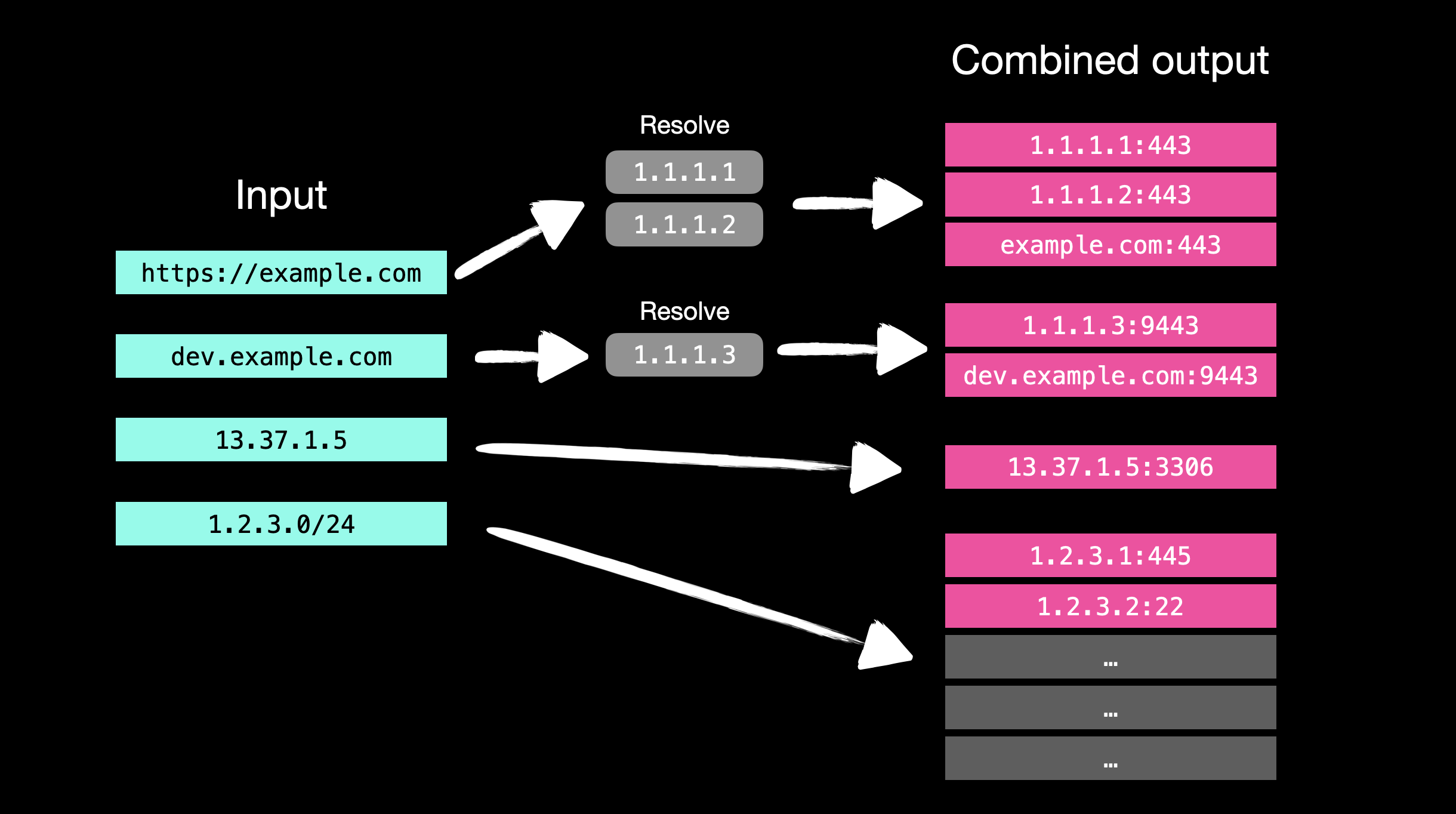
JFScan es un envoltorio que aprovecha la velocidad de Masscan y las capacidades de fingerprinting de Nmap. JFScan acepta objetivos en forma de URLs, dominios o IPs (incluyendo CIDR). Puedes especificar un archivo con objetivos usando un argumento, o usar stdin.
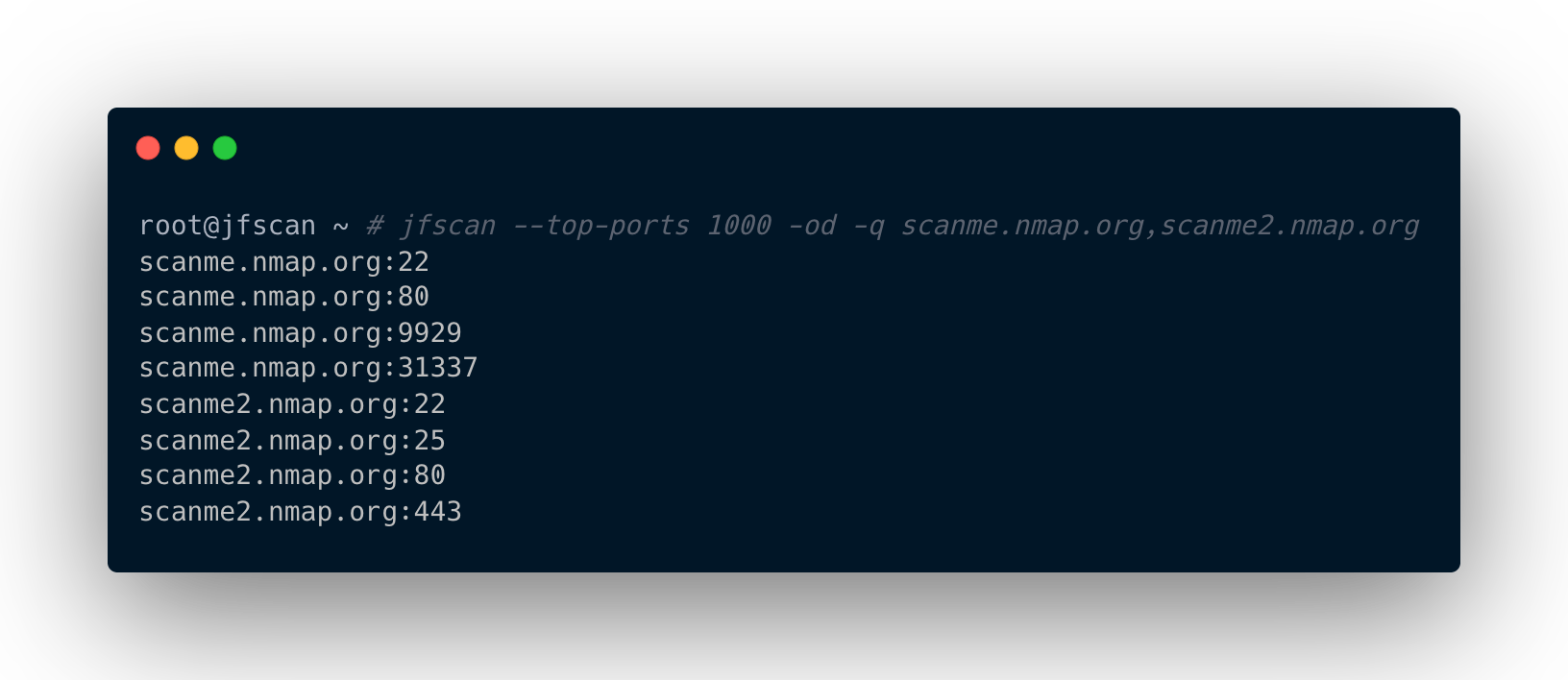
JFScan también te permite mostrar solo los resultados y encadenarlos con otras herramientas como Nuclei. La salida dominio:puerto de JFScan es crucial para identificar vulnerabilidades en aplicaciones web, ya que el host virtual determina qué contenido se servirá.
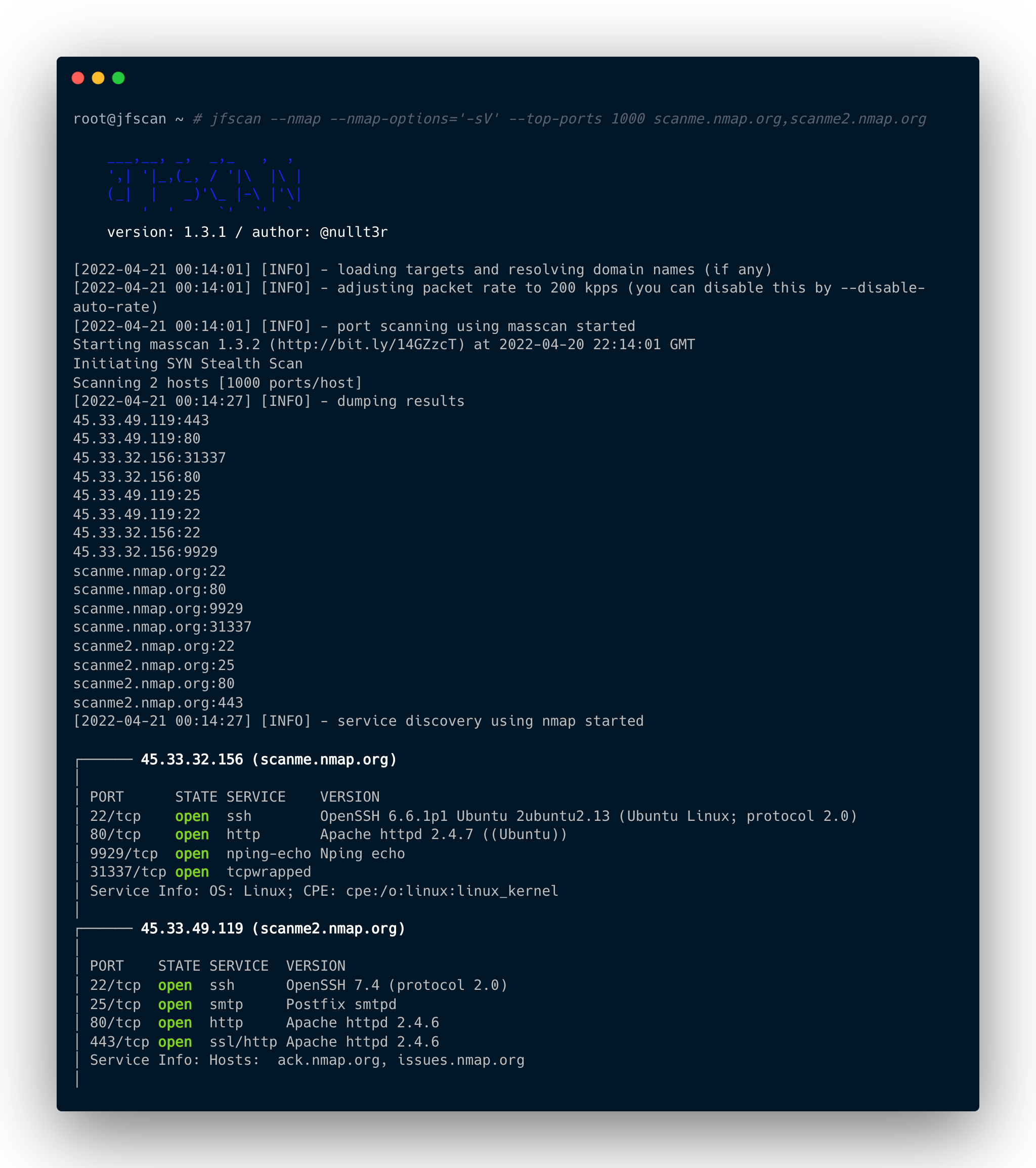
Además, JFScan puede escanear puertos descubiertos con Nmap, y te permite definir opciones personalizadas y aprovechar las capacidades avanzadas de scripting de Nmap.
La lógica de procesamiento de entrada y salida de JFScan:
usage: jfscan [-h] [--targets TARGETS] (-p PORTS | --top-ports TOP_PORTS | --yummy-ports) [--resolvers RESOLVERS] [--enable-ipv6] [--scope SCOPE] [-r MAX_RATE] [--wait WAIT] [--disable-auto-rate] [-i INTERFACE] [--source-ip SOURCE_IP]
              [--router-ip ROUTER_IP] [--router-mac ROUTER_MAC] [--router-mac-ipv6 ROUTER_MAC_IPV6] [-oi] [-od] [-o OUTPUT] [-q | -v] [--nmap] [--nmap-options NMAP_OPTIONS] [--nmap-threads NMAP_THREADS] [--nmap-output NMAP_OUTPUT] [--version]
              [target]

JFScan - Just Fu*king Scan

optional arguments:
  -h, --help            show this help message and exit
  -p PORTS, --ports PORTS
                        ports, can be a range or port list: 0-65535 or 22,80,100-500,...
  --top-ports TOP_PORTS
                        scan only N of the top ports, e. g., --top-ports 1000
  --yummy-ports         scan only for the most yummy ports
  -q, --quite           output only results
  -v, --verbose         verbose output

  --nmap                run nmap on discovered ports
  --nmap-options NMAP_OPTIONS
                        nmap arguments, e. g., --nmap-options='-sV' or --nmap-options='-sV --script ssh-auth-methods'
  --nmap-threads NMAP_THREADS
                        number of nmaps to run concurrently, default 8
  --nmap-output NMAP_OUTPUT
                        output results from nmap to specified file in standard XML format (same as nmap option -oX)

  target                a target or targets separated by a comma, accepted form is: domain name, IPv4, IPv6, URL
  --targets TARGETS     file with targets, accepted form is: domain name, IPv4, IPv6, URL

  -oi, --only-ips       output only IP adresses, default: all resources
  -od, --only-domains   output only domains, default: all resources
  -o OUTPUT, --output OUTPUT
                        output masscan's results to specified file

  --resolvers RESOLVERS
                        custom resolvers separated by a comma, e. g., 8.8.8.8,1.1.1.1
  --enable-ipv6         enable IPv6 support, otherwise all IPv6 addresses will be ignored in the scanning process
  --scope SCOPE         file path with IP adresses and CIDRs to control scope, expected format: IPv6, IPv4, IPv6 CIDR, IPv4 CIDR
  -r MAX_RATE, --max-rate MAX_RATE
                        max kpps rate for the masscan
  --wait WAIT           a number of seconds to wait for packets to arrive (when scanning large networks), option for the masscan
  --disable-auto-rate   disable rate adjustment mechanism for masscan (more false positives/negatives)
  -i INTERFACE, --interface INTERFACE
                        interface for masscan and nmap to use
  --source-ip SOURCE_IP
                        IP address of your interface for the masscan
  --router-ip ROUTER_IP
                        IP address of your router for the masscan
  --router-mac ROUTER_MAC
                        MAC address of your router for the masscan
  --router-mac-ipv6 ROUTER_MAC_IPV6
                        MAC address of your IPv6 router for the masscan

  --version             show program's version number and exit
Por favor, sigue las instrucciones de instalación antes de ejecutar. No ejecutes JFScan como root, no es necesario ya que hemos establecido permisos especiales en el binario de masscan.
Escanea objetivos solo para los puertos 80 y 443 con una velocidad de 10 kpps:
$ jfscan -p 80,443 --targets targets.txt -r 10000
Escanea objetivos para los 1000 puertos principales:
$ jfscan --top-ports 1000 1.1.1.1/24
También puedes especificar objetivos en stdin y canalizarlos a nuclei:
$ cat targets.txt | jfscan --top-ports 1000 -q | httpx -silent | nuclei
O como parámetro posicional:
$ jfscan --top-ports 1000 1.1.1.1/24 -q | httpx -silent | nuclei
O todo a la vez, a JFScan no le importa y escanea todos los objetivos especificados:
$ echo target1 | jfscan --top-ports 1000 target2 --targets targets.txt -q | httpx -silent | nuclei
Utiliza nmap para recopilar más información sobre los servicios descubiertos:
$ cat targets.txt | jfscan -p 0-65535 --nmap --nmap-options="-sV --scripts ssh-auth-methods"
El archivo targets.txt puede contener objetivos en las siguientes formas (IPv6 de manera similar):
http://domain.com/
domain.com
1.2.3.4
1.2.3.0/24
1.1.1.1-1.1.1.30
Primero, instala libpcap-dev (distribución basada en Debian) o libcap-devel (distribución basada en CentOS):
sudo apt install libpcap-dev
Luego, clona el repositorio oficial e instala:
sudo apt-get --assume-yes install git make gcc
git clone https://github.com/robertdavidgraham/masscan
cd masscan
make
sudo make install
sudo setcap CAP_NET_RAW+ep /usr/bin/masscan
sudo apt install python3 python3-pip
$ git clone https://github.com/nullt3r/jfscan.git
$ cd jfscan
$ pip3 install .
Si no puedes ejecutar jfscan directamente desde la línea de comandos, debes verificar si $HOME/.local/bin está en tu PATH.
Añade la siguiente línea a tu ~/.zshrc o ~/.bashrc:
export PATH="$HOME/.local/bin:$PATH"
Lee el archivo LICENSE.
